Introduction to this section:
Hehe, if your company makes HTML5-based mobile apps, that is, using WebView to display web pages, and if the web page you visit does not exist, or has other errors, returning error status codes such as 404, 401, 403, 30X, etc., then directly popping up the WebView default error page might not seem very user-friendly. We can override the onReceivedError() method of WebViewClient to achieve the effect we want. There are generally two approaches: one is to create an HTML page in the assets directory ourselves to display error information. When an error occurs, that is, when onReceivedError() is called, we call the webView's loadUrl to jump to our error page, for example: wView.loadUrl("file:///android_asset/error.html"); Alternatively, we can create another layout or simply a large image, set it to be invisible normally, and when a page error occurs, make that layout or image visible! Let's write a simple example below!
1. Page error, load a custom web page:
Running effect screenshot:
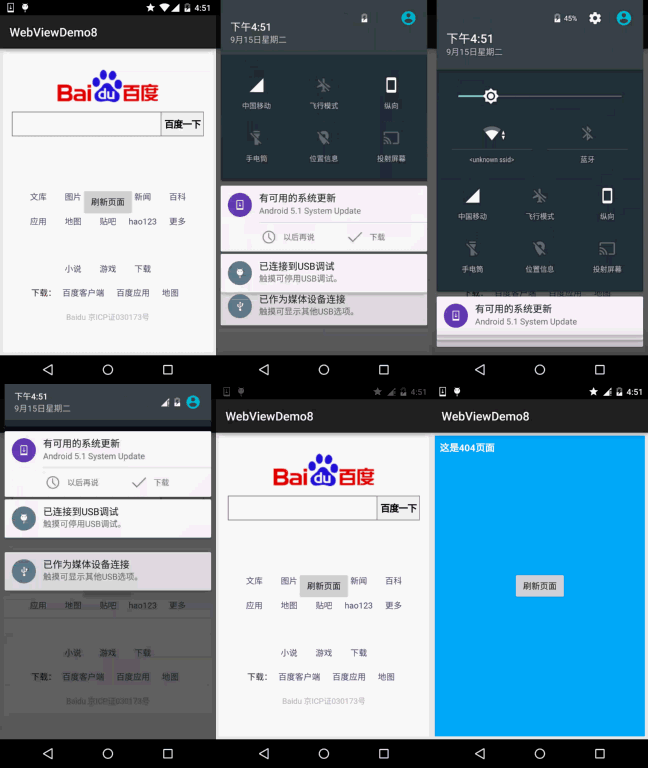
Key code:
wView.setWebViewClient(new WebViewClient() {
//设置在webView点击打开的新网页在当前界面显示,而不跳转到新的浏览器中
@Override
public boolean shouldOverrideUrlLoading(WebView view, String url) {
    view.loadUrl(url);
    return true;
}

@Override
public void onReceivedError(WebView view, int errorCode, String description,
    String failingUrl) {
        super.onReceivedError(view, errorCode, description, failingUrl);
        wView.loadUrl("file:///android_asset/error.html");
    }
});
2. Page error, display the corresponding View
Running effect screenshot:
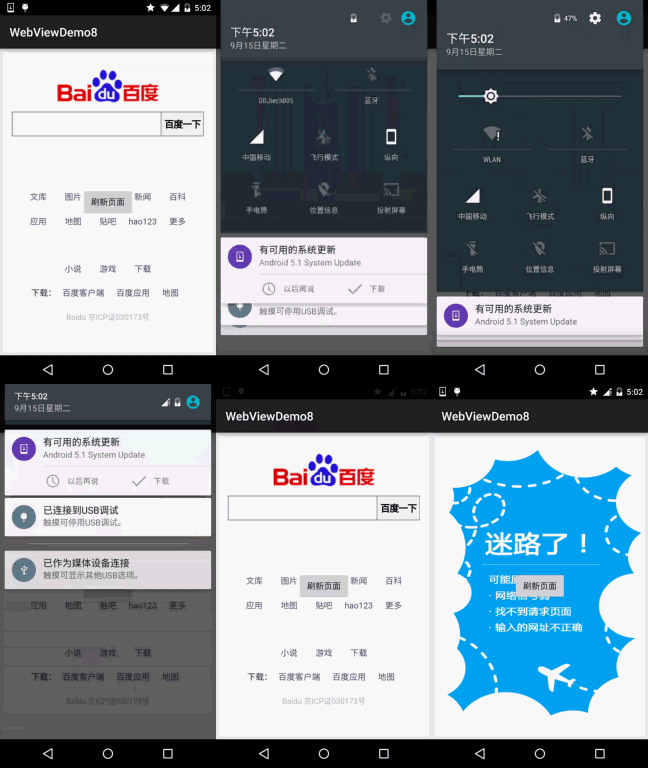
Implementation code:
public class MainActivity extends AppCompatActivity implements View.OnClickListener{

    private WebView wView;
    private ImageView img_error_back;
    private Button btn_refresh;

    @Override
    protected void onCreate(Bundle savedInstanceState) {
        super.onCreate(savedInstanceState);
        setContentView(R.layout.activity_main);
        wView = (WebView) findViewById(R.id.wView);
        img_error_back = (ImageView) findViewById(R.id.img_error_back);
        btn_refresh = (Button) findViewById(R.id.btn_refresh);
        wView.loadUrl("http://www.baidu.com");
        wView.setWebViewClient(new WebViewClient() {
            //设置在webView点击打开的新网页在当前界面显示,而不跳转到新的浏览器中
            @Override
            public boolean shouldOverrideUrlLoading(WebView view, String url) {
                view.loadUrl(url);
                return true;
            }

            @Override
            public void onReceivedError(WebView view, int errorCode, String description, String failingUrl) {
                super.onReceivedError(view, errorCode, description, failingUrl);
                wView.setVisibility(View.GONE);
                img_error_back.setVisibility(View.VISIBLE);
            }
        });
        btn_refresh.setOnClickListener(this);
    }

    @Override
    public void onClick(View v) {
        wView.loadUrl("http://www.baidu.com");
        img_error_back.setVisibility(View.GONE);
        wView.setVisibility(View.VISIBLE);
    }
}
3. Sample code download:
WebViewDemo8.zip:Download WebViewDemo8.zip
Summary of this section:
Well, this is a very simple section, haha, super simple, right? In addition, we can also set different pages based on different errorCodes~ You can extend this on your own. That's it for the basic learning about WebView. Starting from the next section, we will face a difficult point in network programming: Socket network programming. Of course, if you've learned it before, it will naturally be easy to learn. If you haven't, it doesn't matter. Little Pig will take you through Socket~ Stay tuned~ I'm not used to not posting an emoji, haha~
Thanks~