Don't ask me why the title is so long, or why I didn't make it shorter; I think you are

Although the code is written, there are still quite a few follow-up operations for release, as the title says. The contents of this section are as follows:Making the app icon,Obfuscation,Signing and packaging APK,APK slimming,andpublishing the app
1. Icon Creation
1. Icon CreationOriginally I thought about making one myself with Sketch, but gave up after less than 10 minutes of fiddling... Better to directly usethe icon generation tool built into ASjust generate it with one click. The steps are as follows: -> new -> Image AssetRight-click the drawable folder, choose the one you likeimage as the icon, such as my favorite
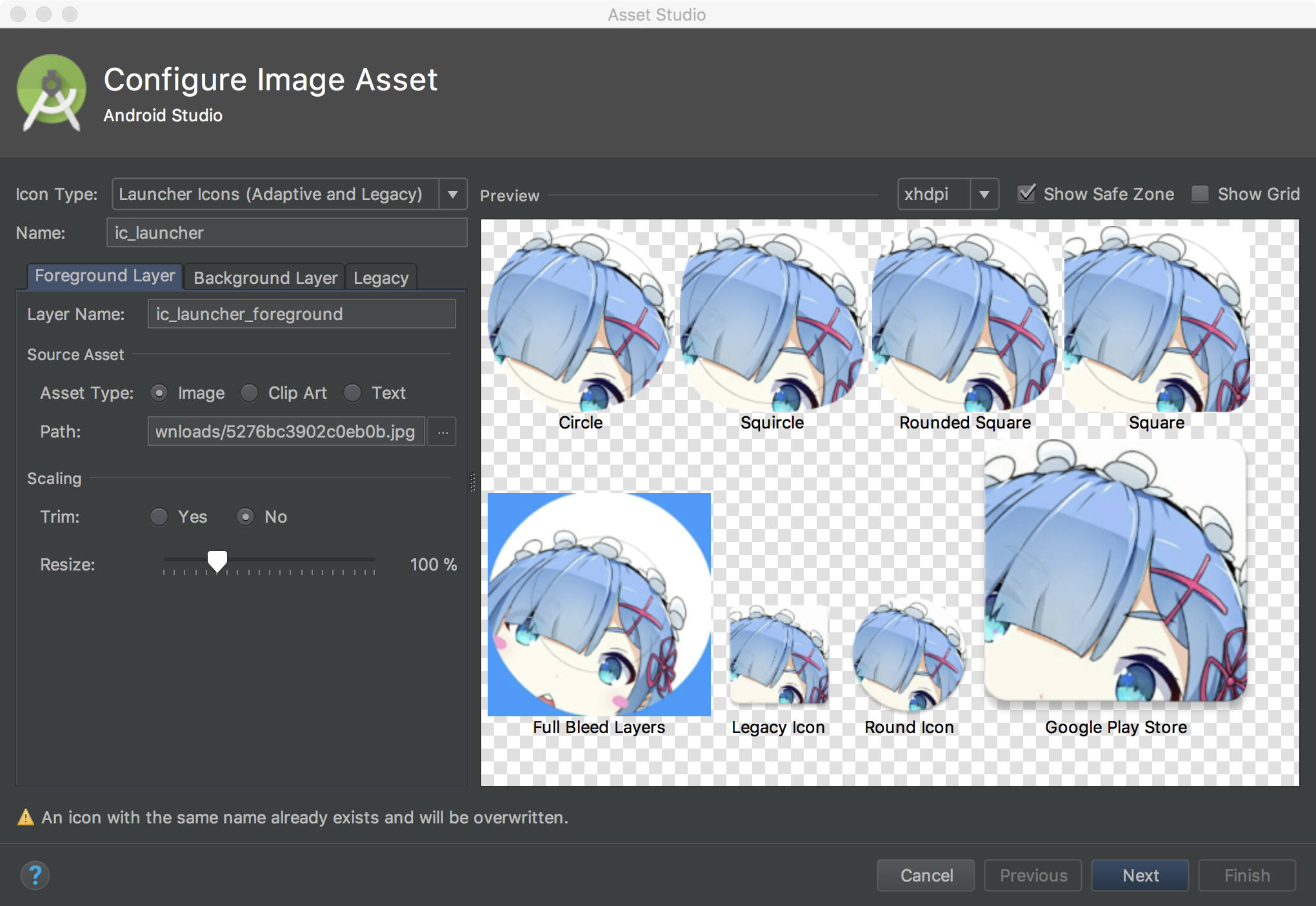
has-been female second lead Rem
, then Next, thenmipmap-anydpi-v26just blindly click Next through the pop-ups:iclauncherforegroundandiclanucherround
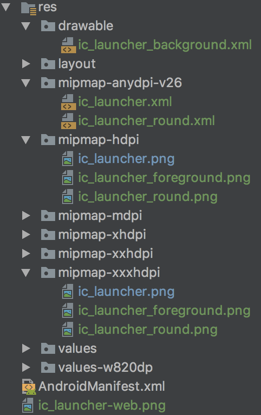
Then AS generates a bunch of files for us::
Seeing this, you might have a black question mark??? What is thisfolder? And why does every mipmap folder have an extraandThe reason isAndroid 8.0 (API 26) introduced adaptive launcher icons, which canMaskdisplay various shapes in different device models; in fact, it splits the original one-layer icon into two layers:BackgroundForeground

Then different launchers have(translated as 'mask', but I feelmask layer

is more apt) Then, different
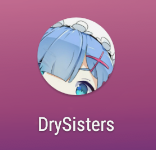
mask layers can crop out different shapes, such as the circle in the example:Adaptive IconsBesides this kind of play, there is also
2. Obfuscation
, for example, the two layers use different sliding speeds:ProGuardOnline it says Android 8.0 allows long-pressing the home screen to change the icon shape. I tried it on the 8.0 emulatorproguard-rules.proand didn't find the relevant option; some say it's Pixel Launcher, but after downloading several versions I foundbuild.gradleit also doesn't have it. I guess only the Launcher that comes with Google's own Pixel series can modify it.minifyEnabledistureI compared Nova Launcher with the 8.0 launcher and could see the difference:For more details, see the official website:It's enough to know the reason; if you don't like it, you can delete all the files and keep only one ic_launcher.png.2. ObfuscationBefore publishing the app, obfuscating the code can make it difficult to read even if our code isdecompiled. AS itself integrates Java'sas the compression,app/build/outputs/mapping/releaseoptimization and obfuscation tool. The obfuscation rule file is:, enableIf you want to enable obfuscation rules, modify
in theto enable obfuscation.ProGuard can not only
#指定压缩级别
-optimizationpasses 5

#不跳过非公共的库的类成员
-dontskipnonpubliclibraryclassmembers

#混淆时采用的算法
-optimizations !code/simplification/arithmetic,!field/*,!class/merging/*

#把混淆类中的方法名也混淆了
-useuniqueclassmembernames

#优化时允许访问并修改有修饰符的类和类的成员
-allowaccessmodification

#将文件来源重命名为“SourceFile”字符串
-renamesourcefileattribute SourceFile
#保留行号
-keepattributes SourceFile,LineNumberTable
#保持泛型
-keepattributes Signature

#保持所有实现 Serializable 接口的类成员
-keepclassmembers class * implements java.io.Serializable {
    static final long serialVersionUID;
    private static final java.io.ObjectStreamField[] serialPersistentFields;
    private void writeObject(java.io.ObjectOutputStream);
    private void readObject(java.io.ObjectInputStream);
    java.lang.Object writeReplace();
    java.lang.Object readResolve();
}

#Fragment不需要在AndroidManifest.xml中注册,需要额外保护下
-keep public class * extends android.support.v4.app.Fragment
-keep public class * extends android.app.Fragment

# 保持测试相关的代码
-dontnote junit.framework.**
-dontnote junit.runner.**
-dontwarn android.test.**
-dontwarn android.support.test.**
-dontwarn org.junit.**
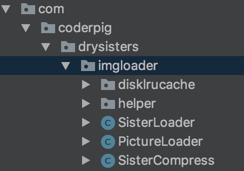
obfuscate code

but also./gradlew buildreduce app size
, and perform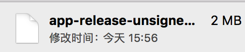 |
| bytecode-level optimization
 |
|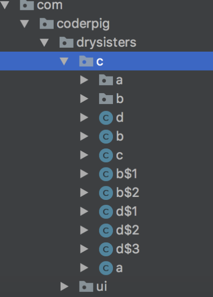
making our APP run faster! In addition, after obfuscation, by default

3. Signing and Packaging
mapping.txt obfuscation rulefile is generated; you can use this file to reverse-engineer the code before obfuscation;,Also, there are some places that should avoid obfuscation, otherwise errors will occur when the APP runs.Due to space limitations, I won't explain the obfuscation rules here. If interested, you can move on to:
Android Obfuscation from Novice to Master
https://developer.android.com/studio/publish/app-signing.html#generate-keyHere I'll directly use a common template from the internet. For third-party libraries, official documentation usually:
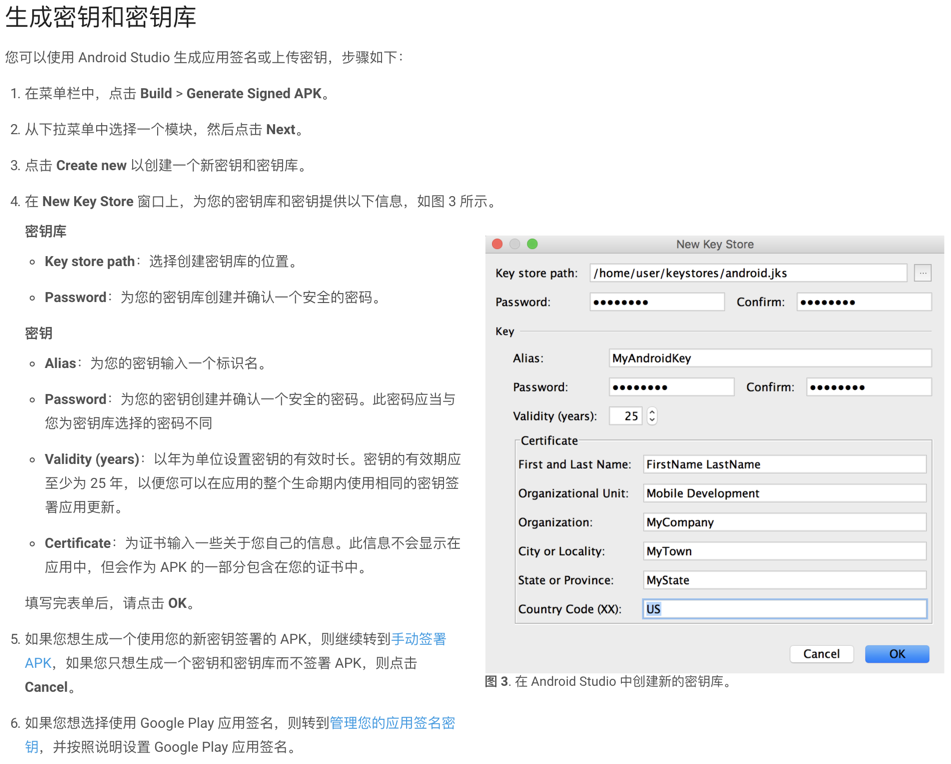
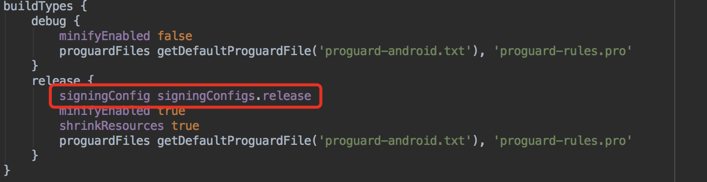
has obfuscation rules; just copy and paste. The common template is as follows:Then modify build.gradle to enable obfuscation and turn on shrinking:After configuration, run a command line commandto generate the APK.
Let's compare the results before and after obfuscation:Build -> Generate Signed APK
|Comparison Item|Before Obfuscation|After Obfuscation|
|:-|:-|:-|
|APK size|||Decompiled code|my.jksThe APK size is smaller, decompilation difficulty is higher, so satisfying!build.gradle3. Signing and Packaging
The importance of app signing goes without saying;./gradlew clean buildit is the unique mark of the app
4. APK Slimming
!
This can prevent users' installed apps from being overwritten or replaced by malicious third parties. This kind ofAPK Analyzerre-packaging after reverse-engineering an APP is very common for paid apps and game apps.

The official documentation has a detailed description of signing, generation, and packaging (you may need a ladder):ImageOptim
Signature generation
After generating the signature, we use it to sign and package. There are two packaging methods:
5. App Publishing
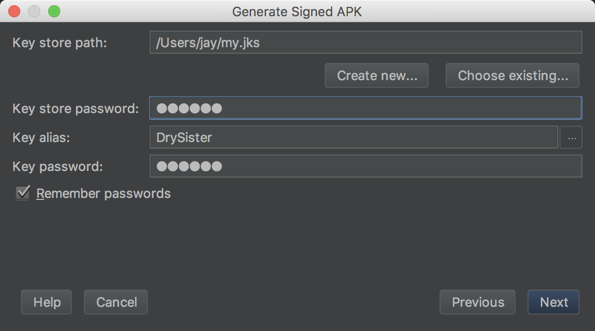
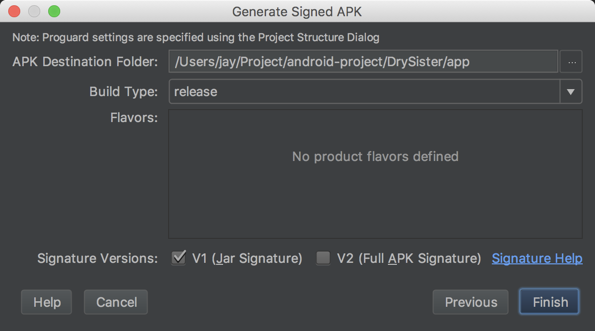
manual packaging, the other isautomatic packaging via Gradle buildManual packaging is very simple and also low: click sequentially:Then choose where to store the generated APK:
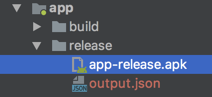
Then you can see the generated APK:

The other is

Gradle command-line build
, which is also simple. For the graphical interface, you can see the official
git checkout master # 切换到master分支
git rebase develop  # 合并develop分支
git push origin master # 推送到远程master分支
git tag v1.0.0  # 为当前commit打上TAG
git push origin v1.0.0 # 把TAG推送到远程仓库
6. Summary
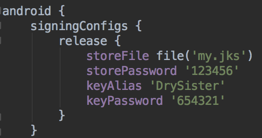
but because my project is open source, I put theDrySisterinto the project as well, and then
- 1.Gitmodify
- 2.HttpUrlConnection, which are the signing information in order
- 3.AsyncTask,HandlerRun a command line command:
- Compile and run; after compilation, check whether the followingJson;
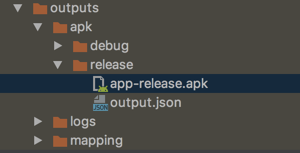
- app-release.apk in the directory is generated successfully:
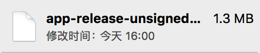
- 4. APK SlimmingLruCacheandDiskLruCacheAfter obfuscation, signing, and packaging, the APK size is 1.4MB. But as an image-viewing app with no images,
- and no third-party libraries, it is really not satisfactory, so we mustSQLiteslim down our APK.
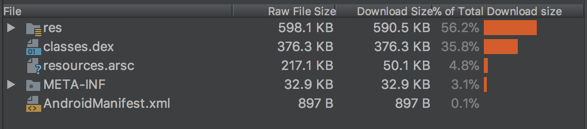
- Android Studio's built-inLog, can perform a quantitative analysis of our APK:
- It can be seen that res occupies the most, because of our icons. We just won't delete the images and folders,
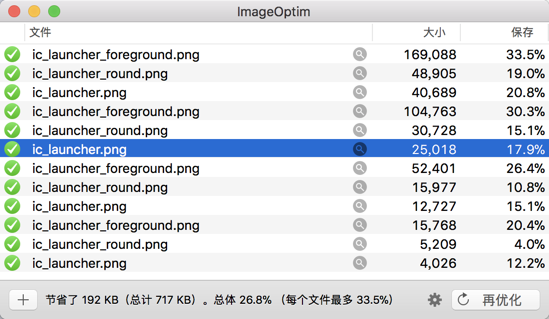
- just use a tool to compress the images. Here I'll recommend an amazing tool:
- After compression, the APK size became 1.3MB. Let's analyze it again:
- It feels like there's not much change, but the APK did decrease by 0.1MB. ImageAPK Analyzerresource compression is the most basic operation for APK slimming. As for other optimization tricks,ImageOptim
- we'll discuss them in later versions. The project is relatively small, so the potential for optimization is very low...
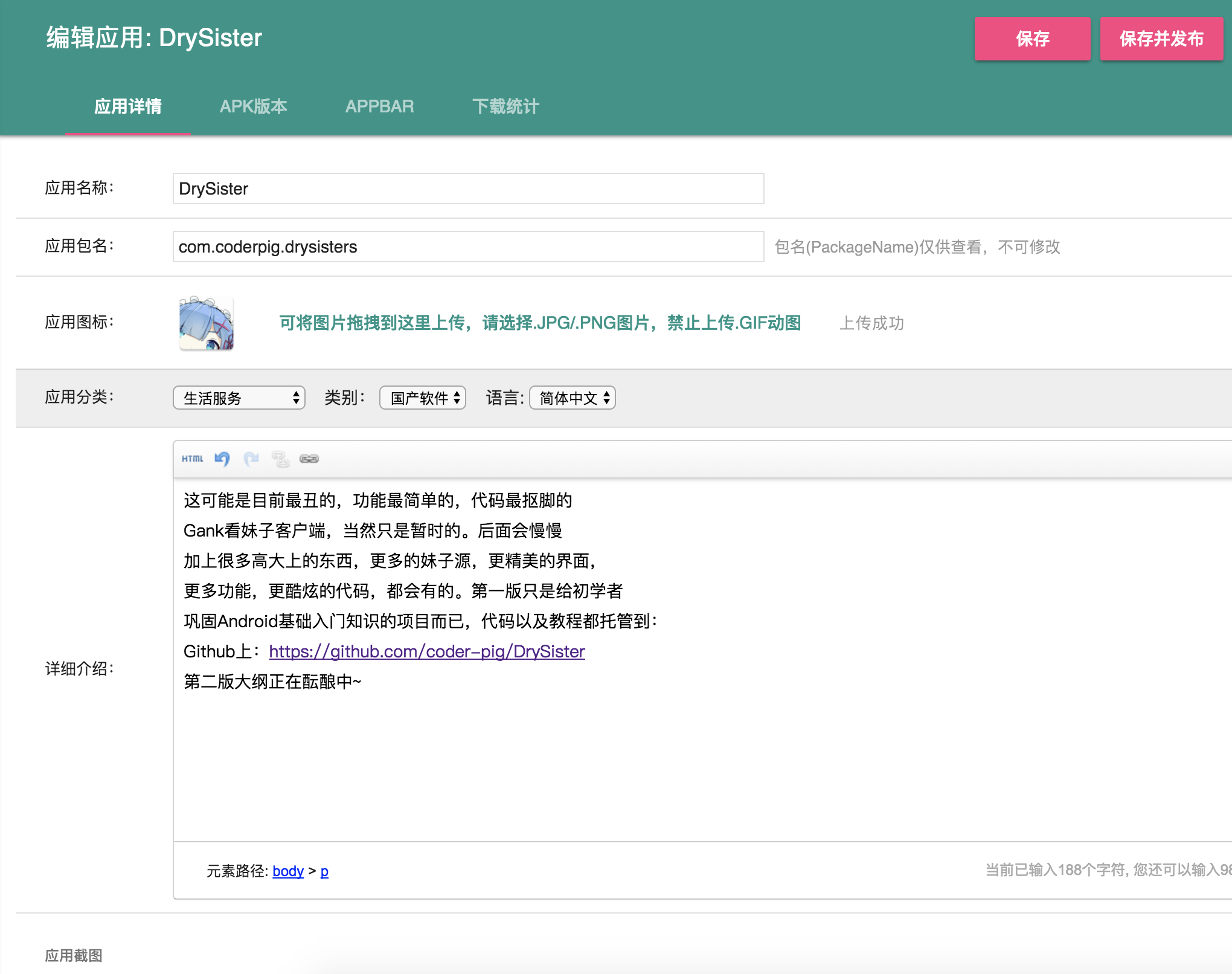
5. App PublishingDon't ask me why it'sCoolapk Market
Finally, thank you to all the veteran readers for your continued support and companionship. Thanks~

The outline for the next version is being planned. Stay tuned~
Code download:
https://github.com/coder-pig/DrySister/tree/developWelcome to follow and star! If you have any ideas for additions, feel free to raise an issue!