(This section is too simple, just to keep the series coherent. If you're not a total beginner, it's recommended to skip it!)
1. Some rambling:
The introductory tutorial was completed in November of last year, and it's been about nine months since then. At the time, because of some work-related reasons, I didn't write a hands-on project, which was a real pity. Recently, my project has finally almost come to an end, so I might have a bit more time, and I've decided to fill this gap. After all, we learned so much in the introductory tutorial; I definitely should write a hands-on project to bring it all together. Considering that the readers of the introductory series are all beginners, and given my time constraints, I've set this project as a simple app for looking at girls:DrySister(DrySister) The reason it's called this name—let me tell you slowly. The girl images come fromGank.io"Gank" is pronounced "Gan Ke", abbreviated as "Gan". I originally wanted to call it "GanMeizi" directly, but then I saw that someone on GitHub was already using that name. Later, being curious, I Google-translated "干妹子", and the translation result was:DrySisterSo I just used this name! Nothing wrong with it, right?!

Another reason for choosing this as the hands-on project is that looking at girls is easy on the eyes. For example, my Android Studio:
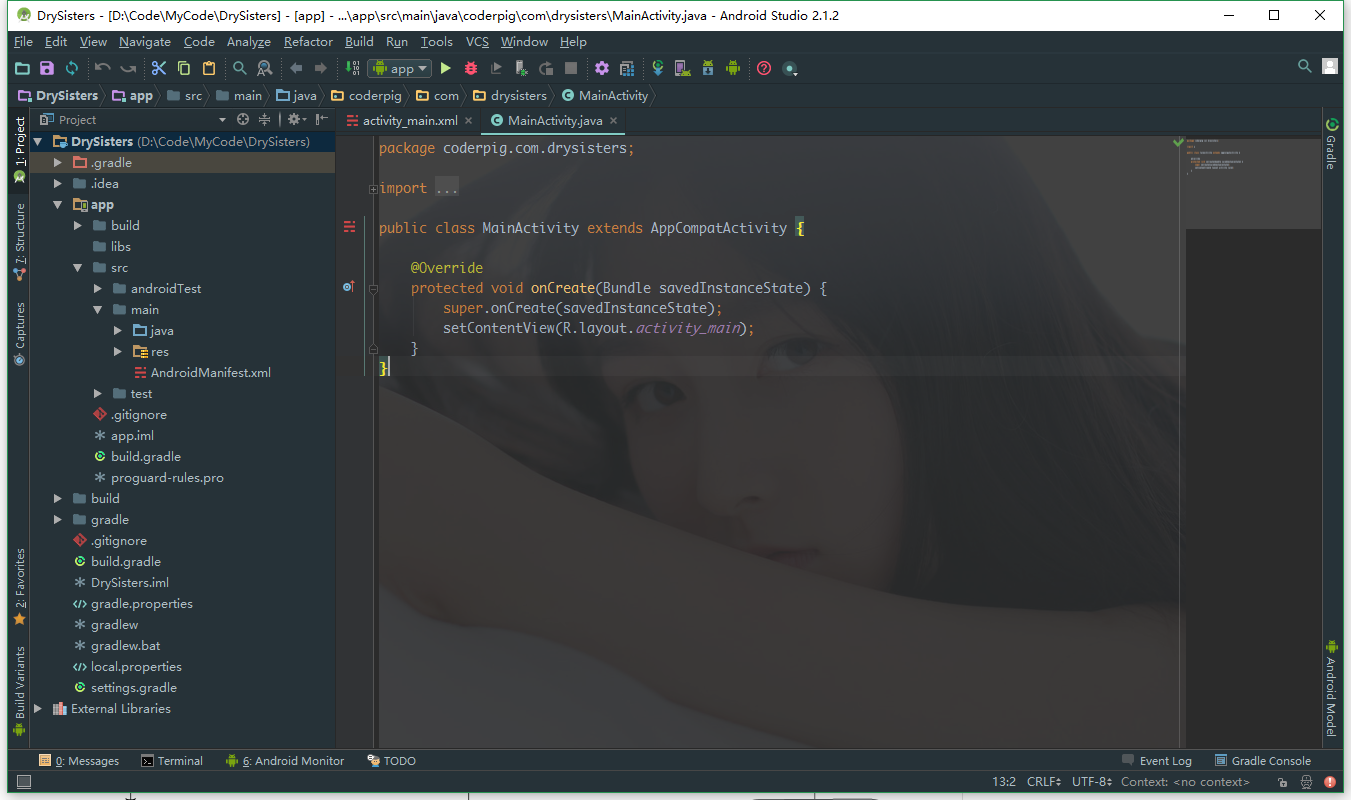
The background plugin is:Sexy Editor
The plugin on the right, similar to the Sublime Text preview, is:CodeGlance
The Material Design theme plugin for Android Studio is:Material Theme UI
Don't ask me questions like how to install plugins.
OK, back to how I want to approach this hands-on project. Regarding small projects that use the Gank.io API as their backend, you can find many on GitHub, and they all use very cool frameworks like Rx, Retrofit, Glide, Butterknife, and so on. I could also directly write a:MVP pattern,BufferKnife + Dagger2 + Retrofit + Rx + retrolambda + Glide + Relamproject, but there's not much point. I want to start from the simplest Handler, then gradually add things and optimize bit by bit, just like project iteration—rather than writing it and tossing the project aside, and that's the end of it. In fact, you learn more when optimizing and refactoring a project. Really. OK, let's start from Hello World!
 So, I ask you: are you pumped or what?
OK, just kidding. But this section is still fairly simple; we'll just write a simple prototype that displays network images, and later we'll iterate and optimize bit by bit—whatever messy stuff will be added! Also, all the project code will be hosted on GitHub, with branch management in place. The master branch serves as the official major version, and develop serves as the daily development branch. To add something new, we create a feature branch from the develop branch, and after finishing, merge it back into the develop branch. That's about it—you can check the specifics yourself.
1. Create a GitHub repository
Create a new project in Android Studio, named:DrySister, package name:com.coderpig.drysisterGo to the project root directory, open Git Bash, and type the following command to create a Git repository: git init Create a new repository on GitHub, named: DrySister. Then configure the remote repository by typing the command: git remote add origin git@github.com:coder-pig/DrySister.git Pull down the master branch, then add, commit, and push to the GitHub repository. Next, I modified the .gitignore file. I created a new develop branch, committed on that branch, and then merged it into the master branch. OK, that's about it for the Git preparation.
2. Start writing the code
We create a develop branch locally, then start writing code. The layout is very simple: an ImageView for displaying the girl image and a Button.activity_main.xmlNext, write a simple class for downloading and loading images.PictureLoader.javaThe logic is very simple: the thread converts the input stream into a byte array. After the conversion, decodeByteArray in the Handler decodes the byte array into a Bitmap, and then displays it~
public class PictureLoader {
    private ImageView loadImg;
    private String imgUrl;
    private byte[] picByte;

    Handler handler = new Handler() {
        @Override
        public void handleMessage(Message msg) {
            super.handleMessage(msg);
            if (msg.what == 0x123) {
                if (picByte != null) {
                    Bitmap bitmap = BitmapFactory.decodeByteArray(picByte, 0, picByte.length);
                    loadImg.setImageBitmap(bitmap);
                }
            }
        }
    };

    public void load(ImageView loadImg, String imgUrl) {
        this.loadImg = loadImg;
        this.imgUrl = imgUrl;
        Drawable drawable = loadImg.getDrawable();
        if(drawable != null && drawable instanceof BitmapDrawable) {
            Bitmap bitmap = ((BitmapDrawable)drawable).getBitmap();
            if(bitmap != null && !bitmap.isRecycled()) {
                bitmap.recycle();
            }
        }
        new Thread(runnable).start();
    }

    Runnable runnable = new Runnable() {
        @Override
        public void run() {
            try {
                URL url = new URL(imgUrl);
                HttpURLConnection conn = (HttpURLConnection) url.openConnection();
                conn.setRequestMethod("GET");
                conn.setReadTimeout(10000);
                if (conn.getResponseCode() == 200) {
                    InputStream in = conn.getInputStream();
                    ByteArrayOutputStream out = new ByteArrayOutputStream();
                    byte[] bytes = new byte[1024];
                    int length = -1;
                    while ((length = in.read(bytes)) != -1) {
                        out.write(bytes, 0, length);
                    }
                    picByte = out.toByteArray();
                    in.close();
                    out.close();
                    handler.sendEmptyMessage(0x123);
                }

            } catch (IOException e) {
                e.printStackTrace();
            }
        }
    };
}
Then there isMainActivity.java, which is also very simple, so I won't explain it.
public class MainActivity extends AppCompatActivity implements View.OnClickListener {
    private Button showBtn;
    private ImageView showImg;
    private ArrayList<String> urls;
    private int curPos = 0;
    private PictureLoader loader;

    @Override protected void onCreate(Bundle savedInstanceState) {
        super.onCreate(savedInstanceState);
        setContentView(R.layout.activity_main);
        loader = new PictureLoader();
        initData();
        initUI();
    }

    private void initData() {
        urls = new ArrayList<>();
        urls.add("http://ww4.sinaimg.cn/large/610dc034jw1f6ipaai7wgj20dw0kugp4.jpg");
        urls.add("http://ww3.sinaimg.cn/large/610dc034jw1f6gcxc1t7vj20hs0hsgo1.jpg");
        urls.add("http://ww4.sinaimg.cn/large/610dc034jw1f6f5ktcyk0j20u011hacg.jpg");
        urls.add("http://ww1.sinaimg.cn/large/610dc034jw1f6e1f1qmg3j20u00u0djp.jpg");
        urls.add("http://ww3.sinaimg.cn/large/610dc034jw1f6aipo68yvj20qo0qoaee.jpg");
        urls.add("http://ww3.sinaimg.cn/large/610dc034jw1f69c9e22xjj20u011hjuu.jpg");
        urls.add("http://ww3.sinaimg.cn/large/610dc034jw1f689lmaf7qj20u00u00v7.jpg");
        urls.add("http://ww3.sinaimg.cn/large/c85e4a5cjw1f671i8gt1rj20vy0vydsz.jpg");
        urls.add("http://ww2.sinaimg.cn/large/610dc034jw1f65f0oqodoj20qo0hntc9.jpg");
        urls.add("http://ww2.sinaimg.cn/large/c85e4a5cgw1f62hzfvzwwj20hs0qogpo.jpg");
    }

    private void initUI() {
        showBtn = (Button) findViewById(R.id.btn_show);
        showImg = (ImageView) findViewById(R.id.img_show);
        showBtn.setOnClickListener(this);
    }

    @Override public void onClick(View v) {
        switch (v.getId()) {
            case R.id.btn_show:
                if (curPos > 9) {
                    curPos = 0;
                }
                loader.load(showImg, urls.get(curPos));
                curPos++;
                break;
        }
    }
}
3. Screenshots of the running result
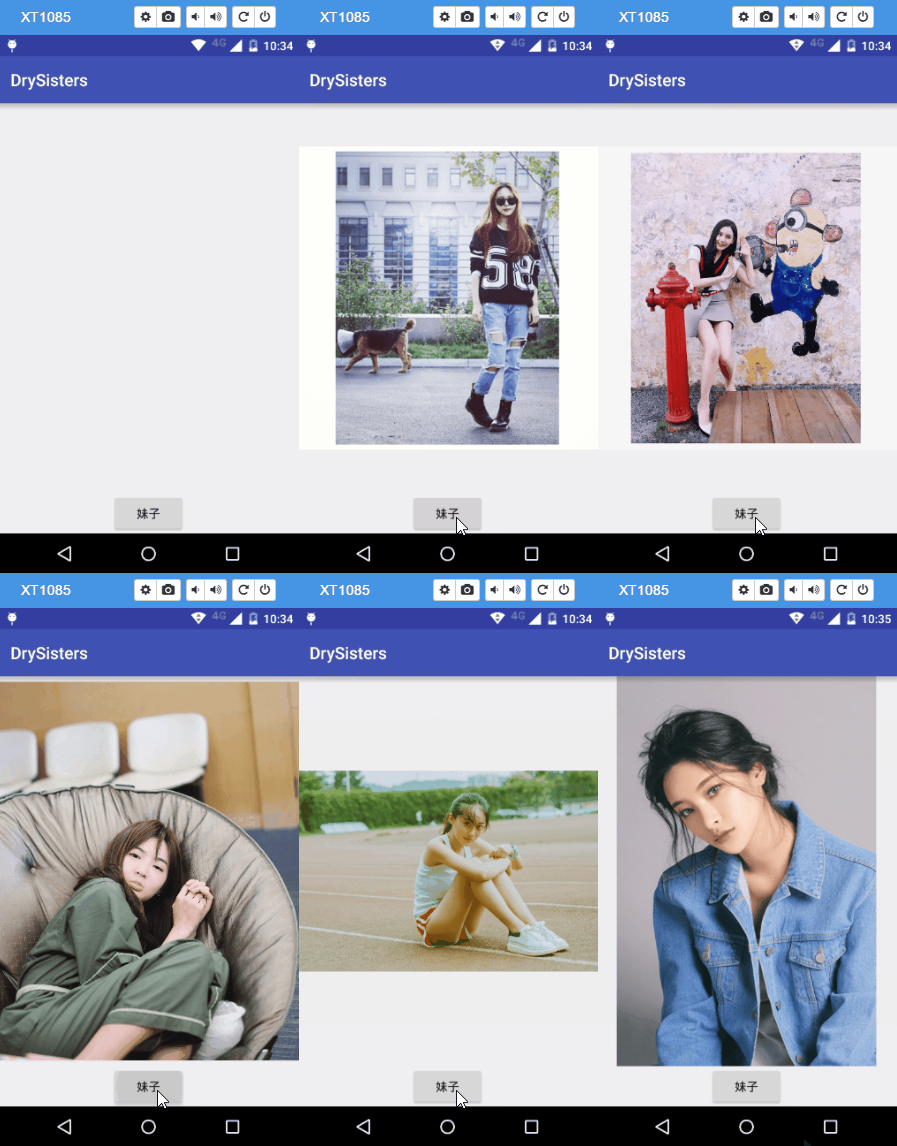
(To view the phone screen, I used the Chrome plugin:Vysor, and for recording the GIF, I used ScreenToGif.)
4. Summary
First, let's talk about what we did in this section.:
- 1. Created the DrySister project and hosted it on GitHub.
- 2. Wrote a very simple feature for displaying network images.
Things to be optimized and features to add:
- 1. The image source in the code is hardcoded; the images we can see every day are the same few ones, and the API provided by Gank is not used.
- 2. The image loading class only loads from the network; it should also support loading local images.
Things to do in the next section:
- 1. Use Android's built-in primitive parser to parse the API data and obtain the data source for displaying images.
- 2. Optimize the image loading class.
Code download for this section:Github:DrySister