Introduction to This Section
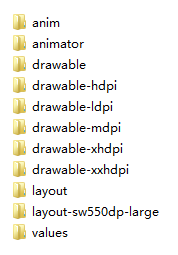
"Decompiling an APK" may seem like something very high-end, but it is actually not. It simply uses certain decompilation software to decompile our APK, thereby obtaining files such as the program's source code, images, XML resources, etc. I wonder if you have ever done this: you see someone else's APP interface beautifully designed, or you take a liking to someone else's image assets. The simple way is to download someone else's APK, change its extension to xxx.zip, and then unzip it. The author casually unzipped an APK:
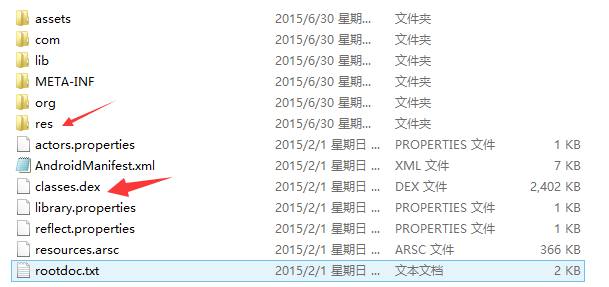
We can open the res directory to get the image assets inside.
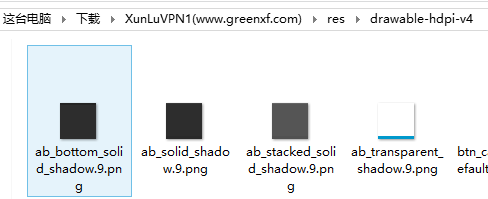
However, with this method, you can only obtain bitmap file resources such as .png or .jpg. If it is an XML-type resource, you will find it is garbled when opened. And if we want to see the Java code of the APK program, that will not work either, because it is all packaged into the classes.dex file! But decompilation can solve your needs~ In addition, never use decompilation for illegal things, such as repackaging someone else's APK, signing it with your own signature, and then publishing it to relevant app stores... Also, we refer to other people's code, not completely copy it!!! Remember!!
1. Three tools to prepare
- apktool:Obtain resource files, extract image files, layout files, and some XML resource files.
- dex2jar:Decompile the APK into Java source code (convert classes.dex into a jar file)
- jd-gui:View the jar file converted in step 2, i.e., view the Java files. For the convenience of readers, here the three tools are packaged together and placed in a cloud drive. If needed, you can download them:Decompilation-related three tools.zip
2. Using apktool to decompile the APK to obtain images and XML resources:
After extracting the downloaded apktool, we can see the following files (ignore those two csdn items; one is the decompiled APK, the other is the decompiled output files):
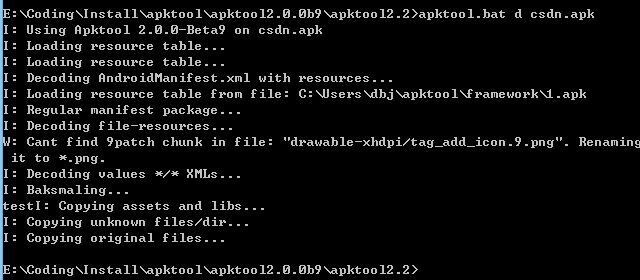
Next, double-click cmd.exe to open the command line, and type:apktool.bat d csdn.apkThen just press Enter:
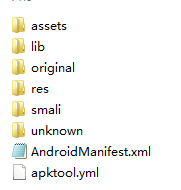
Then you can see the generated csdn folder, which contains the resources we want.
Alright, so the XML resources are in hand, right! The image assets are in hand too!
3. Using dex2jar to convert classes.dex into a jar file:
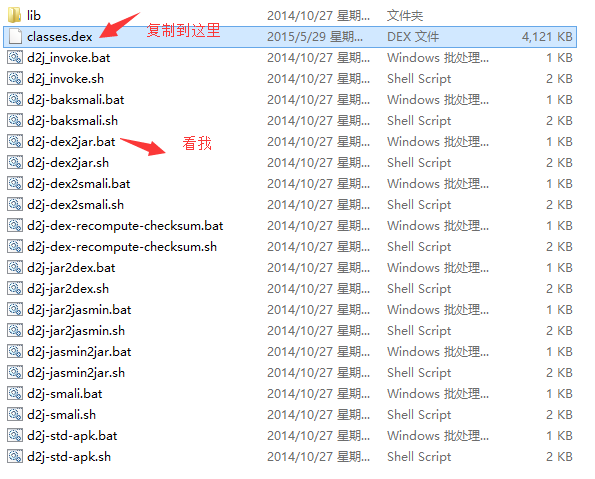
Extract the downloaded dex2jar folder, and copy the classes.dex from the unzipped APK to the directory where dex2jar.bat is located:
Open cmd, go to this directory, and type:d2j-dex2jar.bat classes.dex
Then we can see that a jar package has been generated:
Alright, conversion complete!

4. Using jd-gui to view the Java code in the jar package:
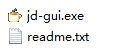
Alright, open the jd-gui folder
After opening it, open the jar package converted in step 3, and we can see the code inside:
The csdn client actually does not obfuscate its code... Perhaps it is in the spirit of open source, allowing us to learn from the code! Generally, APK releases are obfuscated, then some encryption is applied, or a third-party encryption platform is used. A more commonly used one is "loveencryption" (iJiami). If interested, you can search on Baidu for more detailed information!
Summary of This Section
Alright, that is it for the introduction to APK decompilation. I believe you are already itching to try it, so go ahead and try it. One last reminder: don't do bad things! Respect the fruits of others' labor! Also, this concludes the first major chapter on environment setup and some common development tips. Starting from the next section, we will move on to the second chapter of this tutorial series—learning common UI controls in Android! Because there are quite a lot of related basic controls, estimated at dozens, learning controls all the time might not be interesting. Perhaps I will write the tutorials in parallel, learning one control + a little other knowledge points each day. I need to think it over. Stay tuned~ Thanks~