1. Some Ramblings
In the previous section, we wrote an asynchronous image loading cache framework for DrySister—SisterLoader (Girl Loader)The images successfully loaded from the network were cached to disk and memory. When we disconnect from the network, we can still view these images. However, the observant you may have noticed an awkward issue: when we enter the app with a network connection, we obtain image-related information, such as URLs. If we exit, disconnect, and then come back, the images cannot be loaded. The images are already cached, but we don't have the URLs corresponding to the images, which seems a bit useless. So we need to store the data returned by the backend API. Each time we load, we store the returned data information locally, and then when there is no network, we can let it load local data! So in this section, we add SQLite to DrySister to store related data. The task is clear, let's get started~

2. Start Writing the Program
On develop, create a newdbbranch to complete the code writing for this section.
First, we add a utility class for determining the network status:NetworkUtils.java, it's just a simple method to check whether the network is available~ Here we also need to add a permission in AndroidManifest.xml:android.permission.ACCESSNETWORKSTATE"permission!
public class NetworkUtils {
    /** 获取网络信息 */
    private static NetworkInfo getActiveNetworkInfo(Context context) {
        ConnectivityManager cm = (ConnectivityManager) context
                .getSystemService(Context.CONNECTIVITY_SERVICE);
        return cm.getActiveNetworkInfo();
    }

    /** 判断网络是否可用 */
    public static boolean isAvailable(Context context) {
        NetworkInfo info = getActiveNetworkInfo(context);
        return info != null && info.isAvailable();
    }
}
Next, define a class for database field constants:TableDefine.java, and inside it, write the database name and fields:
public class TableDefine {
    public static final String TABLE_FULI = "fuli";
    public static final String COLUMN_ID = "id";
    public static final String COLUMN_FULI_ID = "_id";
    public static final String COLUMN_FULI_CREATEAT = "createAt";
    public static final String COLUMN_FULI_DESC = "desc";
    public static final String COLUMN_FULI_PUBLISHEDAT = "publishedAt";
    public static final String COLUMN_FULI_SOURCE = "source";
    public static final String COLUMN_FULI_TYPE = "type";
    public static final String COLUMN_FULI_URL = "url";
    public static final String COLUMN_FULI_USED = "used";
    public static final String COLUMN_FULI_WHO = "who";
}
Then write the database creation class:SisterOpenHelper.java, and inside it, complete the creation of the database.
public class SisterOpenHelper extends SQLiteOpenHelper{

    private static final String DB_NAME = "sister.db";  //数据库名
    private static final int DB_VERSION = 1;    //数据库版本号

    public SisterOpenHelper(Context context) {
        super(context, DB_NAME, null, DB_VERSION);
    }

    @Override
    public void onCreate(SQLiteDatabase db) {
        String createTableSql = "CREATE TABLE IF NOT EXISTS " + TableDefine.TABLE_FULI + " ("
                + TableDefine.COLUMN_ID + " INTEGER PRIMARY KEY AUTOINCREMENT, "
                + TableDefine.COLUMN_FULI_ID + " TEXT, "
                + TableDefine.COLUMN_FULI_CREATEAT + " TEXT, "
                + TableDefine.COLUMN_FULI_DESC + " TEXT, "
                + TableDefine.COLUMN_FULI_PUBLISHEDAT + " TEXT, "
                + TableDefine.COLUMN_FULI_SOURCE + " TEXT, "
                + TableDefine.COLUMN_FULI_TYPE + " TEXT, "
                + TableDefine.COLUMN_FULI_URL + " TEXT, "
                + TableDefine.COLUMN_FULI_USED + " BOOLEAN, "
                + TableDefine.COLUMN_FULI_WHO + " TEXT"
                + ")";
        db.execSQL(createTableSql);
    }

    @Override
    public void onUpgrade(SQLiteDatabase db, int oldVersion, int newVersion) { }
}
Next, we need to write a database operation class, that is, a class for operations such as add, delete, modify, query, pagination query, etc. Here we write this class as a singleton:SisterDBHelper.java, the methods written inside it include these:
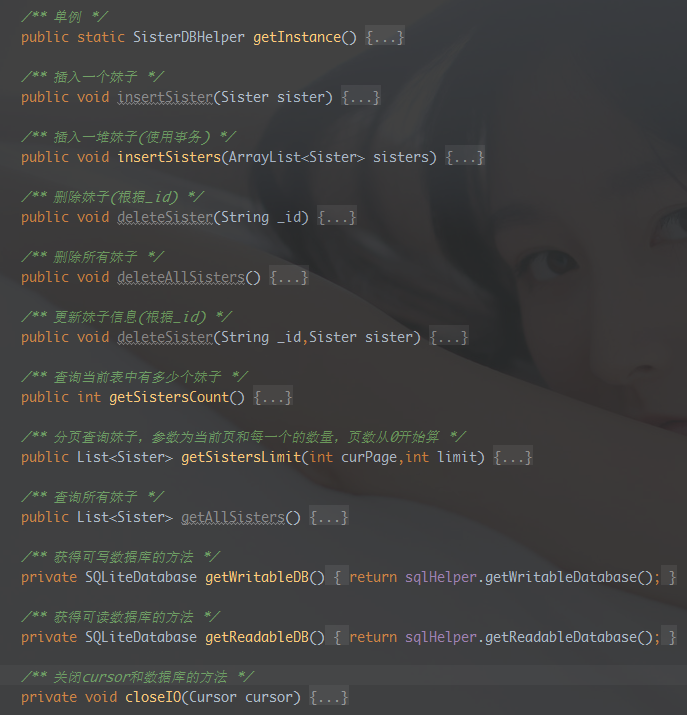
Specific code:
public class SisterDBHelper {

    private static final String TAG = "SisterDBHelper";

    private static SisterDBHelper dbHelper;
    private SisterOpenHelper sqlHelper;
    private SQLiteDatabase db;

    private SisterDBHelper() {
        sqlHelper = new SisterOpenHelper(DrySisterApp.getContext());
    }

    /** 单例 */
    public static SisterDBHelper getInstance() {
        if(dbHelper == null) {
            synchronized (SisterDBHelper.class) {
                if(dbHelper == null) {
                    dbHelper = new SisterDBHelper();
                }
            }
        }
        return dbHelper;
    }

    /** 插入一个妹子 */
    public void insertSister(Sister sister) {
        db = getWritableDB();
        ContentValues contentValues = new ContentValues();
        contentValues.put(TableDefine.COLUMN_FULI_ID,sister.get_id());
        contentValues.put(TableDefine.COLUMN_FULI_CREATEAT,sister.getCreateAt());
        contentValues.put(TableDefine.COLUMN_FULI_DESC,sister.getDesc());
        contentValues.put(TableDefine.COLUMN_FULI_PUBLISHEDAT,sister.getPublishedAt());
        contentValues.put(TableDefine.COLUMN_FULI_SOURCE,sister.getSource());
        contentValues.put(TableDefine.COLUMN_FULI_TYPE,sister.getType());
        contentValues.put(TableDefine.COLUMN_FULI_URL,sister.getUrl());
        contentValues.put(TableDefine.COLUMN_FULI_USED,sister.getUsed());
        contentValues.put(TableDefine.COLUMN_FULI_WHO,sister.getWho());
        db.insert(TableDefine.TABLE_FULI,null,contentValues);
        closeIO(null);
    }

    /** 插入一堆妹子(使用事务) */
    public void insertSisters(ArrayList<Sister> sisters) {
        db = getWritableDB();
        db.beginTransaction();
        try{
            for (Sister sister: sisters) {
                ContentValues contentValues = new ContentValues();
                contentValues.put(TableDefine.COLUMN_FULI_ID,sister.get_id());
                contentValues.put(TableDefine.COLUMN_FULI_CREATEAT,sister.getCreateAt());
                contentValues.put(TableDefine.COLUMN_FULI_DESC,sister.getDesc());
                contentValues.put(TableDefine.COLUMN_FULI_PUBLISHEDAT,sister.getPublishedAt());
                contentValues.put(TableDefine.COLUMN_FULI_SOURCE,sister.getSource());
                contentValues.put(TableDefine.COLUMN_FULI_TYPE,sister.getType());
                contentValues.put(TableDefine.COLUMN_FULI_URL,sister.getUrl());
                contentValues.put(TableDefine.COLUMN_FULI_USED,sister.getUsed());
                contentValues.put(TableDefine.COLUMN_FULI_WHO,sister.getWho());
                db.insert(TableDefine.TABLE_FULI,null,contentValues);
            }
            db.setTransactionSuccessful();
        } finally {
            if(db != null && db.isOpen()) {
                db.endTransaction();
                closeIO(null);
            }
        }
    }

    /** 删除妹子(根据_id) */
    public void deleteSister(String _id) {
        db = getWritableDB();
        db.delete(TableDefine.TABLE_FULI,"_id =?",new String[]{_id});
        closeIO(null);
    }

    /** 删除所有妹子 */
    public void deleteAllSisters() {
        db = getWritableDB();
        db.delete(TableDefine.TABLE_FULI,null,null);
        closeIO(null);
    }

    /** 更新妹子信息(根据_id) */
    public void deleteSister(String _id,Sister sister) {
        db = getWritableDB();
        ContentValues contentValues = new ContentValues();
        contentValues.put(TableDefine.COLUMN_FULI_ID,sister.get_id());
        contentValues.put(TableDefine.COLUMN_FULI_CREATEAT,sister.getCreateAt());
        contentValues.put(TableDefine.COLUMN_FULI_DESC,sister.getDesc());
        contentValues.put(TableDefine.COLUMN_FULI_PUBLISHEDAT,sister.getPublishedAt());
        contentValues.put(TableDefine.COLUMN_FULI_SOURCE,sister.getSource());
        contentValues.put(TableDefine.COLUMN_FULI_TYPE,sister.getType());
        contentValues.put(TableDefine.COLUMN_FULI_URL,sister.getUrl());
        contentValues.put(TableDefine.COLUMN_FULI_USED,sister.getUsed());
        contentValues.put(TableDefine.COLUMN_FULI_WHO,sister.getWho());
        db.update(TableDefine.TABLE_FULI,contentValues,"_id =?",new String[]{_id});
        closeIO(null);
    }

    /** 查询当前表中有多少个妹子 */
    public int getSistersCount() {
        db = getReadableDB();
        Cursor cursor = db.rawQuery("SELECT COUNT (*) FROM " + TableDefine.TABLE_FULI,null);
        cursor.moveToFirst();
        int count = cursor.getInt(0);
        Log.v(TAG,"count:" + count);
        closeIO(cursor);
        return count;
    }

    /** 分页查询妹子,参数为当前页和每一个的数量,页数从0开始算 */
    public List<Sister> getSistersLimit(int curPage,int limit) {
        db =  getReadableDB();
        List<Sister> sisters = new ArrayList<>();
        String startPos = String.valueOf(curPage * limit);  //数据开始位置
        if(db != null) {
            Cursor cursor = db.query(TableDefine.TABLE_FULI,new String[] {
                    TableDefine.COLUMN_FULI_ID, TableDefine.COLUMN_FULI_CREATEAT,
                    TableDefine.COLUMN_FULI_DESC, TableDefine.COLUMN_FULI_PUBLISHEDAT,
                    TableDefine.COLUMN_FULI_SOURCE, TableDefine.COLUMN_FULI_TYPE,
                    TableDefine.COLUMN_FULI_URL, TableDefine.COLUMN_FULI_USED,
                    TableDefine.COLUMN_FULI_WHO,
            },null,null,null,null,TableDefine.COLUMN_ID,startPos + "," + limit);
            while (cursor.moveToNext()) {
                Sister sister = new Sister();
                sister.set_id(cursor.getString(cursor.getColumnIndex(TableDefine.COLUMN_FULI_ID)));
                sister.setCreateAt(cursor.getString(cursor.getColumnIndex(TableDefine.COLUMN_FULI_CREATEAT)));
                sister.setDesc(cursor.getString(cursor.getColumnIndex(TableDefine.COLUMN_FULI_DESC)));
                sister.setPublishedAt(cursor.getString(cursor.getColumnIndex(TableDefine.COLUMN_FULI_PUBLISHEDAT)));
                sister.setSource(cursor.getString(cursor.getColumnIndex(TableDefine.COLUMN_FULI_SOURCE)));
                sister.setType(cursor.getString(cursor.getColumnIndex(TableDefine.COLUMN_FULI_TYPE)));
                sister.setUrl(cursor.getString(cursor.getColumnIndex(TableDefine.COLUMN_FULI_URL)));
                sister.setUsed(cursor.getInt(cursor.getColumnIndex(TableDefine.COLUMN_FULI_USED)));
                sisters.add(sister);
            }
            closeIO(cursor);
        }
        return sisters;
    }

    /** 查询所有妹子 */
    public List<Sister> getAllSisters() {
        db = getReadableDB();
        List<Sister> sisters = new ArrayList<>();
        Cursor cursor = db.rawQuery("SELECT * FROM "+TableDefine.TABLE_FULI,null);
        cursor.moveToFirst();
        while (cursor.moveToNext()) {
            Sister sister = new Sister();
            sister.set_id(cursor.getString(cursor.getColumnIndex(TableDefine.COLUMN_FULI_ID)));
            sister.setCreateAt(cursor.getString(cursor.getColumnIndex(TableDefine.COLUMN_FULI_CREATEAT)));
            sister.setDesc(cursor.getString(cursor.getColumnIndex(TableDefine.COLUMN_FULI_DESC)));
            sister.setPublishedAt(cursor.getString(cursor.getColumnIndex(TableDefine.COLUMN_FULI_PUBLISHEDAT)));
            sister.setSource(cursor.getString(cursor.getColumnIndex(TableDefine.COLUMN_FULI_SOURCE)));
            sister.setType(cursor.getString(cursor.getColumnIndex(TableDefine.COLUMN_FULI_TYPE)));
            sister.setUrl(cursor.getString(cursor.getColumnIndex(TableDefine.COLUMN_FULI_URL)));
            sister.setUsed(cursor.getInt(cursor.getColumnIndex(TableDefine.COLUMN_FULI_USED)));
            sisters.add(sister);
        }
        closeIO(cursor);
        return sisters;
    }

    /** 获得可写数据库的方法 */
    private SQLiteDatabase getWritableDB() {
        return sqlHelper.getWritableDatabase();
    }

    /** 获得可读数据库的方法 */
    private SQLiteDatabase getReadableDB() {
        return sqlHelper.getReadableDatabase();
    }

    /** 关闭cursor和数据库的方法 */
    private void closeIO(Cursor cursor) {
        if(cursor != null) {
            cursor.close();
        }
        if(db != null) {
            db.close();
        }
    }

}
Well, it's still quite simple, just some SQLite method calls. Then we make some changes to the layout, and changeactivity_main.xmlit to the following code, that is, replace it with previous and next like this:
<?xml version="1.0" encoding="utf-8"?>
<RelativeLayout
    xmlns:android="http://schemas.android.com/apk/res/android"
    android:layout_width="match_parent"
    android:layout_height="match_parent">

    <Button
        android:id="@+id/btn_previous"
        android:layout_width="wrap_content"
        android:layout_height="wrap_content"
        android:layout_alignParentBottom="true"
        android:visibility="invisible"
        android:text="上一个"/>

    <Button
        android:id="@+id/btn_next"
        android:layout_width="wrap_content"
        android:layout_height="wrap_content"
        android:layout_alignParentBottom="true"
        android:layout_toRightOf="@id/btn_previous"
        android:text="下一个"/>

    <ImageView
        android:id="@+id/img_show"
        android:layout_width="wrap_content"
        android:layout_height="wrap_content"
        android:layout_above="@+id/btn_previous"/>

</RelativeLayout>
Finally, there are some logic changes to MainActivity.java. The core points are as follows:
- 1. Control and handling logic of curPos and page
- 2. Load network data or database data depending on whether the network is available
- 3. When loading network data, storing it to the database needs to avoid duplicate inserts, etc.
Code implementation:
public class MainActivity extends AppCompatActivity implements View.OnClickListener {
    private Button previousBtn;
    private Button nextBtn;
    private ImageView showImg;

    private ArrayList<Sister> data;
    private int curPos = 0; //当前显示的是哪一张
    private int page = 1;   //当前页数
    private PictureLoader loader;
    private SisterApi sisterApi;
    private SisterTask sisterTask;
    private SisterLoader mLoader;
    private SisterDBHelper mDbHelper;

    @Override
    protected void onCreate(Bundle savedInstanceState) {
        super.onCreate(savedInstanceState);
        setContentView(R.layout.activity_main);
        sisterApi = new SisterApi();
        loader = new PictureLoader();
        mLoader = SisterLoader.getInstance(MainActivity.this);
        mDbHelper = SisterDBHelper.getInstance();
        initData();
        initUI();
    }

    private void initData() {
        data = new ArrayList<>();
        sisterTask = new SisterTask();
        sisterTask.execute();
    }

    private void initUI() {
        previousBtn = (Button) findViewById(R.id.btn_previous);
        nextBtn = (Button) findViewById(R.id.btn_next);
        showImg = (ImageView) findViewById(R.id.img_show);

        previousBtn.setOnClickListener(this);
        nextBtn.setOnClickListener(this);
    }

    @Override
    public void onClick(View v) {
        switch (v.getId()) {
            case R.id.btn_previous:
                --curPos;
                if (curPos == 0) {
                    previousBtn.setVisibility(View.INVISIBLE);
                }
                if (curPos == data.size() - 1) {
                    sisterTask = new SisterTask();
                    sisterTask.execute();
                } else if(curPos < data.size()) {
                    mLoader.bindBitmap(data.get(curPos).getUrl(), showImg, 400, 400);
                }
                break;
            case R.id.btn_next:
                previousBtn.setVisibility(View.VISIBLE);
                if(curPos < data.size()) {
                    ++curPos;
                }
                if (curPos > data.size() - 1) {
                    sisterTask = new SisterTask();
                    sisterTask.execute();
                } else if(curPos < data.size()){
                    mLoader.bindBitmap(data.get(curPos).getUrl(), showImg, 400, 400);
                }
                break;
        }
    }

    private class SisterTask extends AsyncTask<Void, Void, ArrayList<Sister>> {

        public SisterTask() {
        }

        @Override
        protected ArrayList<Sister> doInBackground(Void... params) {
            ArrayList<Sister> result = new ArrayList<>();
            if (page < (curPos + 1) / 10 + 1) {
                ++page;
            }
            //判断是否有网络
            if (NetworkUtils.isAvailable(getApplicationContext())) {
                result = sisterApi.fetchSister(10, page);
                //查询数据库里有多少个妹子,避免重复插入
                if(mDbHelper.getSistersCount() / 10 < page) {
                    mDbHelper.insertSisters(result);
                }
            } else {
                result.clear();
                result.addAll(mDbHelper.getSistersLimit(page - 1, 10));
            }
            return result;
        }

        @Override
        protected void onPostExecute(ArrayList<Sister> sisters) {
            super.onPostExecute(sisters);
            data.addAll(sisters);
            if (data.size() > 0 && curPos + 1 < data.size()) {
                mLoader.bindBitmap(data.get(curPos).getUrl(), showImg, 400, 400);
            }
        }

        @Override
        protected void onCancelled() {
            super.onCancelled();
            sisterTask = null;
        }
    }


    @Override
    protected void onDestroy() {
        super.onDestroy();
        if (sisterTask != null) {
            sisterTask.cancel(true);
        }
    }
}
3. Screenshots of the Running Effect
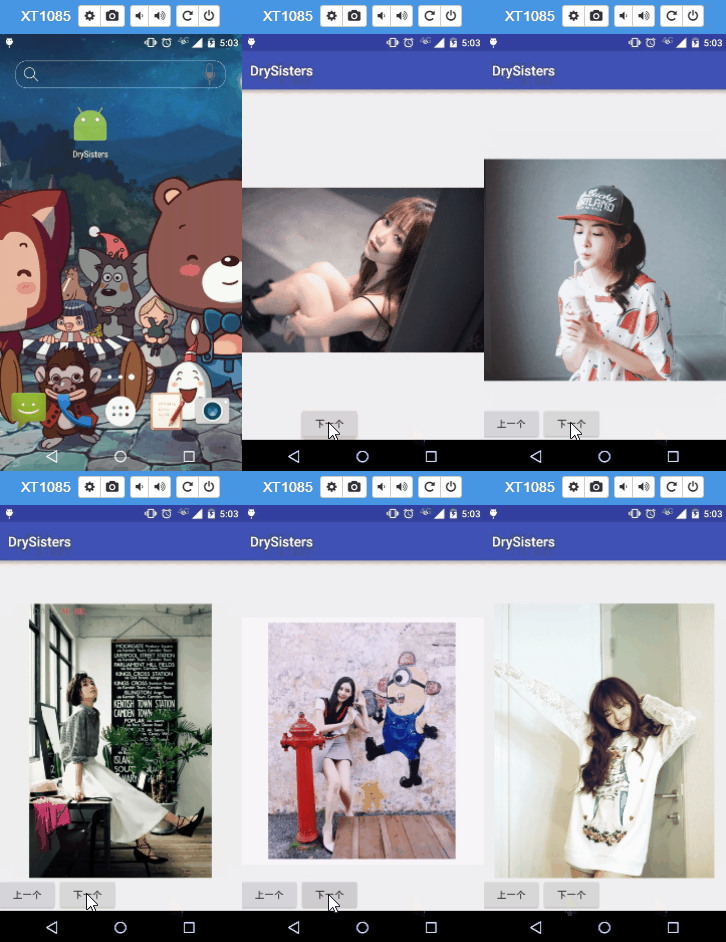
Operation steps:
After running the project, keep pressing next page, next page to cache a bunch of images, then disconnect the network and enter DrySister. Duang~, magically, girls appear. You can also switch images by pressing next page or previous page. Mom never has to worry about me not being able to see DrySister without a network again!

Running screenshot:
4. Summary
Okay, in this section, based on the previous section, we added SQLite to save backend data, so that when there is no network, you can also view images of girls. The major code changes are as mentioned above; there are also some minor changes. See the code for details. Finally, merge the code of the db branch into the develop branch, then delete the db branch, and push the updated develop branch to Github!
Code download:
https://github.com/coder-pig/DrySister/tree/developWelcome to follow and star. If you think there is anything you want to add, you can raise issues!