jQuery EasyUI Window Plugin -Window
 jQuery EasyUI Plugins
Extends from $.fn.panel.defaults. Override the default defaults via $.fn.window.defaults.
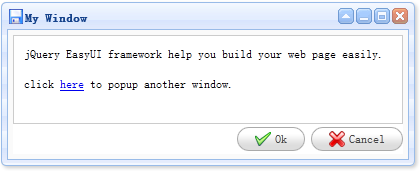
The window is a floating, draggable panel that can be used as an application window. By default, the window can be moved, resized, and closed. Its content can be defined via static HTML, or loaded dynamically via AJAX.
Dependencies
- draggable
- resizable
- panel
Usage
Create Window
1. Create a window from markup.
<div id="win" class="easyui-window" title="My Window" style="width:600px;height:400px"
    data-options="iconCls:'icon-save',modal:true">
    Window Content
</div>
2. Create a window using JavaScript.
<div id="win"></div>
$('#win').window({
    width:600,
    height:400,
    modal:true
});
3. Create a window with a compound layout.
As usual, you can define the window layout. The example below demonstrates how to split the window area into two parts: the north region and the center region.
<div id="win" class="easyui-window" title="My Window" style="width:600px;height:400px"
    data-options="iconCls:'icon-save',modal:true">
    <div class="easyui-layout" data-options="fit:true">
        <div data-options="region:'north',split:true" style="height:100px"></div>
        <div data-options="region:'center'">
            The Content.
        </div>
    </div>
</div>
Window Actions
Open and close the window.
$('#win').window('open'); // open a window
$('#win').window('close'); // close a window
Load window content via AJAX.
$('#win').window('refresh', 'get_content.php');
Properties
These properties extend from the panel. Below are the properties overridden and added for the window.
| Name | Type | Description | Default Value |
|---|---|---|---|
| title | string | The title text of the window. | New Window |
| collapsible | boolean | Defines whether to show the collapse button. | true |
| minimizable | boolean | Defines whether to show the minimize button. | true |
| maximizable | boolean | Defines whether to show the maximize button. | true |
| closable | boolean | Defines whether to show the close button. | true |
| closed | boolean | Defines whether to close the window. | false |
| zIndex | number | The z-index of the window to start increasing from. | 9000 |
| draggable | boolean | Defines whether the window can be dragged. | true |
| resizable | boolean | Defines whether the window can be resized. | true |
| shadow | boolean | If set to true, a shadow will be displayed when the window is able to show a shadow. | true |
| inline | boolean | Defines how to place the window. When set to true, it is placed in its parent container; when set to false, it floats on top of all elements. | false |
| modal | boolean | Defines whether the window is a modal window. | true |
Events
These events extend from the panel.
Methods
These methods extend from the panel. Below are the methods added for the window.
| Name | Parameter | Description |
|---|---|---|
| window | none | Return the outer window object. |
| hcenter | none | Center the window horizontally. This method is available since version 1.3.1. |
| vcenter | none | Center the window vertically. This method is available since version 1.3.1. |
| center | none | Center the window. This method is available since version 1.3.1. |
jQuery EasyUI Plugins Other Extensions