jQuery EasyUI Window -Custom Window Toolbar
By default, the window has four tools: collapsible, minimizable, maximizable and closable. For example, we define the following window:
    <div id="win" class="easyui-window" title="My Window" style="padding:10px;width:200px;height:100px;">
        window content
    </div>
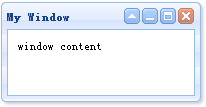
To customize tools, set the tool to true or false. For example, we want to define a window that only has a closable tool. You should set any other tools to false. We can define the tools property in markup or via jQuery code. Now we use jQuery code to define the window:
    $('#win').window({
        collapsible:false,
        minimizable:false,
        maximizable:false
    });
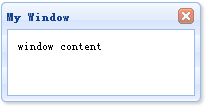
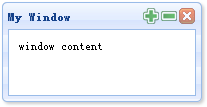
If we want to add custom tools to the window, we can use the tools property. As a demonstration, we add two tools to the window:
    $('#win').window({
        collapsible:false,
        minimizable:false,
        maximizable:false,
        tools:[{
            iconCls:'icon-add',
            handler:function(){
                alert('add');
            }
        },{
            iconCls:'icon-remove',
            handler:function(){
                alert('remove');
            }
        }]
    });
Download jQuery EasyUI Examples
jeasyui-win-win2.zip
Other Extensions