Ollama Tutorial
Ollama is an open-source local large language model runtime framework, designed for conveniently deploying and running large language models (LLMs) on local machines.
Ollama supports multiple operating systems, including macOS, Windows, Linux, and running via Docker containers.
Simply put, if services like ChatGPT, Claude, and DeepSeeek call models hosted by others over the internet, Ollama is more like alocal AI model runtime environment。
Who should read this tutorial?
Ollama is suitable for developers, researchers, and users with high data privacy requirements. It helps users quickly deploy and run large language models in local environments, while providing flexible customization options.
With Ollama, we can run qwen3.5, Llama 3.3, DeepSeek-R1, Phi-4, Mistral, Gemma 2, and other models locally.
| User type | What they might want to do |
|---|---|
| AI beginners | Understand what local large models are, install Ollama, download, run, and delete models |
| Programmers / Developers | Integrate large models into their own Python, JavaScript, and Web applications |
| AI Agent developers | Connect local models to coding agents like Claude Code, Codex, OpenCode |
| Regular users who want to experience local AI | Experience various open-source models on their own computers without buying APIs or uploading data to the cloud |
What can developers do with Ollama?
For developers, Ollama's value lies in turning large models into a local service that can be called at any time.
Typical uses include: AI chatbots, AI writing tools, AI programming assistants, document analysis tools, RAG knowledge bases, vector retrieval, AI Agents, automated workflows, and local AI Web applications.
Behind these capabilities are Ollama's interfaces for text generation, chat, model management, Embedding, etc., with support for streaming responses and tool calling.
Why do Agent developers need it?
If you are learning AI coding tools like Claude Code, Codex, OpenCode, Ollama can serve as their local model backend.
Ollama already provides official integration methods with tools like Claude Code, Codex, OpenCode, Copilot CLI, Droid, etc., and a singleollama launchcommand can connect local models to these Agent workflows. This will be detailed in the integration chapter.
What you need to know before learning this tutorial
Ollama itself is not difficult. If you just want to run models, you basically don't need programming knowledge.
Different learning goals have different prerequisite requirements. You can assess your starting point against the table below:
| Learning goal | Required foundation |
|---|---|
| Install Ollama | Basic computer skills, terminal basics |
| Download and run models | Basic command line knowledge |
| Use the Ollama API | HTTP, JSON basics |
| Python development | Python 3.x basics tutorial |
| JavaScript development | JavaScript / TypeScript basics |
| RAG / Agent development | Python + large model basics |
| Model deployment and optimization | GPU, VRAM, Linux, Docker basics |
If you just want to experience Ollama, knowing what a terminal, commands, folders, and models are is basically enough.
If you want to further develop AI applications, it is recommended to first learn HTTP / REST API, JSON, Python or JavaScript, as well as the basic usage of Git and Docker.
Creating new models
This is Ollama's core capability: running open-source models on your own computer or server without needing to set up a complex inference environment.
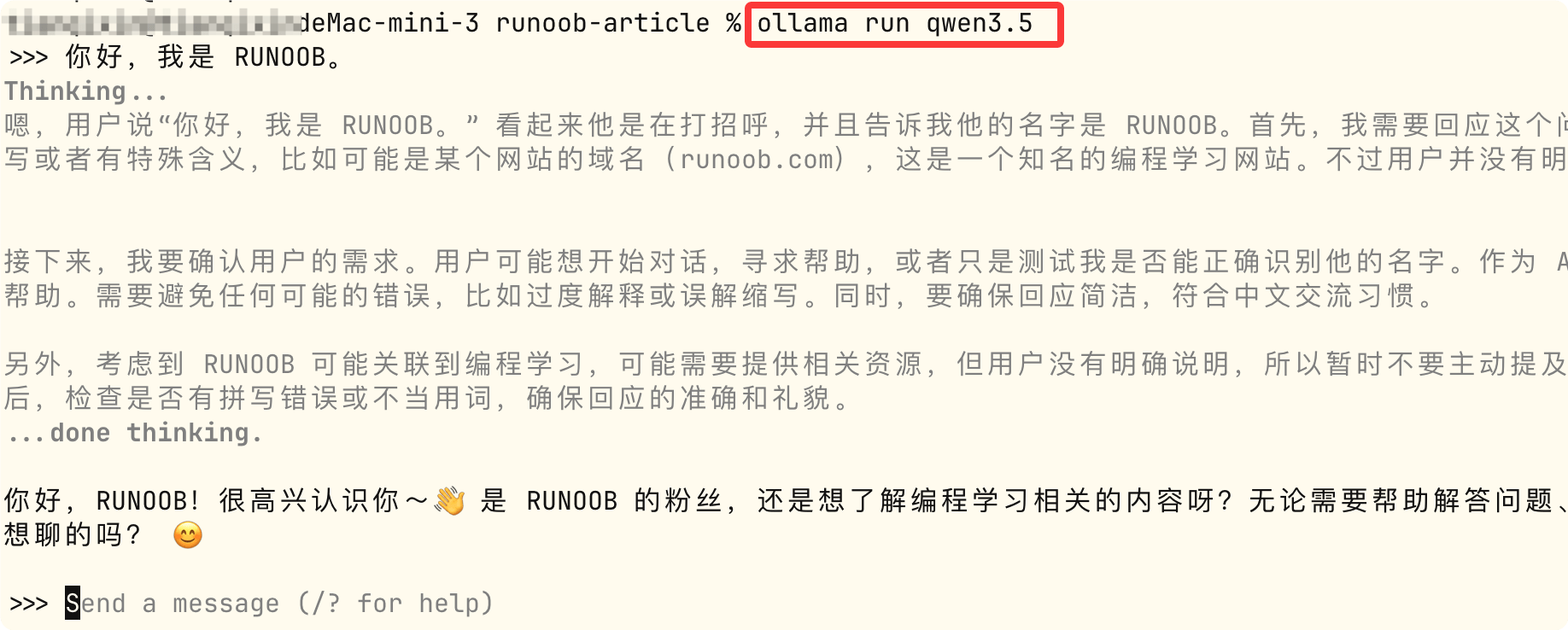
Start it with a single command, and chat directly once the model is running:
ollama run qwen3.5
This command starts the Qwen3.5 model locally and enters an interactive chat terminal. If the model is not available locally, it will automatically download it first, then start.
Related links
Ollama official website:https://ollama.com/
-
GitHub open source repository:https://github.com/ollama/ollama
Model list:https://ollama.com/search
-
Ollama official documentation:https://github.com/ollama/ollama/tree/main/docs