HTML5 Introduction

HTML5 is the latest revision of HTML, with the standard finalized by the World Wide Web Consortium (W3C) in October 2014.
HTML5 is designed to support multimedia on mobile devices.
HTML5 is easy to learn.
What is HTML5?
HTML5 is the next generation HTML standard.
The previous version of HTML, HTML 4.01, was born in 1999. Since then, the Web world has undergone tremendous changes.
HTML5 is still being refined. However, most modern browsers already have some HTML5 support.
How did HTML5 get started?
HTML5 is the result of collaboration between W3C and WHATWG, where WHATWG stands for Web Hypertext Application Technology Working Group.
WHATWG was dedicated to web forms and applications, while W3C focused on XHTML 2.0. In 2006, the two sides decided to cooperate to create a new version of HTML.
Some interesting new features in HTML5:
- The canvas element for drawing
- The video and audio elements for media playback
- Better support for local offline storage
- New special content elements, such as article, footer, header, nav, section
- New form controls, such as calendar, date, time, email, url, search
HTML5 <!DOCTYPE>
The <!doctype> declaration must be the first line in an HTML5 document, and it is very simple to use:
Minimal HTML5 Document
Below is a simple HTML5 document:
Note:For Chinese web pages, you need to use<meta charset="utf-8">to declare the encoding, otherwise garbled text may appear.
Improvements in HTML5
- New Elements
- New Attributes
- Full support for CSS3
- Video and Audio
- 2D/3D Graphics
- Local Storage
- Local SQL Data
- Web Applications
HTML5 Multimedia
With HTML5, you can easily play video and audio in web pages.
HTML5 Applications
With HTML5, you can easily develop applications
- Local data storage
- Access local files
- Local SQL data
- Cache references
- Javascript Workers
- XHTMLHttpRequest 2
HTML5 Graphics
With HTML5, you can easily draw graphics:
- Use<canvas>element.
- Use inlineSVG。
- UseCSS3 2D transforms、CSS3 3D transforms。
HTML5 Uses CSS3
- New Selectors
- New Attributes
- Animations
- 2D/3D Transforms
- Rounded Corners
- Shadow Effects
- Downloadable Fonts
To learn more about CSS3, please visit this site'sCSS3 Tutorial.
Semantic Elements
HTML5 added many semantic elements as shown below:
| Tag | Description |
|---|---|
| <article> | Defines an independent content area of a page. |
| <aside> | Defines sidebar content of a page. |
| <bdi> | Allows you to set a piece of text to be independent of the text direction setting of its parent element. |
| <command> | Defines a command button, such as a radio button, checkbox, or button. |
| <details> | Used to describe details of a document or a part of a document. |
| <dialog> | Defines a dialog box, such as a prompt box. |
| <summary> | The tag contains the title of the details element. |
| <figure> | Specifies independent flow content (images, charts, photos, code, etc.). |
| <figcaption> | Defines the caption/title for the <figure> element. |
| <footer> | Defines the footer of a section or document. |
| <header> | Defines the header area of a document. |
| <mark> | Defines text with a mark. |
| <meter> | Defines a measurement. Only used for measurements with known maximum and minimum values. |
| <nav> | Defines a section of navigation links. |
| <progress> | Defines the progress of any type of task. |
| <ruby> | Defines ruby annotations (Chinese phonetic annotations or characters). |
| <rt> | Defines the explanation or pronunciation of characters (Chinese phonetic annotations or characters). |
| <rp> | Used in ruby annotations to define the content displayed by browsers that do not support the ruby element. |
| <section> | Defines a section in a document. |
| <time> | Defines a date or time. |
| <wbr> | Specifies where in the text a line break is appropriate. |
HTML5 Forms
New form elements, new attributes, new input types, and automatic validation.
Removed Elements
The following HTML 4.01 elements have been removed in HTML5:
- <acronym>
- <applet>
- <basefont>
- <big>
- <center>
- <dir>
- <font>
- <frame>
- <frameset>
- <noframes>
- <strike>
Examples in Each Chapter
With our HTML editor, you can edit HTML and click a button to view the result.
Examples
Try it Yourself »
Click the "Try it Yourself" button to view the online result.
HTML5 Browser Support
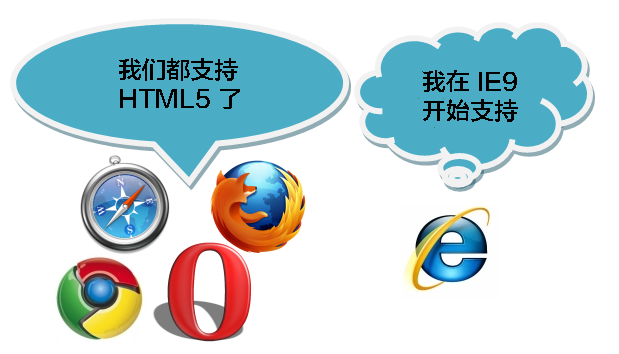
The latest versions of Safari, Chrome, Firefox, and Opera support some HTML5 features. Internet Explorer 9 will support some HTML5 features.
To make browsers below IE9 compatible with HTML5, use the html5shiv package from this site's static resources:
After loading, initialize the CSS for the new tags:
HTML5 Reference Manual
On this site, you can find descriptions of HTML5 tags and attributes. For details, clickHTML5 Reference Manual。
Other Extensions