HTML Layout
Website Layout Improves the Appearance of a Website.
Please Design Your Website Layout Carefully.

Online Examples
HTML Layout Using <div> Element
How to Use <div> Element to Add Layout
HTML Layout Using <table> Element
How to Use <table> Element to Add Layout
Website Layout
Most websites arrange their content in multiple columns (like magazines or newspapers).
Most websites can create multiple columns using <div> or <table> elements. CSS is used to position elements or create backgrounds and colorful appearances for the page.
 |
Although we can design beautiful layouts using HTML table tags, it is not recommended to use tables as layout tools - tables are not layout tools. |
|---|
HTML Layout - Use <div> Element
The <div> element is a block-level element used to group HTML elements.
Below is an example using five <div> elements to create a multi-column layout:
Example
Try It »
The following HTML code produces the following result:

HTML Layout - Use Table
Using HTML <table> Tag is a Simple Way to Create Layouts.
Most sites can create multiple columns using <div> or <table> elements. CSS is used to position elements or create backgrounds and colorful appearances for the page.
|
Even if you can create beautiful layouts using HTML tables, designing tables is for presenting tabular data - tables are not layout tools! |
|---|
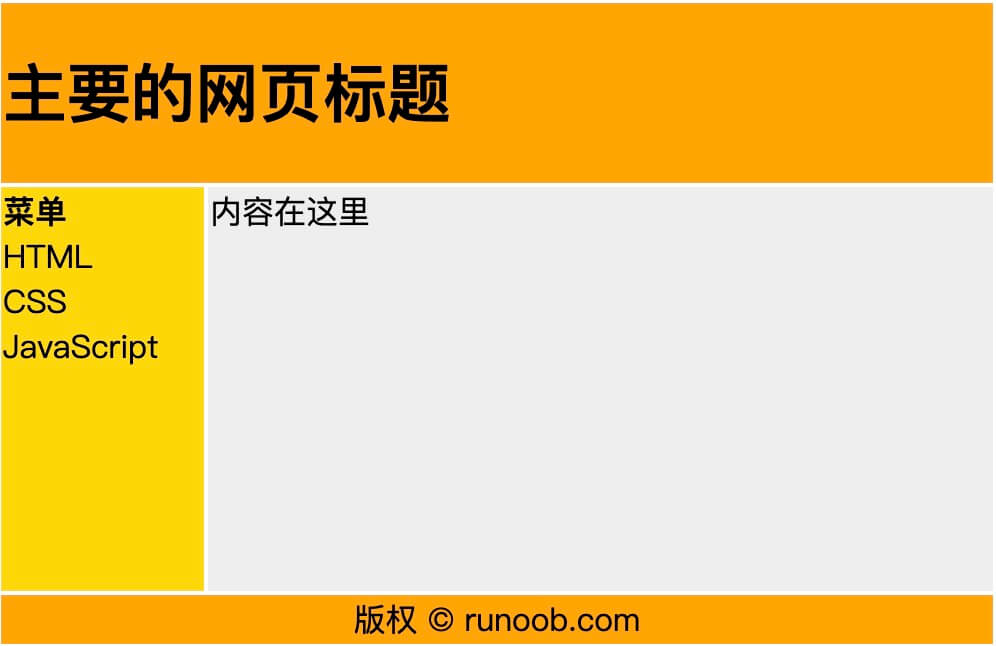
Below is an example using three rows and two columns - the first and last rows use colspan attribute to span two columns:
Example
Try It »
The following HTML code produces the following result:
HTML Layout - Useful Tips
Tip:The biggest benefit of using CSS is that if the CSS code is saved in an external style sheet, the site will be easier to maintain. By editing a single file, you can change the layout of all pages. For more information on CSS, please visit ourCSS Tutorial。
Tip:Since creating advanced layouts is very time-consuming, using templates is a quick option. By searching for free website templates on the internet, you can find many templates (you can use these pre-built website layouts and optimize them).
HTML Layout Tags
| <div> | Description |
|---|---|
| <div> | Defines a Document Block, a block-level element. |
| <span> | Defines span, used to combine inline elements. |