jQuery EasyUI Data Grid -Dynamically Change Columns
The DataGrid columns can be simply defined using the 'columns' property. If you want to dynamically change the columns, that is no problem at all. To change columns, you can call the datagrid method again and pass a new columns property.
Create DataGrid
    <table id="tt" title="Frozen Columns" class="easyui-datagrid" style="width:550px;height:250px"
            url="data/datagrid_data.json"
            singleSelect="true" iconCls="icon-save">
    </table>
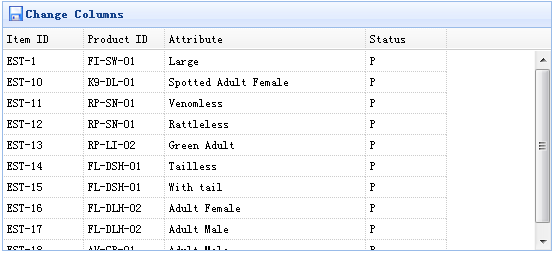
    $('#tt').datagrid({
        columns:[[
            {field:'itemid',title:'Item ID',width:80},
            {field:'productid',title:'Product ID',width:80},
            {field:'attr1',title:'Attribute',width:200},
            {field:'status',title:'Status',width:80}
        ]]
    });
Run the web page, you will see:
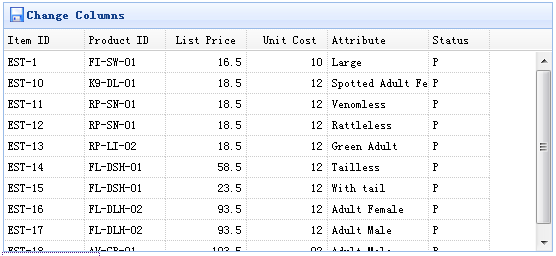
But sometimes you want to change columns, so you need to write some code:
    $('#tt').datagrid({
        columns:[[
            {field:'itemid',title:'Item ID',width:80},
            {field:'productid',title:'Product ID',width:80},
            {field:'listprice',title:'List Price',width:80,align:'right'},
            {field:'unitcost',title:'Unit Cost',width:80,align:'right'},
            {field:'attr1',title:'Attribute',width:100},
            {field:'status',title:'Status',width:60}
        ]]
    });
Remember, we have already defined other properties such as: url, width, height, etc. We do not need to define them again; we define only those that we need to change.
Download jQuery EasyUI Examples
jeasyui-datagrid-datagrid6.zip
Other Extensions