Vue3 Creating Single-File Components (SFC)
Vue's single-file component (i.e.*.vuea file, English: Single-File Component, abbreviated as SFC) is a special file format that allows us to encapsulate a Vue component's template, logic, and styles in a single file.
In Vue3, you can use.vuea file to create single-file components (Single File Components, SFCs). This file contains the component's template, JavaScript code, and CSS styles.
Now we will deletenpm init vue@latestall content in the sample project created by the command (refer toVue3 Installation), so that we can create our own simple webpage in Vue.
Before we start writing code, delete all the content inside the <template>, <script>, and <style> tags, as well as any attributes like setup or scoped.
Your App.vue file should now look like this:
App.vue file:
<template></template>
<style></style>
At the same time, we can first clearsrcthe folder in the directoryassetsandcomponents, and we can add the files inside later ourselves.
Modify the main.js file code to the following:
main.js file code:
import App from './App.vue'
createApp(App).mount('#app')
Now we have created a simple project. Write the following code in the App.vue file:
App.vue file code:
<div>
<h1>{{ message }}</h1>
</div>
</template>
<script>
export default {
data() {
return {
message: 'Hello, EXAMPLE!'
}
}
}
</script>
<style>
h1 {
color: blue;
}
</style>
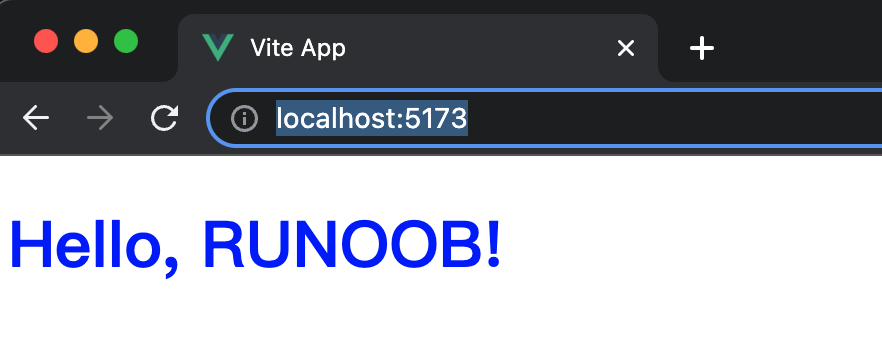
In the above example, we defined a simple component containing a title. The component's template includes an <h1> element, which uses Vue3's template syntax to bind the message property to the text content of this element.
The JavaScript part contains a data function that returns an object containing the message property, which we bound to the template.
Finally, the CSS style defines the title color as blue.
In the JavaScript part of the component, we used the new `export default` syntax, which allows us to export the component definition as a default object. In Vue3, we can use this syntax to define components without having to use the `Vue.component` function as in Vue2.
Visithttp://localhost:5173/, the execution result of the above code is:
Using Components
After we have defined a component, we can use this component in other components.
To use a component, we need to first create the component. For example, the following example, in the./src/components/directory, creates theHelloExample.vuecomponent file, and the code is as follows:
./src/components/HelloExample.vue file code:
<div>
<h1>{{ message }}</h1>
</div>
</template>
<script>
export default {
data() {
return {
message: 'Hello, Example!'
}
}
}
</script>
<style>
h1 {
color: red;
}
</style>
Then we import and define the component in the ./src/main.js file:
./src/main.js file code:
import App from './App.vue'
import HelloExample from './components/HelloExample.vue'
const app = createApp(App)
app.component('hello-example', HelloExample) // Custom tag
app.mount('#app')
In the parent component's template, we can use custom tags to import the child component, as shown in the App.vue file code below:
App.vue file code
<div>
<hello-example></hello-example>
</div>
</template>
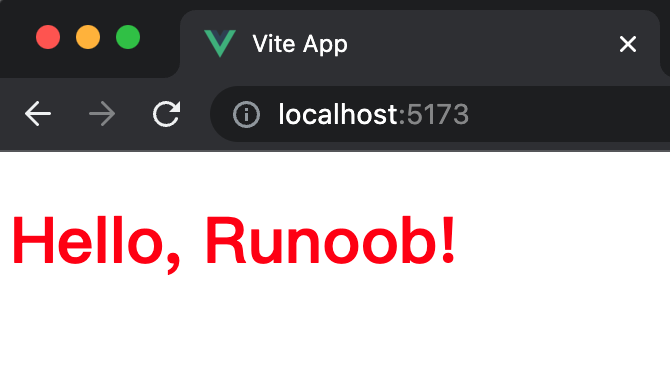
Visithttp://localhost:5173/, the execution result of the above code is: