Claude Code API Configuration
Claude's API isn't very friendly to use in China. Apart from Claude's official models, can I use other AI models?
This chapter will teach you in detail how to configure APIs for multiple mainstream domestic AI models, making Claude Code support:
| Vendor/Brand | Introduction | API Application Portal (Click to Reach) |
|---|---|---|
| DeepSeek (Domestic High Cost-Performance) | Official Models: deepseek-v4-flash deepseek-v4-pro deepseek-chat (will be deprecated on 2026/07/24) deepseek-reasoner (will be deprecated on 2026/07/24) |
https://platform.deepseek.com/api_keys |
| Alibaba Bailian (Qwen) | Alibaba Cloud's unified LLM gateway, supports the latest versions of Qwen, GLM, Kimi, MiniMax, etc. | https://bailian.console.aliyun.com |
| GLM (Zhipu Qingyan) | Tsinghua-affiliated ChatGLM series, supports GLM-4, GLM-3-Turbo, etc. | https://open.bigmodel.cn |
| MiniMax | Domestic multimodal, supports mixed calls of text, speech, and images | https://platform.minimaxi.com |
After entering the corresponding console, register/log in → complete real-name verification → create an API Key and you can start calling.
API Management Tool
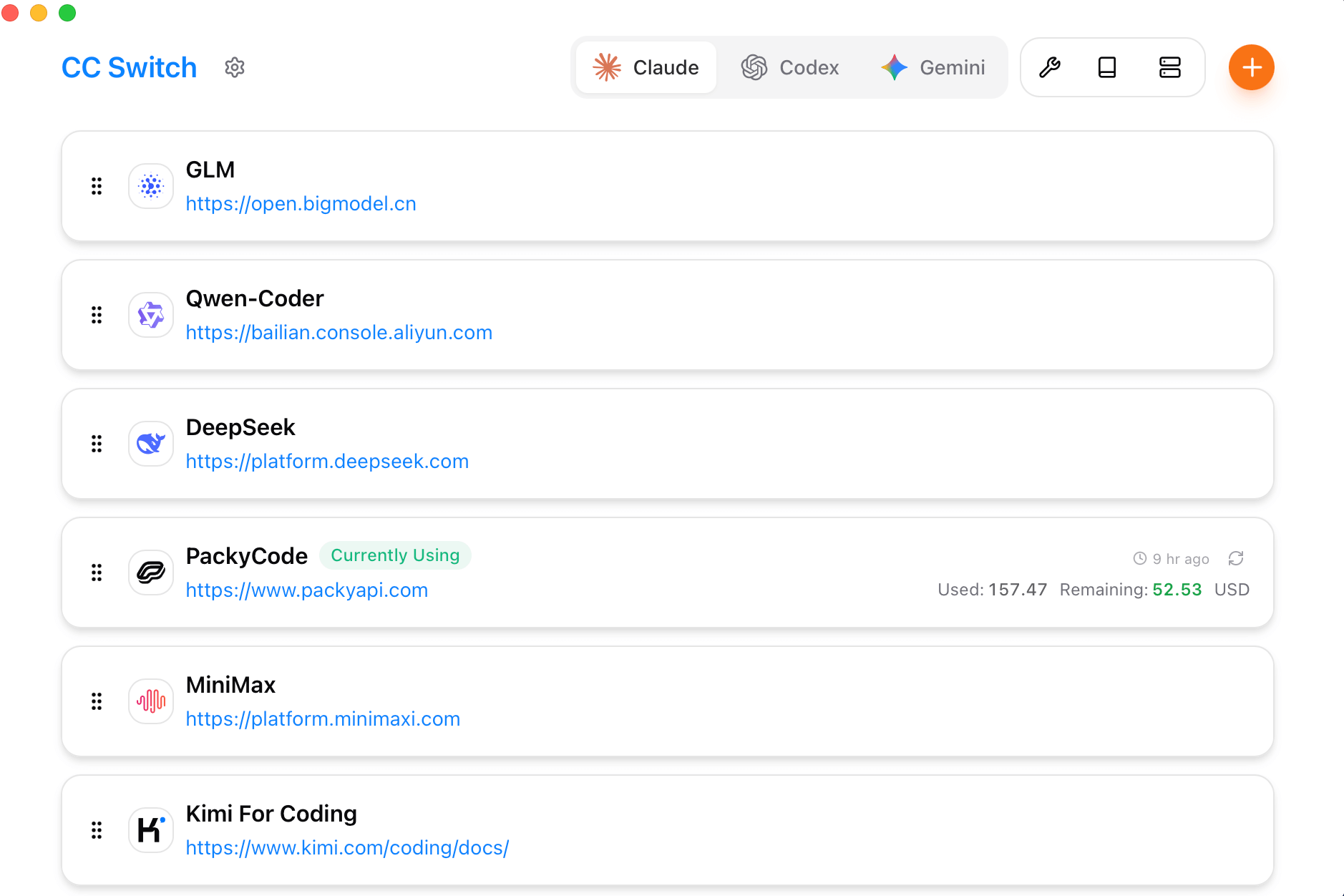
With so many platforms, configuration becomes troublesome. We can use the third-party tool CC Switch to easily manage the API configurations of these popular tools:https://github.com/farion1231/cc-switch/, supports Windows / macOS / Linux.
CC Switch is a comprehensive auxiliary tool for Claude Code / Codex / Gemini CLI.
CC Switch can help us easily manage the API configurations of these popular tools, just like having a smart organization assistant for your development toolbox, where all tool configurations can be managed in an orderly manner.
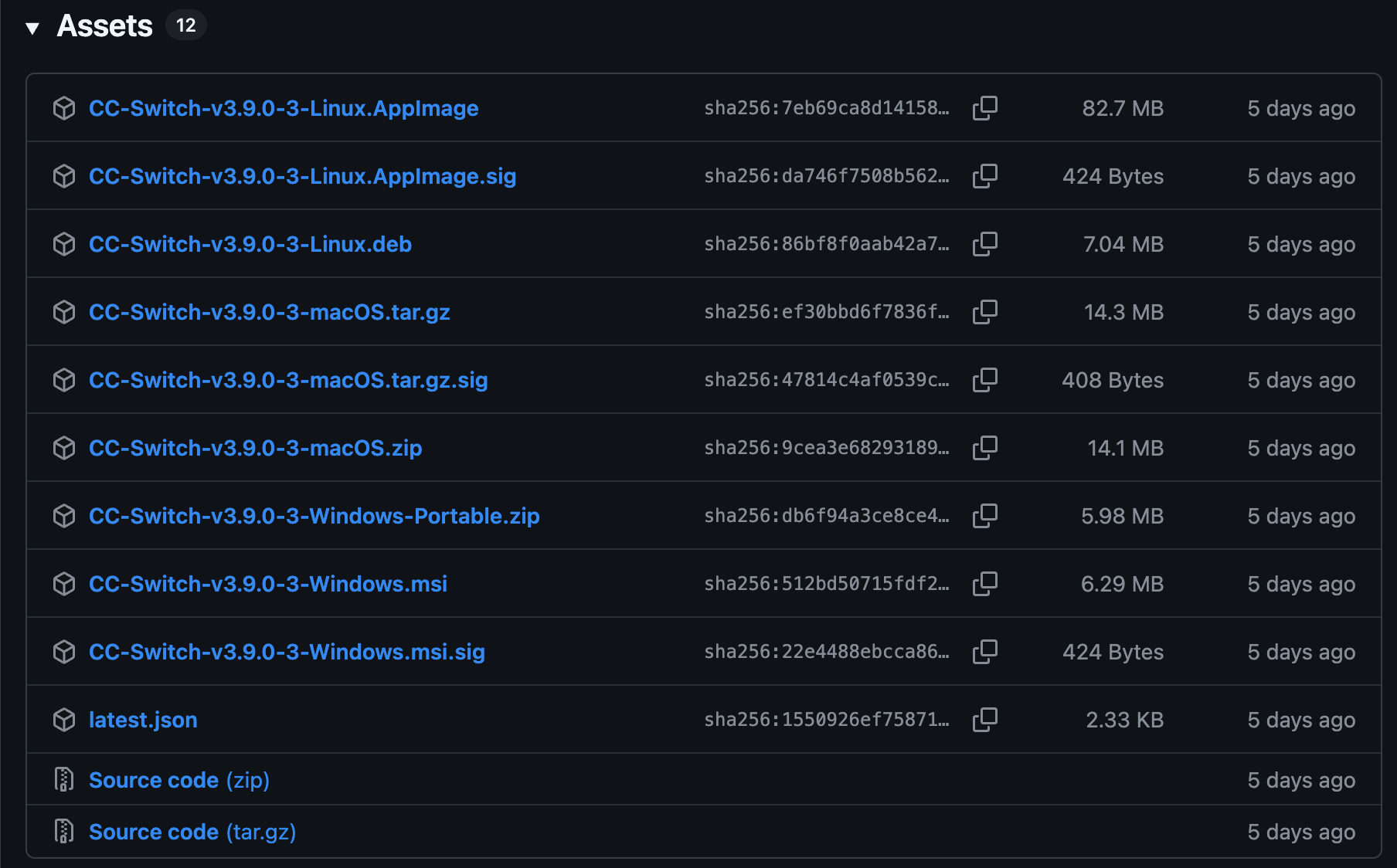
Installation package download addresses for each platform:https://github.com/farion1231/cc-switch/releases。
For specific operation settings, refer to the article:https://www.example.com/ai-agent/cc-switch.html
If you don't mind the hassle, you can refer to the following content and configure it yourself.
Integrating DeepSeek with Claude Code
Information Needed:
API key: https://platform.deepseek.com/api_keysApply for API keys.
BASE_URL: The URL for API requests ishttps://api.deepseek.com/anthropic。
Configure in Environment Variables
Linux / Mac users run the following commands to configure the DeepSeek Anthropic API environment variables, where the API Key can be obtained atDeepSeek PlatformGet it at:
export ANTHROPIC_BASE_URL=https://api.deepseek.com/anthropic
export ANTHROPIC_AUTH_TOKEN=<你的 DeepSeek API Key>
export ANTHROPIC_MODEL=deepseek-v4-pro[1m]
export ANTHROPIC_DEFAULT_OPUS_MODEL=deepseek-v4-pro[1m]
export ANTHROPIC_DEFAULT_SONNET_MODEL=deepseek-v4-pro[1m]
export ANTHROPIC_DEFAULT_HAIKU_MODEL=deepseek-v4-flash
export CLAUDE_CODE_SUBAGENT_MODEL=deepseek-v4-flash
export CLAUDE_CODE_EFFORT_LEVEL=max
Windows users run:
$env:ANTHROPIC_BASE_URL="https://api.deepseek.com/anthropic"
$env:ANTHROPIC_AUTH_TOKEN="<你的 DeepSeek API Key>"
$env:ANTHROPIC_MODEL="deepseek-v4-pro[1m]"
$env:ANTHROPIC_DEFAULT_OPUS_MODEL="deepseek-v4-pro[1m]"
$env:ANTHROPIC_DEFAULT_SONNET_MODEL="deepseek-v4-pro[1m]"
$env:ANTHROPIC_DEFAULT_HAIKU_MODEL="deepseek-v4-flash"
$env:CLAUDE_CODE_SUBAGENT_MODEL="deepseek-v4-flash"
$env:CLAUDE_CODE_EFFORT_LEVEL="max"
Note: Add [1m] to the model configuration, and remember to set thinking intensity to max, so that it can run at full capacity.
Parameter Description:
Simplified to the first three columns (Parameter Name / Example Value / Description) as follows:
| Parameter Name | Example Value | Description |
|---|---|---|
ANTHROPIC_BASE_URL |
https://api.deepseek.com/anthropic |
Specifies the API gateway address, forwarding Anthropic SDK requests to DeepSeek |
ANTHROPIC_AUTH_TOKEN |
<你的 DeepSeek API Key> |
API authentication Token, used to access DeepSeek services |
ANTHROPIC_MODEL |
deepseek-v4-pro |
The default main model used |
ANTHROPIC_DEFAULT_OPUS_MODEL |
deepseek-v4-pro |
Maps to the Claude Opus model |
ANTHROPIC_DEFAULT_SONNET_MODEL |
deepseek-v4-pro |
Maps to the Claude Sonnet model |
ANTHROPIC_DEFAULT_HAIKU_MODEL |
deepseek-v4-flash |
Maps to the Claude Haiku model (lightweight and fast) |
CLAUDE_CODE_SUBAGENT_MODEL |
deepseek-v4-flash |
The model used by sub-agents (usually for quick tasks) |
CLAUDE_CODE_EFFORT_LEVEL |
max |
Controls reasoning intensity and thinking depth |
Then enter the project directory, run the claude command, and you can start using it.
cd my-project
claude
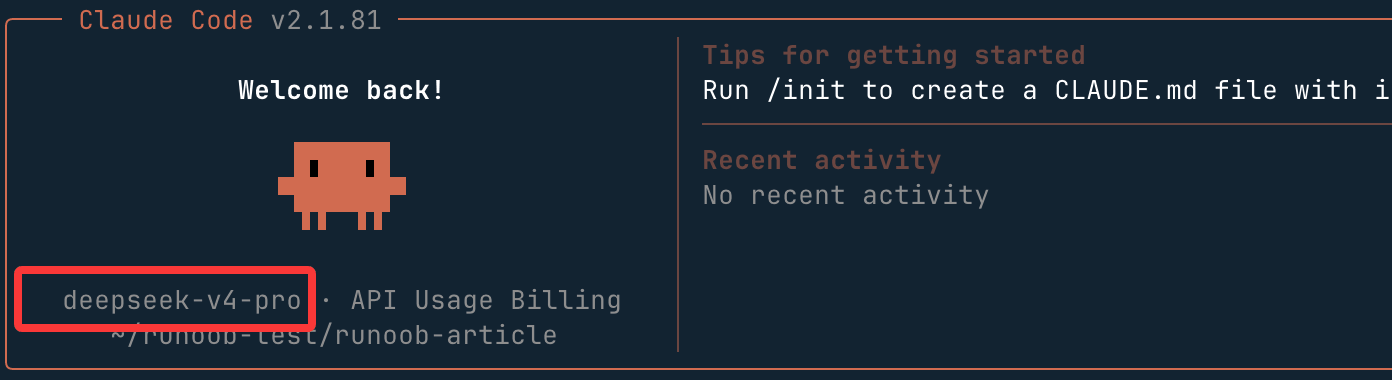
After starting Claude Code, specify DeepSeek:
claude --model deepseek-v4-pro
Or switch in interactive mode:
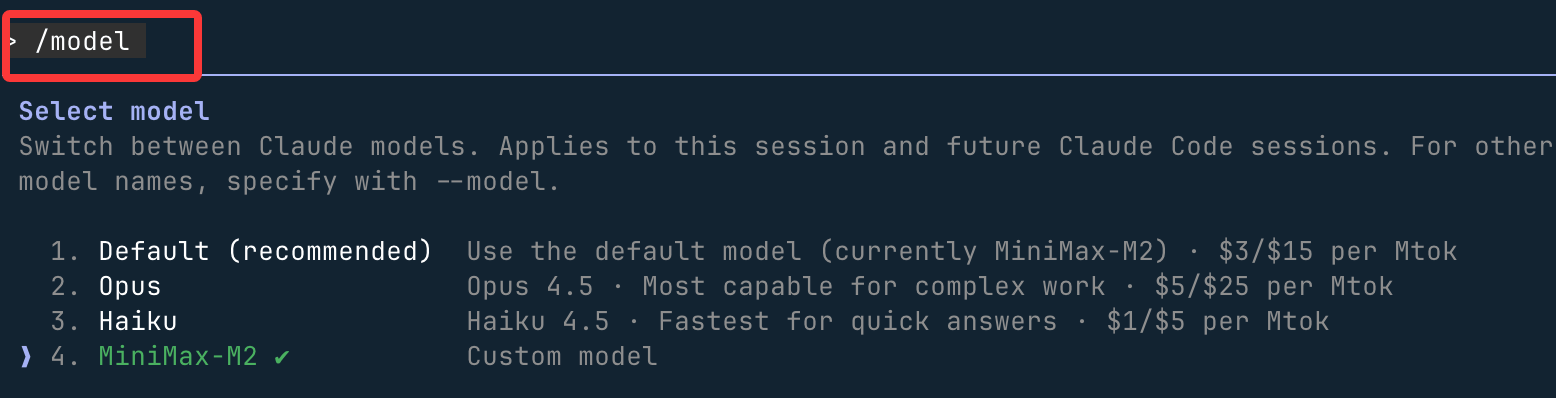
> /model deepseek-v4-pro
Enter /model to view supported models:
Reference documentation:https://api-docs.deepseek.com/zh-cn/guides/coding_agents
Integrating Alibaba Bailian with Claude Code
Alibaba Cloud Bailian's Tongyi Qianwen series models support the Anthropic API-compatible interface. By modifying the following parameters, you can call Tongyi Qianwen series models in Claude Code.
ANTHROPIC_API_KEY (or ANTHROPIC_AUTH_TOKEN): Replace with the Bailian API Key. Application address:https://bailian.console.aliyun.com/cn-beijing/?tab=model#/api-key。
-
ANTHROPIC_BASE_URL: Replace with Bailian's compatible endpoint addresshttps://dashscope.aliyuncs.com/apps/anthropic。
You can purchase resource packages directly, which is more cost-effective:https://cn.aliyun.com/benefit?from_alibabacloud=&userCode=i5mn5r7m
-
Model name: Replace with a model name supported by Bailian (e.g., qwen3-max, qwen3-coder-plus, etc.)
macOS/Linux:
Create and open the configuration file~/.claude/settings.json。
~Represents the user's home directory. If.claudethe directory does not exist, you need to create it first. You can run the following command in the terminal:mkdir -p ~/.claude to create it.
Edit the configuration file:
vim ~/.claude/settings.json
Replace YOUR_API_KEY with your dedicated API Key.
{
    "env": {
        "ANTHROPIC_AUTH_TOKEN": "YOUR_API_KEY",
        "ANTHROPIC_BASE_URL": "https://dashscope.aliyuncs.com/apps/anthropic",
        "ANTHROPIC_MODEL": "qwen3-coder-plus"
    }
}
Open a new terminal again to make the environment variable configuration take effect.
Windows:
Run the following commands in CMD to set environment variables:
setx ANTHROPIC_AUTH_TOKEN "YOUR_API_KEY"
setx ANTHROPIC_BASE_URL "https://dashscope.aliyuncs.com/apps/anthropic"
setx ANTHROPIC_MODEL "qwen3-coder-plus"
Replace YOUR_API_KEY with the plan-specific API Key.
Open a new CMD window and run the following command to check whether the environment variable has taken effect.
echo %ANTHROPIC_AUTH_TOKEN%
echo %ANTHROPIC_BASE_URL%
echo %ANTHROPIC_MODEL%
Run the following commands in PowerShell to set environment variables:
# 用套餐专属 API Key 替换 YOUR_API_KEY
[Environment]::SetEnvironmentVariable("ANTHROPIC_AUTH_TOKEN", "YOUR_API_KEY", [EnvironmentVariableTarget]::User)
[Environment]::SetEnvironmentVariable("ANTHROPIC_BASE_URL", "https://dashscope.aliyuncs.com/apps/anthropic", [EnvironmentVariableTarget]::User)
[Environment]::SetEnvironmentVariable("ANTHROPIC_MODEL", "qwen3-coder-plus", [EnvironmentVariableTarget]::User)
Open a new PowerShell window and run the following command to check whether the environment variable has taken effect.
echo $env:ANTHROPIC_AUTH_TOKEN
echo $env:ANTHROPIC_BASE_URL
echo $env:ANTHROPIC_MODEL
Integrating Qwen Series Models in Claude Code
During the conversation, run/model <model name>command to switch the model.
/model qwen3-coder-plus
You can also create a file in the project root directory,.claude/settings.jsonand write the model configuration information into it for permanent configuration.
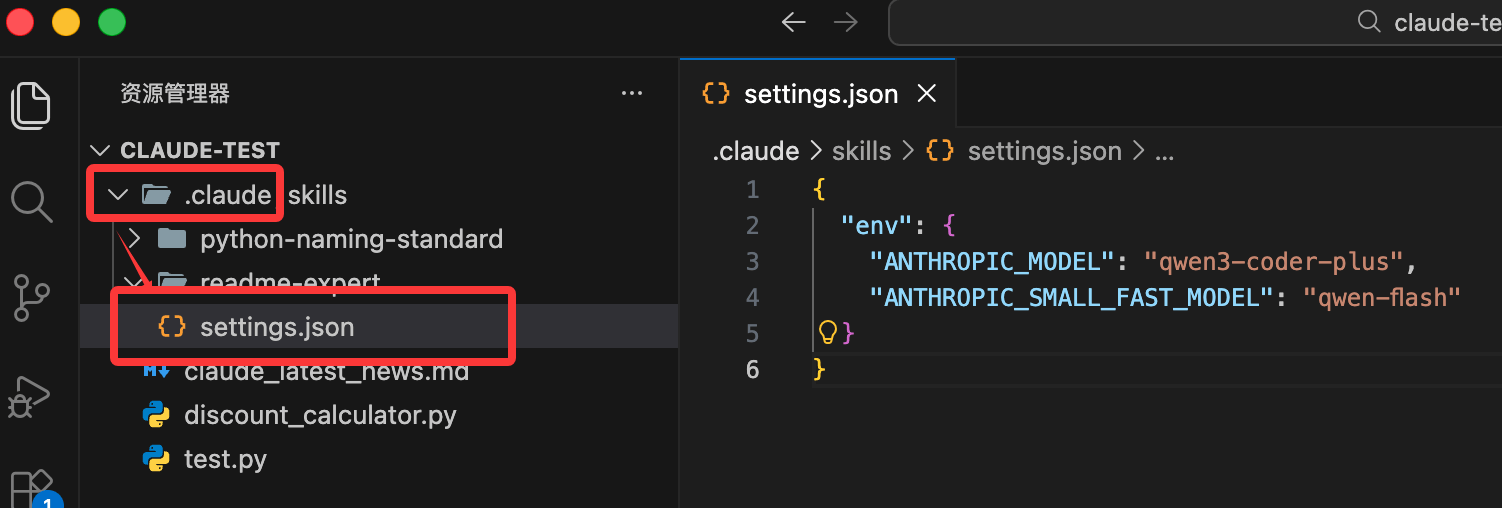
{
  "env": {
    "ANTHROPIC_MODEL": "qwen3-coder-plus",
    "ANTHROPIC_SMALL_FAST_MODEL": "qwen-flash"
  }
}
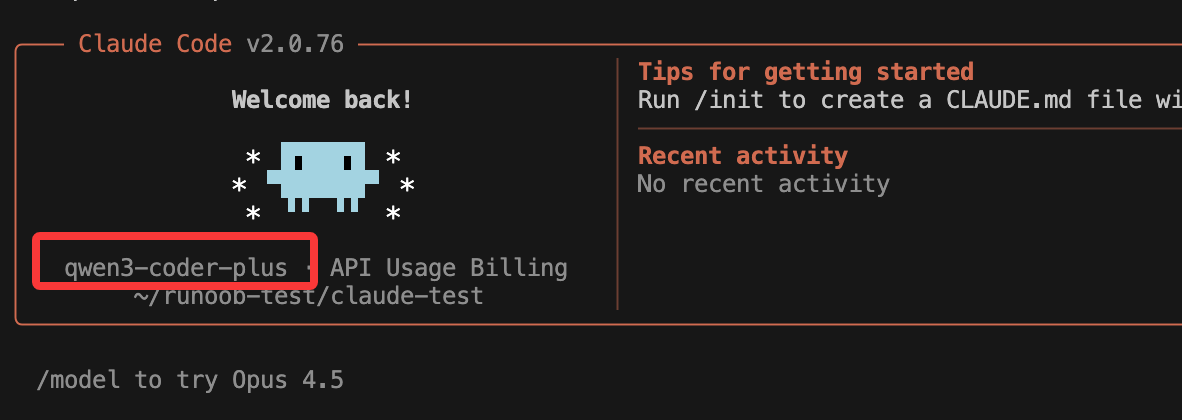
Start Claude and you can see the configuration information:
Integrating Zhipu Large Models with Claude Code
In this section, we use the ~/.claude/settings.json file to configure the large model. Before starting, you need to obtain an API key from the official platform:GLM Coding Plan。
Edit or add the Claude Code configuration file ~/.claude/settings.json, and add or modify the env field in it
# 注意替换里面的your_zhipu_api_key 为您上一步获取到的 API Key
{
    "env": {
        "ANTHROPIC_AUTH_TOKEN": "your_zhipu_api_key",
        "ANTHROPIC_BASE_URL": "https://open.bigmodel.cn/api/anthropic",
        "API_TIMEOUT_MS": "3000000",
        "CLAUDE_CODE_DISABLE_NONESSENTIAL_TRAFFIC": 1
    }
}
Run claude to start Claude Code, enter/statusto confirm the model status:
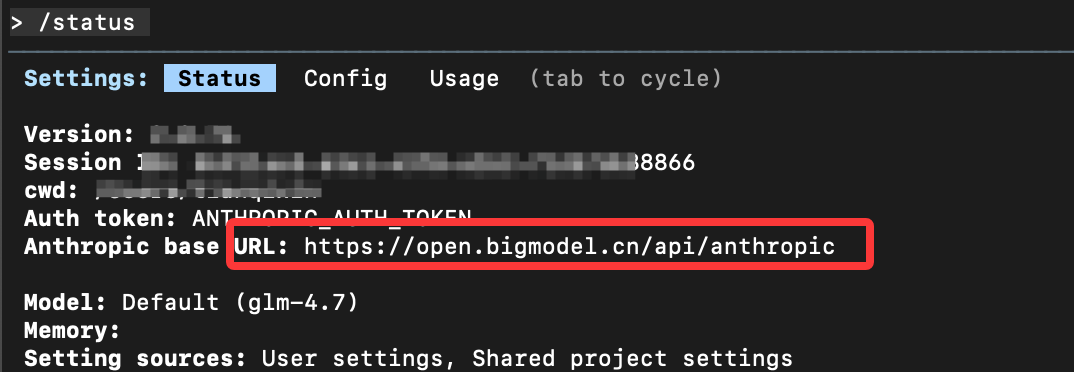
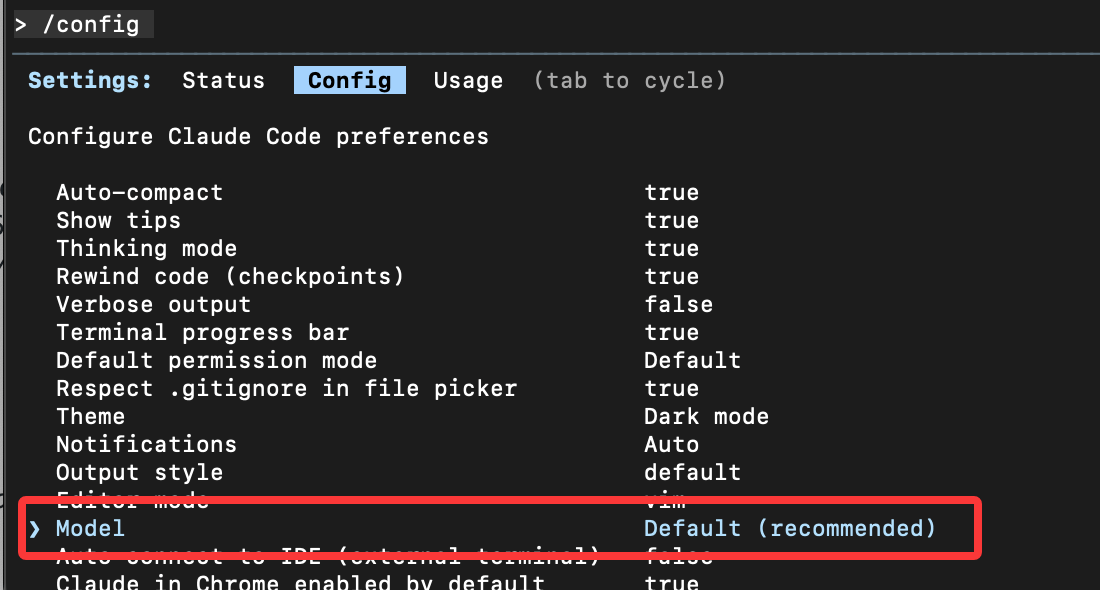
If not, you can enter/configto switch the model.
 Other extensions