Telnet Protocol
Telnet is a network protocol used for remote login, allowing users to connect to a remote computer over the network and execute commands on it.
Telnet is one of the earliest protocols used on the Internet, but due to its security issues, it has now been replaced by more secure protocols (such as SSH).
How Telnet Works
Telnet uses a client-server model and transmits data in plaintext. Its core function is to establish a remote connection and transmit commands and responses.
1. Telnet Connection Establishment
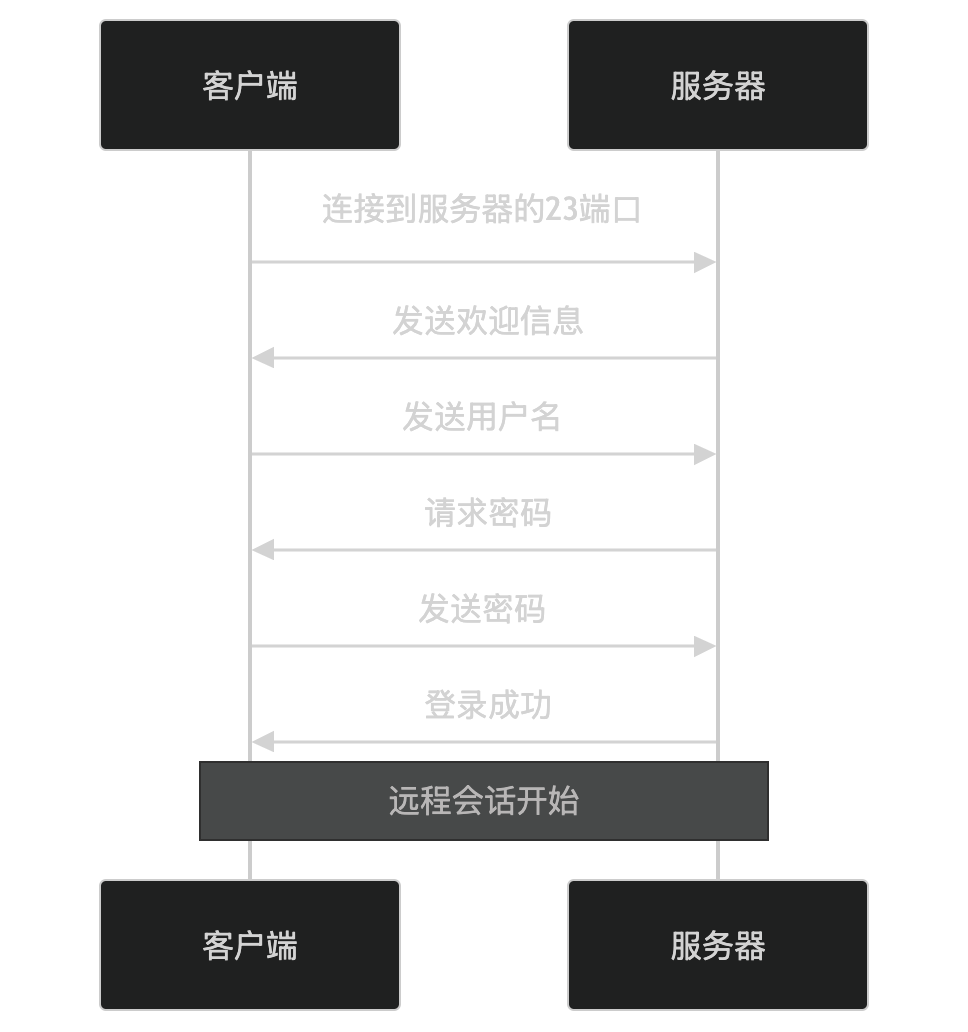
- The client connects to port 23 of the server (the default Telnet port).
- The server sends a welcome message.
- The client sends the username and password (transmitted in plaintext).
- The server verifies the username and password and returns the login result.
2. Commands and Responses
After the connection is established, Telnet creates a session channel. The client can send commands, and the server executes the commands and returns the results.
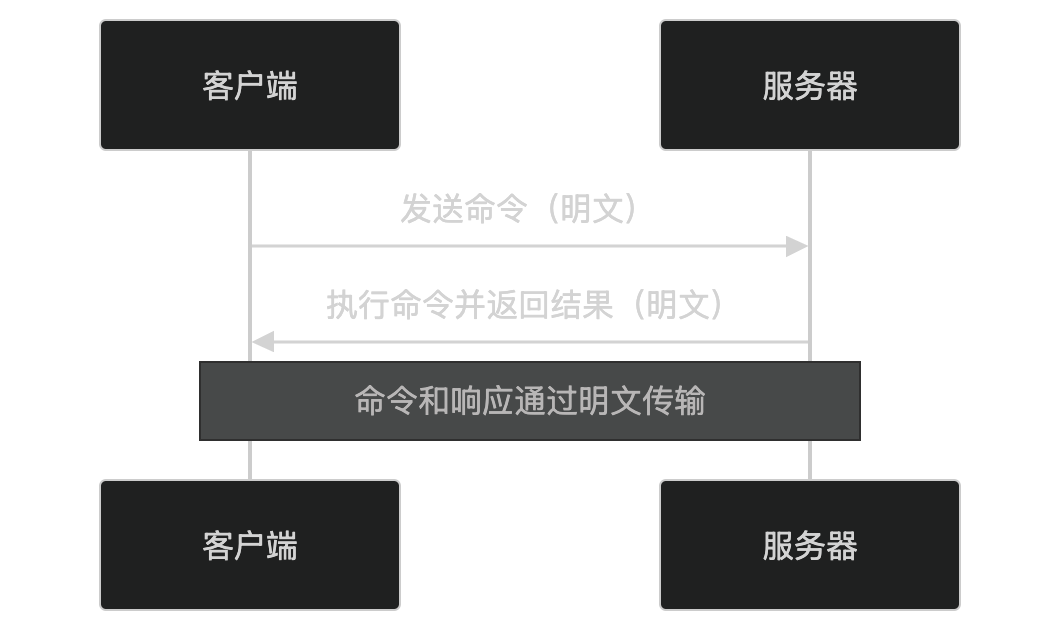
- The client sends a command (e.g.,
lsordir)。 - The server executes the command and returns the result.
- All data (including commands and responses) is transmitted in plaintext.
Key Features of Telnet
-
Remote login:
- Allows users to log in to a remote computer over the network.
-
Plaintext transmission:
- All data (including usernames, passwords, commands, and responses) is transmitted in plaintext and is easy to eavesdrop on.
-
Simple and easy to use:
- The protocol is simple, easy to implement and use.
-
Lack of security:
- It does not support encryption or authentication mechanisms, posing serious security risks.
Application Scenarios of Telnet
Telnet was once widely used in the following scenarios:
- Remote management: Log in to a remote server to execute commands.
- Network device configuration: Configure network devices such as routers and switches.
- Testing network services: Test the connectivity of network services such as SMTP and HTTP.
Security Issues of Telnet
The main problem with Telnet is its lack of security:
- Plaintext transmission: Usernames, passwords, and all data are transmitted in plaintext and are easy to eavesdrop on.
- Lack of encryption: It does not support data encryption and cannot prevent man-in-the-middle attacks.
- Lack of authentication: It cannot verify the server's identity and is easy to spoof.
Due to these security issues, Telnet has gradually been replaced by more secure protocols (such as SSH).
Alternatives to Telnet
To provide more secure remote login services, the following alternatives can be used:
- SSH: Encrypted communication, supports authentication and data integrity checking.
- RDP: Used for remote desktop connections, supports graphical interface.
- VNC: Used for remote desktop sharing, supports