MTP Protocol
MTP (Media Transfer Protocol) is a protocol used to transfer media files (such as photos, videos, music) between devices and computers.
MTP was developed by Microsoft and is mainly used to connect media devices such as Android devices, digital cameras, and MP3 players to computers.
How MTP Works
MTP uses a client-server model to transfer files between devices and computers via USB or Wi-Fi connections.
1. Device Connection
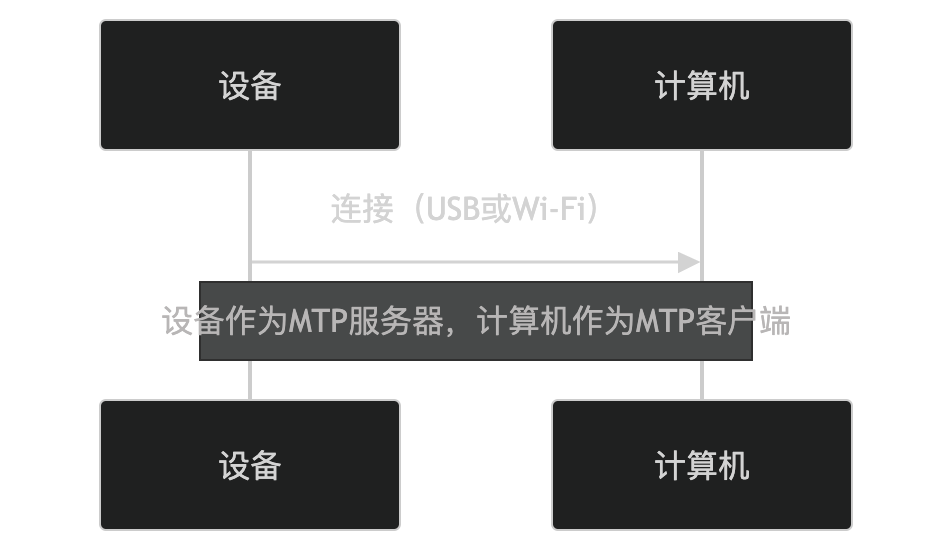
When a device connects to a computer via USB or Wi-Fi, the device acts as the MTP server and the computer acts as the MTP client.
2. File Transfer
Computers can access media files on the device via the MTP protocol and perform operations such as uploading, downloading, and deleting.
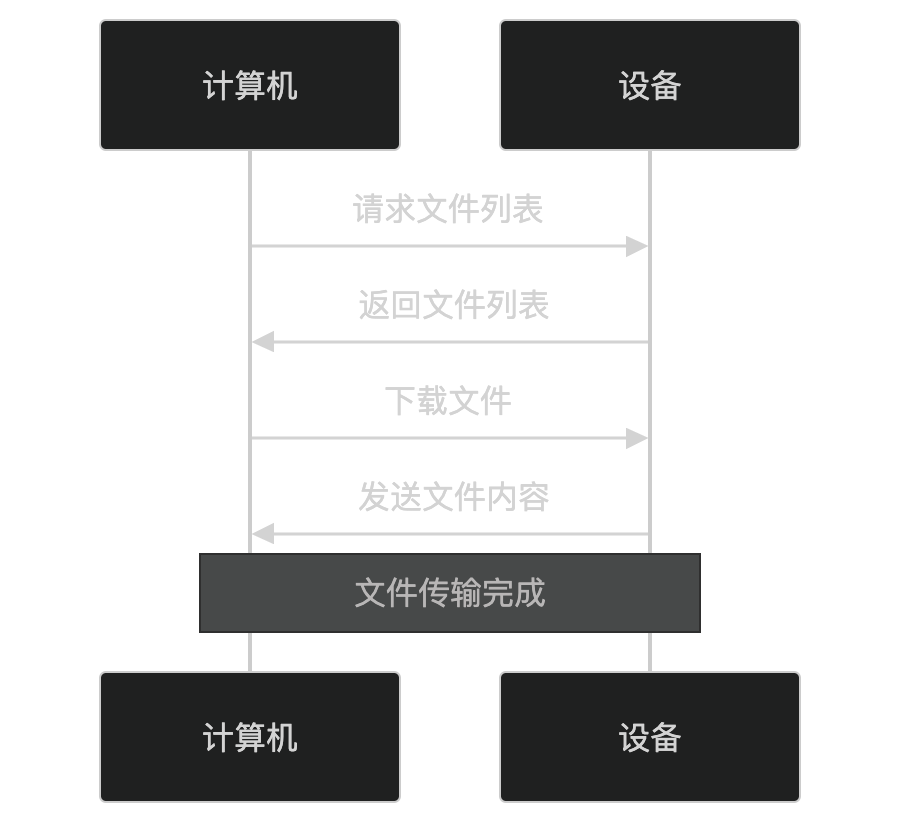
- The computer requests a list of files on the device.
- The device returns the file list.
- The computer selects files and downloads them.
- The device sends the file content.
Key Features of MTP
-
Media File Transfer:
- Specifically designed for transferring media files (such as photos, videos, music).
-
Device Management:
- Supports operations such as uploading, downloading, deleting, and renaming files.
-
Compatibility:
- Supports multiple operating systems (such as Windows, macOS, Linux).
-
No Driver Required:
- Devices can communicate with computers without installing additional drivers.
-
Security:
- Data is encrypted during transmission via USB or Wi-Fi to protect file security.
Application Scenarios of MTP
MTP is widely used in the following scenarios:
- Android Devices:
- Connect Android phones or tablets to computers to transfer media files.
- Digital Cameras:
- Connect digital cameras to computers to transfer photos and videos.
- MP3 Players:
- Connect MP3 players to computers to transfer music files.
- Media Management Software:
- Manage media files on devices through the MTP protocol.
Advantages and Disadvantages of MTP
Advantages:
- No Driver Required:
- Devices can communicate with computers without installing additional drivers.
- Compatibility:
- Supports multiple operating systems and devices.
- Security:
- Data is encrypted during transmission via USB or Wi-Fi to protect file security.
Disadvantages:
- Performance Limitations:
- Transfer speed may be limited by the bandwidth of USB or Wi-Fi.
- Limited Functionality:
- Mainly used for media file transfer, does not support other types of file operations.
Alternatives to MTP
In certain scenarios, the following alternatives can be used:
- PTP(Picture Transfer Protocol):
- Designed specifically for transferring photos, with simpler functionality than MTP.
- USB Mass Storage(UMS):
- Use the device as a mass storage device, supporting all types of file operations.
- Cloud Storage:
- Transfer files through cloud storage services (such as Google Drive, Dropbox).
In summary, MTP is a protocol used to transfer media files between devices and computers, enabling file transfer through USB or Wi-Fi connections. It is widely used in scenarios such as Android devices, digital cameras, and MP3 players, making it suitable for users who need to transfer media files.
Other Extensions