SSH Protocol
SSH (Secure Shell) is an encrypted protocol used for secure remote login and other network services.
SSH protects data during transmission through encrypted communication, and is widely used in scenarios such as system administration, file transfer, and remote command execution.
How SSH Works
SSH uses a client-server model and ensures communication security through encryption technology.
The following is the basic process of SSH connection establishment and data transmission:
1. Connection Establishment
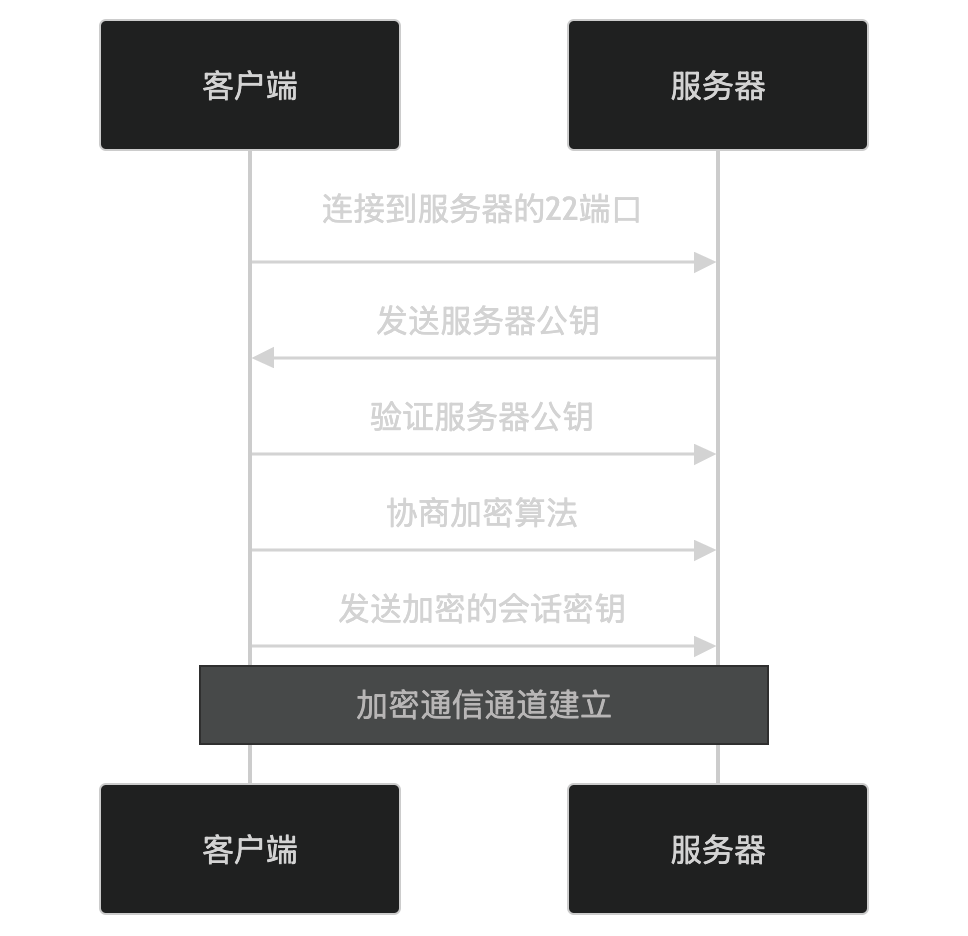
- The client connects to port 22 on the server (the default SSH port).
- The server sends its public key to the client.
- The client verifies the server's public key (usually via the known host key fingerprint).
- The client and server negotiate encryption algorithms (e.g., AES, RSA, etc.).
- The client generates a session key, encrypts it with the server's public key, and sends it to the server.
- Both parties use the session key to encrypt subsequent communication.
2. User Authentication
SSH supports multiple user authentication methods, common ones include:
- Password authentication: The user enters a username and password.
- Public key authentication: The user authenticates with a private key, and the server verifies the corresponding public key.
Password authentication
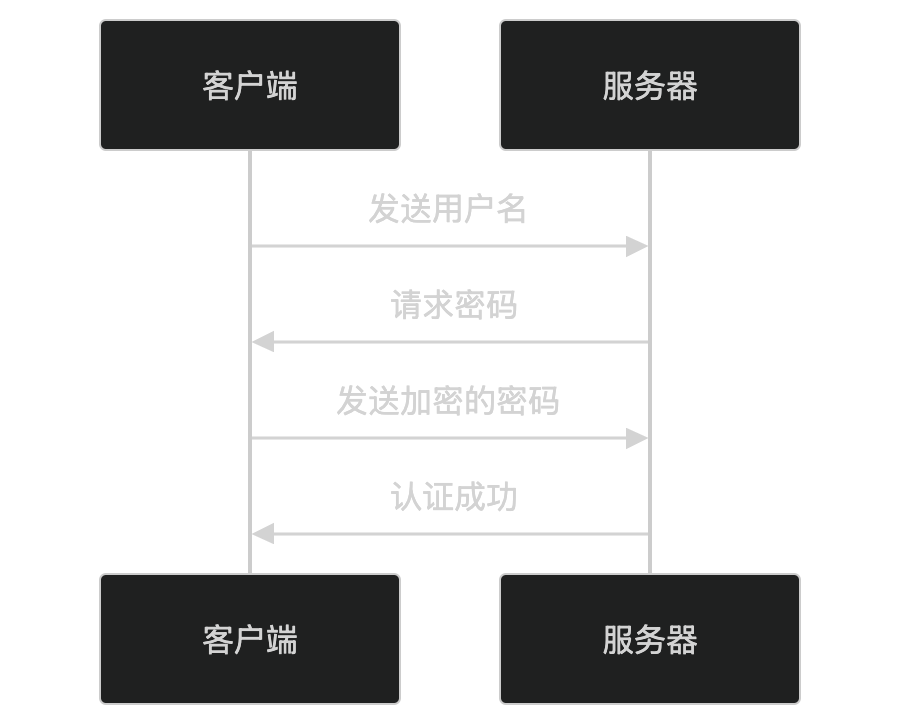
- The client sends the username.
- The server requests the password.
- The client sends the encrypted password.
- The server verifies the password and returns the authentication result.
Public key authentication
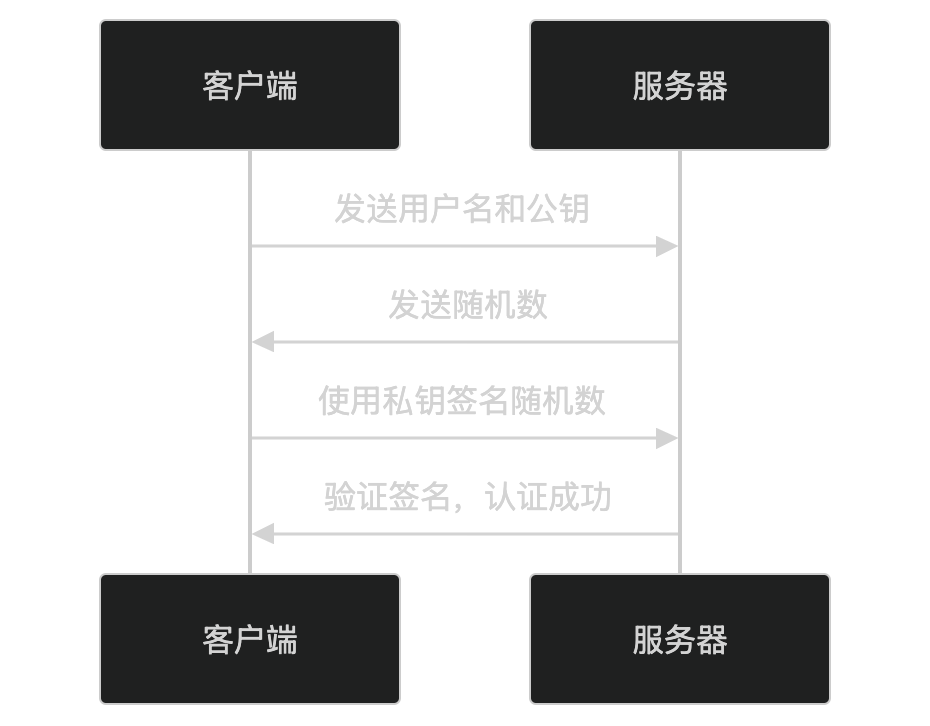
- The client sends the username and public key.
- The server sends a random number.
- The client signs the random number with its private key and sends it to the server.
- The server verifies the signature using the public key and returns the authentication result.
3. Data Transmission
After successful authentication, SSH establishes an encrypted session channel that supports the following functions:
- Remote login: Execute commands on a remote server.
- File transfer: Transfer files via SCP or SFTP.
- Port forwarding: Forward local ports to a remote server, or vice versa.
Key Features of SSH
-
Encrypted communication:
- Uses symmetric encryption (e.g., AES) to encrypt data.
- Uses asymmetric encryption (e.g., RSA) to exchange session keys.
-
Authentication:
- Supports password authentication and public key authentication.
- Public key authentication is more secure and does not require transmitting passwords.
-
Data integrity:
- Uses hash algorithms (e.g., SHA) to ensure data has not been tampered with.
-
Versatility:
- Supports remote login, file transfer, port forwarding, etc.
Application Scenarios of SSH
SSH is widely used in the following scenarios:
- Remote administration: Log in to a remote server to execute commands.
- File transfer: Securely transfer files via SCP or SFTP.
- Port forwarding: Expose local services to a remote server, or vice versa.
- Automated tasks: Execute remote commands through SSH scripts.
SSH Security
SSH security depends on the following factors:
- Key management: Protect private keys and update public keys regularly.
- Strong passwords: Use complex passwords to avoid brute-force attacks.
- Firewall: Limit access to the SSH port.
- Disable root login: Reduce security risks.
In summary, SSH is a secure remote login protocol that protects data transmission through encrypted communication and multiple authentication methods. It is widely used in scenarios such as remote administration, file transfer, and port forwarding. If you are interested in a specific feature or application scenario of SSH, feel free to discuss it further!
Other Extensions