SMTP Protocol
SMTP (Simple Mail Transfer Protocol) is a network protocol used for sending email.
SMTP is one of the core protocols for email transmission on the internet, responsible for delivering mail from the sender to the recipient's mail server.
How SMTP Works
SMTP uses a client-server model to transmit email over plaintext or encrypted communication channels. Its core functions are sending and delivering mail.
1. Establishing an SMTP Connection
- The client connects to port 25 on the server (the default SMTP port).
- The server returns status code 220, indicating that the service is ready.
- The client sends the HELO or EHLO command to inform the server of its domain name.
- The server returns status code 250, indicating that the command succeeded.
2. Sending Email
After the connection is established, the client can send email. The following is a typical email sending process:
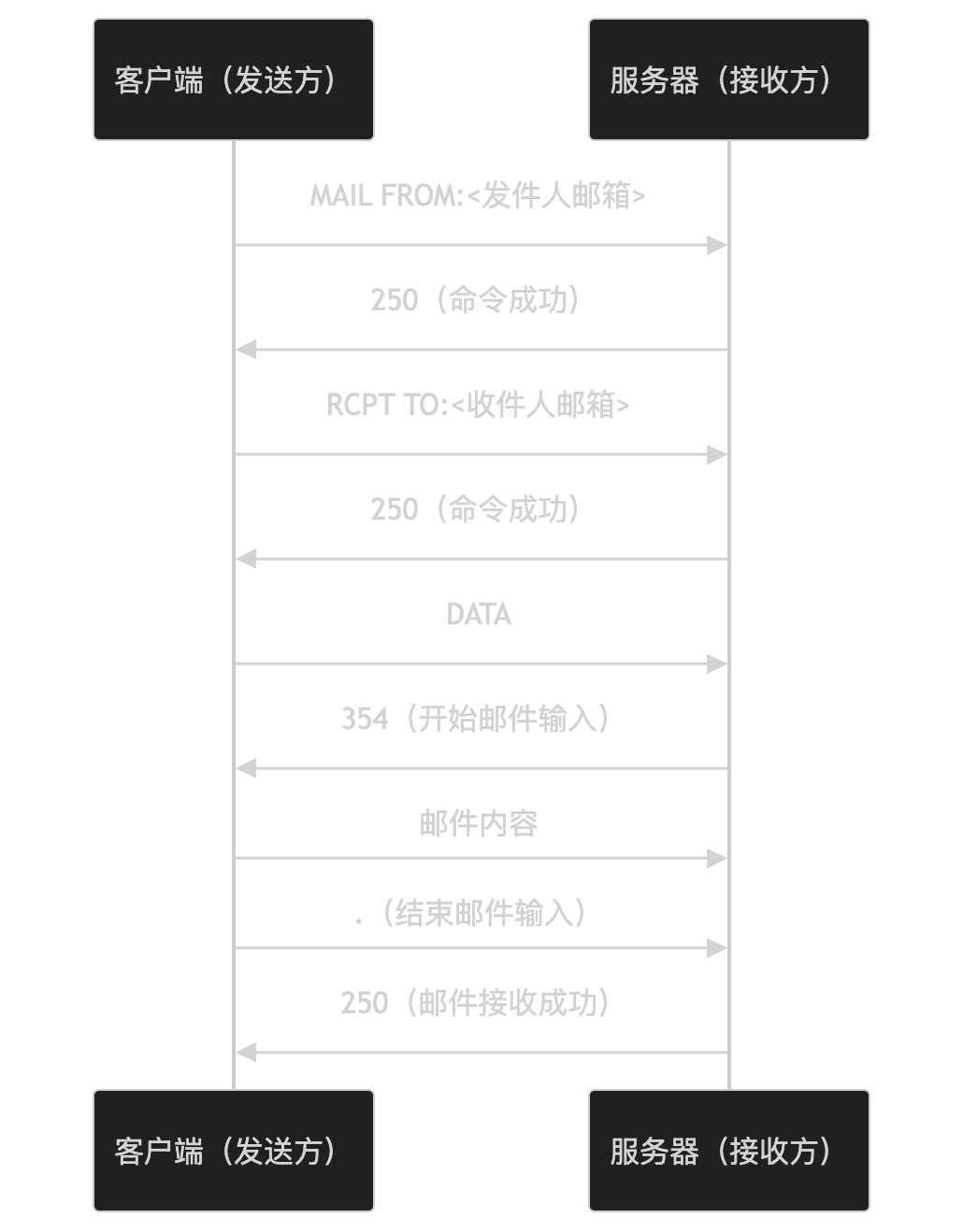
- MAIL FROM: The client specifies the sender's email address.
- RCPT TO: The client specifies the recipient's email address.
- DATA: The client begins to enter the email content.
- Email content: The client sends the email body.
- .: The client uses a period on a single line to indicate the end of the email input.
- The server returns status code 250, indicating that the email was received successfully.
3. Closing the Connection
After sending the email, the client can close the connection:
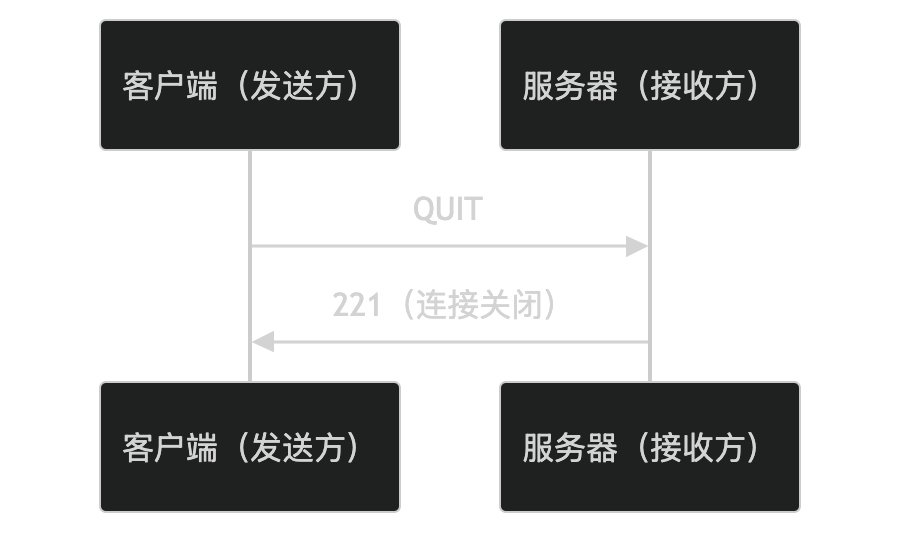
- The client sends the QUIT command to request closing the connection.
- The server returns status code 221, indicating that the connection is closed.
Key Features of SMTP
-
Text protocol:
- SMTP is a text-based protocol, and both commands and responses are readable strings.
-
Reliability:
- Ensures the reliability of email transmission through status codes and retry mechanisms.
-
Extensibility:
- Supports extended commands (such as EHLO) and extended features (such as authentication, encryption).
-
Security:
- Supports the STARTTLS command to upgrade a plaintext connection to an encrypted connection.
Application Scenarios of SMTP
SMTP is widely used in the following scenarios:
- Email sending: Delivers mail from the sender to the recipient's mail server.
- Email relay: Transfers email through multiple SMTP servers.
- Email clients: Email clients such as Outlook and Thunderbird use SMTP to send email.
Security of SMTP
SMTP itself is insecure because it transmits data in plaintext during the process. To improve security, the following extensions can be used:
- STARTTLS: Upgrades a plaintext connection to an encrypted connection, using TLS/SSL to encrypt data.
- SMTP AUTH: Verifies user identity through authentication mechanisms (such as PLAIN, LOGIN).
Alternatives to SMTP
In certain scenarios, the following alternatives can be used:
- API email sending: Sends email via the APIs of email service providers (such as SendGrid, Mailgun).
- Webmail services: Sends email through a web interface (such as Gmail, Outlook.com).
In summary, SMTP is a protocol for sending email, using a client-server model to deliver mail from the sender to the recipient's mail server. It supports extended features and security improvements, but attention must be paid to its plaintext transmission issue. If you are interested in a specific feature or application scenario of SMTP, you can explore further!
Other Extensions