PPP Protocol
PPP (Point-to-Point Protocol) is a protocol used to transmit data over point-to-point links.
PPP is widely used in scenarios such as dial-up connections, DSL, and VPN, and supports encapsulation and transmission of multiple network-layer protocols (such as IP and IPX).
How PPP Works
PPP establishes a connection between two devices over a point-to-point link, and supports functions such as authentication, data encapsulation, and error detection.
1. PPP Connection Establishment
The PPP connection establishment process includes the following steps:
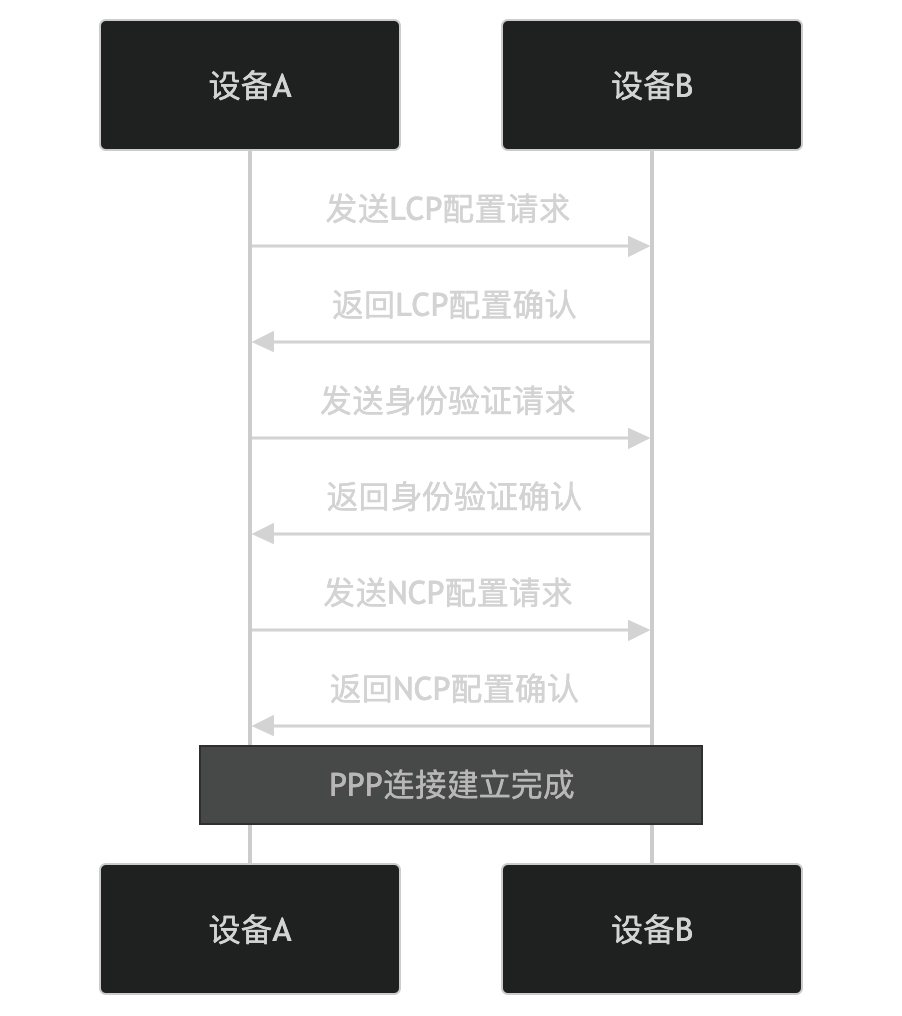
- LCP (Link Control Protocol) negotiation:
- Device A and Device B negotiate link parameters (such as maximum frame size and authentication protocol) via LCP.
- Authentication:
- Device A and Device B use authentication protocols (such as PAP and CHAP) to verify each other's identity.
- NCP (Network Control Protocol) negotiation:
- Device A and Device B negotiate parameters for network-layer protocols (such as IP and IPX) via NCP.
2. PPP Data Encapsulation
PPP encapsulates data using the following format:

- Flag field: Identifies the start and end of a frame.
- Address field: Usually 0xFF (broadcast address).
- Control field: Usually 0x03 (unnumbered frame).
- Protocol field: Identifies the type of encapsulated data (such as IP and IPX).
- Data field: The data actually transmitted.
- Frame Check Sequence: Used to detect transmission errors.
3. PPP Connection Termination
A PPP connection can be terminated through the following steps:
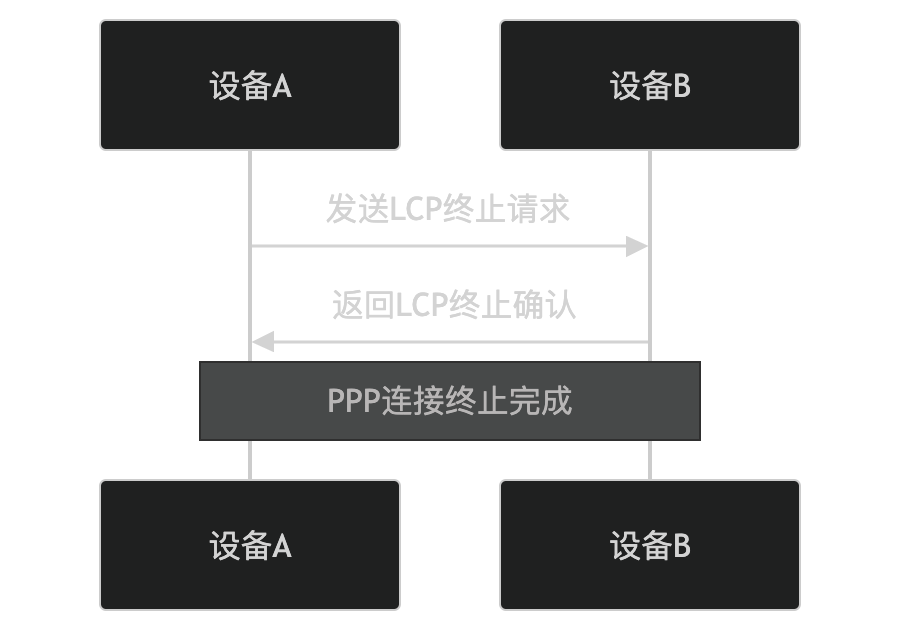
- Device A and Device B terminate the connection via LCP.
Key Features of PPP
-
Multi-protocol support:
- Supports encapsulation and transmission of multiple network-layer protocols (such as IP and IPX).
-
Authentication:
- Supports authentication protocols such as PAP (Password Authentication Protocol) and CHAP (Challenge Handshake Authentication Protocol).
-
Error detection:
- Uses Frame Check Sequence (FCS) to detect transmission errors.
-
Link control:
- Negotiates link parameters via LCP to ensure link reliability and stability.
-
Network control:
- Negotiates network-layer protocol parameters via NCP to ensure normal operation of the network layer.
Application Scenarios of PPP
PPP is widely used in the following scenarios:
- Dial-up connection:
- Connects a computer and an ISP (Internet Service Provider) via a telephone line.
- DSL:
- Connects a computer and an ISP via a DSL line.
- VPN:
- Encapsulates IP packets over PPP to establish a virtual private network.
- Serial link:
- Connects two devices via a serial link.
Advantages and Disadvantages of PPP
Advantages:
- Multi-protocol support:
- Supports multiple network-layer protocols to adapt to different network requirements.
- Authentication:
- Provides a secure authentication mechanism to prevent unauthorized access.
- Error detection:
- Detects transmission errors via the Frame Check Sequence to ensure data reliability.
Disadvantages:
- Complexity:
- Requires configuration and management of link parameters and network-layer protocol parameters.
- Performance limitations:
- May affect transmission performance on low-speed links.
Alternatives to PPP
In some scenarios, the following alternatives can be used:
- PPPoE(PPP over Ethernet):
- Running PPP over Ethernet, suitable for DSL and broadband connections.
- PPPoA(PPP over ATM):
- Running PPP over ATM networks, suitable for DSL connections.
- L2TP(Layer 2 Tunneling Protocol):
- Running PPP over IP networks, suitable for VPN connections.
In summary, PPP is a protocol used to transmit data over point-to-point links. It negotiates link and network-layer parameters through LCP and NCP, and supports authentication and error detection. It is widely used in scenarios such as dial-up connections, DSL, and VPN, and is suitable for users who need point-to-point communication.
Other Extensions