DHCP Protocol
DHCP (Dynamic Host Configuration Protocol) is a protocol used to automatically assign IP addresses and other network configuration information (such as subnet mask, default gateway, and DNS server).
DHCP simplifies network management, allowing devices to automatically obtain the necessary configuration when joining a network without manual setup.
How DHCP Works
DHCP uses a client-server model to automatically assign IP addresses through broadcast and unicast communication.
1. DHCP Discover
When a device (DHCP client) joins a network, it sends a DHCP Discover broadcast packet to find an available DHCP server.
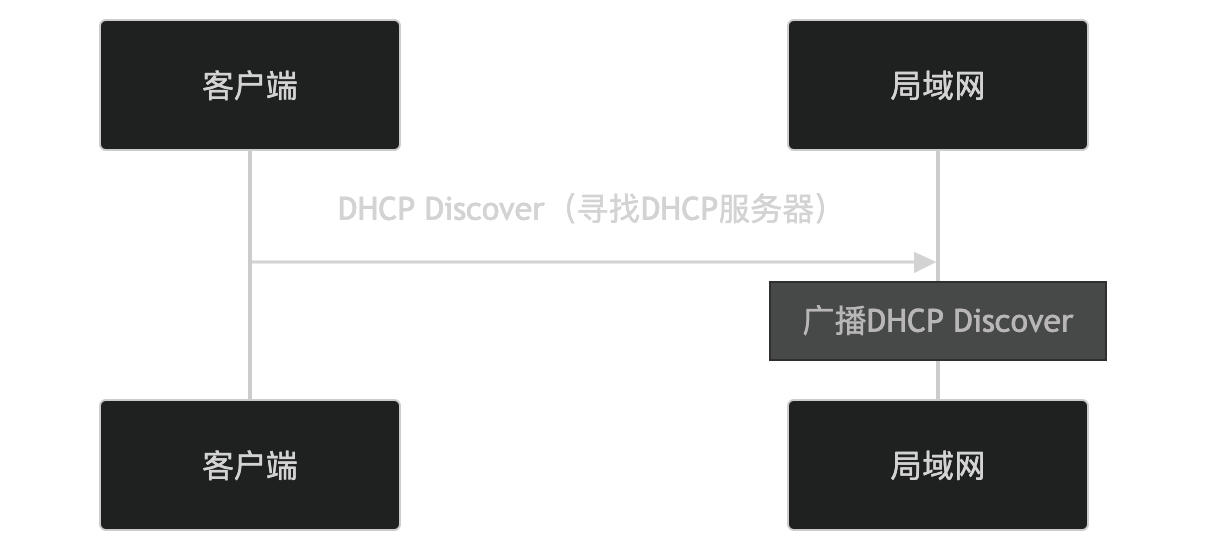
- The client broadcasts a DHCP Discover packet to find an available DHCP server.
- All devices on the LAN receive this request.
2. DHCP Offer
After receiving the DHCP Discover packet, the DHCP server selects an available IP address from the address pool and offers it to the client via a DHCP Offer packet.
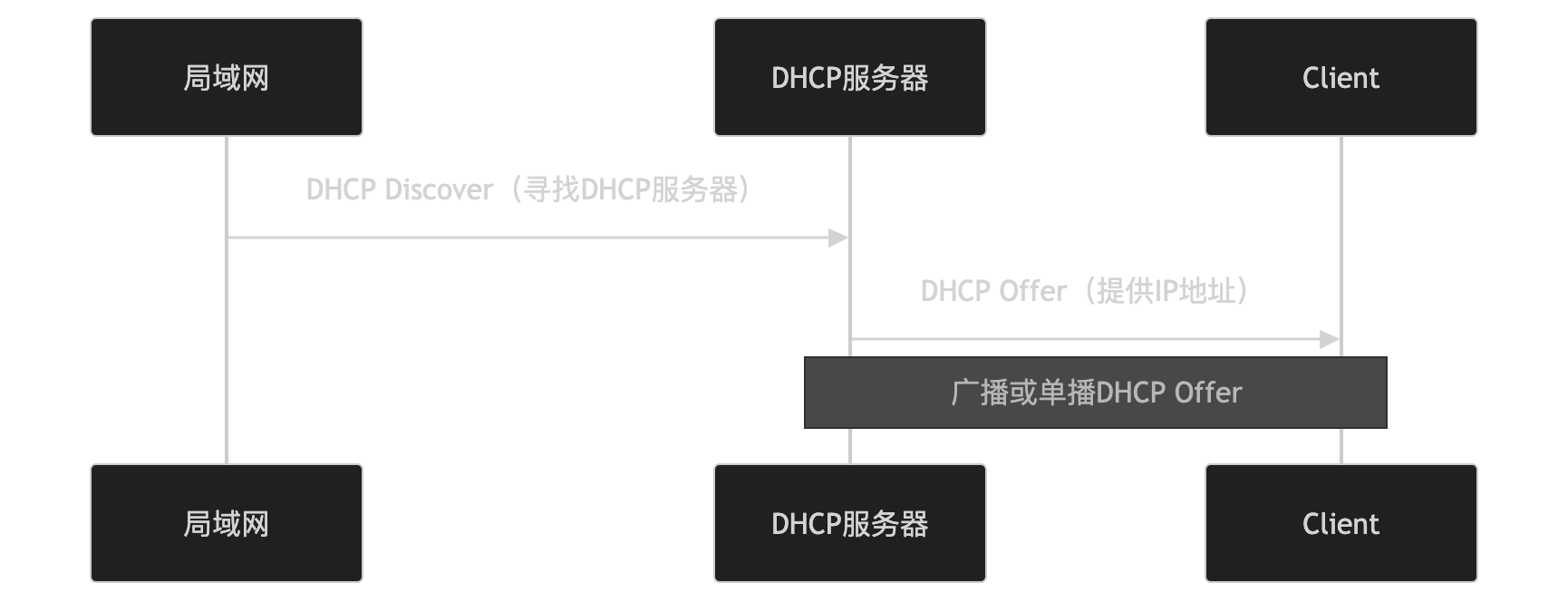
- The DHCP server sends a DHCP Offer packet, providing an available IP address and other configuration information.
- The DHCP Offer packet can be broadcast or unicast.
3. DHCP Request
After receiving the DHCP Offer packet, the client sends a DHCP Request packet to confirm acceptance of the offered IP address.
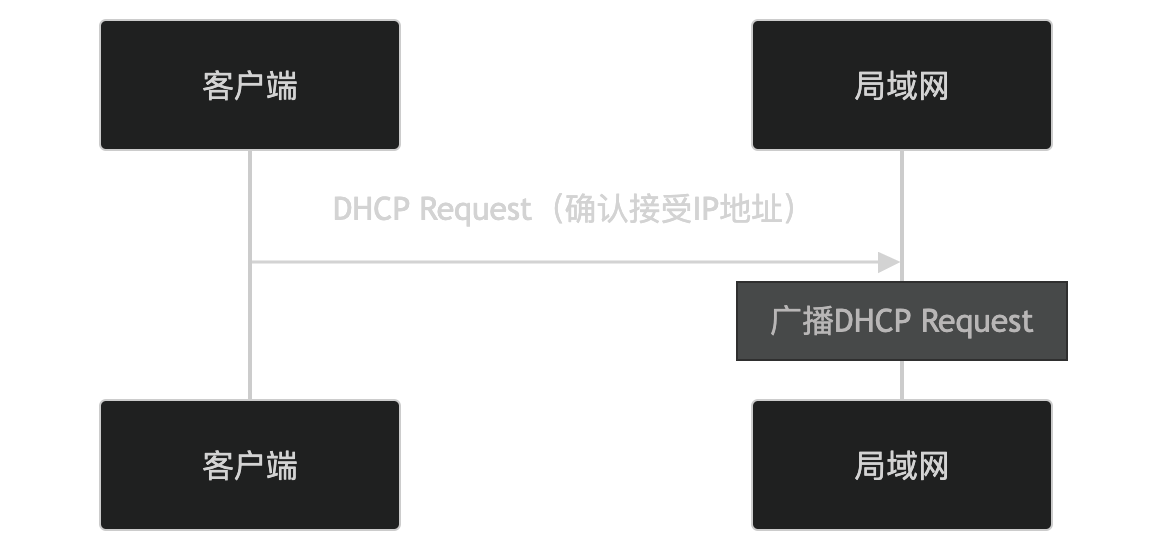
- The client broadcasts a DHCP Request packet to confirm acceptance of the offered IP address.
- All devices on the LAN receive this request.
4. DHCP Acknowledge
After receiving the DHCP Request packet, the DHCP server sends a DHCP Acknowledge packet to formally assign the IP address and other configuration information.
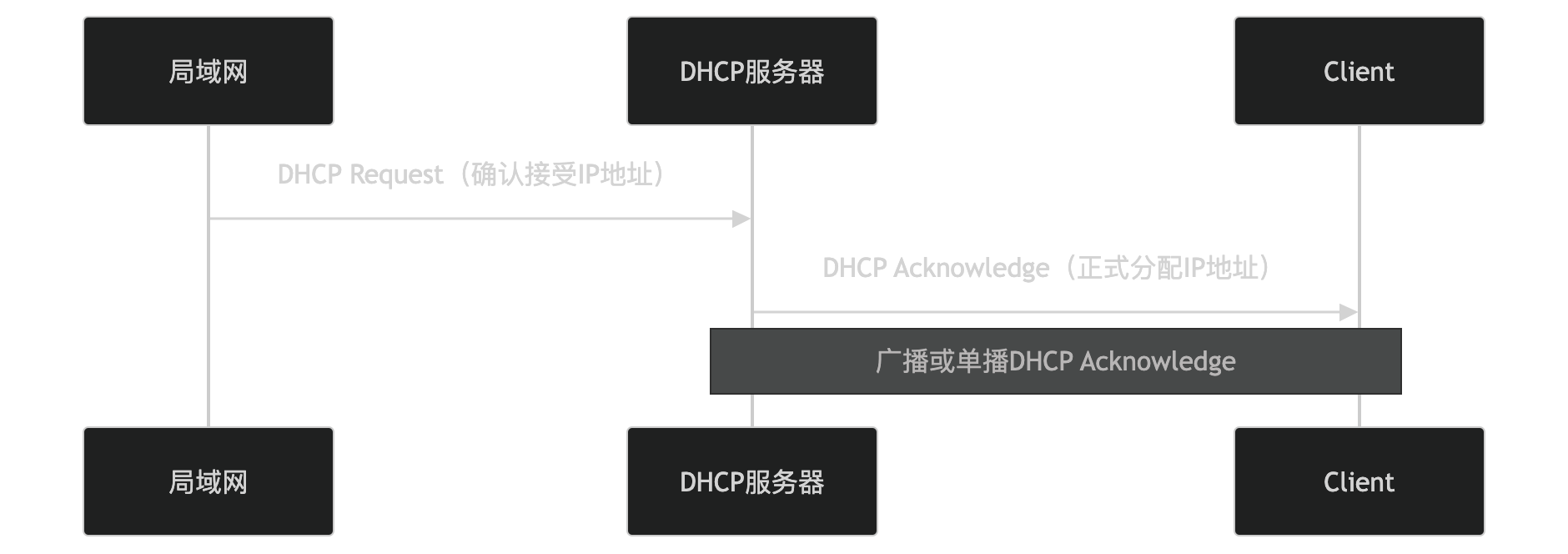
- The DHCP server sends a DHCP Acknowledge packet to formally assign the IP address and other configuration information.
- The DHCP Acknowledge packet can be broadcast or unicast.
Key Features of DHCP
-
Automatic IP Address Assignment:
- Dynamically assigns IP addresses from an address pool, avoiding address conflicts.
-
Provides Network Configuration Information:
- Assigns configuration information such as subnet mask, default gateway, and DNS server.
-
Lease Management:
- IP address assignment has a lease period; after the lease expires, it can be renewed or released.
-
Supports Relay Agents:
- Through DHCP relay agents, IP addresses can be assigned across subnets.
-
Compatibility:
- Supports IPv4 (DHCPv4) and IPv6 (DHCPv6).
Application Scenarios of DHCP
DHCP is widely used in the following scenarios:
- Enterprise Networks:
- Automatically assigns IP addresses and other configuration information to employee devices.
- Home Networks:
- Automatically assigns IP addresses to home devices (such as phones and computers).
- Public Wi-Fi:
- Automatically assigns IP addresses and other configuration information to guest devices.
- Data Centers:
- Automatically assigns IP addresses to servers and virtual machines.
Advantages and Disadvantages of DHCP
Advantages:
- Simplifies Network Management:
- Automatically assigns IP addresses and other configuration information, reducing the workload of manual configuration.
- Avoids Address Conflicts:
- Dynamically assigns IP addresses to ensure address uniqueness.
- Flexible Configuration:
- Supports lease management, relay agents, and other features to adapt to different network needs.
Disadvantages:
- Dependence on DHCP Server:
- If the DHCP server fails, devices may be unable to obtain IP addresses.
- Security Issues:
- It is vulnerable to DHCP spoofing attacks, where an attacker can forge a DHCP server.
DHCP Security
To improve DHCP security, the following measures can be taken:
- DHCP Snooping:
- Enable DHCP Snooping on network devices to prevent rogue DHCP servers.
- Static Binding:
- Configure static IP address and MAC address bindings for specific devices.
- Network Isolation:
- Use VLANs or subnets to isolate devices, reducing the impact of DHCP attacks.
Alternatives to DHCP
In some scenarios, the following alternatives can be used:
- Static IP Address Assignment:
- Manually configure the device's IP address and other configuration information.
- BOOTP(Bootstrap Protocol):
- An early automatic configuration protocol with simpler functionality than DHCP.
In summary, DHCP is a protocol used to automatically assign IP addresses and other network configuration information, achieving dynamic configuration through a client-server model. It is widely used in enterprise networks, home networks, public Wi-Fi, and other scenarios, simplifying network management. However, attention should be paid to its security issues.
Other Extensions