NVM Managing Multiple Node.js Versions
nvm (Node Version Manager) is a very useful tool that allows you to install and manage multiple Node.js versions on the same machine.
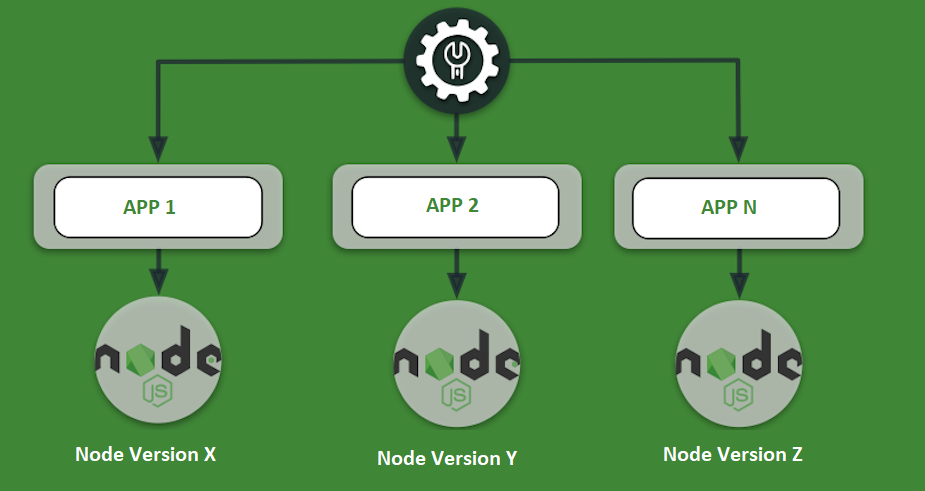
Why do you need nvm?
- Different projects may require different versions of Node.js
- Test application compatibility across different Node.js versions
- Conveniently upgrade and downgrade Node.js versions
Install nvm
Install nvm on macOS/Linux:
# 使用 curl 安装
curl -o- https://raw.githubusercontent.com/nvm-sh/nvm/v0.39.3/install.sh | bash

# 或使用 wget 安装
wget -qO- https://raw.githubusercontent.com/nvm-sh/nvm/v0.39.3/install.sh | bash

# 重新加载 shell 配置
source ~/.bashrc
# 或
source ~/.zshrc
Install nvm-windows on Windows:
- Download nvm-windows:https://github.com/coreybutler/nvm-windows/releases
- Download nvm-setup.zip
- Unzip and run the installer
Common nvm commands:
# 查看 nvm 版本
nvm --version

# 列出所有可安装的 Node.js 版本
nvm list-remote
# Windows 上使用
nvm list available

# 安装最新的 LTS 版本
nvm install --lts

# 安装特定版本
nvm install 18.17.0
nvm install 16.20.1

# 列出已安装的版本
nvm list
# 或
nvm ls

# 切换到特定版本
nvm use 18.17.0

# 设置默认版本
nvm alias default 18.17.0

# 查看当前使用的版本
nvm current

# 卸载特定版本
nvm uninstall 16.20.1
Practical usage examples:
# 场景:为不同项目使用不同 Node.js 版本

# 项目 A 使用 Node.js 18
cd project-a
nvm use 18.17.0
node --version  # v18.17.0

# 项目 B 使用 Node.js 16
cd ../project-b
nvm use 16.20.1
node --version  # v16.20.1

# 为项目指定 Node.js 版本
echo "18.17.0" > .nvmrc
nvm use  # 自动使用 .nvmrc 中指定的版本
Verify that the installation is successful
Create your first Node.js program:
Create a file namedhello.js:
Example
// hello.js
console.log('Hello, Node.js!');
console.log('Node.js version:', process.version);
console.log('Current working directory:', process.cwd());
console.log('Operating system:', process.platform);
console.log('Hello, Node.js!');
console.log('Node.js version:', process.version);
console.log('Current working directory:', process.cwd());
console.log('Operating system:', process.platform);
Expected output:
Hello, Node.js!
Node.js 版本: v18.17.0
当前工作目录: /Users/username/projects
操作系统: darwin
Check the global installation path:
# 查看 npm 全局包安装路径
npm config get prefix

# 查看 npm 配置
npm config list

# 查看 Node.js 安装路径
which node
# Windows 上使用
where node
Other extensions