Bootstrap Multimedia Objects (Media Object)
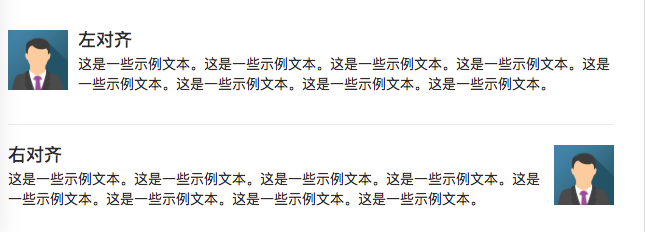
In this chapter, we will explain the media objects (Media Object) in Bootstrap, such as images, videos, audio, etc. The styles of media objects can be used to create various types of components (such as blog comments). We can use a combination of text and images in the components, and the images can be left-aligned or right-aligned. Media objects can be used to mix media objects and text together with less code.
Next, let's first look at an example:
Example
<div class="media">
<div class="media-left">
<img src="img_avatar1.png" class="media-object" style="width:60px">
</div>
<div class="media-body">
<h4 class="media-heading">Left-aligned</h4>
<p>This is some sample text...</p>
</div>
</div>
<div class="media">
<div class="media-body">
<h4 class="media-heading">Left-aligned</h4>
<p>This is some sample text...</p>
</div>
<div class="media-right">
<img src="img_avatar1.png" class="media-object" style="width:60px">
</div>
</div>
Try it Yourself »
The result is shown below:
Example Analysis
On the <div> element, add.mediaa class to create a media object.
Use.media-lefta class to make the media object (image) align left; likewise,.media-righta class achieves right alignment.
The text content is placed in class=media-bodyin the div; if the image is left-aligned, place it before class=media-bodybefore; if the image is right-aligned, place it after class=media-bodyafter.
In addition, you can also use.media-headinga class to set the title.
Let's take a look at the following example of the media object list .media-list:
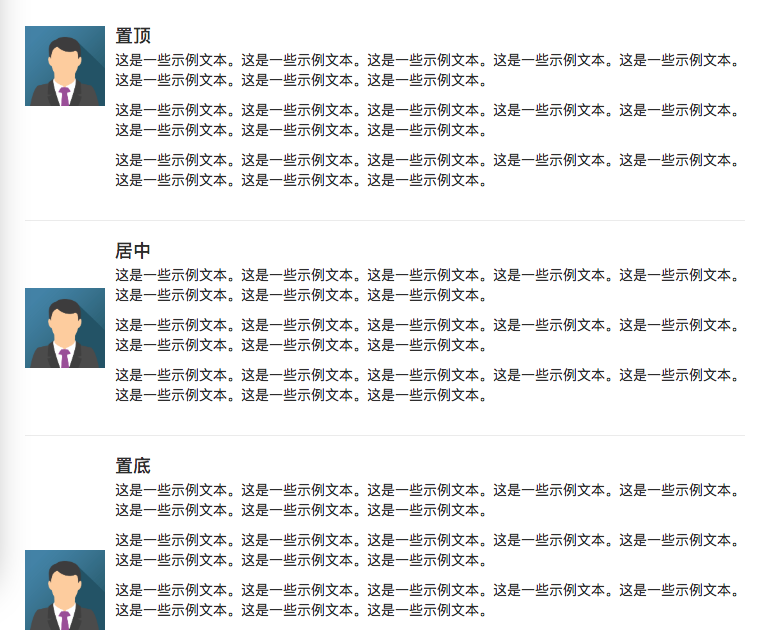
Top, Bottom, Center Alignment
Example
<div class="media">
<div class="media-left media-top">
<img src="img_avatar1.png" class="media-object" style="width:60px">
</div>
<div class="media-body">
<h4 class="media-heading">Top-aligned</h4>
<p>This is some sample text...</p>
</div>
</div>
<div class="media">
<div class="media-left media-middle">
<img src="img_avatar1.png" class="media-object" style="width:60px">
</div>
<div class="media-body">
<h4 class="media-heading">Centered</h4>
<p>This is some sample text...</p>
</div>
</div>
<div class="media">
<div class="media-left media-bottom">
<img src="img_avatar1.png" class="media-object" style="width:60px">
</div>
<div class="media-body">
<h4 class="media-heading">Bottom-aligned</h4>
<p>This is some sample text...</p>
</div>
</div>
Try it Yourself »
The result is shown below:
Nested Media Objects
A media object can also contain multiple media objects inside:
Example
<div class="media">
<div class="media-left">
<img src="https://static.jyshare.com/images/mix/img_avatar.png" class="media-object" style="width:45px">
</div>
<div class="media-body">
<h4 class="media-heading">EXAMPLE-1 <small><i>Posted on February 19, 2016</i></small></h4>
<p>This is some sample text. This is some sample text. This is some sample text. This is some sample text. This is some sample text. This is some sample text. This is some sample text. This is some sample text.</p>
<div class="media">
<div class="media-left">
<img src="https://static.jyshare.com/images/mix/img_avatar.png" class="media-object" style="width:45px">
</div>
<div class="media-body">
<h4 class="media-heading">EXAMPLE-2 <small><i>Posted on February 19, 2016</i></small></h4>
<p>This is some sample text. This is some sample text. This is some sample text. This is some sample text. This is some sample text. This is some sample text. This is some sample text. This is some sample text.</p>
<div class="media">
<div class="media-left">
<img src="https://static.jyshare.com/images/mix/img_avatar.png" class="media-object" style="width:45px">
</div>
<div class="media-body">
<h4 class="media-heading">EXAMPLE-3 <small><i>Posted on February 19, 2016</i></small></h4>
<p>This is some sample text. This is some sample text. This is some sample text. This is some sample text. This is some sample text. This is some sample text. This is some sample text. This is some sample text.</p>
</div>
</div>
</div>
</div>
</div>
</div>
Try it Yourself »
Example
<div class="media">
<div class="media-left">
<img src="https://static.jyshare.com/images/mix/img_avatar.png" class="media-object" style="width:45px">
</div>
<div class="media-body">
<h4 class="media-heading">EXAMPLE-1 <small><i>Posted on February 19, 2016</i></small></h4>
<p>This is some sample text. This is some sample text. This is some sample text. This is some sample text. This is some sample text. This is some sample text. This is some sample text. This is some sample text.</p>
<div class="media">
<div class="media-left">
<img src="https://static.jyshare.com/images/mix/img_avatar.png" class="media-object" style="width:45px">
</div>
<div class="media-body">
<h4 class="media-heading">EXAMPLE-2 <small><i>Posted on February 20, 2016</i></small></h4>
<p>This is some sample text. This is some sample text. This is some sample text. This is some sample text. This is some sample text. This is some sample text. This is some sample text. This is some sample text.</p>
<div class="media">
<div class="media-left">
<img src="https://static.jyshare.com/images/mix/img_avatar.png" class="media-object" style="width:45px">
</div>
<div class="media-body">
<h4 class="media-heading">EXAMPLE-3 <small><i>Posted on February 21, 2016</i></small></h4>
<p>This is some sample text. This is some sample text. This is some sample text. This is some sample text. This is some sample text. This is some sample text. This is some sample text. This is some sample text.</p>
</div>
</div>
</div>
<div class="media">
<div class="media-left">
<img src="https://static.jyshare.com/images/mix/img_avatar.png" class="media-object" style="width:45px">
</div>
<div class="media-body">
<h4 class="media-heading">EXAMPLE-4 <small><i>Posted on February 20, 2016</i></small></h4>
<p>This is some sample text. This is some sample text. This is some sample text. This is some sample text. This is some sample text. This is some sample text. This is some sample text. This is some sample text.</p>
</div>
</div>
</div>
</div>
<div class="media">
<div class="media-left">
<img src="https://static.jyshare.com/images/mix/img_avatar.png" class="media-object" style="width:45px">
</div>
<div class="media-body">
<h4 class="media-heading">EXAMPLE-5 <small><i>Posted on February 19, 2016</i></small></h4>
<p>This is some sample text. This is some sample text. This is some sample text. This is some sample text. This is some sample text. This is some sample text. This is some sample text. This is some sample text.</p>
</div>
</div>
</div>
Try it Yourself »
Other Extensions