Maven Project Documentation
In this chapter, we mainly learn how to create Maven project documentation.
For example, we created the consumerBanking project in the C:/MVN directory. Maven uses the following command to quickly create a Java project:
mvn archetype:generate -DgroupId=com.companyname.bank -DartifactId=consumerBanking -DarchetypeArtifactId=maven-archetype-quickstart -DinteractiveMode=false
Modify pom.xml and add the following configuration (if not already present):
Otherwise, running mvn sitethe command will producejava.lang.NoClassDefFoundError: org/apache/maven/doxia/siterenderer/DocumentContentthe following error. This is because the maven-site-plugin version is too low; simply upgrade to 3.3+.
Open the consumerBanking folder and execute the following mvn command.
C:\MVN\consumerBanking> mvn site
Maven starts generating the documentation:
[INFO] Scanning for projects...
[INFO] -------------------------------------------------------------------
[INFO] Building consumerBanking
[INFO]task-segment: [site]
[INFO] -------------------------------------------------------------------
[INFO] [site:site {execution: default-site}]
[INFO] artifact org.apache.maven.skins:maven-default-skin:
checking for updates from central
[INFO] Generating "About" report.
[INFO] Generating "Issue Tracking" report.
[INFO] Generating "Project Team" report.
[INFO] Generating "Dependencies" report.
[INFO] Generating "Continuous Integration" report.
[INFO] Generating "Source Repository" report.
[INFO] Generating "Project License" report.
[INFO] Generating "Mailing Lists" report.
[INFO] Generating "Plugin Management" report.
[INFO] Generating "Project Summary" report.
[INFO] -------------------------------------------------------------------
[INFO] BUILD SUCCESSFUL
[INFO] -------------------------------------------------------------------
[INFO] Total time: 16 seconds
[INFO] Finished at: Wed Jul 11 18:11:18 IST 2012
[INFO] Final Memory: 23M/148M
[INFO] -------------------------------------------------------------------
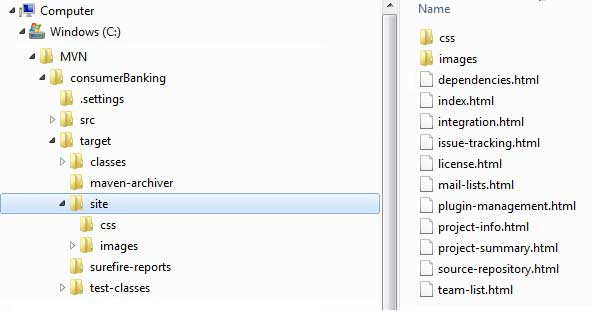
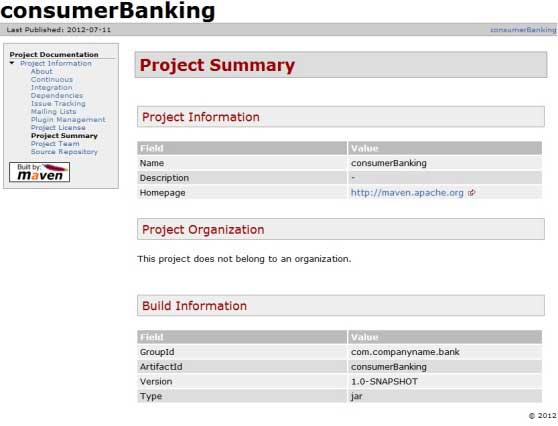
OpenC:\MVN\consumerBanking\target\sitethe folder. Clickindex.htmland you can see the documentation.
Maven uses a document processing engine calledDoxiaDoxia to create documentation. It can read source code in various formats into a common document model. To write documentation for your project, you can write the content in the following common formats that can be converted by Doxia.
| Format Name | Description | Reference |
|---|---|---|
| Apt | Plain text document format | http://maven.apache.org/doxia/references/apt-format.html |
| Xdoc | A document format of Maven 1.x | http://jakarta.apache.org/site/jakarta-site2.html |
| FML | Suitable for FAQ documents | http://maven.apache.org/doxia/references/fml-format.html |
| XHTML | Extensible HTML document | http://en.wikipedia.org/wiki/XHTML |