R Excel Files
Excel format files are mainly xls or xlsx. These two file types can be read directly in R by importing the xlsx library.
To read and write Excel files in R, you need to install an extension package. We can enter the following command in the R console to install it:
install.packages("xlsx", repos = "https://mirrors.ustc.edu.cn/CRAN/")The installation process is as follows: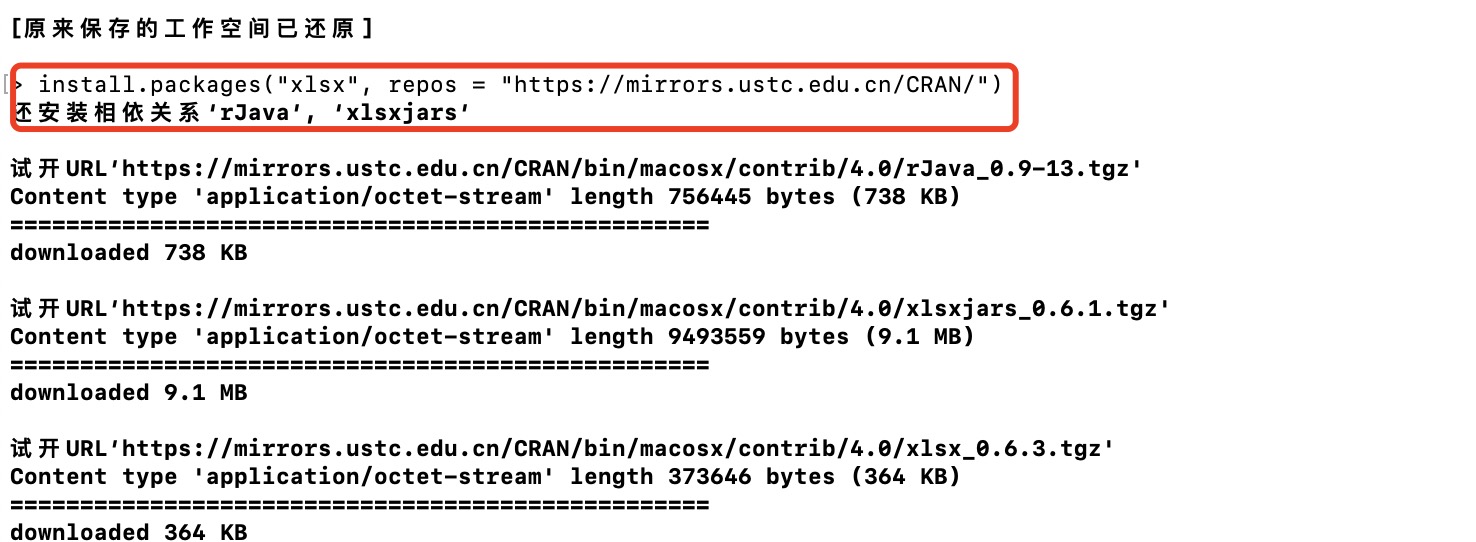
In fact, almost all Excel software, like most spreadsheet software, supports CSV format data, so you can fully interact with R through CSV without needing to use Excel.
Check whether xlsx is installed successfully:
Example
# Verify whether the package is installed
any(grepl("xlsx",installed.packages()))
# Load the package
library("xlsx")
library("xlsx")
any(grepl("xlsx",installed.packages()))
# Load the package
library("xlsx")
library("xlsx")
Executing the above code outputs the result:
[1] TRUE
Loading required package: rJava
Loading required package: methods
Loading required package: xlsxjars
Excel file data:
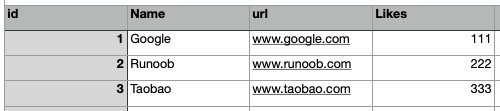
Click the link to download Excel test data:/static.jyshare.com/download/sites.xlsx
Next, we can use the read.xlsx() function to read Excel data:
Example
# Read the first worksheet data of sites.xlsx
data <- read.xlsx("sites.xlsx", sheetIndex = 1)
print(data)
data <- read.xlsx("sites.xlsx", sheetIndex = 1)
print(data)