OpenCode Installation
OpenCode is an open-source AI coding agent that supports completing development tasks such as code understanding, modification, and execution directly in the terminal.
Compared to traditional AI tools, OpenCode can directly participate in the development workflow, not just generate code.
Before installation, make sure your environment meets the following requirements:
1. Operating System Requirements
- macOS
- Linux
- Windows (WSL recommended)
2. Terminal Tool
You need a modern terminal, such as:
- WezTerm (cross-platform):https://wezterm.org/
- Alacritty (cross-platform):https://alacritty.org/
- Ghostty(Linux/macOS):https://ghostty.org/
- Kitty(Linux/macOS):https://github.com/kovidgoyal/kitty
For more terminal tools, see:https://www.example.com/w3cnote/terminal-tools.html
3、API Key
OpenCode itself does not provide models; you need to configure an AI service provider (detailed later):
- OpenAI(GPT)
- Anthropic(Claude)
- Google(Gemini)
- DeepSeek
- Alibaba Bailian
- GLM
- MiniMax
Installation Methods
OpenCode offers multiple installation methods; it is recommended to use the official script first.
1. One-click Installation (Recommended)
curl -fsSL https://opencode.ai/install | bash
Description:
- Automatically downloads the latest version
- Automatically configures the environment
- Applicable to macOS / Linux / WSL
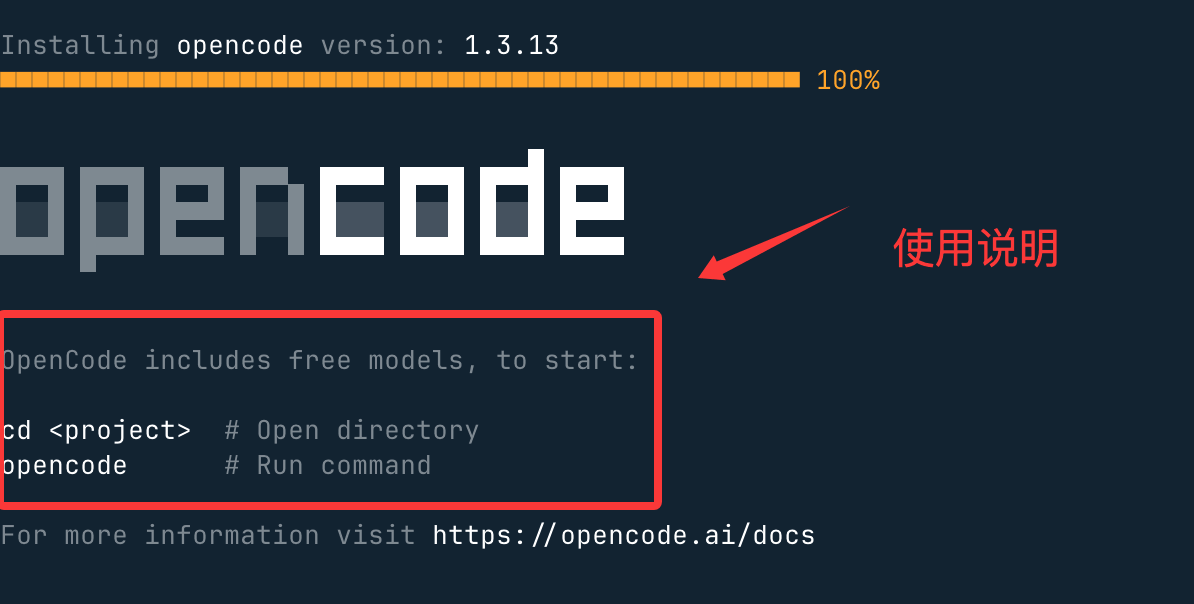
After installation, it will also show you how to use it. OpenCode includes a free mode, usage:
cd <project>  # 进入项目目录
opencode      # 启动 OpenCode
2. Install via Node.js
If you are familiar with Node.js, you can use:
npm install -g opencode-ai
Or:
pnpm install -g opencode-ai
Or:
yarn global add opencode-ai
3、macOS(Homebrew)
brew install anomalyco/tap/opencode
Description:
- Official tap recommended (faster updates)
brew install opencodeSlower updates
3. Windows Installation
Recommended Method: WSL
Reason:
- More stable
- Full support for all features
Using Chocolatey:
choco install opencode
Using Scoop:
scoop install opencode
Using NPM:
npm install -g opencode-ai
Using Mise:
mise use -g github:anomalyco/opencode
Using Docker:
docker run -it --rm ghcr.io/anomalyco/opencode
You can also visit the Releases pagehttps://github.com/anomalyco/opencode/releases to directly download the binary files.
4. Linux Installation
Universal method (recommended):
curl -fsSL https://opencode.ai/install | bash
Arch Linux:
sudo pacman -S opencode
Or:
paru -S opencode-bin
Docker (advanced):
docker run -it --rm ghcr.io/anomalyco/opencode
Verify Installation
After installation, run:
opencode --version
If the output is similar to:
1.1.50
The installation was successful.
Launch OpenCode
Just run:
opencode
If you seeEACCES: permission denied, open ''It is a permission issue; we can fix the directory permissions:
sudo chown -R $(whoami) ~/.localThen run:
chmod -R 755 ~/.local
You will see the terminal interface (TUI):
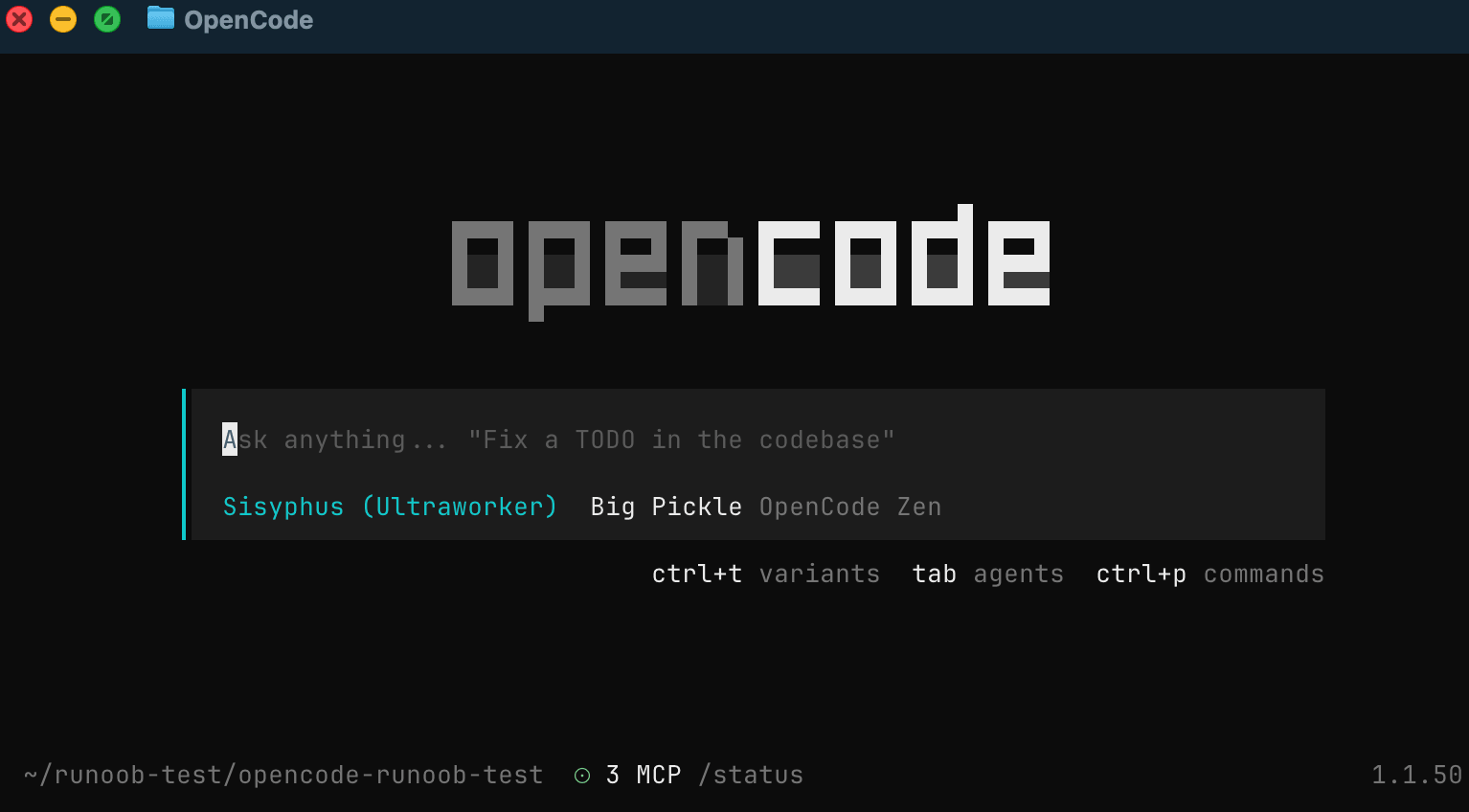
Once opened, you can ask questions in this interface.
Other Extensions