OpenCode First Use
After installing Claude Code and configuring the API, we can start using it.
You can first enter the project directory:
cd /path/to/project
Then run OpenCode:
opencode
Run the following command to initialize OpenCode for the project:
/init
OpenCode will analyze your project and create an AGENTS.md file in the project root directory.
To exit OpenCode, use the following command:
/exit
Next, let's use a simplest example project to complete the first use.
Create an example project:
mkdir opencode-example-test
cd opencode-example-test
Then run OpenCode:
opencode
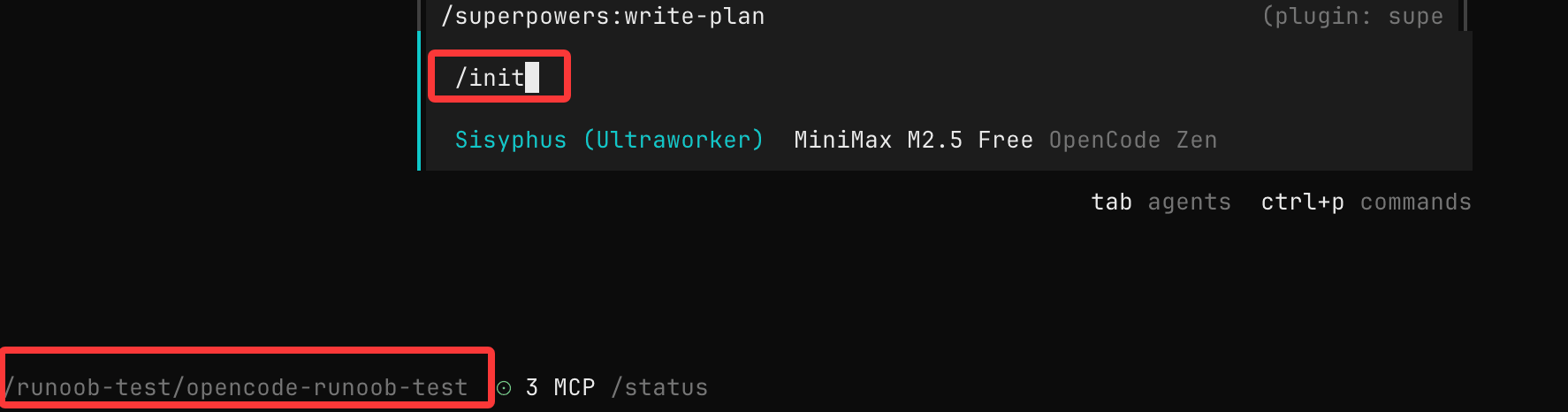
Run the following command to initialize:
/init
Create a simple file:
touch main.py
Write the following content:
def add(a, b):
    return a + b
Let OpenCode explain code
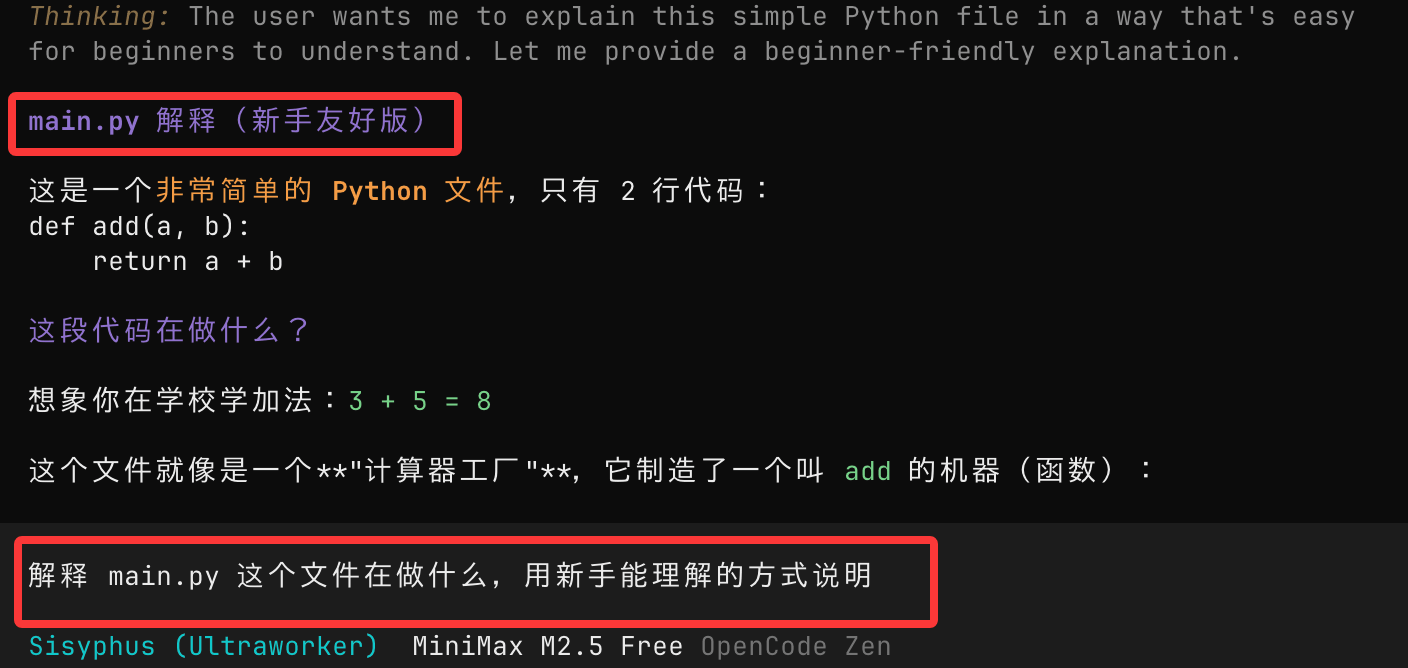
Enter:
解释 main.py 这个文件在做什么,用新手能理解的方式说明
OpenCode will read the code in the current directory and provide an explanation.
Let OpenCode help you modify code
Continue entering in the OpenCode session:
Add type annotations to this function and add basic error handling
OpenCode will provide modification suggestions, usually including:
- Modified code
- Explanation of modification reasons

@Symbols
Usage@You can quickly search and reference files in the project without manually copying code, suitable for understanding unfamiliar projects.
For example, @main.py can associate with this file:

OpenCode's Basic Interaction Methods
Common Command Types
You can divide commands to Claude Code into three types:
1. Explanatory
Explain this code

Why is this function written this way?
2. Modification
Help me refactor this function

Split it into multiple smaller functions
3. Generation
Add a test case

Add log output
A simple but useful command template:
在不改变现有行为的前提下,
帮我优化 XXX 文件的可读性,
并说明你做了哪些修改。
Adding New Features (Recommended Workflow)
For complex requirements, it is recommended to use a three-step method:
- First make a plan
- Then optimize the plan
- Finally execute the implementation
1. Making a Plan (Plan Mode)
PressTabkey to switch to Plan Mode:
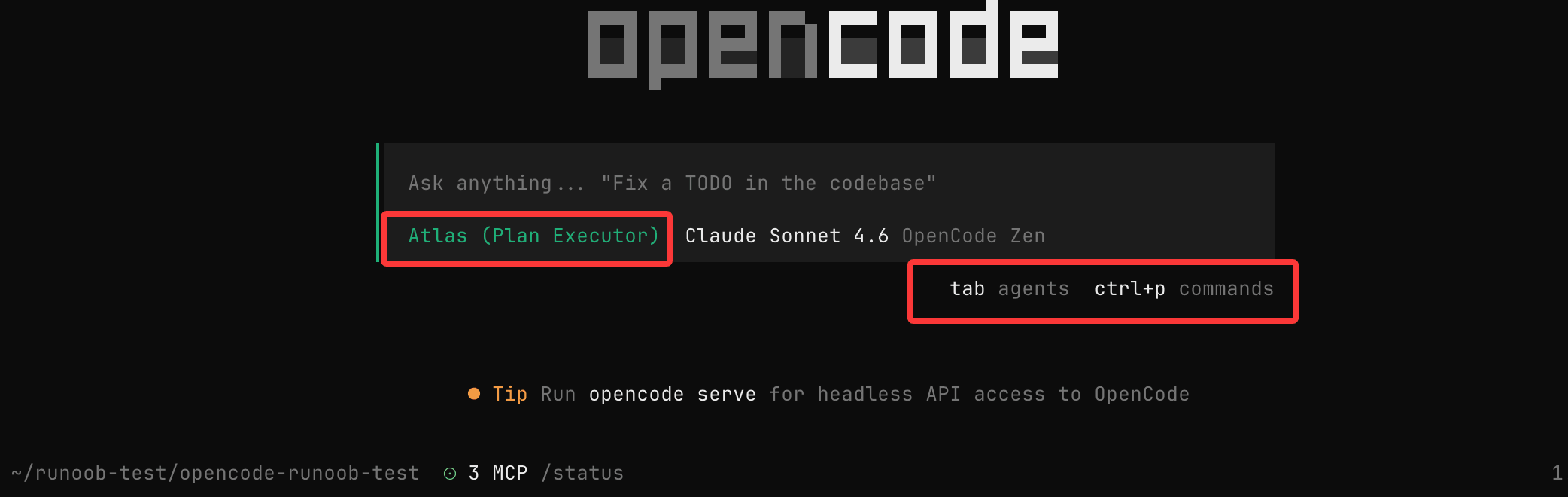
At this time OpenCodewill not modify code, it will only provide an implementation plan.
Example Requirements
When a user deletes a note, we want to mark it as deleted in the database. Then add a new page for displaying recently deleted notes. On that page, users can restore notes or permanently delete notes.
Note:
- The more detailed the description, the more accurate the result
- You can describe requirements like communicating with a colleague
2. Optimizing and Iterating the Plan
After OpenCode provides a plan, you can continue to add:
We want this new page to adopt a design used before. Please refer to this image and implement it in that style.
Tips:
- You can drag images to the terminal for reference
- You can add business rules, UI requirements, etc.
Essentially, it's doing a design review with AI.
3. Executing Implementation (Build Mode)
Press againTabto switch back to execution mode:
Then enter:
Good, start implementing according to this plan.
OpenCode will:
- Create/modify code
- Update related files
- Execute necessary commands
Direct Modification (Suitable for Simple Needs)
For simple tasks, you can skip planning and execute directly:
给 /settings 路由添加认证逻辑。
参考 @packages/functions/src/notes.ts 中的实现方式,
并在 @packages/functions/src/settings.ts 中实现相同逻辑。
Suggestions:
- Provide reference code path
- Explain the target effect
Undo and Redo
If the modification result doesn't meet expectations, you can use:
Undo Changes
/undo
Function:
- Roll back code changes
- Restore previous conversation state
Redo Changes
/redo
Tip:
- /undo can be used multiple times
- Suitable for repeatedly trying different approaches
Share Conversation
You can share the current session with the team:
/share
After execution:
- Generate sharing link
- Automatically copy to clipboard
Note:
- Conversations are not automatically shared by default
Usage Tips
1. Treat It as a Junior Engineer
- Clearly state requirements
- Provide context
- Don't be vague
2. Prioritize Using Plan Mode
- Avoid incorrect modifications
- Review the plan before executing
3. Use File References More
- @path can greatly improve accuracy
4. Iterate in Small Steps
- Don't do overly complex requirements at once
- Break down tasks and complete them step by step
The essence of using OpenCode is: driving the development process through conversation, rather than writing code by hand.
Other Extensions