OpenCode Skills
In OpenCode,Agent Skillsis a mechanism for encapsulating reusable behaviors, throughSKILL.mddefined in files, enabling LLMs toload on demand and execute on demandspecific capabilities.
Compared to ordinary prompts, skills are closer to modular capability units and can be reused across multiple projects or teams.
Skills are OpenCode'scapability plugin system, which upgrades AI behavior from one-off prompts to reusable capability modules, making development workflows more standardized, composable, and applicable to complex engineering systems.
Skills exist as Markdown files. They do not execute functionality; instead, through on-demand, progressive loading, they achieve efficient and reusable knowledge transfer.

The biggest difference between Skills and traditional prompts is: on-demand loading + progressive disclosure (only when needed is the thick SOP stuffed into the context, greatly saving tokens).
| Comparison Item | Ordinary Prompt | Skills Mechanism |
|---|---|---|
| Must be re-described each time | Yes | No (described only once) |
| Context Length Usage | All content stuffed in every time | Progressive loading (reads full content only when triggered) |
| Consistency | Depends on the quality of each prompt | High (fixed SOP + templates) |
| Reusability | Manual copy-paste | Automatic matching / slash commands / project sharing |
| Maintenance Method | Change a prompt and you have to resend it | Modify the SKILL.md file, takes effect globally/project-wide |
Core Mechanism
Skills use the built-inskilltool for management; the workflow is as follows:
- Scan local and global skill directories
- Expose the available skills list in the context
- The agent automatically selects skills based on the task
- Load SKILL.md content on demand
This mechanism avoids loading all rules at once, improving performance and context utilization.
Core Structure of a Skill
The core of Skills is:A folder + a SKILL.md file。
The SKILL.md file contains:
- Metadata (at least a name and description)
- Instructions that tell the AI how to complete a specific task
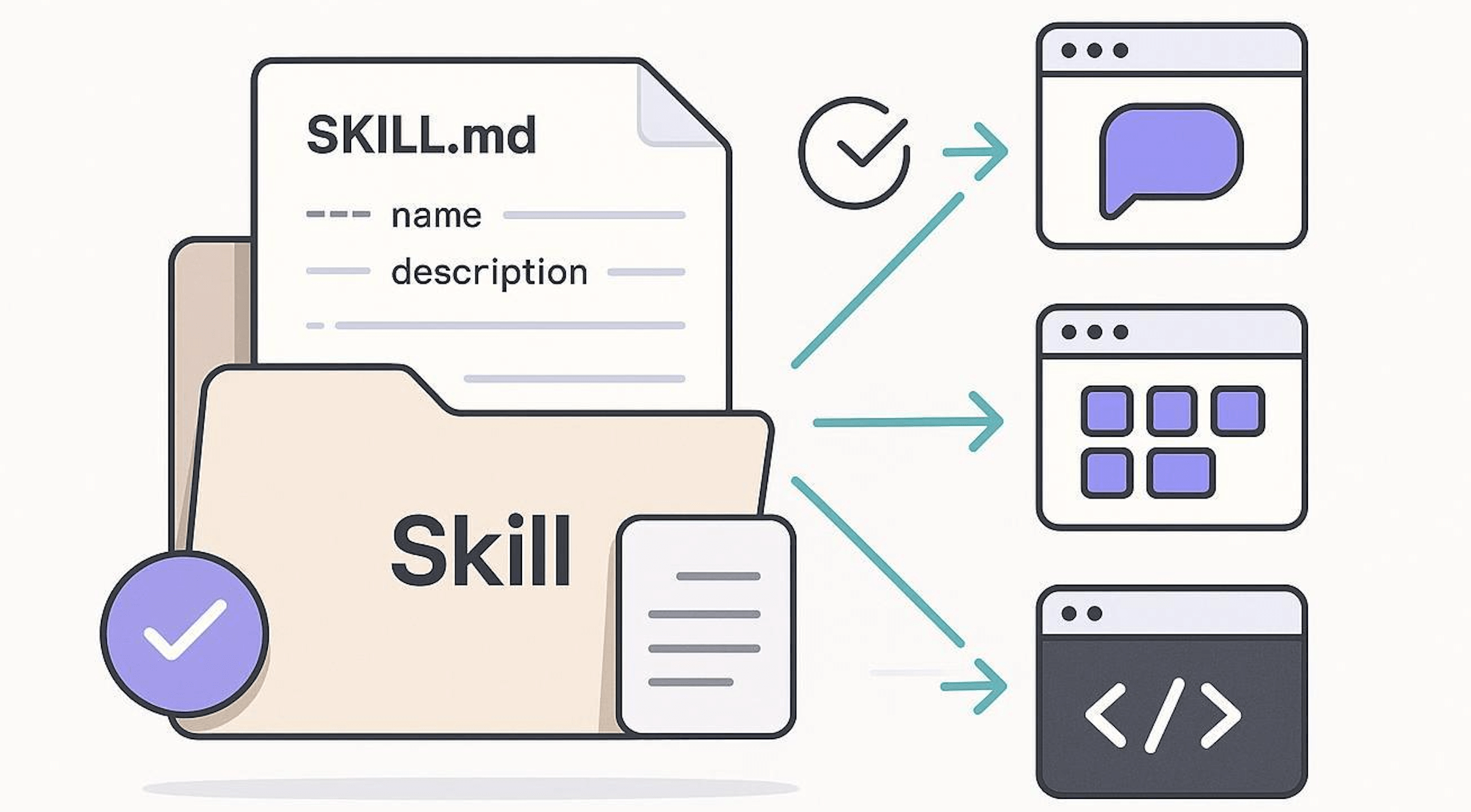
A Skill is essentially a Markdown file (the filename is fixed as SKILL.md)
my-skill/
└── SKILL.md   (唯一必需)
SKILL.md Basic Template:
---
name: pdf-processing
description: 从 PDF 中提取文本和表格,填写表单,并合并文档
---

# PDF 处理

## 使用场景
当需要对 PDF 文件进行操作时使用,例如:

- 提取 PDF 文本或表格数据
- 填写 PDF 表单
- 合并多个 PDF 文件

## 提取文本
- 使用 `pdfplumber` 提取文本型 PDF 内容
- 扫描版 PDF 需配合 OCR 工具

## 填写表单
- 读取 PDF 表单字段
- 按输入数据填充并生成新文件
Minimal Required Example:
---
name: skill-name
description: 说明该 Skill 的功能以及适用场景
---
Example with Optional Fields:
---
name: pdf-processing
description: 从 PDF 中提取文本和表格,填写表单,并合并文档
license: Apache-2.0
metadata:
  author: example-org
  version: "1.0"
---
| Field | Required | Description |
|---|---|---|
| name | Yes | Skill name, up to 64 characters, may only contain lowercase letters, numbers, and-, and must not-start or end with |
| description | Yes | Description of function and usage scenarios, up to 1024 characters, cannot be empty |
| license | no | License name or pointer to the license file bundled with the Skill |
| compatibility | no | Environment and dependency description (products, system packages, network permissions, etc.), up to 500 characters |
| metadata | no | Custom key-value pairs for extending metadata (e.g., author, version number) |
| allowed-tools | no | List of allowed tools (space-separated, experimental feature) |
If you need reference materials, reference examples, or execution scripts, you can use a more complex Skill directory structure:
my-skill/
├── SKILL.md      # 必需:指令 + 元数据
├── scripts/      # 可选:可执行代码
├── references/   # 可选:文档资料
└── assets/       # 可选:模板、资源

How Skills Work
Skills use progressive loading to efficiently manage context:
- Discovery:At startup, the AI only loads each skill's name and description, keeping only the most basic identification information.
- Activation:When a task matches a skill's description, the AI reads the full SKILL.md instructions into the context.
- Execution:The AI executes according to the instructions, loading reference files or running code as needed.
This design keeps the AI fast while allowing it to obtain more information on demand.
File Placement Locations
Each skill requires its own folder, and inside the folder you place theSKILL.mdfile (note: the filename must be all uppercase). OpenCode automatically searches the following six locations:
| Type | Path | Applicable Scope |
|---|---|---|
| Project Configuration | .opencode/skills/<name>/SKILL.md |
Current project only |
| Global Configuration | ~/.config/opencode/skills/<name>/SKILL.md |
All projects |
| Project Claude-compatible | .claude/skills/<name>/SKILL.md |
Current project only |
| Global Claude-compatible | ~/.claude/skills/<name>/SKILL.md |
All projects |
| Project agent-compatible | .agents/skills/<name>/SKILL.md |
Current project only |
| Global agent-compatible | ~/.agents/skills/<name>/SKILL.md |
All projects |
A typical project directory structure is as follows:
your-repo/
├── .opencode/
│   └── skills/
│       ├── git-release/
│       │   └── SKILL.md      ← 发版流程技能
│       ├── code-review/
│       │   └── SKILL.md      ← 代码审查技能
│       └── api-doc/
│           └── SKILL.md      ← API 文档编写技能
├── src/
└── package.json
Discovery Mechanism
OpenCode's skill discovery is divided into two levels:
Project-local skills:OpenCode starts from the current working directory,traverses the directory tree upward level by level, until it reaches the root of the Git working tree. In this process, it collects from each directory level along the way
.opencode/skills/*/SKILL.md、.claude/skills/*/SKILL.md、.agents/skills/*/SKILL.mdall matching skill files.-
Global skills:At the same time, from
~/.config/opencode/skills/*/SKILL.md、~/.claude/skills/*/SKILL.md、~/.agents/skills/*/SKILL.mdload all defined global skills.
Skills from both levels are merged and provided to the agent. If a project-local skill has the same name as a global skill,project-local skills take precedence。
Writing SKILL.md
1. Frontmatter Fields
EachSKILL.mdfile must start with YAML frontmatter (i.e.,---the wrapped part). OpenCode only recognizes the following fields; unknown fields are automatically ignored:
| Field | Required? | Type | Description |
|---|---|---|---|
name |
Required | String | The skill's unique identifier, must match the folder name where it resides and comply with naming rules |
description |
Required | String | The skill's description. The agent decides whether to invoke it based on this content. 1–1024 characters. |
license |
Optional | String | License type for the skill content, e.g.,MIT、Apache-2.0 |
compatibility |
Optional | String | Indicates which tool it is compatible with, e.g.,opencode、claude |
metadata |
Optional | Object (string-to-string mapping) | Custom additional metadata, such as target audience, workflow type, etc. Keys and values are strings. |
2. Naming Rules
nameThe field's value must satisfy all of the following conditions simultaneously; otherwise the skill cannot be loaded:
- Length is1–64 characters
- Can only containlowercase lettersandnumbers, words can use a single hyphen (
-) as a separator. - Must not
-start or end with - Must not contain consecutive
-- - Must match the containing
SKILL.mdoffolder name exactly.
Equivalent regular expression:
^[a-z0-9]+(-[a-z0-9]+)*$
Valid naming examples:git-release、api-doc、code-review、deploy2prod
Invalid naming examples:Git-Release(contains uppercase),-release(with-at the beginning),git--release(Continuous--)
3. Writing the Description
descriptionThe content of the field directly affects whether the agent can correctly select and call the skill.It is recommended that the description be specific and clear, explaining what the skill does and in which scenarios it is used, avoiding overly general descriptions:
- ❌ Too general:
Help complete the release task. - ✅ Specific and clear:
从合并的 PR 中起草发版说明、提出版本号建议,并生成可直接使用的 gh release create 命令
4. Complete Example
Create in the project.opencode/skills/git-release/SKILL.md, with the following content:
Example
name: git-release
description: Create consistent releases and changelogs
license: MIT
compatibility: opencode
metadata:
audience:maintainers # Custom metadata: target audience
workflow:github # Custom metadata: workflow type
---
## What I do
- Draft release notes from merged PRs
- Propose a version bump
- Provide a copy-pasteable `gh release create` command
## When to use me
Use this when you are preparing a tagged release.
Ask clarifying questions if the target versioning scheme is unclear.
In the Frontmatter, the
namevalue must be consistent with the folder name. In this example, the folder name isgit-release, sonameit must also be written asgit-release, otherwise the skill cannot be recognized.
How Agents Discover and Load Skills
After OpenCode starts, it injects all currently available skills in XML format into theskilltool description. Agents can learn which skills are available by viewing the tool description:
<available_skills>
  <skill>
    <name>git-release</name>
    <description>Create consistent releases and changelogs</description>
  </skill>
  <skill>
    <name>code-review</name>
    <description>Perform structured code reviews with consistent criteria</description>
  </skill>
</available_skills>
When the agent determines that a skill is relevant to the current task, it proactively calls theskilltool to load the completeSKILL.mdcontent:
skill({ name: "git-release" })
After loading, the instructions and context information defined in the skill enter the agent's working memory, thereby affecting subsequent behavior and output. The skill itself does not automatically execute any operations; it only provides additional context and behavioral rules for the agent.
Configuring Skill Permissions
Inopencode.jsonIn, usepermission.skillThe field controls which skills the agent can access, and supports two matching methods: exact names and Glob wildcards:
Example
"$schema": "https://opencode.ai/config.json",
"permission": {
"skill": {
"*": "allow", // Fallback rule: allow loading all skills by default
"pr-review": "allow", // Exact match: allow loading the pr-review skill
"internal-*": "deny", // Glob match: deny loading all skills starting with internal- (completely hidden from the agent)
"experimental-*": "ask" // Glob match: user confirmation required before loading skills starting with experimental-
}
}
}
The specific effects of the three permission actions on skills are as follows:
| Permission value | Effect |
|---|---|
"allow" |
The skill loads immediately, and the agent does not need any confirmation |
"deny" |
The skill is completely hidden from the agent,<available_skills>The skill will not appear in the list, and the agent cannot perceive its existence |
"ask" |
When the agent attempts to load the skill, a confirmation prompt appears, and the user decides whether to allow it |
Overriding Permissions per Agent
Different agents may need to access different skill sets. You can configure permissions separately for each agent, overriding the global defaults.
1. Configure in the Custom Agent's Frontmatter
# 文件路径:~/.config/opencode/agents/my-agent.md
---
permission:
  skill:
    "documents-*": "allow"    # 该代理可以加载所有 documents- 开头的技能
                               # 其他技能遵循全局权限配置
---

You are a documentation assistant.
2. Configure for Built-in Agents in opencode.json
{
  "$schema": "https://opencode.ai/config.json",
  "agent": {
    "plan": {                          // 内置代理名称
      "permission": {
        "skill": {
          "internal-*": "allow"        // plan 代理可以加载 internal- 开头的技能,
                                       // 即使全局配置中对其设置了 deny
        }
      }
    }
  }
}
Disabling the Skill Tool
For agents that do not need to use skills at all, you can directly disable theskilltool. After disabling it,<available_skills>the list will be completely removed from the agent's context, saving Token consumption and preventing the agent from attempting to load any skills.
1. Disable in the Custom Agent's Frontmatter
Example
tools:
skill: false # Completely disable the skill feature for this agent; the available_skills list will not appear in the context
---
You are a quick answer assistant. Just answer questions directly.
2. Disable for Built-in Agents in opencode.json
Example
"$schema": "https://opencode.ai/config.json",
"agent": {
"plan": {
"tools": {
"skill": false // The plan agent does not use any skills
}
}
}
}
Troubleshooting Skill Loading Issues
If a skill does not appear in the available list, check the following items in order:
-
Confirm the filename case
SKILL.mdThe filename must be in all uppercase; if written asskill.mdorSkill.mdit will not be recognized. -
Check Frontmatter completeness
Ensure
SKILL.mdit begins with correct YAML frontmatter and contains thenameanddescriptiontwo required fields. If either one is missing, the skill will not be loaded. -
Confirm that the skill name is unique and correctly formatted
If skills with the same name exist in different paths, conflicts may occur. Also check
namewhether the field conforms to the naming rules (only lowercase letters and numbers, separated by hyphens) and is exactly consistent with the folder name. -
Check permission configuration
In
opencode.jsonofpermission.skillIn, if the permission is"deny"The skill will be completely hidden from the agent and will not appear in the<available_skills>list. Check whether any wildcard rules (such as"*": "deny") accidentally match this skill.
Other extensionsFor more Skills, you can refer to:
- Skills tutorial:https://www.example.com/ai-agent/skills-agent.html