Create Your First Markdown File
Now let's create your first Markdown file to start practicing:
Step 1: Create a File
- Open the editor of your choice
- Create a new file
- Save the file as
EXAMPLE.md(Note the extension is.md)
Step 2: Write Content
# 我的第一个 Markdown 文档

这是我学习 Markdown 的开始。

## 学习目标

- 掌握基本语法
- 了解应用场景
- 能够独立创作文档

## 今天的感受

学习 Markdown 比我想象的**简单**,我对接下来的学习充满*期待*!

---

> 学习是一个持续的过程,每一小步都是进步。
Step 3: Preview the Result
If you use an editor like VS Code, press
Ctrl+Shift+Vto open the preview panel. You can also click the preview icon in the top-right corner: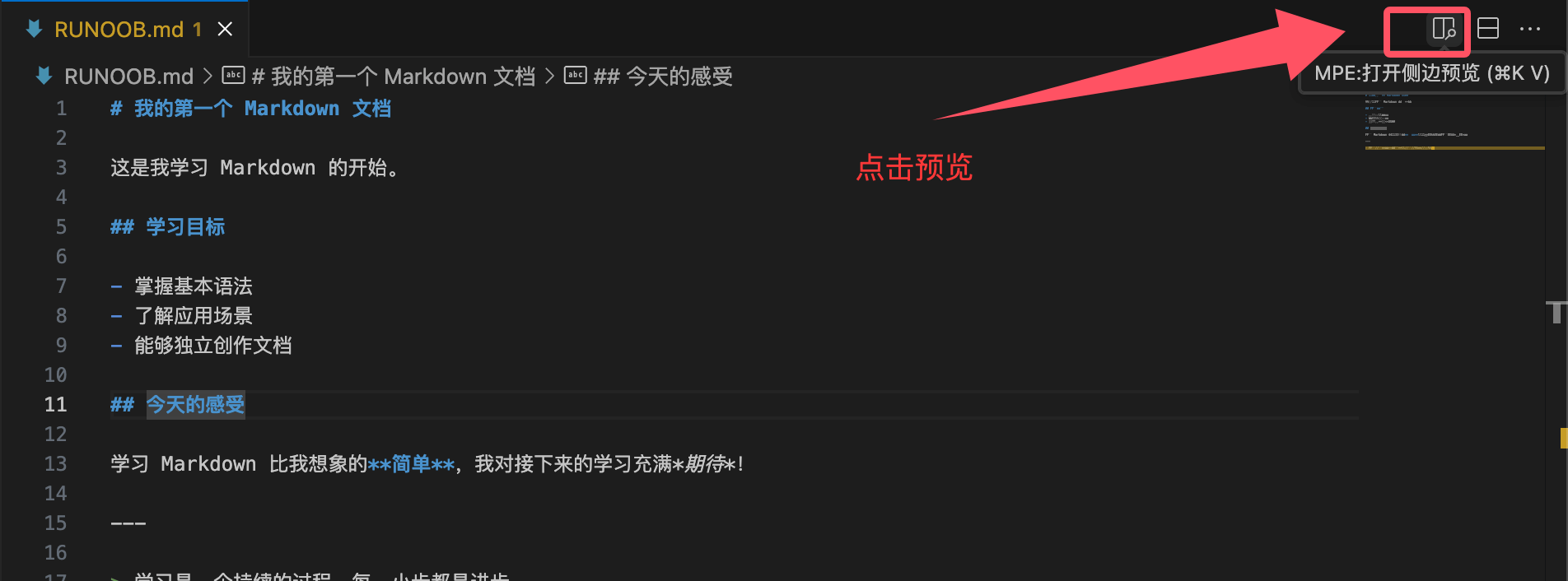
The result is as follows:
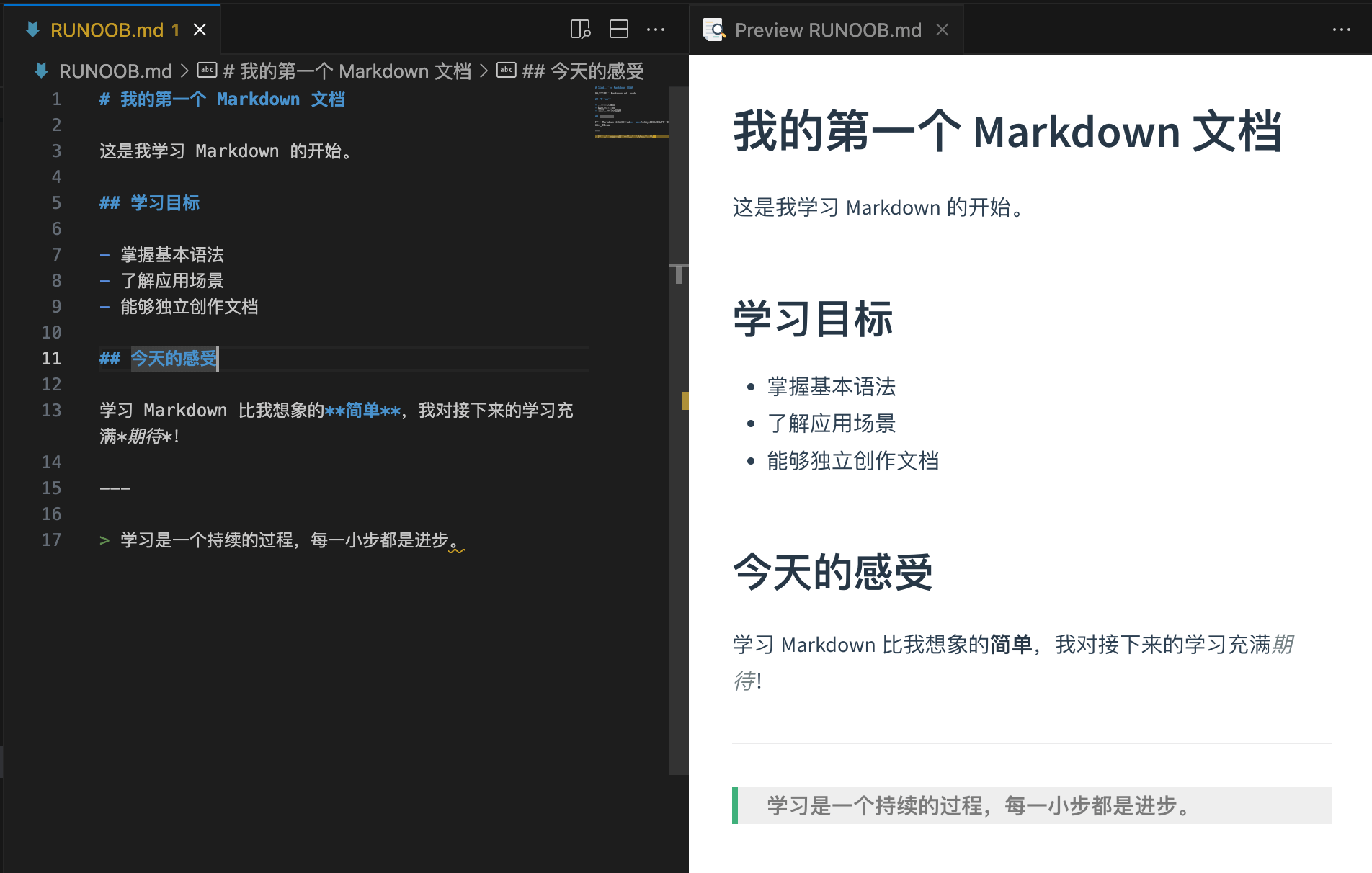
- If you use an editor with live preview (such as MarkText), you can see the rendered result directly:
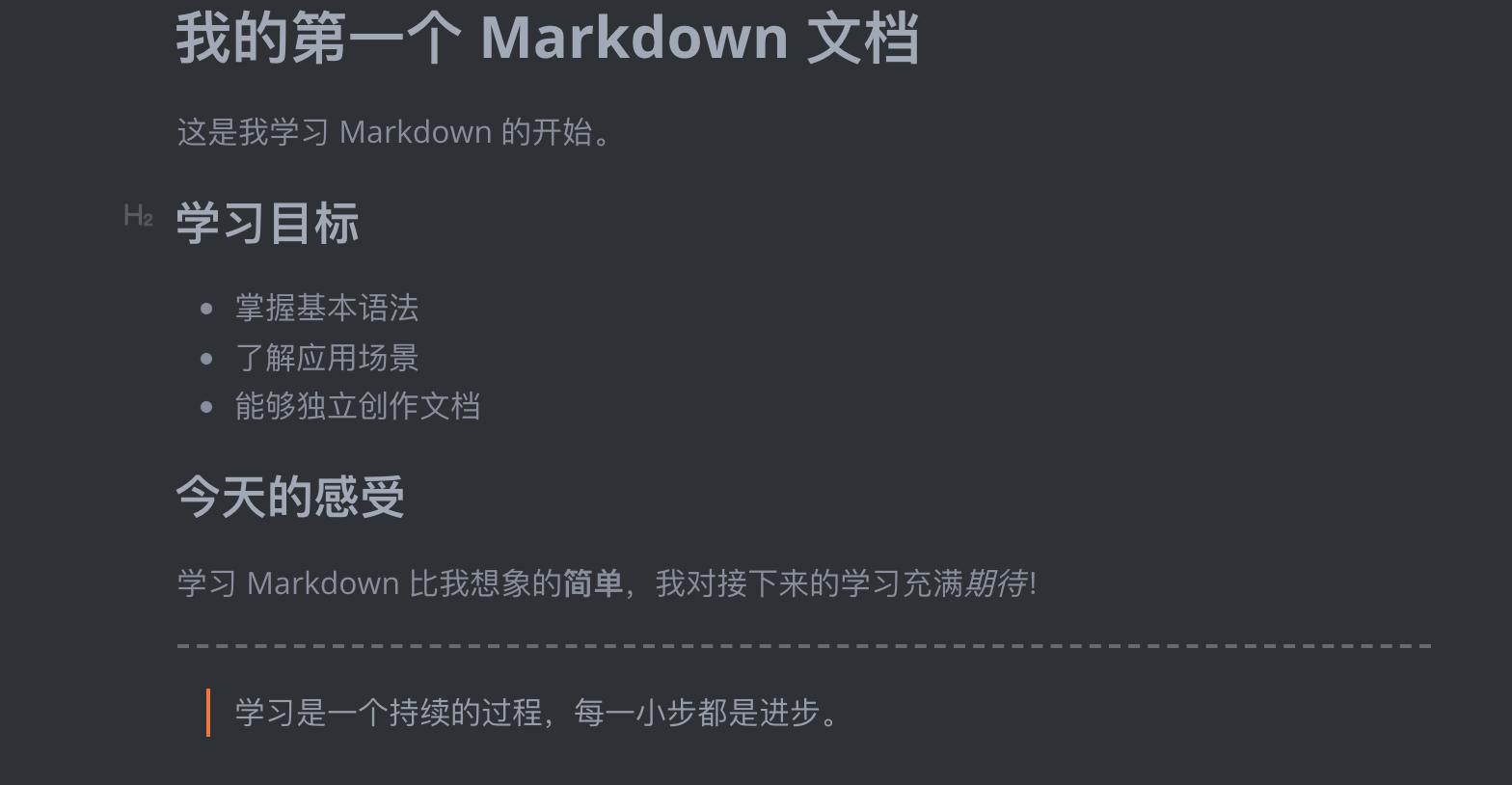
- You can observe the correspondence between the source code and the rendered result.
Step 4: Experiment and Explore
Try modifying the content of the file:
- Change the heading level (increase or decrease the number of
## signs) - Add more list items
- Try different emphasis styles
Through this simple exercise, you have created your first Markdown document and experienced the basic syntax effects.
Remember, the best way to learn Markdown is to practice. While reading the tutorial, keep trying various syntax in the editor and observe how it renders. As you practice more, you will discover Markdown's simplicity and power.
Other Extensions