Markdown Blockquotes
Blockquotes are used to highlight important information, quote others' viewpoints, or create visual hierarchy.
Using Single-Level Blockquotes
Basic Syntax:
Markdown blockquotes are used at the beginning of a paragraph>symbol, and then immediately followed by aspacesymbol:
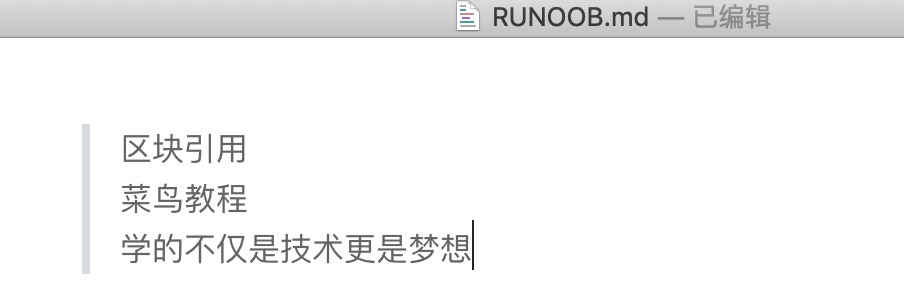
> Block Quote
> Example Tutorial
> What you learn is not just technology, but also dreams
The result is displayed as follows:
Multi-line blockquotes:
> This is the first line of the quote.
> This is the second line of the quote.
>
> This is the second paragraph of the quote.
Simplified syntax:
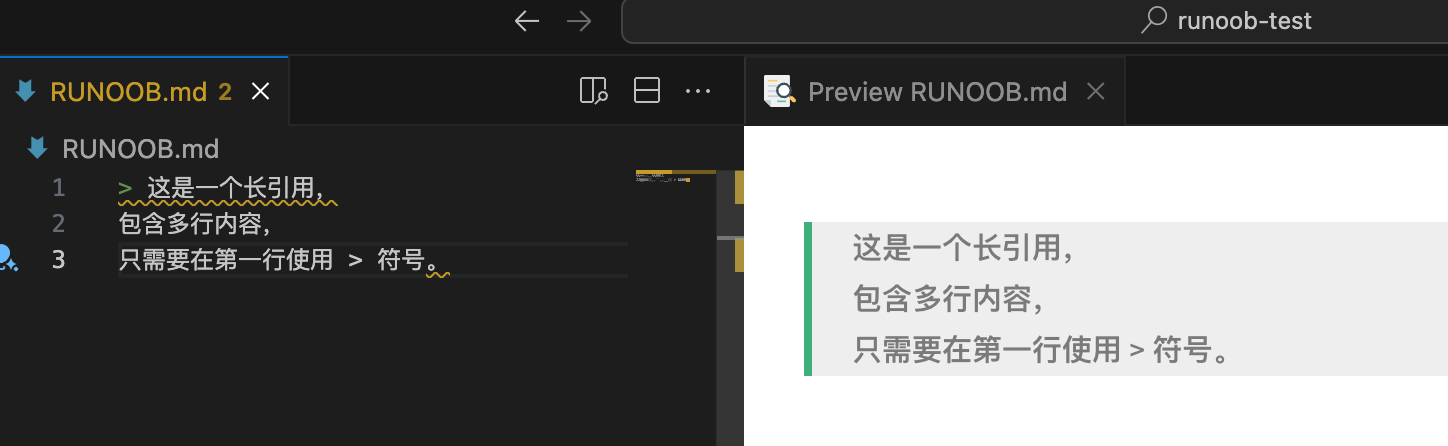
Use only on the first line>, the remaining lines are automatically included in the quote:
> This is a long quote,
containing multiple lines,
only need to use the > symbol on the first line.
Multi-Level Nested Blockquotes
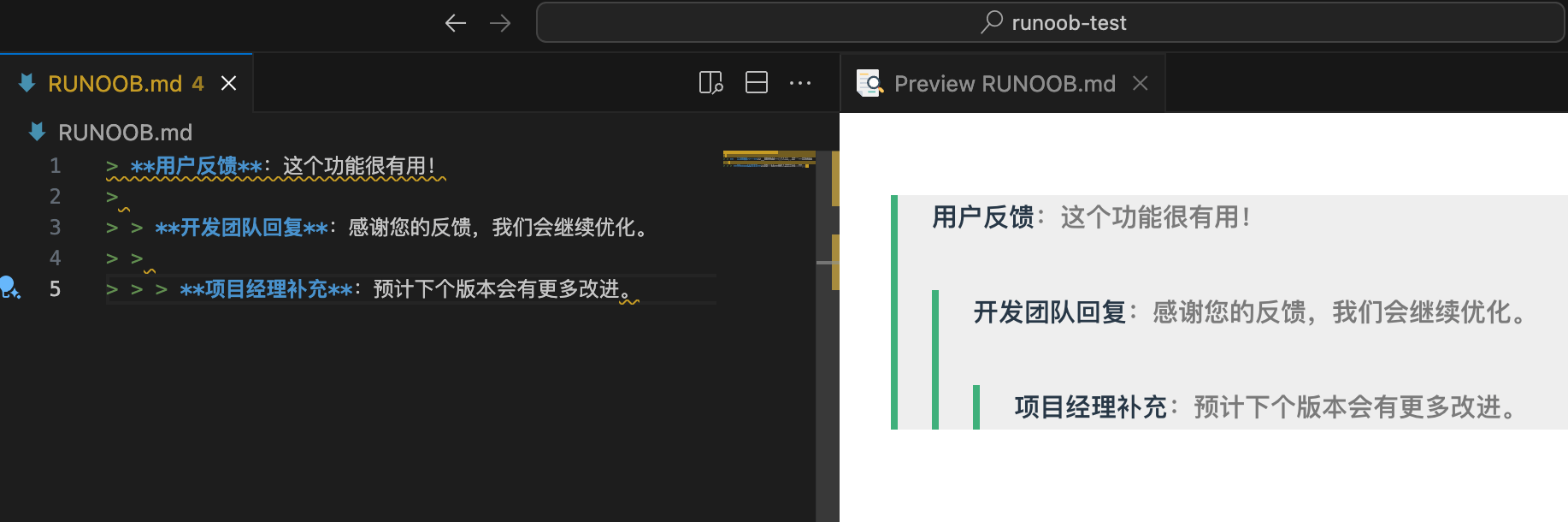
In addition, blockquotes can be nested. One>symbol is the outermost level, two >symbols is the first level of nesting, and so on:
> Outermost level
> > First level nesting
> > > Second level nesting
The result is displayed as follows:

Practical example:
> **User Feedback**: This feature is very useful!
>
> > **Development Team Reply**: Thank you for your feedback, we will continue to optimize.
> >
> > > **Project Manager Addition**: We expect more improvements in the next version.
Using Lists in Blockquotes
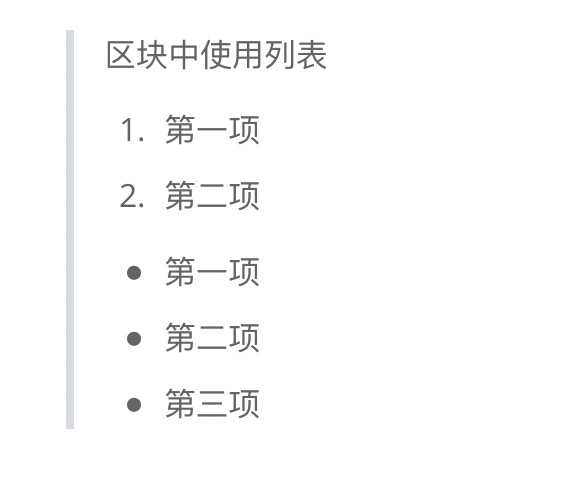
An example of using lists in blockquotes is as follows:
> 区块中使用列表
> 1. 第一项
> 2. 第二项
> + 第一项
> + 第二项
> + 第三项
The result is displayed as follows:
Using Blockquotes in Lists
If you want to place a blockquote inside a list item, you need to>add an indentation of four spaces before it.
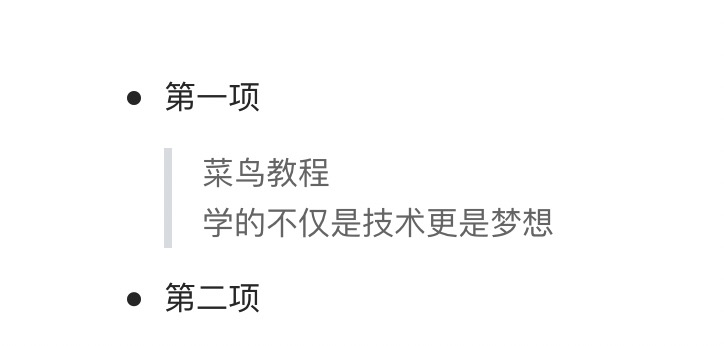
An example of using blockquotes in lists is as follows:
* First item
    > Example Tutorial
    > What you learn is not just technology, but also dreams
* Second item
The result is displayed as follows:
Other Elements Inside Blockquotes
Blockquotes can contain almost all other Markdown elements.
Including headings:
> ## Important Reminder
>
> Please read the documentation carefully before operating to avoid data loss.
Including lists:
> ### 注意事项
>
> 1. 备份重要数据
> 2. 检查系统兼容性
> 3. 准备回滚方案
>
> - 测试环境验证
> - 生产环境部署
> - 监控系统状态
Including code:
> 要运行这个脚本,请使用以下命令:
>
> ```bash
> npm install
> npm start
> ```
>
> 执行后会在 `http://localhost:3000` 看到结果。
Including links and images:
> 📚 **推荐阅读** > > 详细信息请参考 [官方文档](https://example.com) > > 
Best Practices for Blockquotes
Quoting famous sayings and aphorisms
> "在软件开发中,最昂贵的错误就是构建正确的系统错误的方式,或者构建错误的系统正确的方式。"
>
> — Barry Boehm,软件工程专家
Important Information Alerts
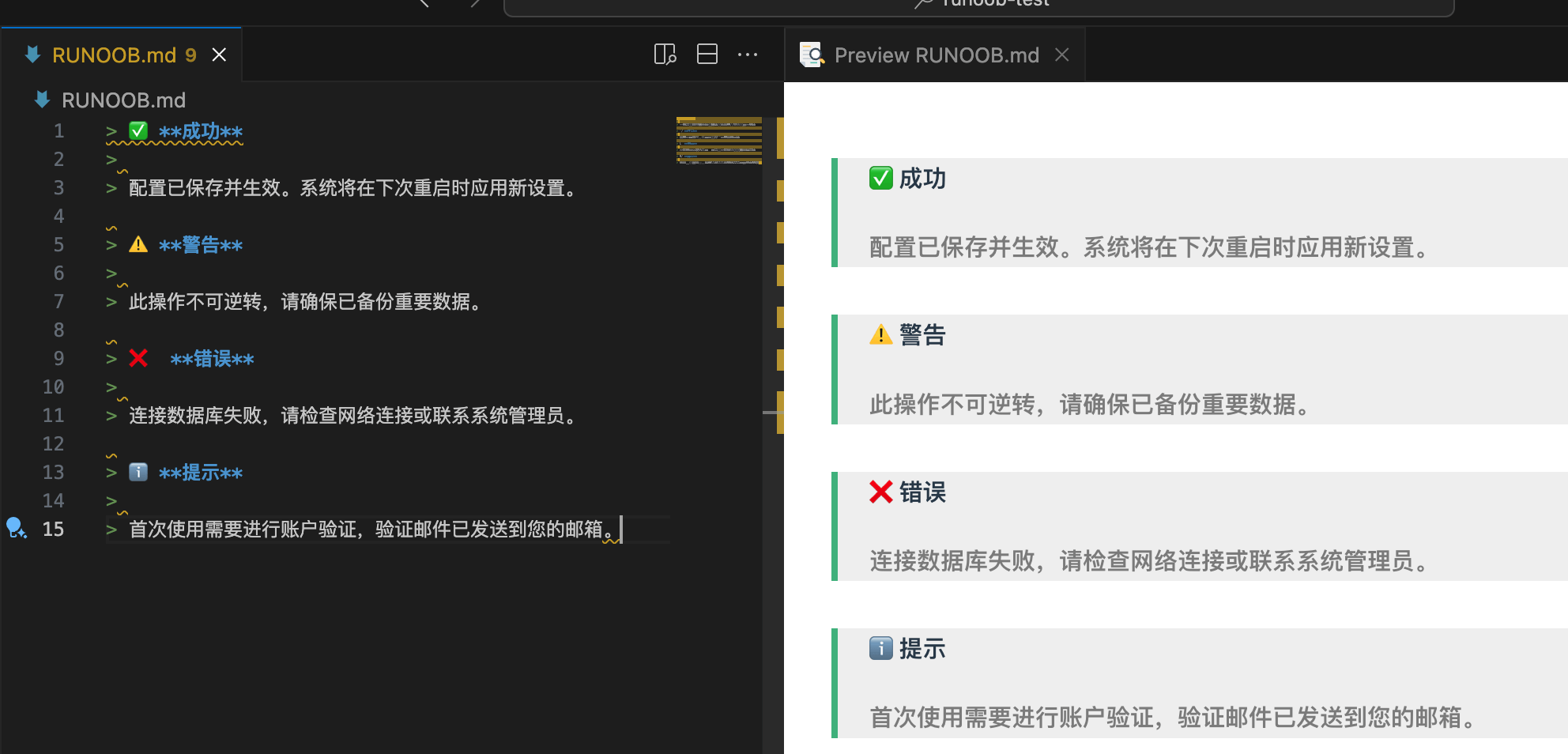
Success message:
> ✅ **成功**
>
> 配置已保存并生效。系统将在下次重启时应用新设置。
Warning message:
> ⚠️ **警告**
>
> 此操作不可逆转,请确保已备份重要数据。
Error message:
> ❌ **错误**
>
> 连接数据库失败,请检查网络连接或联系系统管理员。
Information message:
> ℹ️ **提示**
>
> 首次使用需要进行账户验证,验证邮件已发送到您的邮箱。
Blockquotes in Document Structure
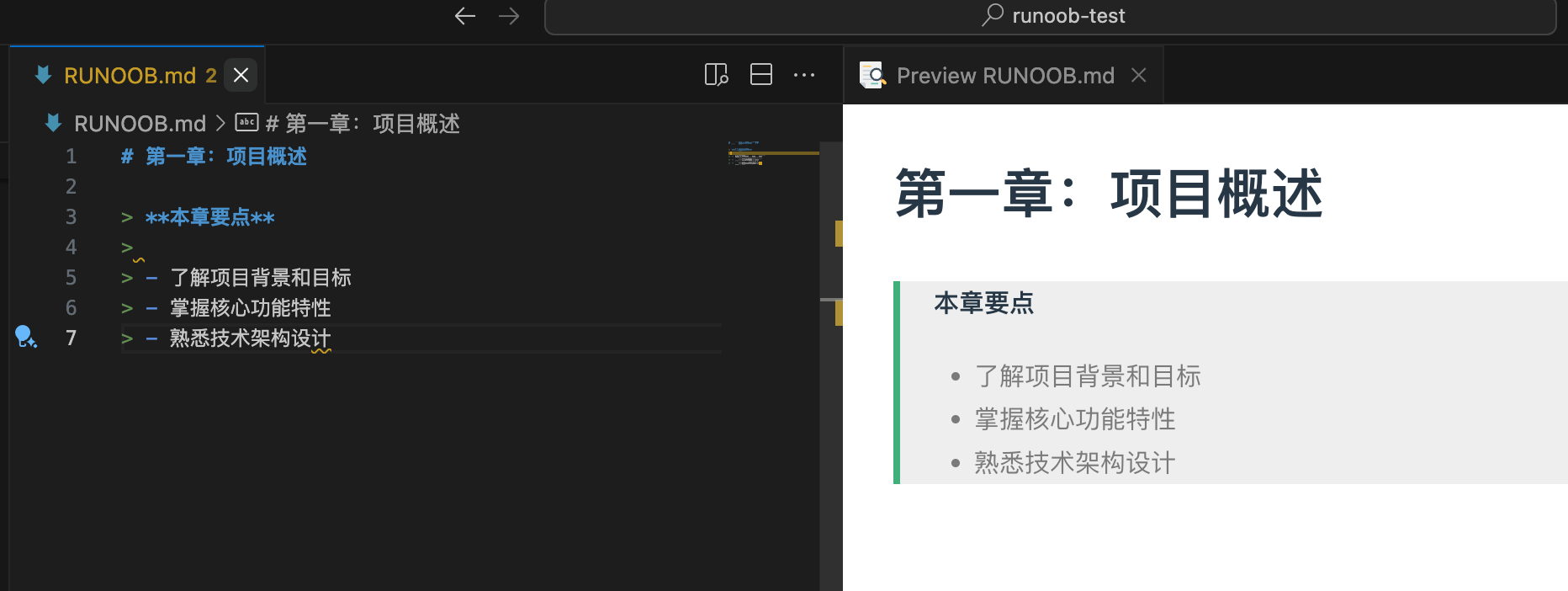
Chapter summary:
# Chapter 1: Project Overview

> **Key Points of This Chapter**
>
> - Understand the project background and goals
> - Master the core functional features
> - Familiarize with the technical architecture design
Version update notes:
## v2.1.0 更新内容

> **重大变更**
>
> ⚠️ API 接口路径已调整,旧版本客户端需要更新
>
> 详见 [迁移指南](./migration-guide.md)
Other Extensions