VSCode Install Extensions
VS Code's extension functionality and marketplace are one of its core features that make it powerful and flexible, allowing users to enhance and customize the editor's functionality by installing various extensions.
VS Code has a rich extension ecosystem that allows you to add language support, debuggers, and tools to suit your specific development workflow.
In the Visual Studio Marketplace, there are thousands of extensions to choose from:
- Programming language support:Provides language-specific features such as syntax highlighting, code completion, and smart suggestions.
- Debugging tools:Extend VS Code's debugging capabilities to support more languages and environments.
- Version control:Provides better Git integration, such as extensions like GitLens, to enhance code version control capabilities.
- Themes and beautification:Change the editor's visual style, including themes, icons, fonts, etc., to personalize the coding environment.
- Tool integration:Integrates features of other development tools and platforms, such as container tools and cloud service management.
- Development assistance:Provides development assistance features such as API documentation, code snippets, and quick fix suggestions.
VS Code Extension Marketplace:https://marketplace.visualstudio.com/
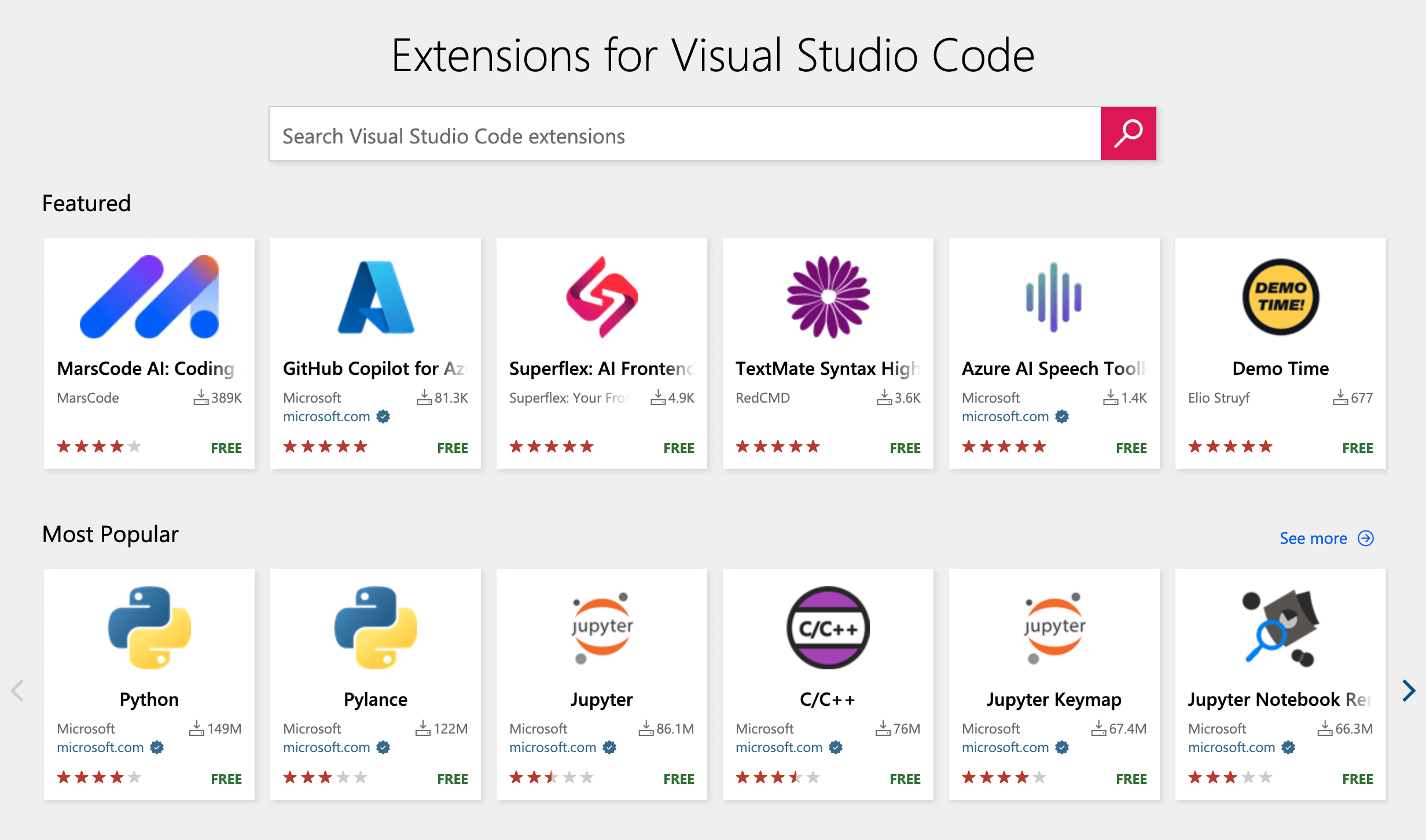
Next, let's install a language extension to add support for Python or another programming language you're interested in.
1. Open the Extensions View
SelectActivity Barin theExtensions Viewicon.
The Extensions View lets you browse and install extensions directly in VS Code.
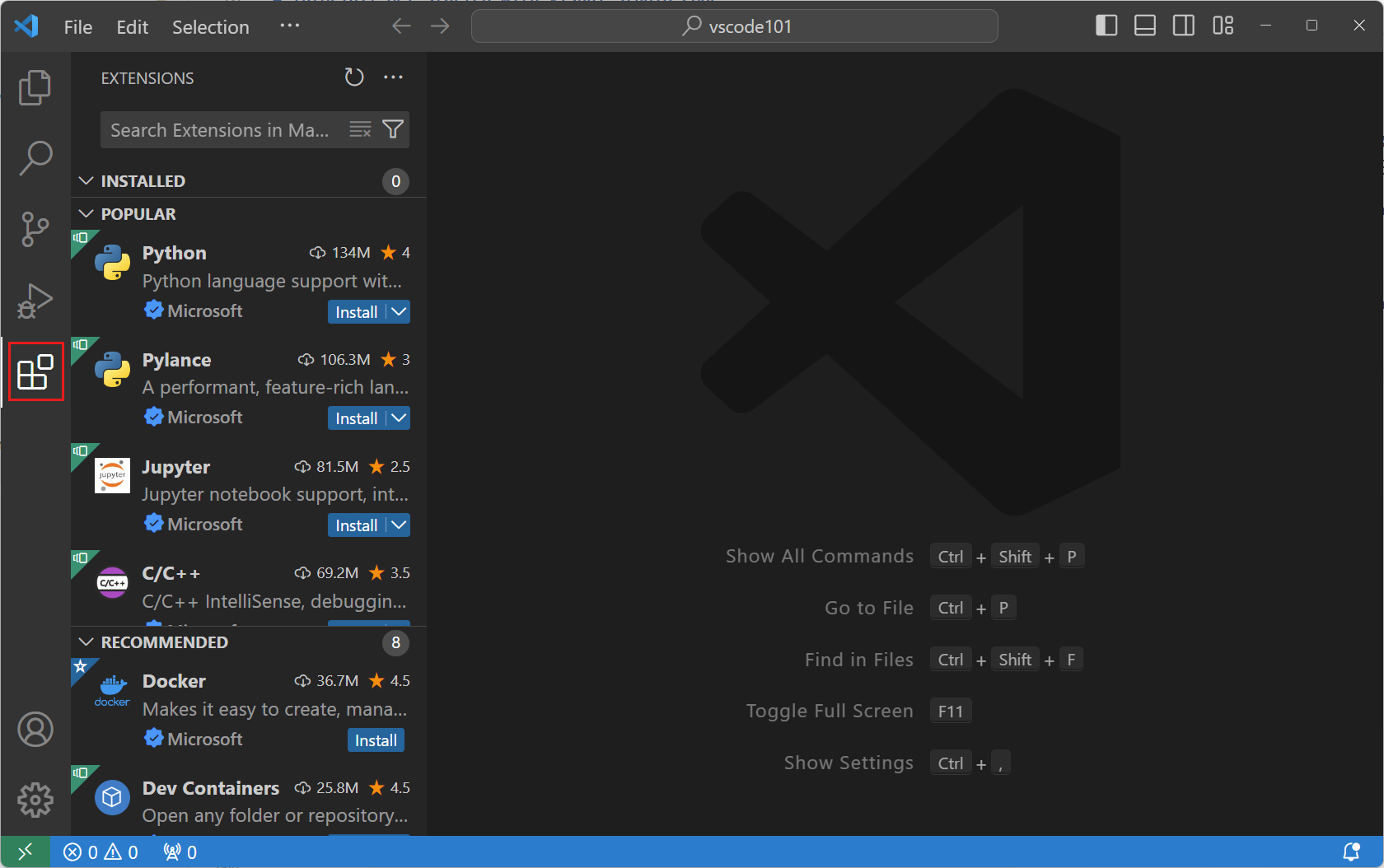
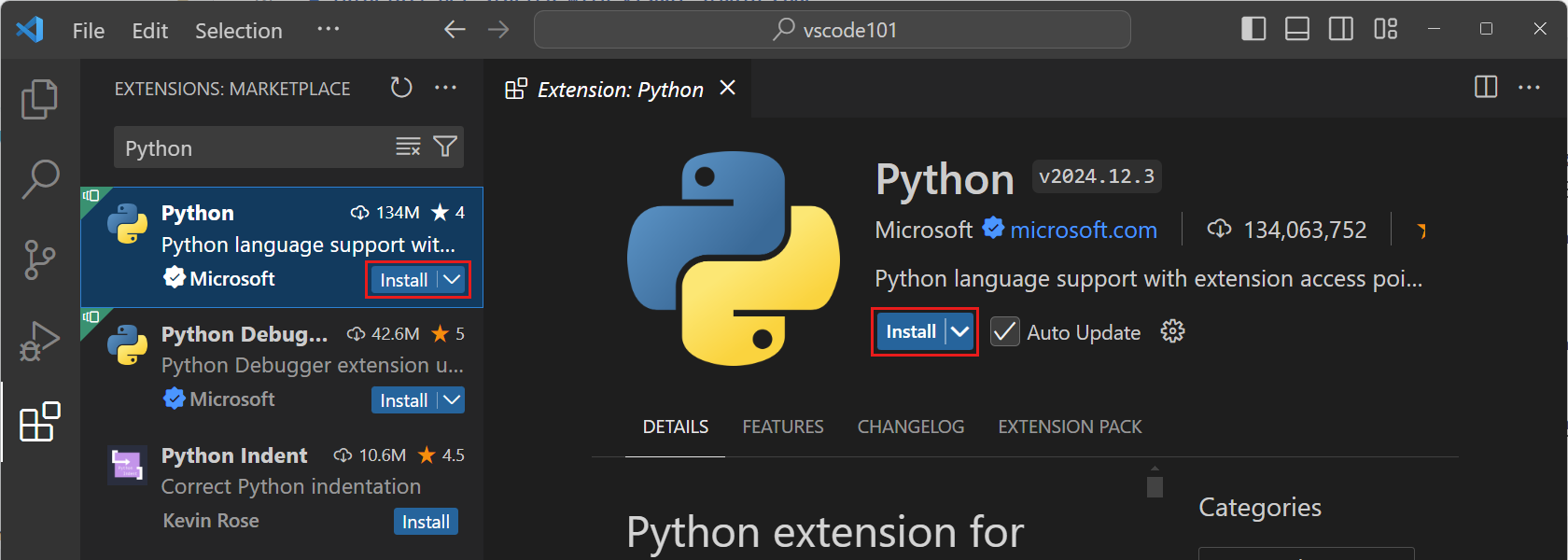
2. Install the Python Extension
Enter Python in the Extensions View's search box to browse Python-related extensions.
Select the Python extension published by Microsoft, then click the Install button.
3. Write Python Code
Create a new Python file in the workspace and name it hello.py.
Start typing the following Python code:
Example
print("Hello, " + name)
say_hello("VS Code")
Note:Now you can also get code suggestions and IntelliSense for your Python code.
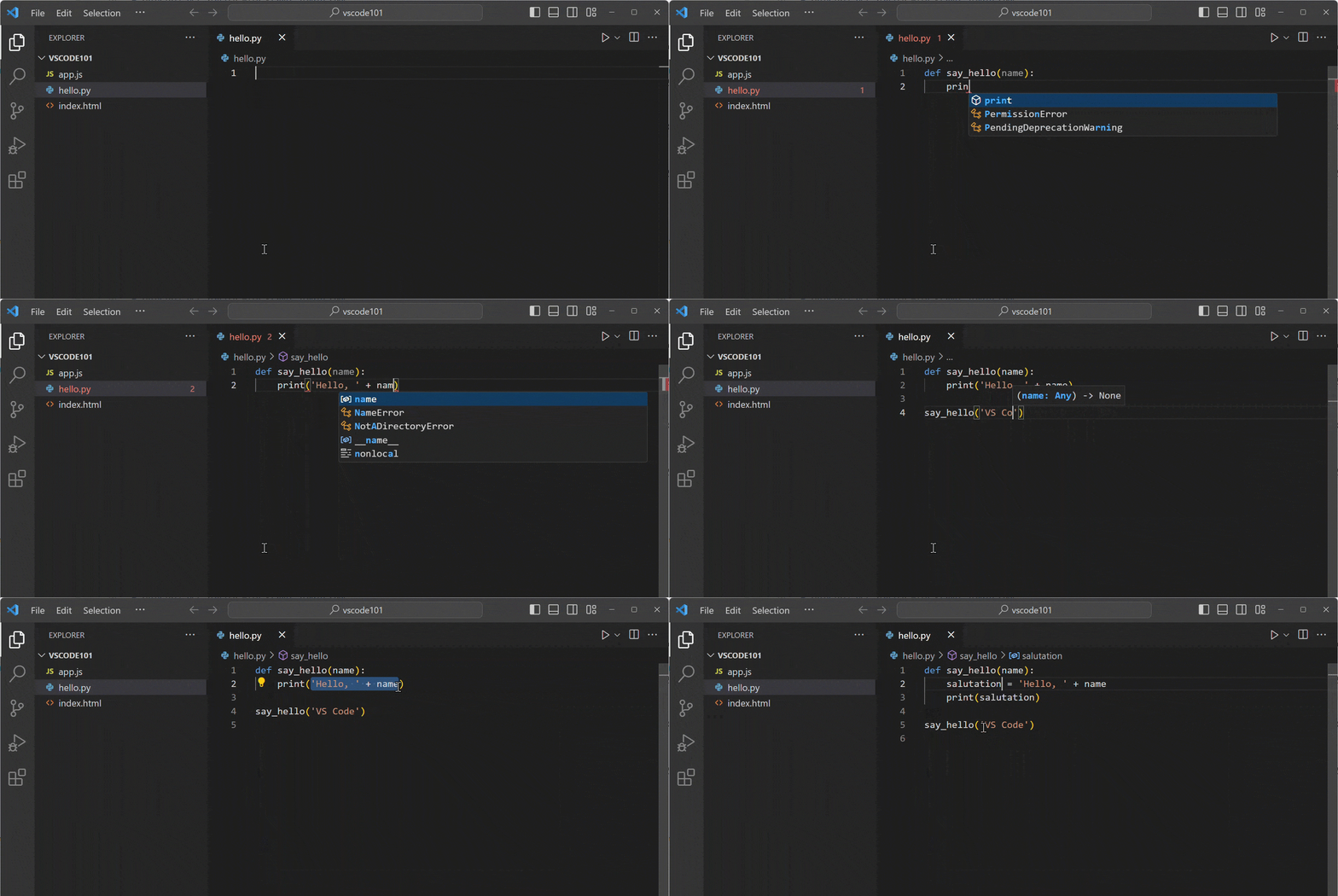
IntelliSense provides code completion, syntax highlighting, and other features to help you write code more efficiently.
By installing extensions, you can extend VS Code's functionality as needed, thus better supporting various programming languages!
Other Extensions