JavaScript Data Types
Value types (basic types): String, Number, Boolean, Null, Undefined, Symbol.
Reference data types (object types): Object, Array, Function, and two special objects: RegExp and Date.
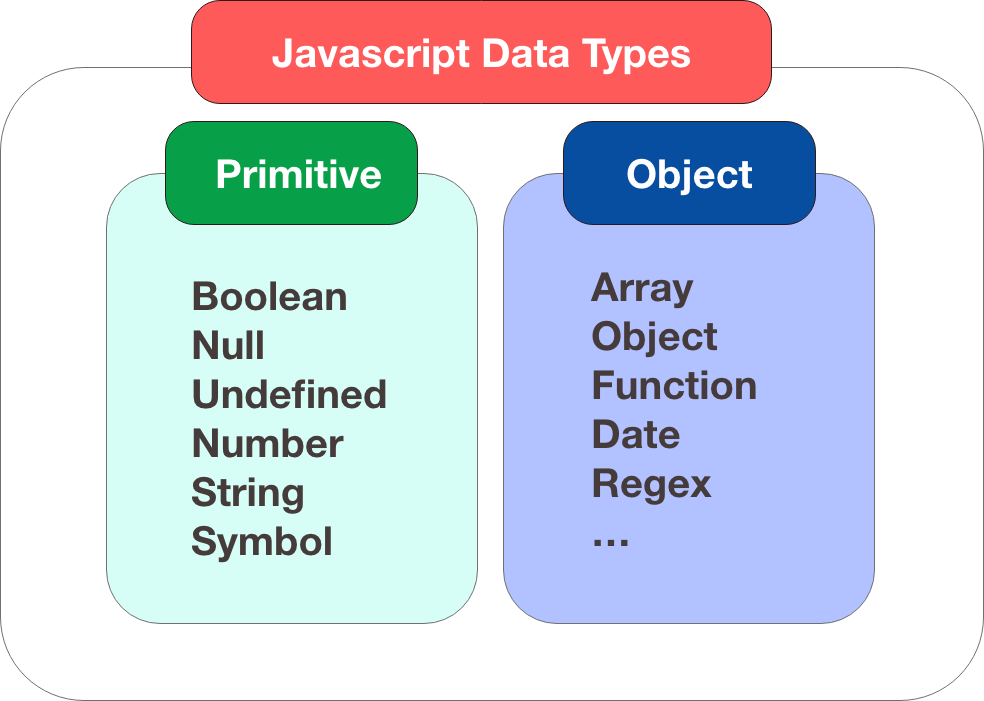
Note:Symbol is a new primitive data type introduced by ES6, representing a unique value.
JavaScript has dynamic types
JavaScript has dynamic types. This means the same variable can be used as different types:
Example
var x = 5; // now x is a Number
var x = "John"; // now x is a String
The data type of a variable can be checked using thetypeofoperator:
Example
typeof 3.14 // returns number
typeof false // returns boolean
typeof [1,2,3,4] // returns object
typeof {name:'John', age:34} // returns object
Try it Yourself »
typeof [1,2,3,4] returns "object", which is a "flaw" in JavaScript's early design; arrays are essentially a special type of object.
The correct way to detect an array:
Array.isArray([1,2,3]); // true
[1,2,3] instanceof Array; // true
JavaScript Strings
Strings are variables that store characters (such as "Bill Gates").
Strings can be any text inside quotes. You can use single or double quotes:
Example
var carname='Volvo XC60';
You can use quotes inside a string, as long as they don't match the quotes surrounding the string:
Example
var answer="He is called 'Johnny'";
var answer='He is called "Johnny"';
Try it Yourself »
You will learn more about strings in the advanced section of this tutorial.
JavaScript Numbers
JavaScript has only one type of number. Numbers can be written with or without decimal points:
Example
var x2=34; // written without a decimal point
Very large or very small numbers can be written using scientific (exponential) notation:
You will learn more about numbers in the advanced section of this tutorial.
JavaScript Booleans
Booleans (logical) can only have two values: true or false.
var y=false;
Booleans are often used in conditional tests. You will learn more about conditional tests in a later chapter of this tutorial.
JavaScript Arrays
The following code creates an array named cars:
cars[0]="Saab";
cars[1]="Volvo";
cars[2]="BMW";
Or (condensed array):
Or (literal array):
Array indexes are zero-based, so the first item is
You will learn more about arrays later in this tutorial.
JavaScript Objects
Objects are separated by curly braces. Inside the braces, object properties are defined in the form of name and value pairs (name : value). Properties are separated by commas:
The object (person) in the example above has three properties: firstname, lastname, and id.
Spaces and line breaks are not important. A declaration can span multiple lines:
firstname : "John",
lastname : "Doe",
id : 5566
};
There are two ways to address object properties:
You will learn more about objects later in this tutorial.
Undefined and Null
The value Undefined indicates that a variable does not contain a value.
You can clear a variable by setting its value to null.
Declare Variable Types
When you declare a new variable, you can use the keyword "new" to declare its type:
var x= new Number;
var y= new Boolean;
var cars= new Array;
var person= new Object;
 |
JavaScript variables are all objects. When you declare a variable, you create a new object. |
|---|