Java MySQL Connection
In this chapter, we will introduce how Java uses JDBC to connect to a MySQL database.
Java requires a driver package to connect to MySQL. The latest version download address is:http://dev.mysql.com/downloads/connector/j/After decompressing, you get the jar library file, then import it into your corresponding project.
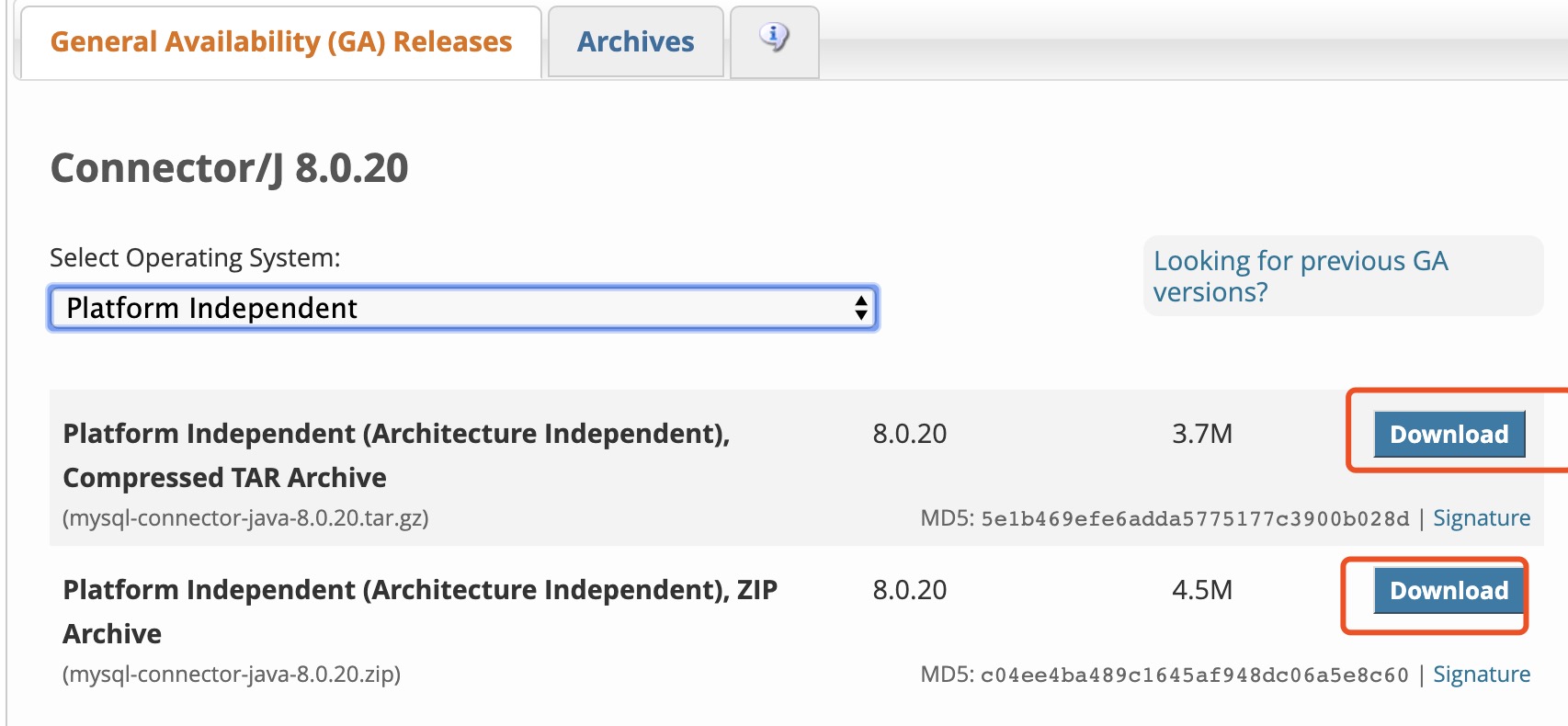
You can download the jar package provided by this site:mysql-connector-java-5.1.39-bin.jar
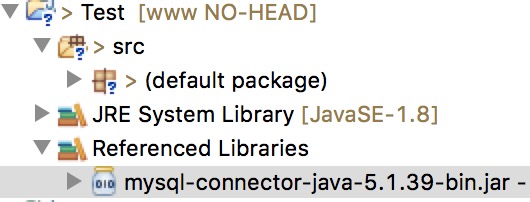
This example uses Eclipse to import the jar package:
Database connection for MySQL 8.0 and above is different:
-
1. Driver package version for MySQL 8.0 and abovemysql-connector-java-8.0.16.jar。
-
2、com.mysql.jdbc.Driverchanged tocom.mysql.cj.jdbc.Driver。
-
MySQL 8.0 and above does not require establishing an SSL connection; you need to explicitly disable it.
-
allowPublicKeyRetrieval=true allows the client to retrieve the public key from the server.
-
Finally, you also need to set CST.
The way to load the driver and connect to the database is as follows:
Class.forName("com.mysql.cj.jdbc.Driver");
conn = DriverManager.getConnection("jdbc:mysql://localhost:3306/test_demo?useSSL=false&allowPublicKeyRetrieval=true&serverTimezone=UTC","root","password");
Create Test Data
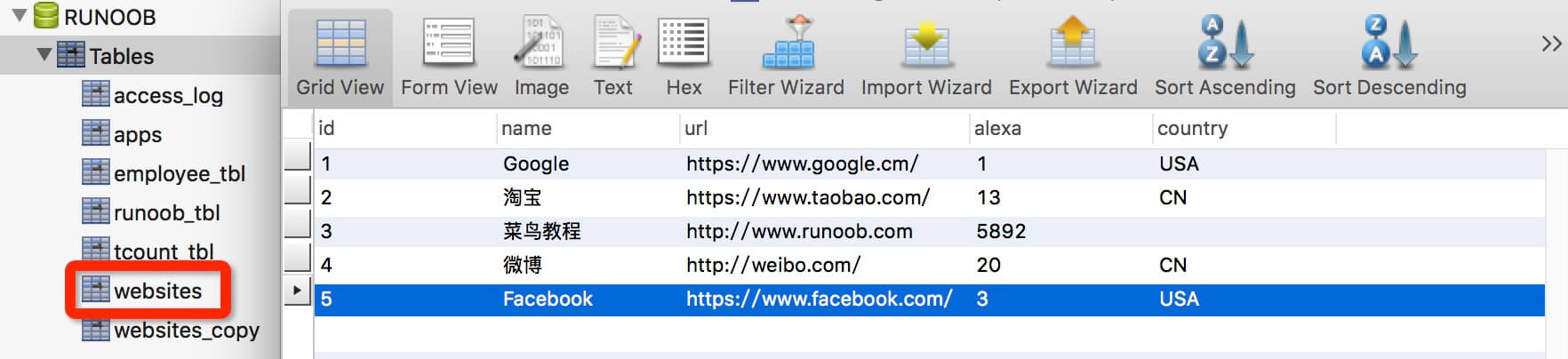
Next, we will create the EXAMPLE database in MySQL, and create a websites data table. The table structure is as follows:
CREATE TABLE `websites` (
`id` int(11) NOT NULL AUTO_INCREMENT,
`name` char(20) NOT NULL DEFAULT '' COMMENT 'Site Name',
`url` varchar(255) NOT NULL DEFAULT '',
`alexa` int(11) NOT NULL DEFAULT '0' COMMENT 'Alexa Rank',
`country` char(10) NOT NULL DEFAULT '' COMMENT 'Country',
PRIMARY KEY (`id`)
) ENGINE=InnoDB AUTO_INCREMENT=10 DEFAULT CHARSET=utf8;
Insert some data:
INSERT INTO `websites` VALUES ('1', 'Google', 'https://www.google.cm/', '1', 'USA'), ('2', 'Taobao', 'https://www.taobao.com/', '13', 'CN'), ('3', 'Example', 'http://www.example.com', '5892', ''), ('4', 'Weibo', 'http://weibo.com/', '20', 'CN'), ('5', 'Facebook', 'https://www.facebook.com/', '3', 'USA');
The data table is displayed as follows:
Connect to Database
The following example uses JDBC to connect to a MySQL database. Note that some data such as username and password need to be configured according to your development environment:
MySQLDemo.java file code:
package com.example.test;
import java.sql.*;
public class MySQLDemo {
static final String JDBC_DRIVER = "com.mysql.jdbc.Driver";
static final String DB_URL = "jdbc:mysql://localhost:3306/EXAMPLE";
static final String USER = "root";
static final String PASS = "123456";
public static void main(String[] args) {
Connection conn = null;
Statement stmt = null;
try{
Class.forName(JDBC_DRIVER);
System.out.println("Connecting to database...");
conn = DriverManager.getConnection(DB_URL,USER,PASS);
System.out.println("Instantiate Statement object...");
stmt = conn.createStatement();
String sql;
sql = "SELECT id, name, url FROM websites";
ResultSet rs = stmt.executeQuery(sql);
while(rs.next()){
int id = rs.getInt("id");
String name = rs.getString("name");
String url = rs.getString("url");
System.out.print("ID: " + id);
System.out.print(", site name:" + name);
System.out.print(", site URL:" + url);
System.out.print("\n");
}
rs.close();
stmt.close();
conn.close();
}catch(SQLException se){
se.printStackTrace();
}catch(Exception e){
e.printStackTrace();
}finally{
try{
if(stmt!=null) stmt.close();
}catch(SQLException se2){
}
try{
if(conn!=null) conn.close();
}catch(SQLException se){
se.printStackTrace();
}
}
System.out.println("Goodbye!");
}
}
The output of the above example is as follows:

Other extensions