TensorFlow Ecosystem
The TensorFlow Ecosystem is a complete machine learning toolset developed by Google, built around the TensorFlow core framework. It not only includes the basic deep learning framework, but also provides a series of supporting tools, libraries, and platforms, forming a solution that covers the entire machine learning workflow.
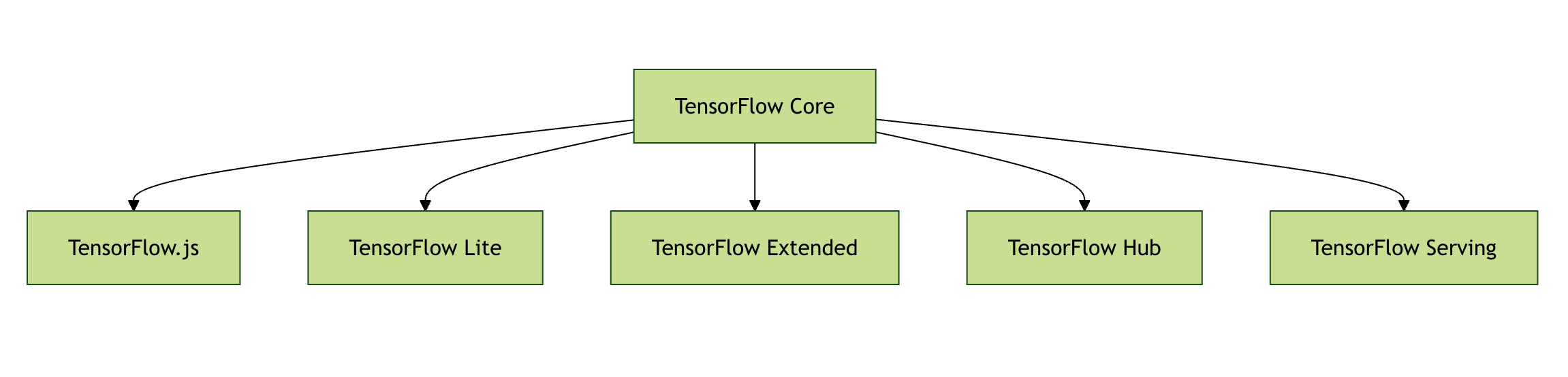
TensorFlow Core Components
TensorFlow Core
The core framework of TensorFlow, providing basic tensor computation and automatic differentiation capabilities.
Example
# Create a constant tensor
tensor = tf.constant([[1, 2], [3, 4]])
print(tensor)
TensorFlow.js
A JavaScript library that allows running machine learning models in browser and Node.js environments.
Example
async function loadModel() {
const model = await tf.loadLayersModel('model.json');
return model;
}
TensorFlow Lite
A lightweight solution optimized for mobile and embedded devices.
Example
Interpreter.Options options = new Interpreter.Options();
Interpreter interpreter = new Interpreter(modelFile, options);
Extended Tools and Platforms
TensorFlow Extended (TFX)
An end-to-end machine learning platform for ML pipelines in production environments.
Example
example_gen = CsvExampleGen(input_base=path_to_csv)
statistics_gen = StatisticsGen(examples=example_gen.outputs['examples'])
TensorFlow Hub
A pre-trained model library that allows easy reuse of existing models.
Example
embed = hub.load("https://tfhub.dev/google/nnlm-en-dim128/1")
embeddings = embed(["TensorFlow is great"])
TensorFlow Serving
A high-performance serving system for deploying trained models.
Example
tensorflow_model_server --port=8500 --rest_api_port=8501 \
--model_name=my_model --model_base_path=/models/my_model
Ecosystem Advantage Comparison
| Component | Main Purpose | Applicable Scenario |
|---|---|---|
| TensorFlow Core | Basic model development | Research, prototype development |
| TensorFlow.js | Browser-side ML | Web applications, interactive demonstrations |
| TensorFlow Lite | Mobile/embedded devices | Mobile apps, IoT devices |
| TFX | Production ML pipelines | Enterprise-level ML systems |
| TF Serving | Model deployment | Online prediction services |
Practical Application Cases
Case 1: Building a Recommendation System with TFX
- Use ExampleGen to import user behavior data
- Use Transform for feature engineering
- Trainer component trains the recommendation model
- Deploy to production environment via Pusher
Case 2: Mobile Image Classification
- Train a CNN model with TensorFlow Core
- Convert to TensorFlow Lite format
- Integrate into Android/iOS applications
- Use on-device GPU to accelerate inference
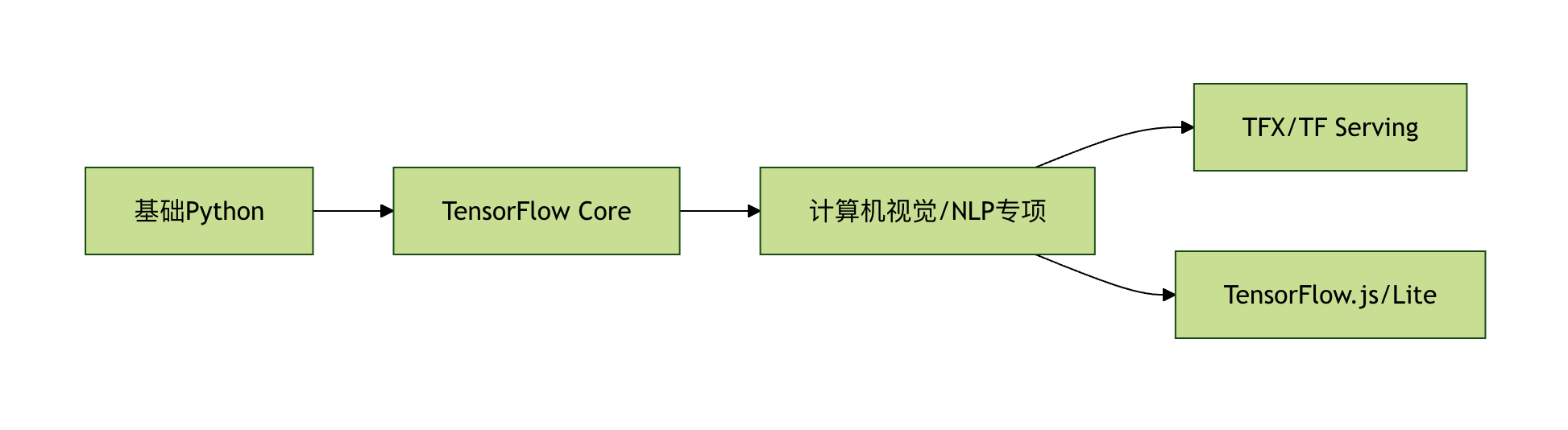
Learning Path Suggestions
- Beginners: Start with TensorFlow Core, master the basic APIs
- Web developers: Learn TensorFlow.js to build browser ML applications
- Mobile developers: Focus on TensorFlow Lite and model optimization
- ML engineers: Master TFX to build production-grade pipelines
- System architects: Study TF Serving and distributed deployment
Frequently Asked Questions
Q: What is the difference between the TensorFlow and PyTorch ecosystems?A: The TensorFlow ecosystem focuses more on production deployment and cross-platform support, while PyTorch is more popular in the research community.
Q: How do I choose the right TensorFlow components?A: Based on the application scenario: choose TF.js for Web, TFLite for mobile, and TFX + TF Serving for production systems.
Q: What prerequisite knowledge is needed to learn TensorFlow?A: Basic Python programming, foundations of linear algebra and calculus, basic machine learning concepts.
Other Extensions Linux Command Reference