SQL LIKEOperators
The LIKE operator is used to search for a specified pattern in a column in the WHERE clause.
LIKEThe operator is a keyword in SQL used forWHEREperforming fuzzy queries in the clause. It allows us to select data based on pattern matching, and is usually used together with%and_wildcards.
SQL LIKE Syntax
SELECT column1, column2, ...
FROM table_name
WHERE column_name LIKE pattern;
Parameter description:
- column1, column2, ...: The field name(s) to select, can be multiple fields. If no field name is specified, all fields will be selected.
- table_name: The name of the table to query.
- column: The name of the field to search.
- pattern: The search pattern.
Wildcards
%: Matches any number of characters (including zero characters)._: Matches a single character.
Examples
Suppose we have a table named Products with the following data:
| ProductID | ProductName | Category |
|---|---|---|
| 1 | iPhone 12 | Electronics |
| 2 | Samsung Galaxy S21 | Electronics |
| 3 | Dell XPS 13 | Electronics |
| 4 | Nike Air Zoom | Footwear |
| 5 | Adidas Ultraboost | Footwear |
| 6 | Sony PlayStation 5 | Electronics |
Use%wildcard to find all products starting with "iPhone":
SELECT ProductName, Category
FROM Products
WHERE ProductName LIKE 'iPhone%';
Returns the following data:
| ProductName | Category |
|---|---|
| iPhone 12 | Electronics |
Use_wildcard to find all products whose name has "e" as the second character:
SELECT ProductName, Category
FROM Products
WHERE ProductName LIKE '_e%';
Returns the following data:
| ProductName | Category |
|---|---|
| Dell XPS 13 | Electronics |
Combine%and_wildcard to find all products whose name contains "Zoom":
SELECT ProductName, Category
FROM Products
WHERE ProductName LIKE '%Zoom%';
Returns the following data:
| ProductName | Category |
|---|---|
| Nike Air Zoom | Footwear |
Demo Database
In this tutorial, we will use the EXAMPLE sample database.
Below is a selection from the "Websites" table:
mysql> SELECT * FROM Websites;
+----+---------------+---------------------------+-------+---------+
| id | name          | url                       | alexa | country |
+----+---------------+---------------------------+-------+---------+
|  1 | Google        | https://www.google.cm/    |     1 | USA     |
|  2 | 淘宝          | https://www.taobao.com/   |    13 | CN      |
|  3 | Example       | http://www.example.com/    |  5000 | USA     |
|  4 | 微博           | http://weibo.com/         |    20 | CN      |
|  5 | Facebook      | https://www.facebook.com/ |     3 | USA     |
|  7 | stackoverflow | http://stackoverflow.com/ |     0 | IND     |
+----+---------------+---------------------------+-------+---------+
SQL LIKE Operator Examples
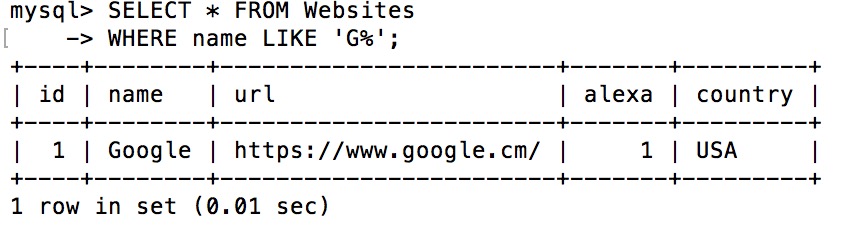
The following SQL statement selects all customers whose name begins with the letter "G":
Example
WHERE name LIKE 'G%';
Execution output result:
Tip:The "%" symbol is used to define wildcards (default letters) before and after the pattern. You will learn more about wildcards in the next chapter.
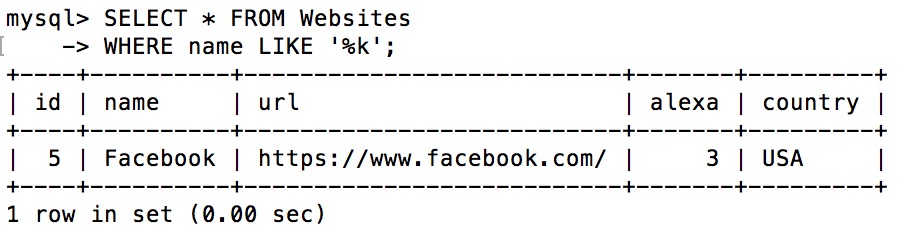
The following SQL statement selects all customers whose name ends with the letter "k":
Example
WHERE name LIKE '%k';
Execution output result:
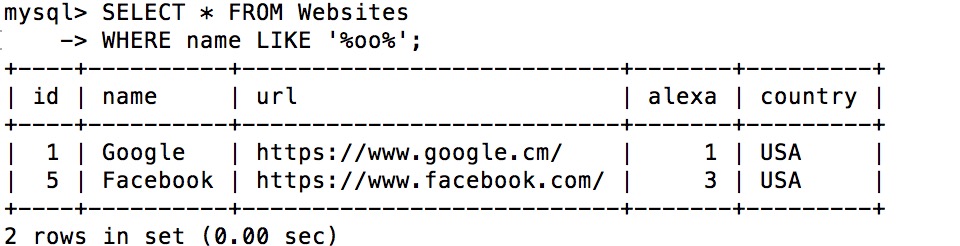
The following SQL statement selects all customers whose name contains the pattern "oo":
Example
WHERE name LIKE '%oo%';
Execution output result:
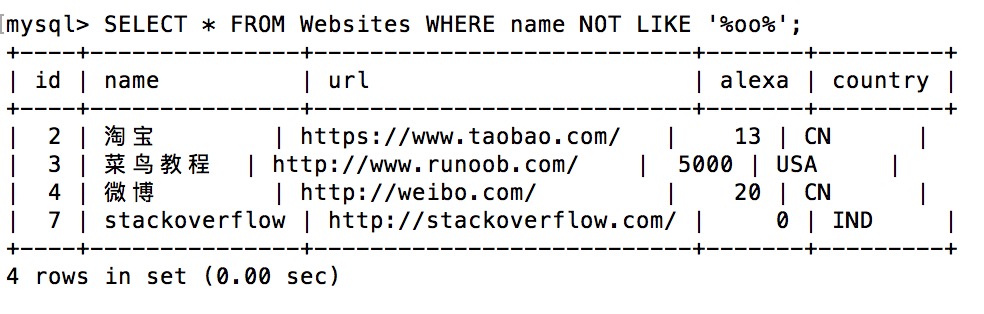
By using the NOT keyword, you can select records that do not match the pattern.
The following SQL statement selects all customers whose name does not contain the pattern "oo":
Example
WHERE name NOT LIKE '%oo%';
Execution output result: