VS Code Create and Use Skill
This tutorial will guide you through creating an Agent Skill from scratch and actually running it in VS Code + GitHub Copilot.
We will create a dice-rolling Skill that teaches the Agent to generate random numbers via terminal commands.
Preparation
Environment Requirements
InstallationVS Code
- InstallationGitHub Copilot Extension
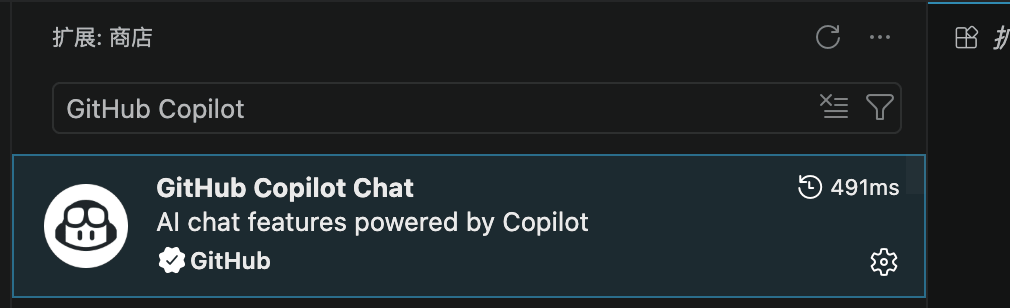
This tutorial uses VS Code, but Agent Skills is an open format. The same Skill can also be used in compatible tools such as Claude Code, OpenCode, OpenAI Codex, etc.
For more VS Code content, please refer to:VS Code Tutorial。
Create the Skill Directory and Files
VS Code by default looks in the project's.agents/skills/directory for Skills.
First, create the following directory structure in your project:
Create the Directory Structure
mkdir -p .agents/skills/roll-dice
Then create the following files in.agents/skills/roll-dice/SKILL.md:
Example: Complete SKILL.md Content
name: roll-dice
description:Roll dice using a random number generator. Use when the user asks to roll dice (d6, d20, etc.) or generate random dice results.
---
# Dice Rolling Method
Use the following shell command to generate1a random number between 1 and the specified number of sides:
## macOS / Linux
```bash
echo $((RANDOM % <sides> + 1))
```
## Windows PowerShell
```powershell
Get-Random -Minimum 1 -Maximum (<sides> + 1)
```
**Usage Instructions:**
Replace `<sides>` with the number of dice sides specified by the user:
-d6: Replace `<sides>` with6
-d20: Replace `<sides>` with20
-Other numbers of sides follow the same pattern
**Output:**Simply return the random result number directly, no additional explanation needed.
One file, fewer than 20 lines, completes a full Skill.

File Structure Analysis
Let's understand the purpose of this file part by part.
YAML Header (Frontmatter)
| Field | Purpose | Description |
|---|---|---|
| name | Unique identifier of the Skill | Must exactly match the folder name, using lowercase letters and hyphens |
| description | Trigger condition description | Tells the Agent when it should use this Skill; this is the key field for the Agent to decide whether to activate it |
Body (Markdown Body)
The body is the instructions the Agent actually follows after activating the Skill.
Here we tell the Agent: when the user asks to roll dice, use the operating system's random number command and pass the number of dice sides into the command.
We also provide commands for both macOS/Linux and Windows platforms, and the Agent will automatically choose based on the current environment.
Test Your Skill
After creating the file, verify it by following these steps:
Open your project with VS Code
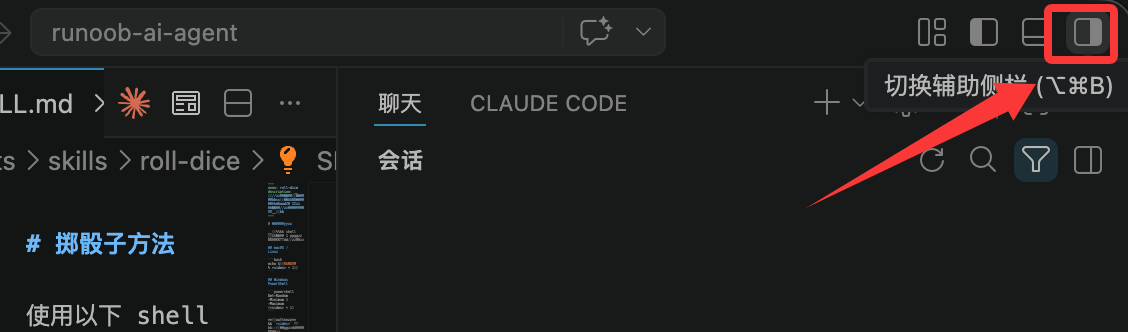
Open the Copilot Chat panel (shortcut Ctrl+Shift+I or Cmd+Shift+I), or click the button in the top right corner:
- At the bottom of the chat panel, select theAgentmode
Enter the/skillscommand, and confirm roll-dice appears in the Skill list
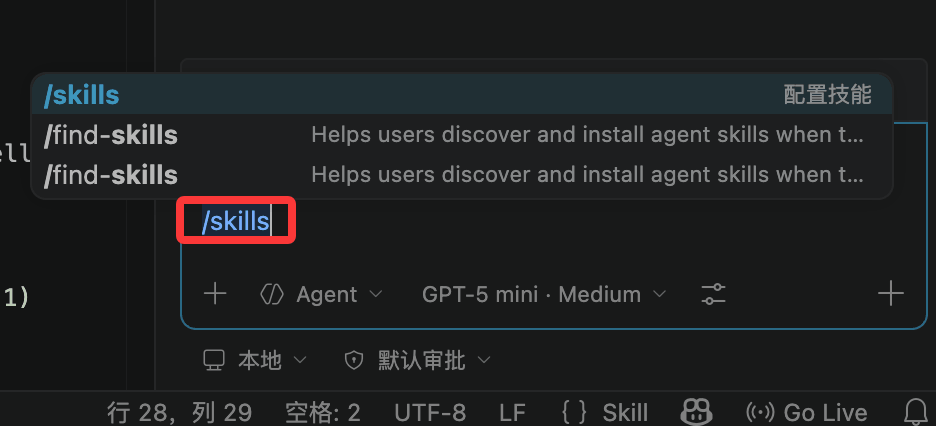
You can see the Skill list contains roll-dice:

If you cannot see roll-dice in the /skills list, check whether the file path is correct:.agents/skills/roll-dice/SKILL.md, note that SKILL.md must be uppercase.
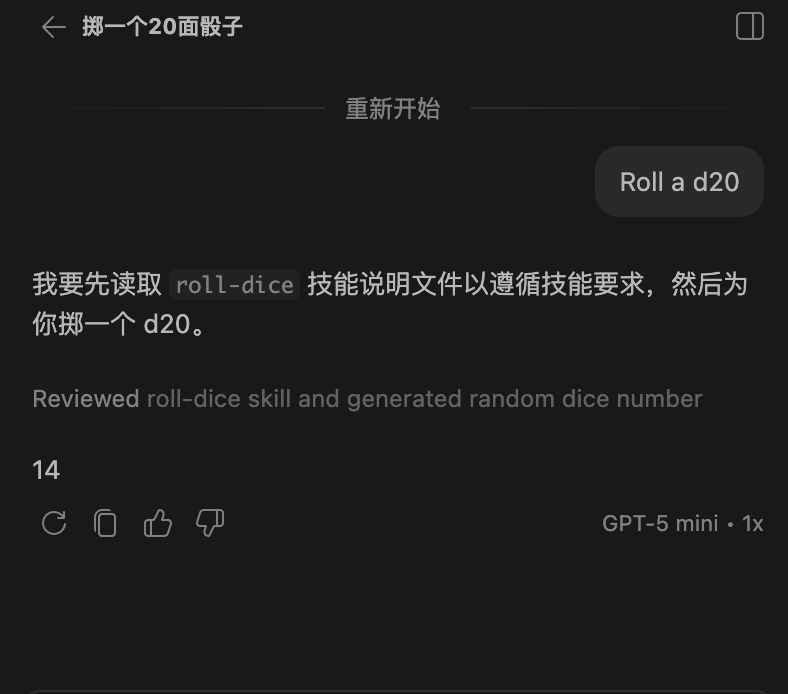
After confirming the Skill is loaded, enter the following in the chat:
Roll a d20
The Agent should automatically activate the roll-dice Skill, run the terminal command, and return a random number between 1 and 20.
The Working Process Behind It
When you use this Skill in Copilot Chat, three steps happen under the hood:
Step 1: Discovery
When the chat session starts, the Agent scans the default Skill directory (.agents/skills/) and finds roll-dice.
It only reads the name and description, and learns "this Skill is for rolling dice."
Step 2: Activation
When you enter "Roll a d20," the Agent matches your question against the description of roll-dice.
After a successful match, the Agent loads the complete SKILL.md body into the context.
Step 3: Execution
The Agent follows the instructions in the body, recognizes that you are using macOS (or Linux), and selects the bash command.
It substitutes the 20 corresponding to d20 into the command and executesecho $((RANDOM % 20 + 1)), then returns the result to you.
Common Troubleshooting
| Problem | Possible Cause | Solution |
|---|---|---|
| /skills list is empty | The SKILL.md file path is incorrect | Confirm the file is in the project's .agents/skills/roll-dice/ directory |
| The Agent did not run the command | Differences in model tool-calling reliability | Try switching models, or say more explicitly "help me roll a d20" |
| Command execution failed | Shell environment differences | Confirm that the $RANDOM command executes correctly in the macOS/Linux terminal |
Cross-Tool Usage Tips
Although this tutorial uses VS Code, the Skill can also be used in other tools:
| Tool | Skill Storage Location |
|---|---|
| VS Code + Copilot | .agents/skills/ or .github/copilot/ |
| Claude Code | .claude/skills/ or ~/.claude/skills/ |
| OpenAI Codex | .codex/skills/ |
Different tools may use different default directories, but the Skill format and file structure itself are universal.
Other Extensions