Skills skill-creator Create Skill
skill-creator is not an ordinary Skill, but a Skill that creates Skills, belonging to the typical Meta Skill.
skill-creator is an official Skill development assistant provided by Anthropic, helping developers create, optimize, and package skills.
The purpose of skill-creator is not to complete user tasks, but to help AI or developers design, generate, test, optimize, and publish new Skills.
skill-creator originally appeared in the AI Agent / Claude Skills ecosystem, used to standardize the Skill creation process.

GitHub address:https://github.com/anthropics/skills/tree/main/skills/skill-creator
What is a Skill
In Claude Code, a Skill is a reusable capability extension package.
A Skill usually contains:
skill-name/
├── SKILL.md        # 核心说明(必须)
├── scripts/        # 可执行脚本
├── references/     # 文档或知识
├── assets/         # 附加资源
The most important one is SKILL.md.
Example:
---
name: video-tool
description: Video processing CLI for editing and transcribing videos
---

# Video Tool Skill

Use the video-tool CLI to process videos.

## Quick Start

video-tool video download -u URL
video-tool generate transcript -i video.mp4
The purpose of SKILL.md is to teach Claude how to use a certain tool or complete a certain process.
Install skill-creator
First install Anthropic's skills collection.
npx skills add https://github.com/anthropics/skills --skill skill-creator
Or:
claude install anthropics/skills/skill-creator
After installation, you can invoke it in Claude:
/skill-creator

skill-creator provides a complete toolchain for the Skill development process.
After installation, the Skill will be downloaded locally, which includes:
skills/skill-creator/
├── SKILL.md          ← 核心说明文件
├── agents/           ← 内置的评审助手
├── eval-viewer/      ← 测试结果可视化工具
├── references/       ← 参考文档(数据格式说明等)
└── scripts/          ← 自动化脚本(打包、测评等)
Skill Creator's workflow can be summarized as a loop:
想清楚需求
    ↓
起草 SKILL.md
    ↓
设计测试用例
    ↓
运行测试(有 Skill vs 没有 Skill,对比效果)
    ↓
评估结果(看报告 + 打分)
    ↓
根据反馈修改 SKILL.md
    ↓
重复,直到满意
    ↓
打包成 .skill 文件
Create a Skill with skill-creator
Requirement Inquiry
Claude will first ask you a few questions to help you clarify your requirements. You don't need to state all the details at once; just answer as if you're chatting.
Claude will usually ask:
- What does this Skill specifically do?
- Under what circumstances is it triggered (what the user says, what files are uploaded)?
- What format is the output?
- Are there any special requirements (fixed templates, specific format specifications...)?
Example dialogue:
你:我想做一个 Skill,把会议录音的文字稿整理成结构化的会议纪要。

Claude:好的,我来问几个问题帮你确认需求:
        1. 纪要里需要包含哪些内容?(比如:时间、参与人、决议、行动事项……)
        2. 输出格式是 Word 文档、Markdown,还是直接在对话里回复?
        3. 有没有固定的纪要模板?

你:需要包含会议主题、时间、参与人、讨论要点、决议事项、
    下一步行动(含负责人和截止日期)。
    输出 Word 文档。
    有模板,我来上传。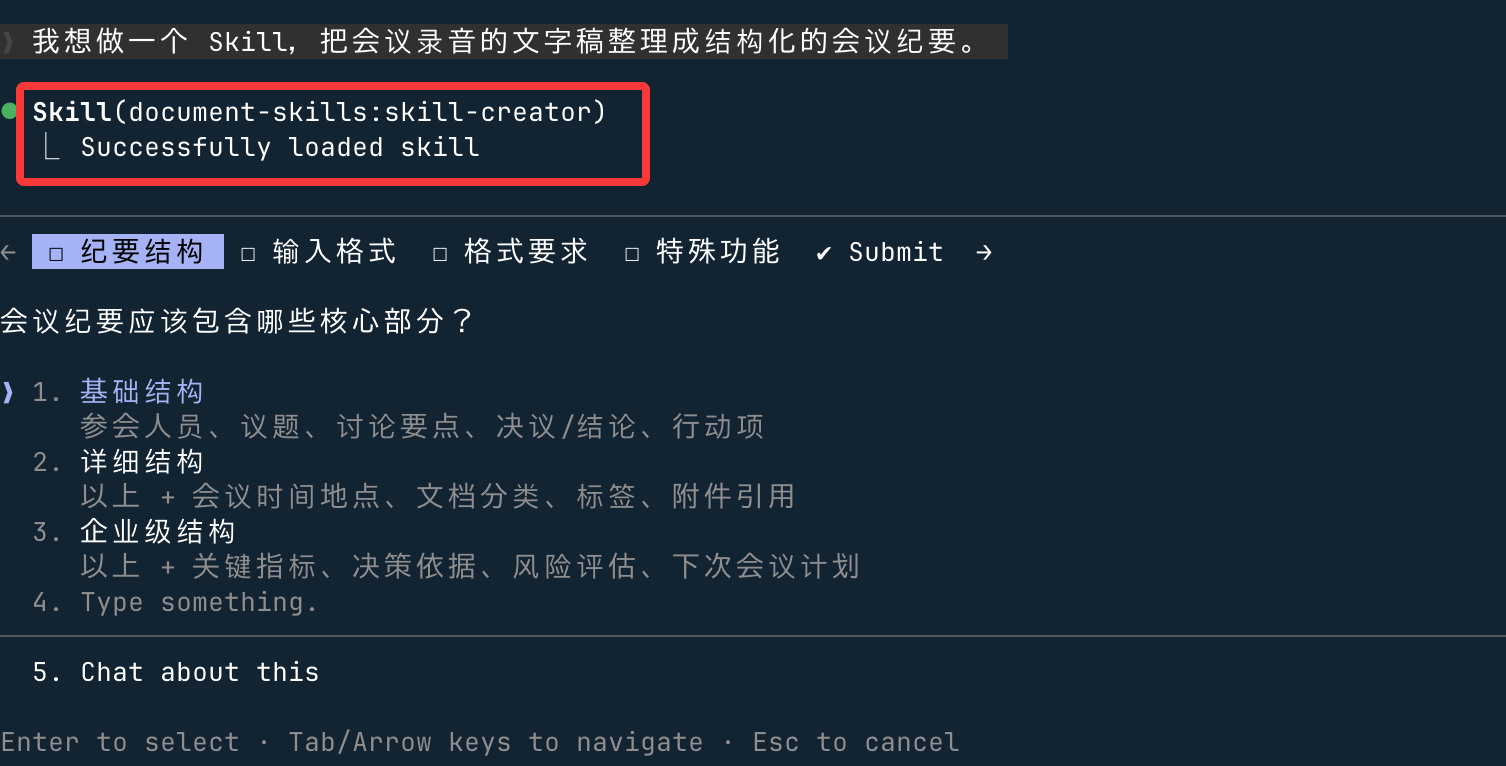
You can press the Tab key or arrow keys to switch menu details, and submit.
Your goal at this stage: Explain all details and edge cases clearly, don't skip anything. Most of the pitfalls encountered during later testing stem from not being clear here.
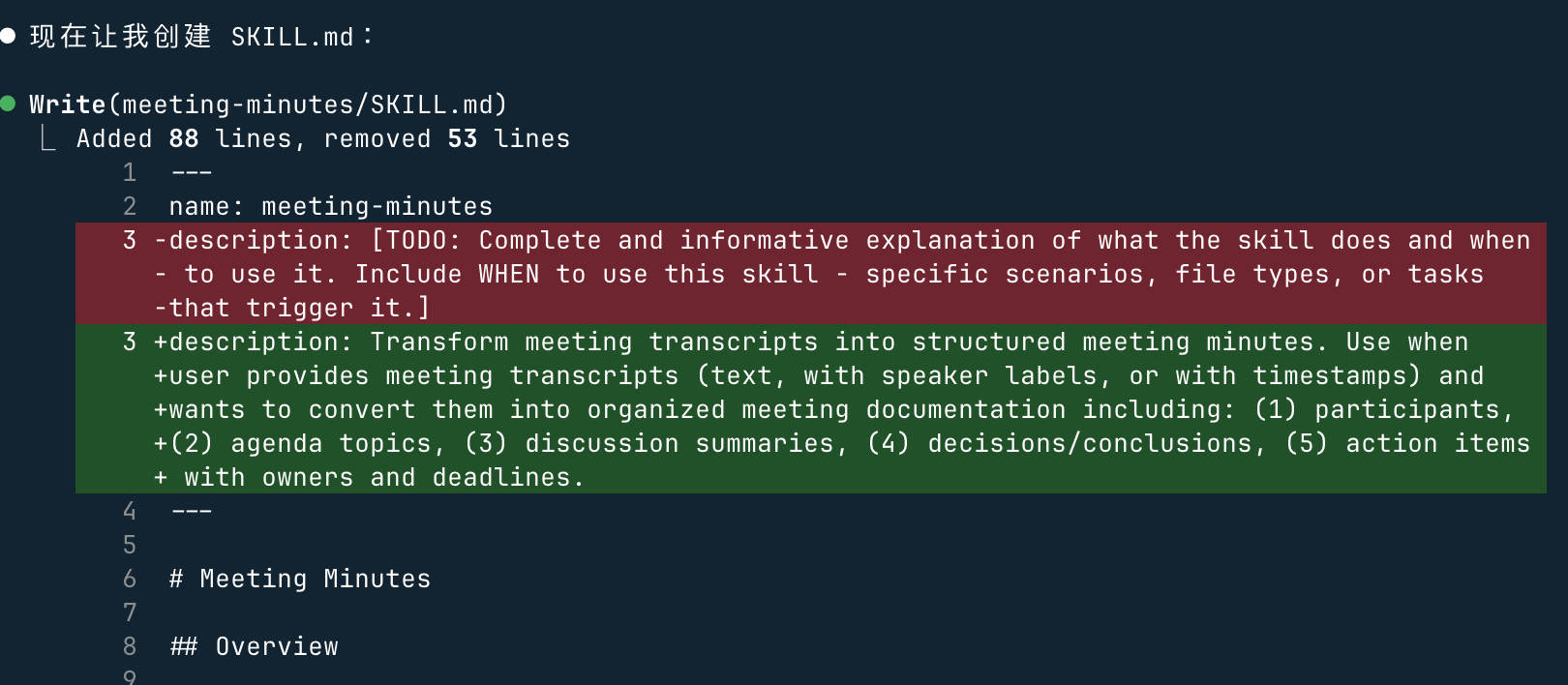
You can also just press Enter, and it can help us create:

Afterwards, Claude will write a SKILL.md draft, roughly like this:
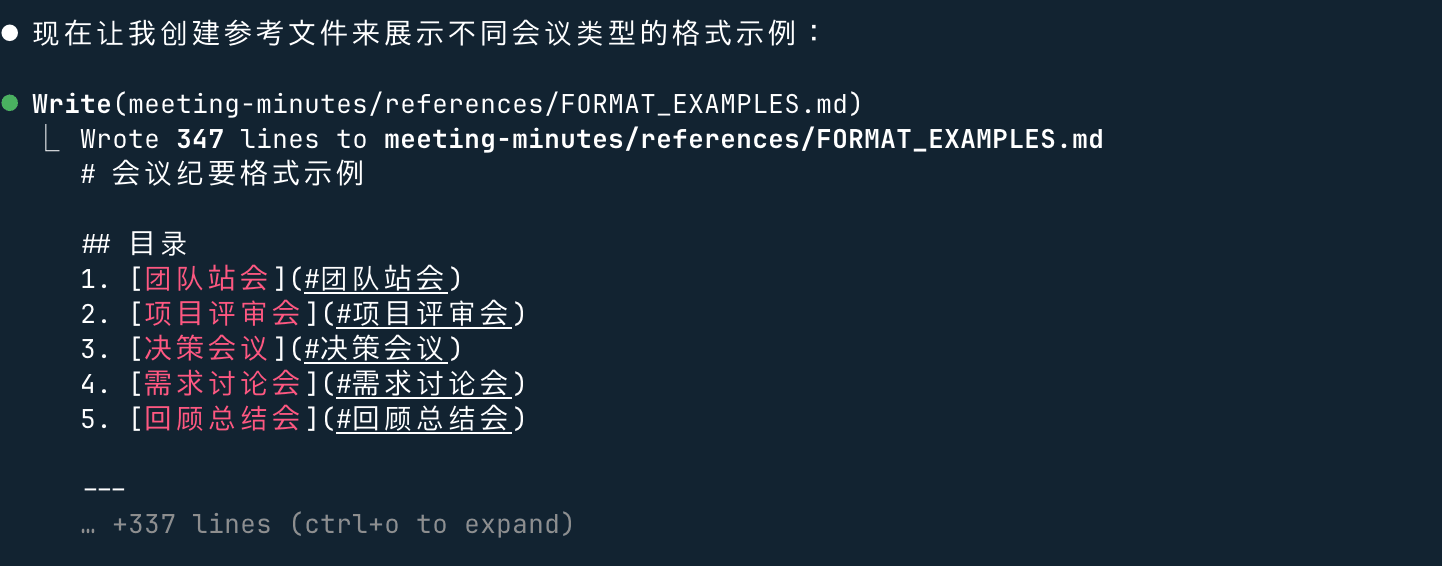
Next, it will also create reference files:
After creation is complete, it will verify whether the skill structure is correct, just wait.
Verification passed! It will package the Skill and display the directory structure:

Let's test it, input the meeting content:
整理以下会议纪要:一、会议基本信息
  会议主题:学习平台内容优化会议
  参会人员:张三、李四、王五
  会议时间:2025-XX-XX 14:00-15:00
  记录人:张三
  二、会议内容
  讨论当前团队在编程教学中使用的案例素材,一致认为example教程简洁易懂,适合作为新手入门参考。
  确定后续内部培训将优先采用 example 上的基础语法、实战小案例进行讲解。
  安排李四整理 example 中 Python、Java 高频知识点,形成内部速查文档。
  下次会议检查文档完成情况。
  三、待办事项
  李四:整理 example 核心知识点文档,下周一前完成。
  全体:提前熟悉 example 对应章节,便于下次讨论。
