First Skill
Let's temporarily forget the complex creation process and start withusing a ready-made Skillto experience the convenience it brings.
The demonstration in this article is based on Claude Code. If you haven't installed it yet, you can refer to ourClaude Code tutorial。
Create the Skill directory
Skills are stored in~/.claude/skills/(personal global) or under the project directory.claude/skills/(project-specific).
This section tests in the project directory. First, create a directory claude-test:
mkdir claude-test
Enter that directory and create the skills directory and files:
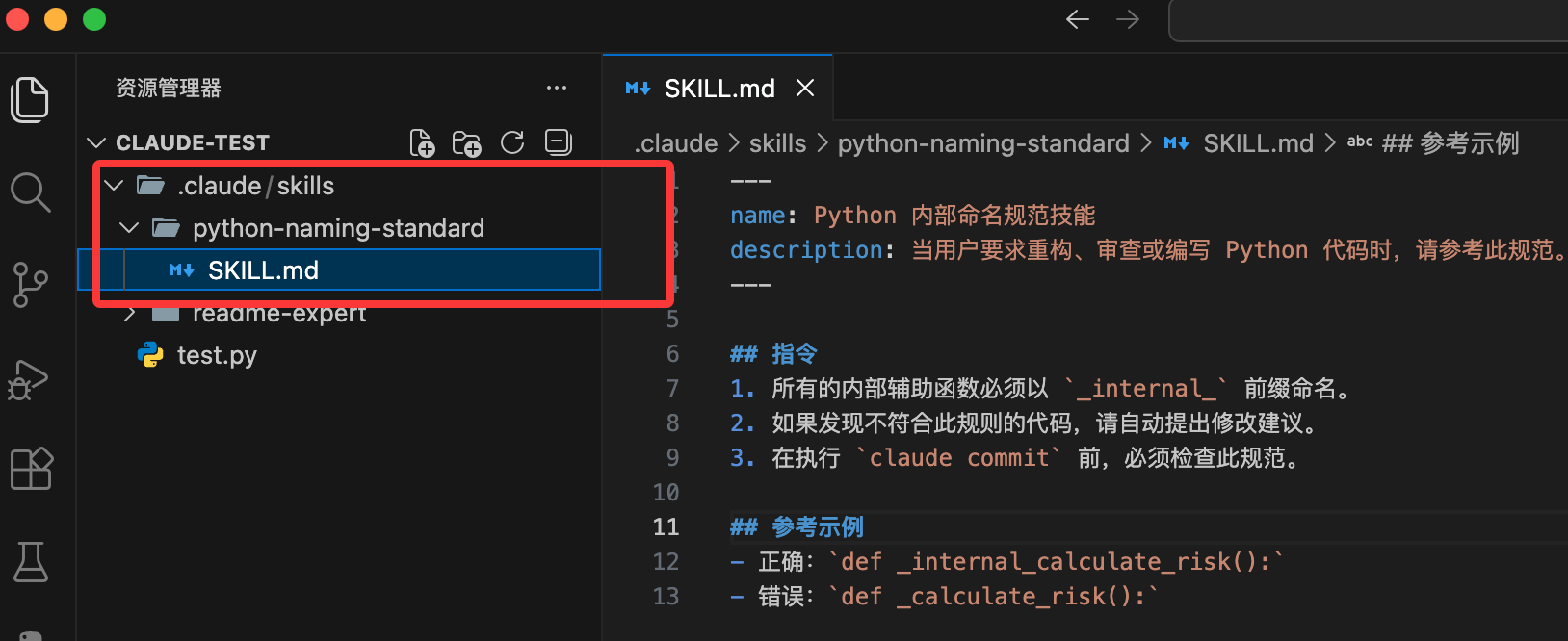
mkdir -p .claude/skills/python-naming-standard
Write the configuration file SKILL.md
Create SKILL.md in the directory. This is the brain of the Skill, telling Claude when to use it.
---
name: Python 内部命名规范技能
description: 当用户要求重构、审查或编写 Python 代码时,请参考此规范。
---

## 指令
1. 所有的内部辅助函数必须以 `_internal_` 前缀命名。
2. 如果发现不符合此规则的代码,请自动提出修改建议。
3. 在执行 `claude commit` 前,必须检查此规范。

## 参考示例
- 正确:`def _internal_calculate_risk():`
- 错误:`def _calculate_risk():`
Field requirements:
- name: Must only use lowercase letters, numbers, and hyphens (up to 64 characters)
- description: A brief description of the Skill and when to use it (up to 1024 characters)
After creation, the file structure is as follows:
Your project should now look like this:
my-project/
├─ src/
│  └─ test.py              # 项目源码
├─ .claude/
│  ├─ skills/
│  │  └─ hello-world/
│  │     ├─ skill.md       # Skill 定义(YAML + Instructions,机器可执行)
│  │     └─ README.md      # Skill 说明(人类阅读,可选)
│  └─ config.yml           # Claude 项目级配置(可选)
├─ .gitignore
└─ README.md               # 项目整体说明
Next, run the following command in the terminal to start Claude Code:
claude
Enter the task:
Help me write a function to calculate user discounts
Claude will scan the installed Skills, find that your request involves "Python code writing", and match python-naming-standard.
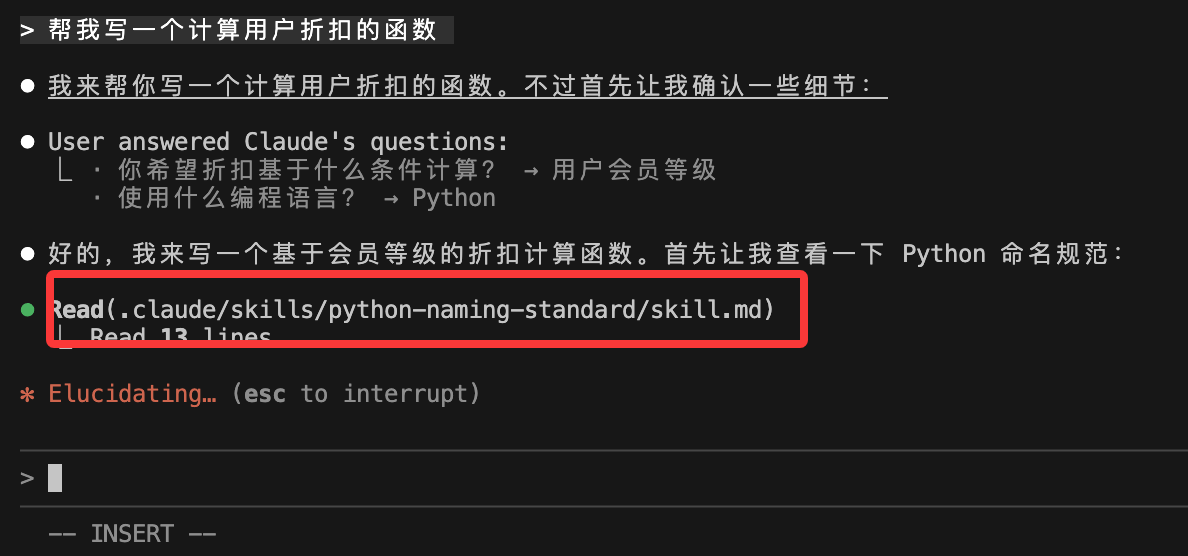
It will generate the following code according to the requirements in SKILL.md:
def _internal_get_discount(user_score):
    # 计算逻辑...
    return discount
Add resource files (optional)
Additionally, we can.claude/skills/add the following directories under:
In the same folder, add:
examples/: Store example files.references/: Store reference documents.scripts/: Store executable scripts (e.g., Python for processing PDFs).
Then reference them in SKILL.md:
查看示例 commit:./examples/good-commit.txt
运行脚本:使用工具执行 ./scripts/process.py
Official marketplace
Besides writing your own, you can also take advantage of the Agent Skills open standard released in late 2025:
- Official marketplace: visithttps://github.com/anthropics/skillsthe repository to download preset skills (e.g., React optimizer, SQL tuning tools).
- Skill Creator: You can tell Claude: "Help me summarize the Docker configuration logic I just taught you into a Skill", and it will automatically generate the files for you in the corresponding directory.
We can register this repository as a plugin marketplace for Claude Code, simply by executing the following command in Claude Code:
/plugin marketplace add anthropics/skills
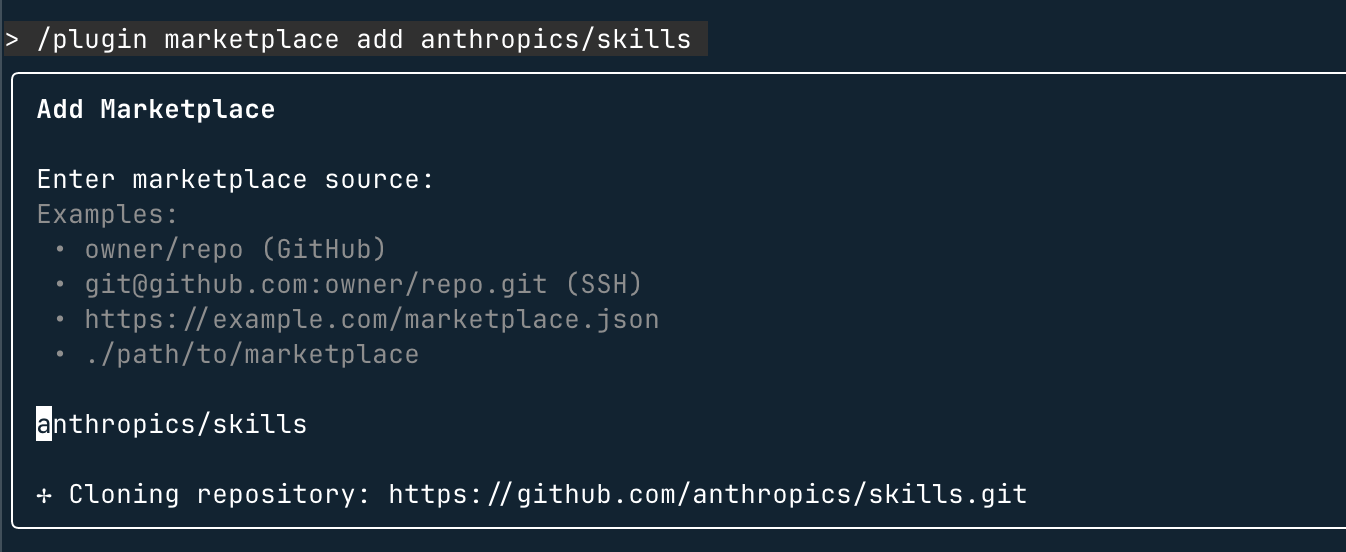
Then you can use/plugin to view:
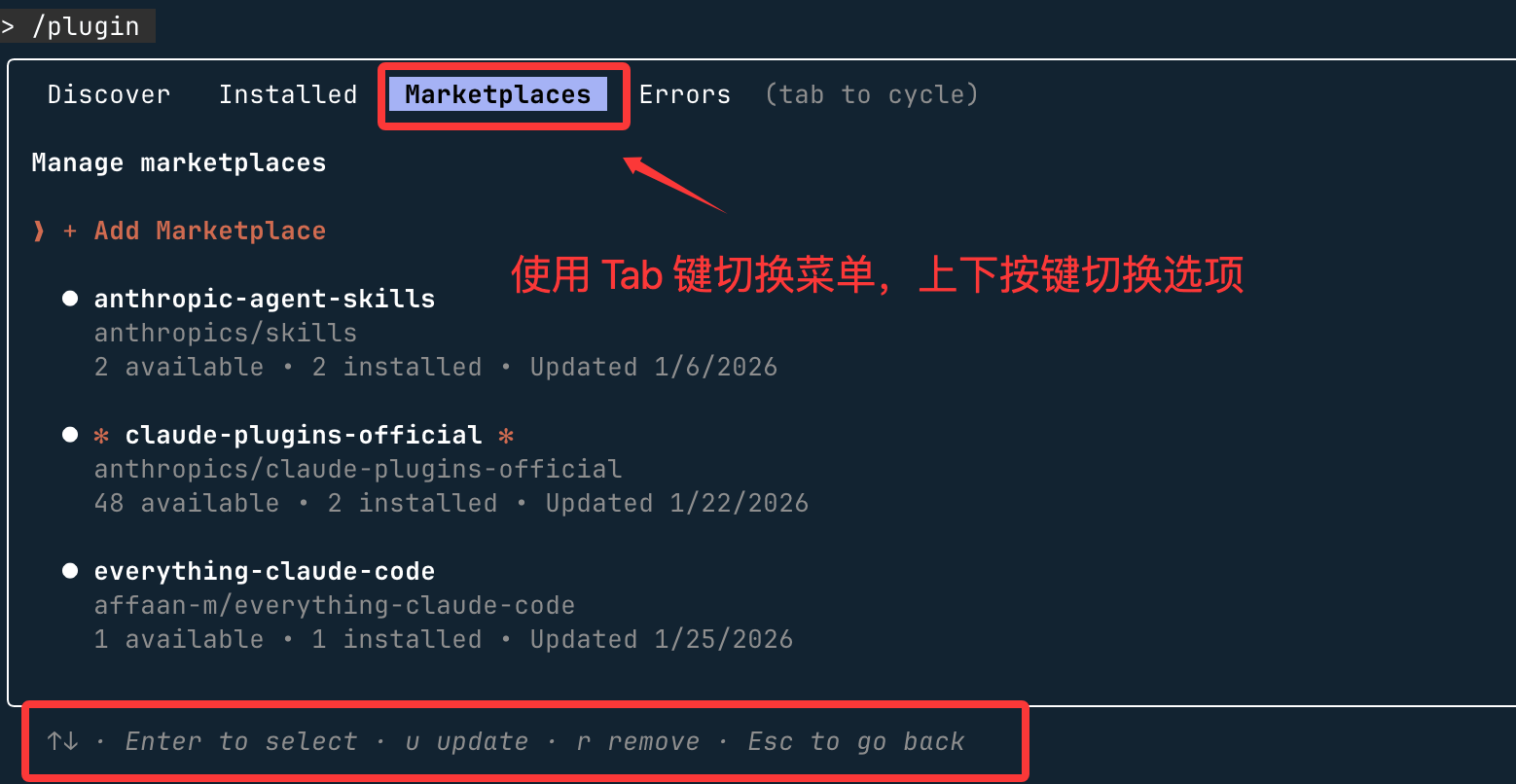
Steps to install a specific skill set:
- Browse and install plugins (Browse and install plugins)
-
Select the anthropic-agent-skills plugin source
Select document-skills (document skills) or example-skills (example skills)
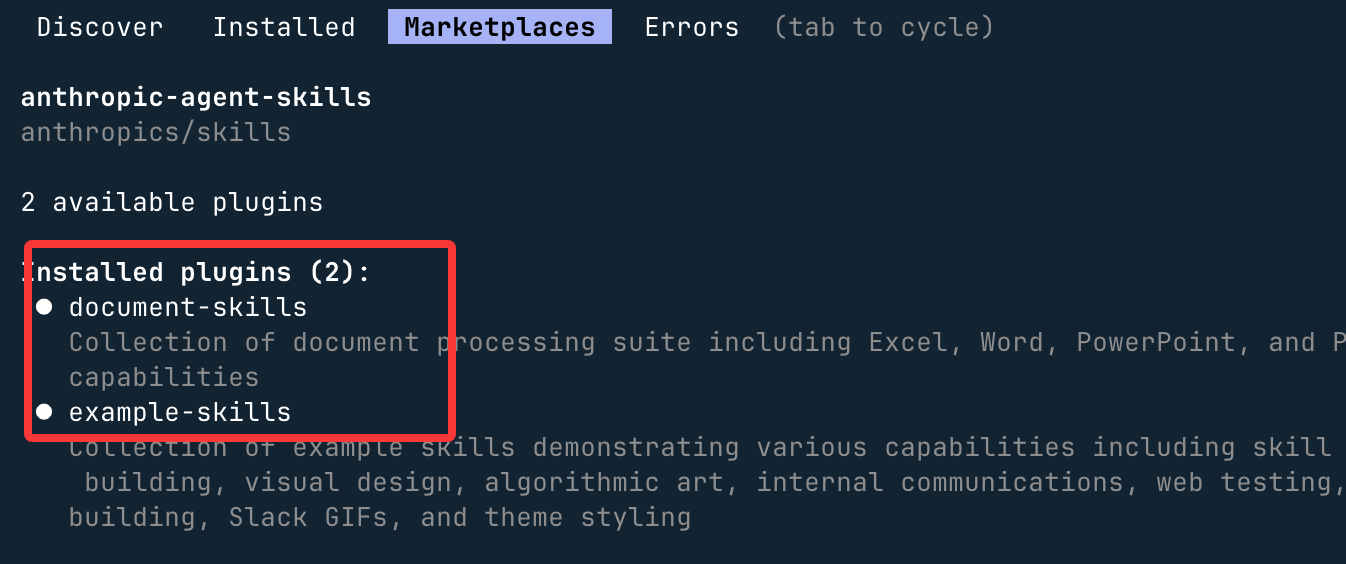
-
Click Install now (Install now)
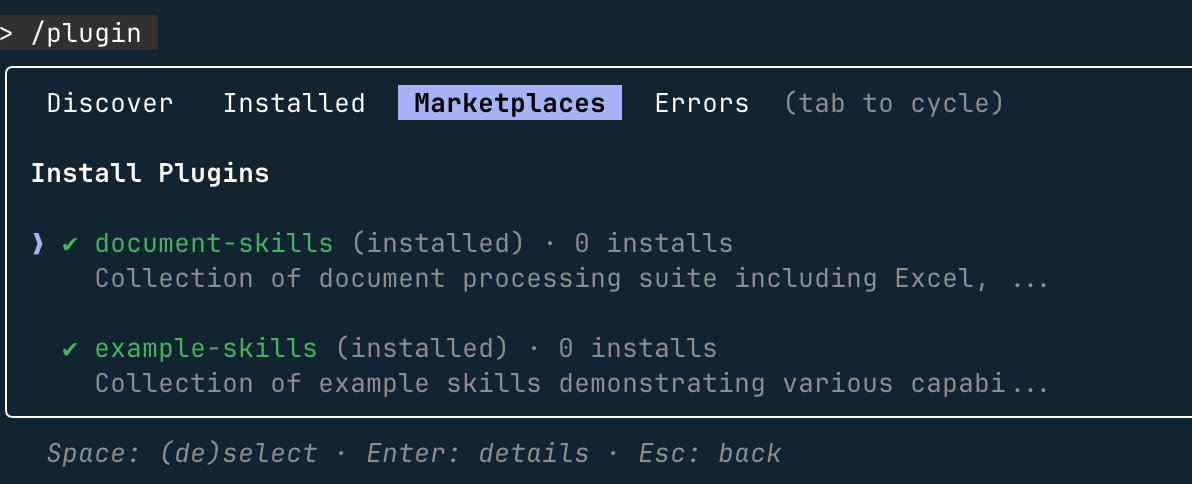
We can also directly install the above two types of plugins via commands:
/plugin install document-skills@anthropic-agent-skills
/plugin install example-skills@anthropic-agent-skills
Note:The skills directory installed via plugins is located~/claude/plugins/marketplaces/under.
After the plugin installation is complete, you need to restart Claude Code.
When using it, just mention the skill name in the instruction to invoke it. For example, after installing the document-skills plugin, you can give Claude Code the instruction:
使用 PDF 技能提取 path/to/some-file.pdf 文件中的表单字段
Or create a PPT:
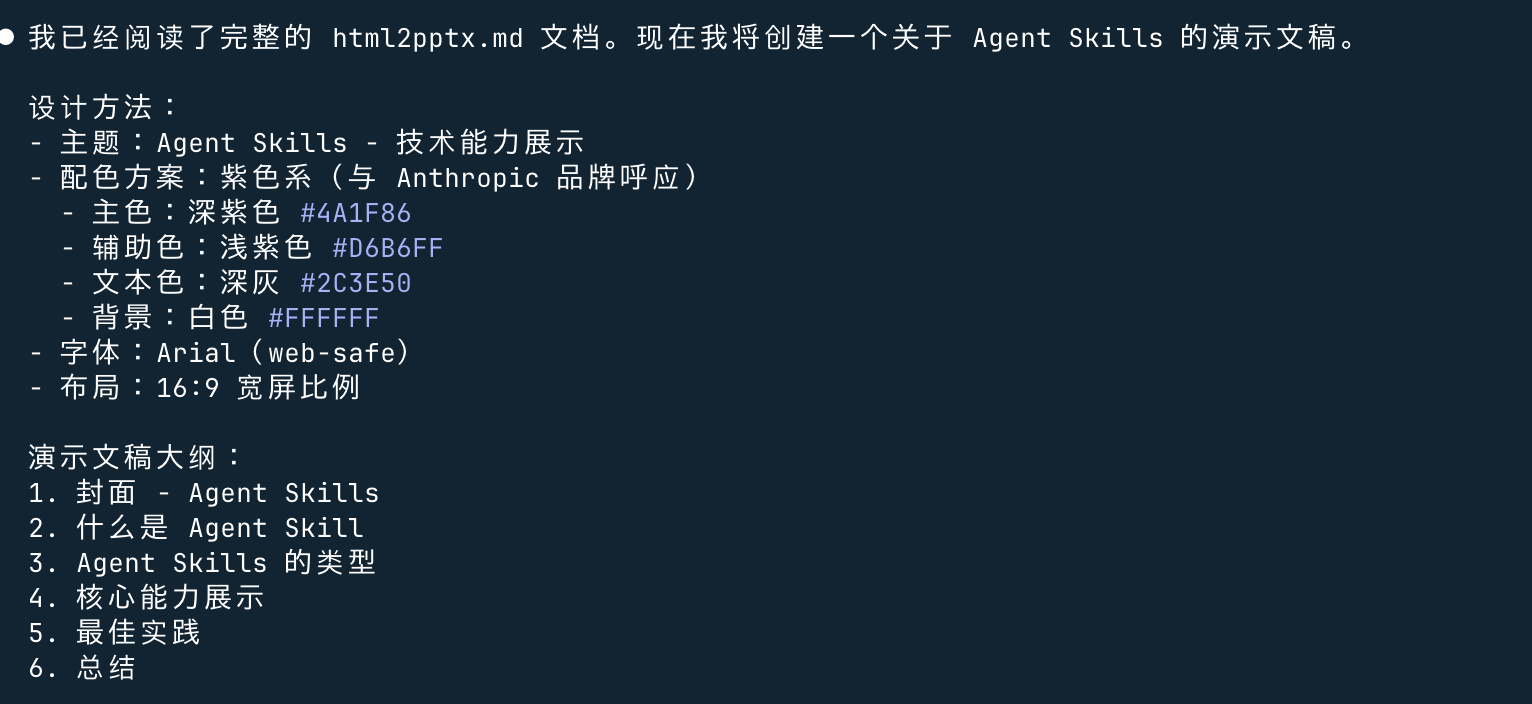
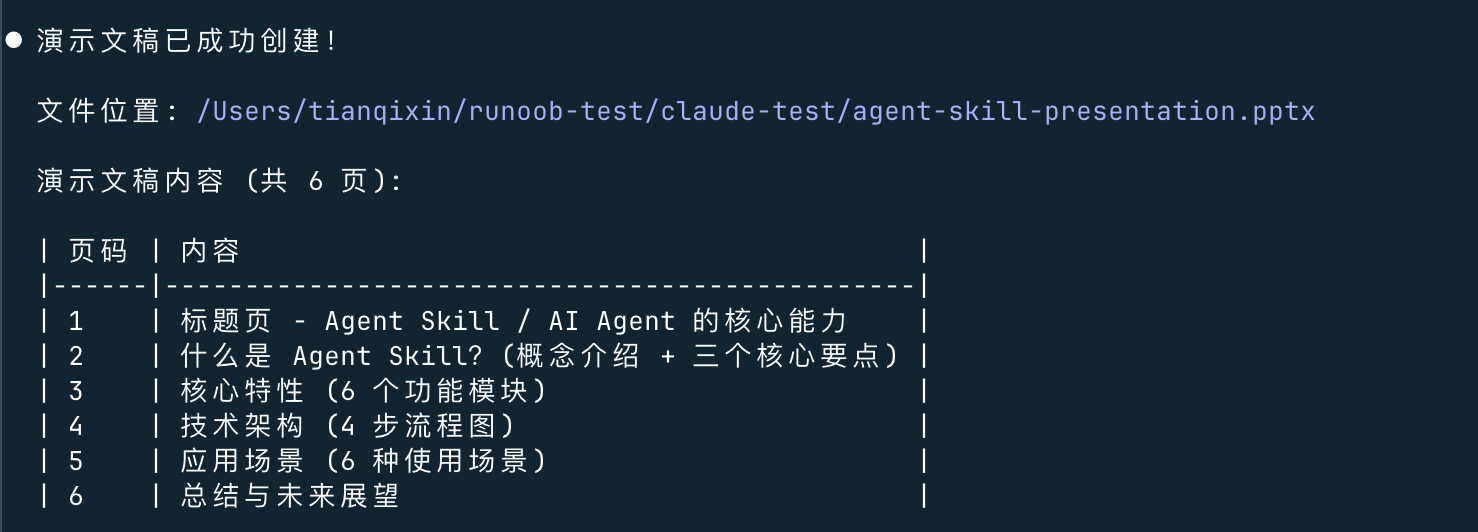
创建一个 Agent Skill 的演示文稿
You can see that it called/document-skills:pptx:
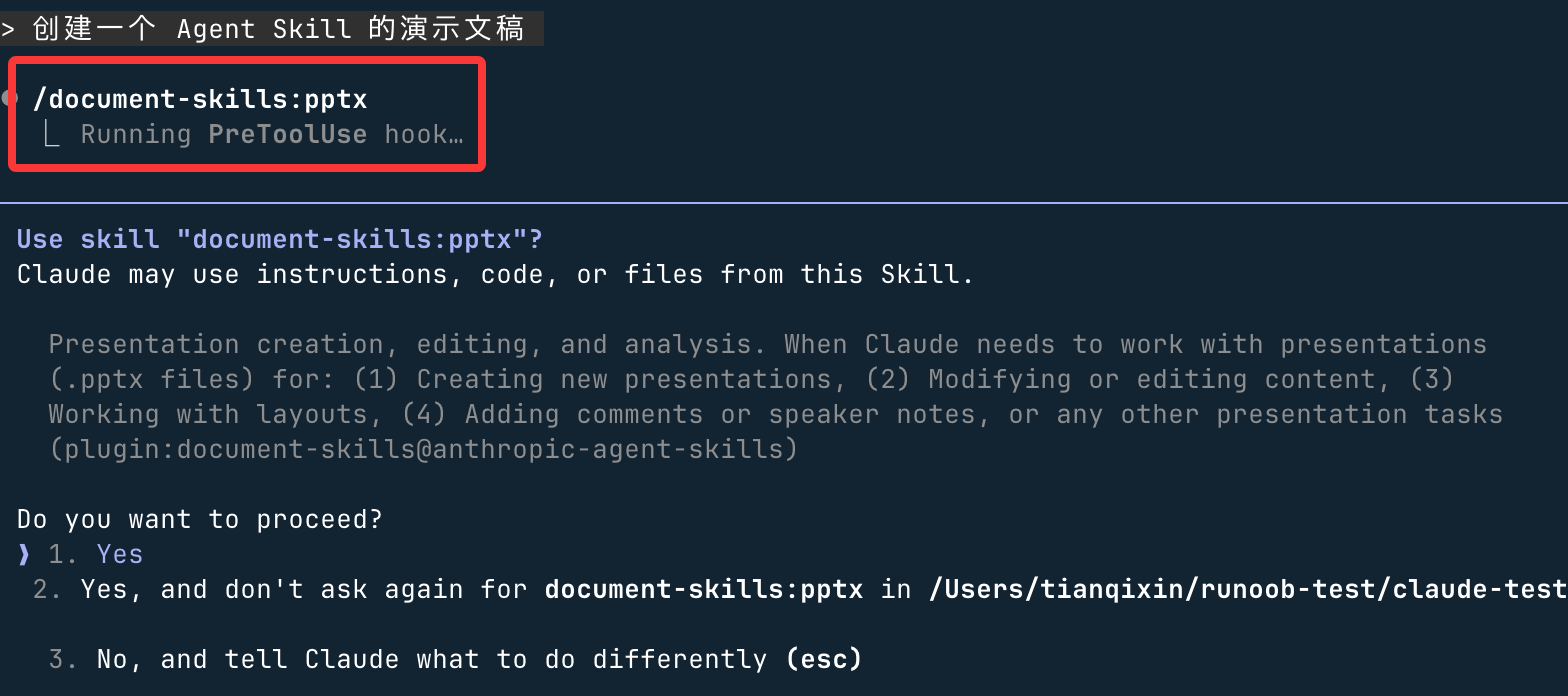
and started generating: