Python GUI Programming (Tkinter)
Python provides multiple libraries for graphical interface development. Several commonly used Python GUI libraries are as follows:
Tkinter:The Tkinter module (Tk interface) is the interface to Python's standard Tk GUI toolkit. Tk and Tkinter can be used on most Unix platforms, and can also be applied in Windows and Macintosh systems. Later versions of Tk8.0 can implement native window styles and run well on the vast majority of platforms.
wxPython:wxPython is an open-source software and an excellent GUI graphics library for the Python language, allowing Python programmers to easily create complete, fully functional GUI user interfaces.
Jython:Jython programs can be seamlessly integrated with Java. Except for some standard modules, Jython uses Java modules. Jython has almost all the modules in standard Python that do not depend on the C language. For example, Jython's user interface will use Swing, AWT, or SWT. Jython can be compiled dynamically or statically into Java bytecode.
Tkinter Programming
Tkinter is the standard GUI library for Python. Python can use Tkinter to quickly create GUI applications.
Since Tkinter is built into the Python installation package, as long as Python is installed, you can import the Tkinter library. Moreover, IDLE is also written in Tkinter, and Tkinter can still handle simple graphical interfaces with ease.
Note: The library name used in the Python3.x version is tkinter, that is, the first letter T is lowercase.
import tkinter
Create a GUI Program
- 1. Import the Tkinter module
- 2. Create the widget
- 3. Specify the master of this widget, i.e., which one this widget belongs to
- 4. Tell GM (geometry manager) that a widget has been created
Example (Python3.x)
Example (Python2.x)
The execution result of the above code is shown in the figure below:
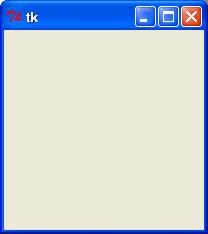
Example
The execution result of the above code is shown in the figure below:
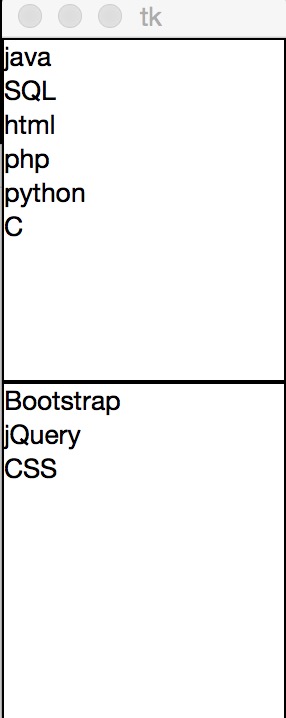
Tkinter Widgets
Tkinter provides various controls, such as buttons, labels, and text boxes, used in a GUI application. These controls are often called widgets or components.
There are currently 15 Tkinter widgets. We present these widgets and a brief introduction in the following table:
| Widget | Description |
|---|---|
| Button | Button widget; displays a button in the program. |
| Canvas | Canvas widget; displays graphical elements such as lines or text |
| Checkbutton | Checkbutton widget; used to provide multiple choice boxes in a program |
| Entry | Entry widget; used to display simple text content |
| Frame | Frame widget; displays a rectangular area on the screen, mostly used as a container |
| Label | Label widget; can display text and bitmaps |
| Listbox | Listbox widget; the Listbox window widget is used to display a list of strings to the user |
| Menubutton | Menubutton widget; used to display menu items |
| Menu | Menu widget; displays menu bar, drop-down menus, and pop-up menus |
| Message | Message widget; used to display multi-line text, similar to Label |
| Radiobutton | Radiobutton widget; displays a single-selection button state |
| Scale | Scale widget; displays a numerical scale, providing a numeric interval with a limited range for output |
| Scrollbar | Scrollbar widget; used when the content exceeds the visible area, such as a listbox. |
| Text | Text widget; used to display multi-line text |
| Toplevel | Toplevel widget; used to provide a separate dialog, similar to Frame |
| Spinbox | Spinbox widget; similar to Entry, but can specify a range of input values |
| PanedWindow | PanedWindow is a window layout management plugin that can contain one or more child widgets. |
| LabelFrame | labelframe is a simple container widget. Often used for complex window layouts. |
| tkMessageBox | Used to display a message box for your application. |
Standard Attributes
Standard attributes are the common attributes of all widgets, such as size, font, and color, etc.
| Attribute | Description |
| Dimension | Widget size; |
| Color | Widget color; |
| Font | Widget font; |
| Anchor | Anchor; |
| Relief | Widget style; |
| Bitmap | Bitmap; |
| Cursor | Cursor; |
Geometry Management
Tkinter widgets have specific geometry state management methods, managing the organization of the entire widget area. The following are the geometry management classes exposed by Tkinter: pack, grid, place
| Geometry Method | Description |
| pack() | Pack; |
| grid() | Grid; |
| place() | Place; |