Python While loop statement
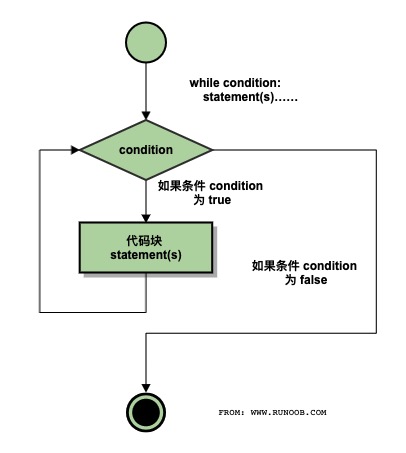
In Python programming, the while statement is used to execute a program in a loop, that is, under a certain condition, repeatedly execute a segment of code to handle the same task that requires repeated processing. Its basic form is:
while 判断条件(condition):
    执行语句(statements)……
The execution statement can be a single statement or a block of statements. The test condition can be any expression, and any non-zero or non-null value is true.
When the test condition is false, the loop ends.
The execution flowchart is as follows:
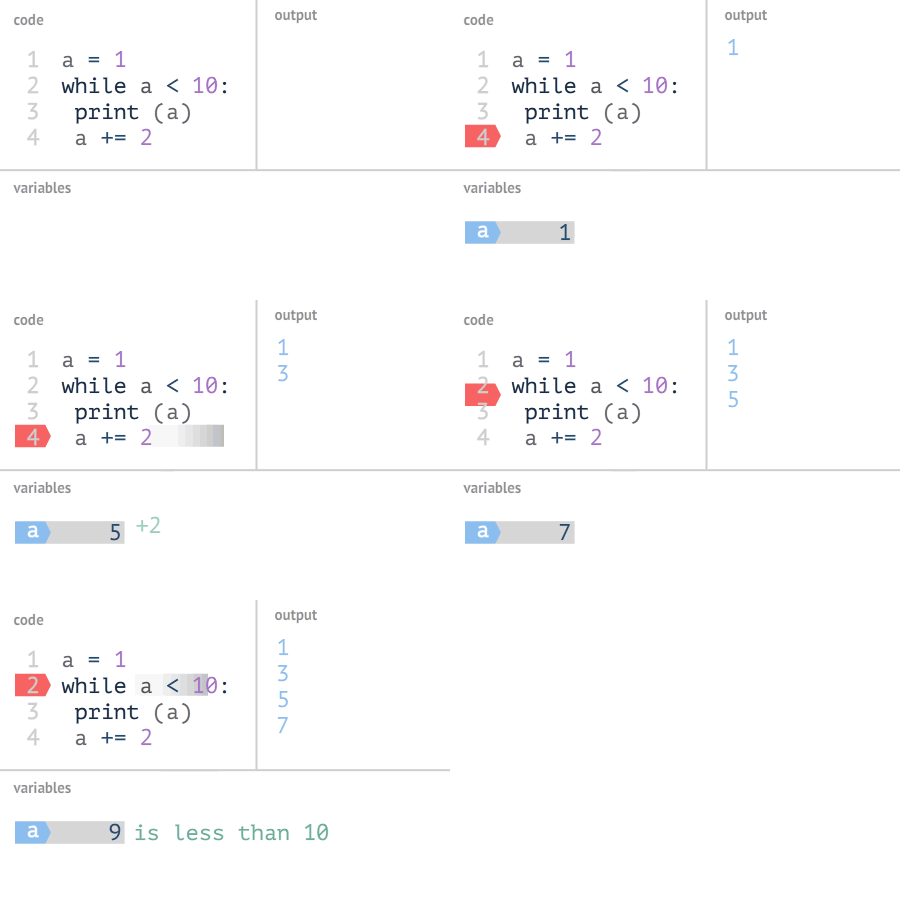
GIF demonstrating the execution process of the Python while statement
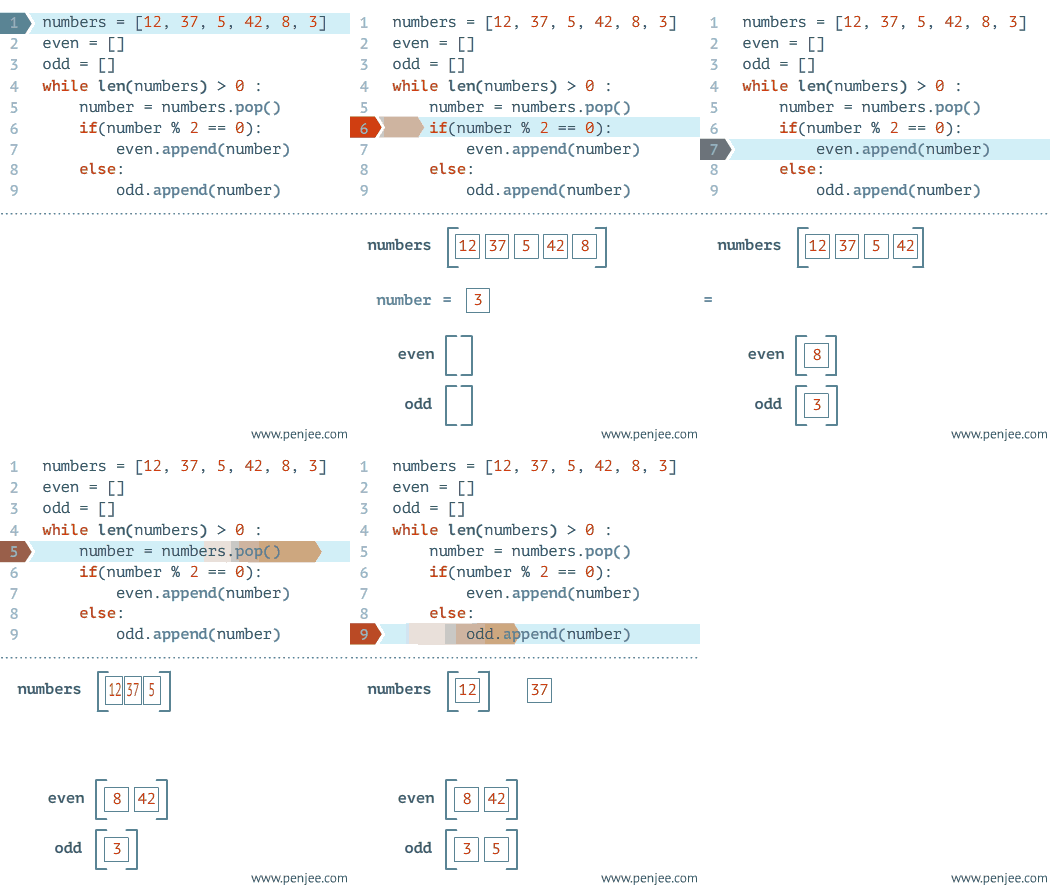
A bit more complex:
Example
Run example »
The output after executing the above code:
The count is: 0
The count is: 1
The count is: 2
The count is: 3
The count is: 4
The count is: 5
The count is: 6
The count is: 7
The count is: 8
Good bye!
In the while statement, there are two other important commands, continue and break, to skip the loop. continue is used to skip this iteration, while break is used to exit the loop. In addition, the "test condition" can also be a constant value, meaning the loop is always true. The specific usage is as follows:
Infinite loop
If the condition test statement is always true, the loop will execute infinitely, as in the following example:
Example
The output of the above example:
Enter a number  :20
You entered:  20
Enter a number  :29
You entered:  29
Enter a number  :3
You entered:  3
Enter a number between :Traceback (most recent call last):
  File "test.py", line 5, in <module>
    num = raw_input("Enter a number :")
KeyboardInterrupt
Note:You can use CTRL+C to interrupt the above infinite loop.
Using else statement with loop
In Python, while ... else executes the else statement block when the loop condition is false:
Example
The output of the above example is:
0 is less than 5
1 is less than 5
2 is less than 5
3 is less than 5
4 is less than 5
5 is not less than 5
Simple statement group
Similar to the syntax of the if statement, if your while loop body contains only one statement, you can write that statement on the same line as the while, as shown below:
Example
Note:For the above infinite loop, you can useCTRL+Cto interrupt the loop.
Other extensions