Linux bg Command
 Linux Command Reference
bgis one of the core commands for job control in Linux/Unix systems, with the full name "background". Its main function is to move currently suspended jobs to the background to continue running.
Basic Concepts
- Foreground job: A process that runs in the terminal and occupies input/output
- Background job: A process that runs in the background of the terminal without occupying input/output
- Job control: The ability to manage foreground and background processes
Command Syntax
bg [作业号]
Parameter Description
| Parameter | Description |
|---|---|
| No parameter | Acts on the current job (i.e., the most recently suspended job) |
| Job number | Specify the job number to operate on (can be viewed viajobscommand) |
Usage Scenarios
1. Resume Suspended Jobs
When you useCtrl+Zto pause a foreground job, you can use thebgcommand to make it continue running in the background:
Example
^Z # Press Ctrl+Z to pause
[1]+ Stopped sleep 100
$ bg # Let it continue running in the background
[1]+ sleep 100 &
2. Resume by Specifying Job Number
When there are multiple suspended jobs, you can specify a job number:
Example
[1]- Stopped vim file1.txt
[2]+ Stopped python script.py
$ bg 2 # Let the second job continue running in the background
3. Use with fg Command
bgandfg(foreground) is a pair of complementary commands:
bg: Put the job in the background to runfg: Bring the job back to the foreground to run
Practical Application Examples
Scenario: Typical Workflow in Development
Example
$ vim app.py
# 2. Need to temporarily run tests (Press Ctrl+Z to pause vim)
^Z
[1]+ Stopped vim app.py
# 3. Run the test script
$ python test.py
# 4. After the test is done, let the editor go back to the background to continue working
$ bg 1
[1]+ vim app.py &
# 5. View background jobs
$ jobs
[1]+ Running vim app.py &
FAQ
Q1: How to check what jobs are currently running?
Use thejobscommand:
Example
[1]- Running sleep 100 &
[2]+ Stopped vim notes.txt
Q2: What's the difference between bg and &?
&: Put directly in the background when the command startsbg: Put already suspended jobs in the background
Q3: What happens to bg jobs after closing the terminal?
By default, background jobs will be terminated when the terminal is closed. To keep them, you can use:
Example
Advanced Tips
1. Use with disown
Unbind the job from the terminal so it won't be terminated even if the terminal is closed:
Example
^Z
$ bg
$ disown %1
2. Use Job Number Shortcuts
%n: Job number n%str: Job starting with str%?str: Job containing str
Example
Summary Flowchart
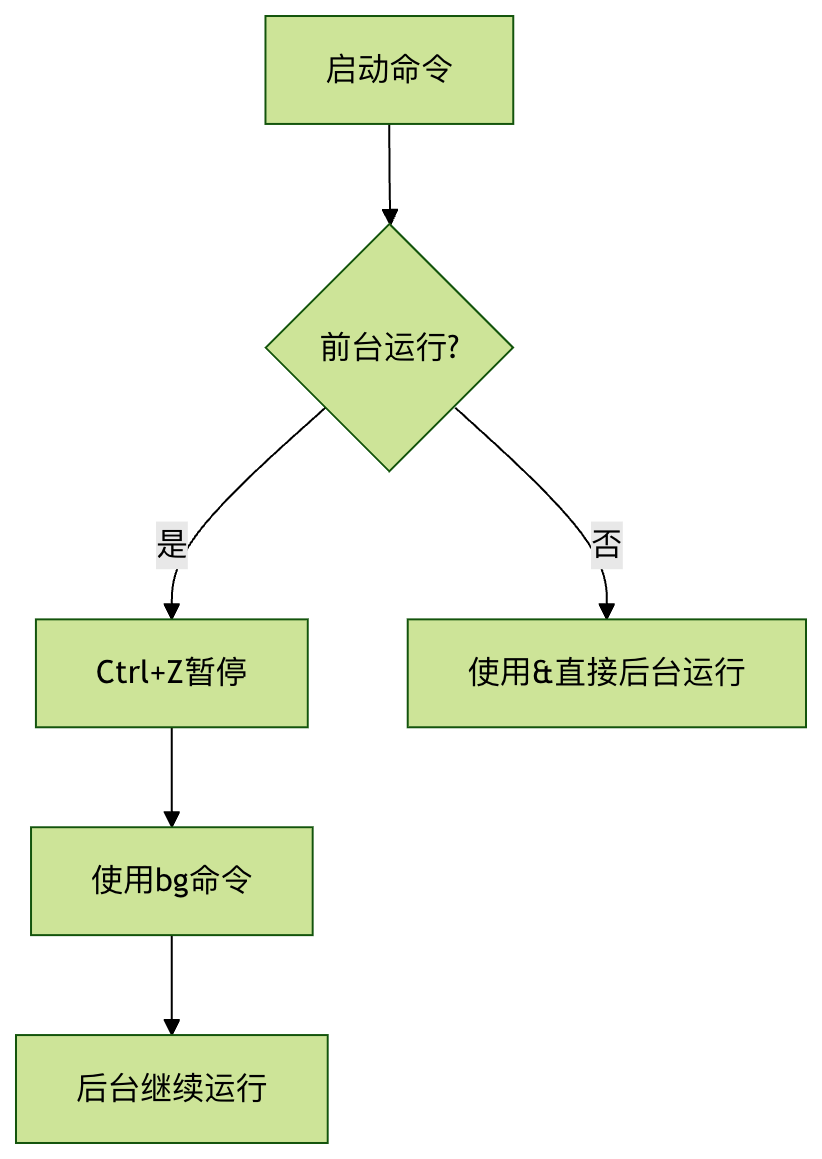
Mastering thebgcommand can significantly improve your work efficiency on Linux, especially when you need to handle multiple tasks simultaneously. Combined withjobs、fgandkilland other commands, you can achieve powerful job control capabilities.