ASP.NET Web Pages - Helpers
Web helpers greatly simplify Web development and common programming tasks.
ASP.NET Helpers
ASP.NET helpers are components that can be accessed with a few simple lines of Razor code.
You can build your own helpers using Razor syntax stored in .cshtml files, or use built-in ASP.NET helpers.
In the following sections of this tutorial, you will learn how to use Razor helpers.
Below are brief descriptions of some useful Razor helpers:
WebGrid Helper
The WebGrid Helper simplifies the way data is displayed:
- Automatically creates an HTML table to display data
- Supports different formatting options
- Supports data paging (First, Next, Previous, Last)
- Supports sorting by clicking column headers
Chart Helper
The "Chart Helper" can display different types of chart images with multiple formatting options and labels.
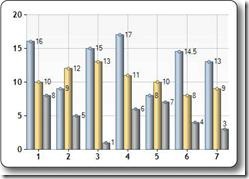
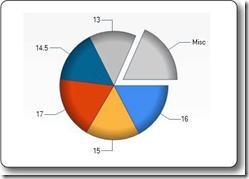
The data displayed by the Chart Helper can come from arrays, databases, or files.
WebMail Helper
The WebMail Helper provides the ability to send email using SMTP (Simple Mail Transfer Protocol).
WebImage Helper
The WebImage Helper provides functionality for managing images in web pages.
Keywords: flip, rotate, scale, watermark.
Third-Party Helpers
With Razor, you can use built-in or third-party helpers to simplify the use of email, databases, multimedia, social networks, and many other issues (such as navigation and web security).
Installing Helpers
WebMatrix already includes some helpers, and you can also manually install other helpers.
InThe WebPages Helpers reference manual on example.comIn it, you can see a convenient reference manual that contains built-in helpers and other helpers that can be manually installed and added to the ASP.NET Web Helpers Library toolkit.
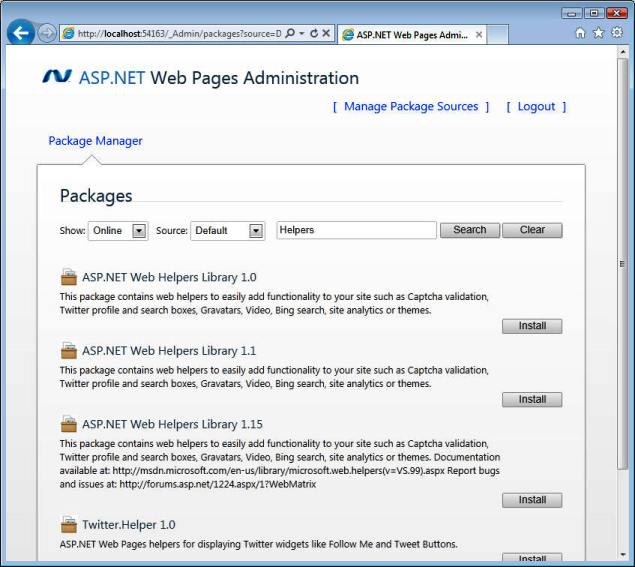
If you have created a website in WebMatrix, follow the steps below to install helpers:
- In WebMatrix, open theSiteworkspace.
- ClickWeb Pages Administration。
- Log in to Web Pages Administration using the password *.
- Use thesearch areato search for helpers.
- ClickInstallInstall the helpers you need.
(* If you are using Web Pages Administration for the first time, you will be prompted to create a password.)
Other Extensions