GitHub Copilot Getting Started Tutorial
GitHub Copilot is not the 2021code completion toolanymore.
GitHub Copilot is now an AI programming platform covering IDE, CLI, and GitHub: autonomously editing multiple files in the IDE, turning Issues into PRs in the cloud, running parallel sub-agents in the terminal, and performing intelligent code review on the PR page.

GitHub Copilot Development
| Year | Milestone |
|---|---|
| 2021 | Technical preview launched. Powered by OpenAI Codex, only line-level code completion. |
| 2022 | Officially commercialized, the first large-scale AI programming assistant. |
| 2023 | Copilot Chat launched, introducing conversational interaction; Copilot for Business released. |
| 2024 | Agent Mode introduced multi-file autonomous editing; multi-model support launched; free tier launched. |
| 2025 | Agent Mode fully GA; Cloud Agent turns Issues directly into PRs; Copilot Code Review officially launched. |
| 2026 | Cloud Agent, CLI, and JetBrains Agent Mode fully GA; migrated to AI Credits usage-based billing; 4.7M+ paid users, covering over 90% of Fortune 100 companies. |
Today's Copilot is across-IDE, CLI, GitHub.com, and mobileunified AI programming platform, not just a completion plugin.
Core Capabilities Overview
| Capability | Entry | Brief Description |
|---|---|---|
| Code Completion | IDE | Real-time single-line/multi-line suggestions while typing. |
| Next Edit | IDE | Predicts where your next change will be and suggests content. |
| Copilot Chat | IDE / GitHub.com / Mobile | Conversational Q&A, code explanation, test generation. |
| Agent Mode | IDE | Autonomous multi-file editing, execute terminal commands, iterate until the task is complete. |
| Cloud Agent | GitHub.com | Assign an Issue to Copilot, and it writes code and opens a PR in the cloud. |
| Copilot CLI | Terminal | An Agent in the terminal, supporting Plan, autopilot, and parallel sub-agents. |
| Code Review | GitHub.com / IDE | AI reviews PRs, provides inline suggestions, and can fix with one click. |
| PR Summary | GitHub.com | Automatically generate PR description and change summary. |
| Commit Message | IDE / GitHub Desktop | Automatically generate commit message. |
| GitHub Spark | GitHub.com | Describe an app in natural language, and generate runnable code and real-time preview. |
VS Code Usage
With its rich AI plugins, VS Code has become the most popular editor for practicing Vibe Coding. You can use Copilot for lightweight development, or install dedicated VIBE agent plugins for fully automated multi-file development.
VS Code Tutorial:https://www.example.com/vscode/vscode-tutorial.html
New versions of VS Code (latest stable 1.116+) have Copilot built in natively. No need to manually install plugins; click the icon in the top-left corner to open it.
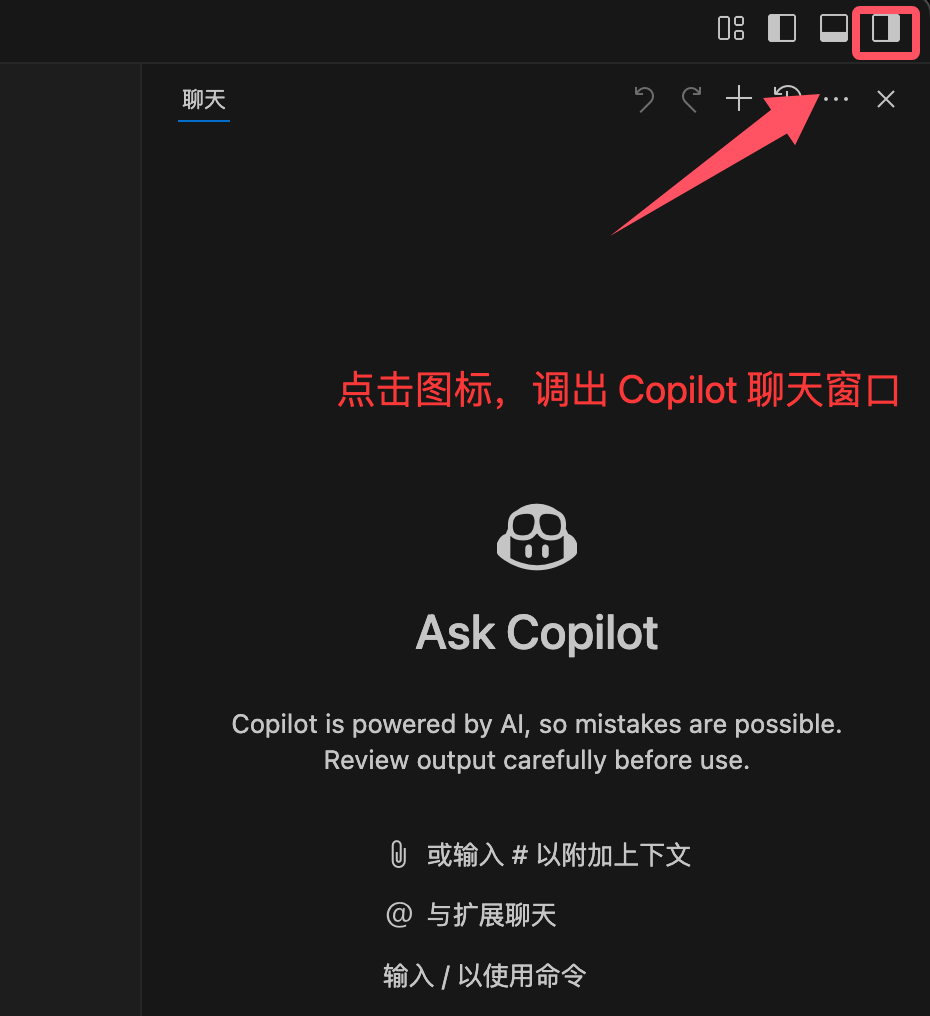
When you open the editor you can see the Copilot entry. You just need to log in with your GitHub account; no need to install plugins from the marketplace.
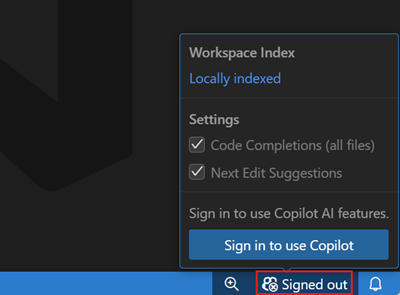

After logging in, view:
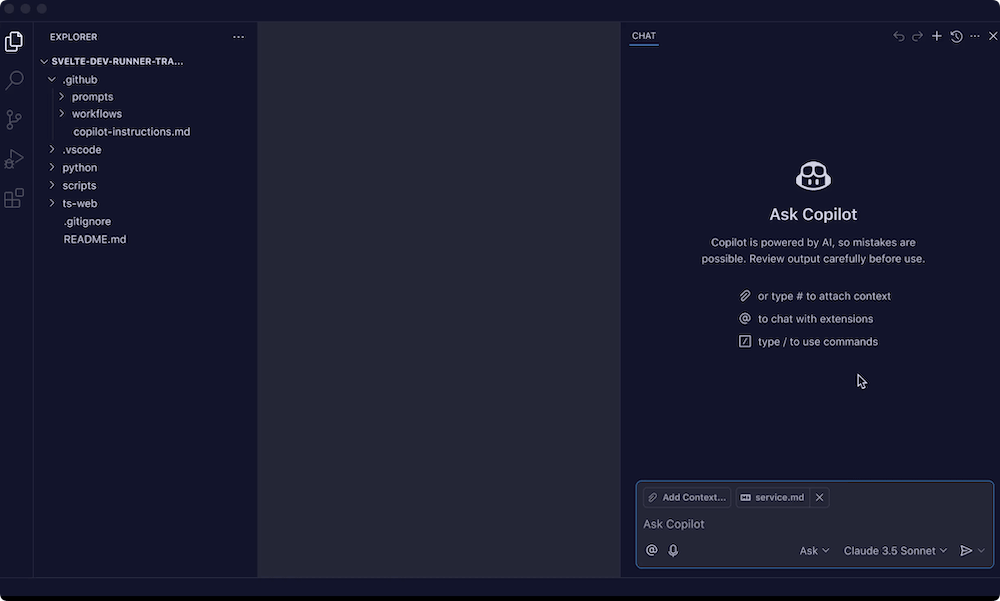
Old versions of VS Code (1.115 and earlier) require manually installing two extensions:
- GitHub Copilot: inline code auto-completion
- GitHub Copilot Chat: conversational AI coding assistant
Start Vibe Coding
Next, let's create a directory:
mkdir example-vibe-coding
Enter the directory:
cd example-vibe-coding
Open it in VS Code:
code .
Add a file in the editor.vibe-coding-example.html :

In the file menu on the left, select the created file, click the panel toggle button in the top-right corner to switch to the AI tool, then enter a prompt in the dialog box.
帮我写一个 JavaScript 小游戏:程序随机生成 1 到 100 的数字,让我猜,猜大了提示「太大了」,猜小了提示「太小了」,猜中了就结束。
The AI will start working. Check the final result:

Throughout the process, we don't need to participate in coding. HTML code, CSS style code, and JavaScript code are all generated automatically for us.
Official Resources
- GitHub Copilot Feature Overview:docs.github.com/copilot/get-started/features
- Plans and Pricing:github.com/features/copilot/plans
- Cloud Agent Documentation:docs.github.com/copilot/concepts/agents
- Custom Instructions Guide:docs.github.com/copilot/customizing-copilot
- Student Free Application:education.github.com/pack
- Copilot Changelog:github.blog/changelog