Linux shred Command
 Linux Command Encyclopedia
shredis a command-line tool in the Linux system for securely deleting files. Different from thermordinary command,shredit ensures that file data cannot be recovered by overwriting file contents multiple times.
Why shred is Needed
When you use ordinary delete commands in Linux:
- The file data actually still exists on the disk
- Only the file system index is removed
- Professional tools can easily recover these "deleted" files
shredProvides secure deletion in the following ways:
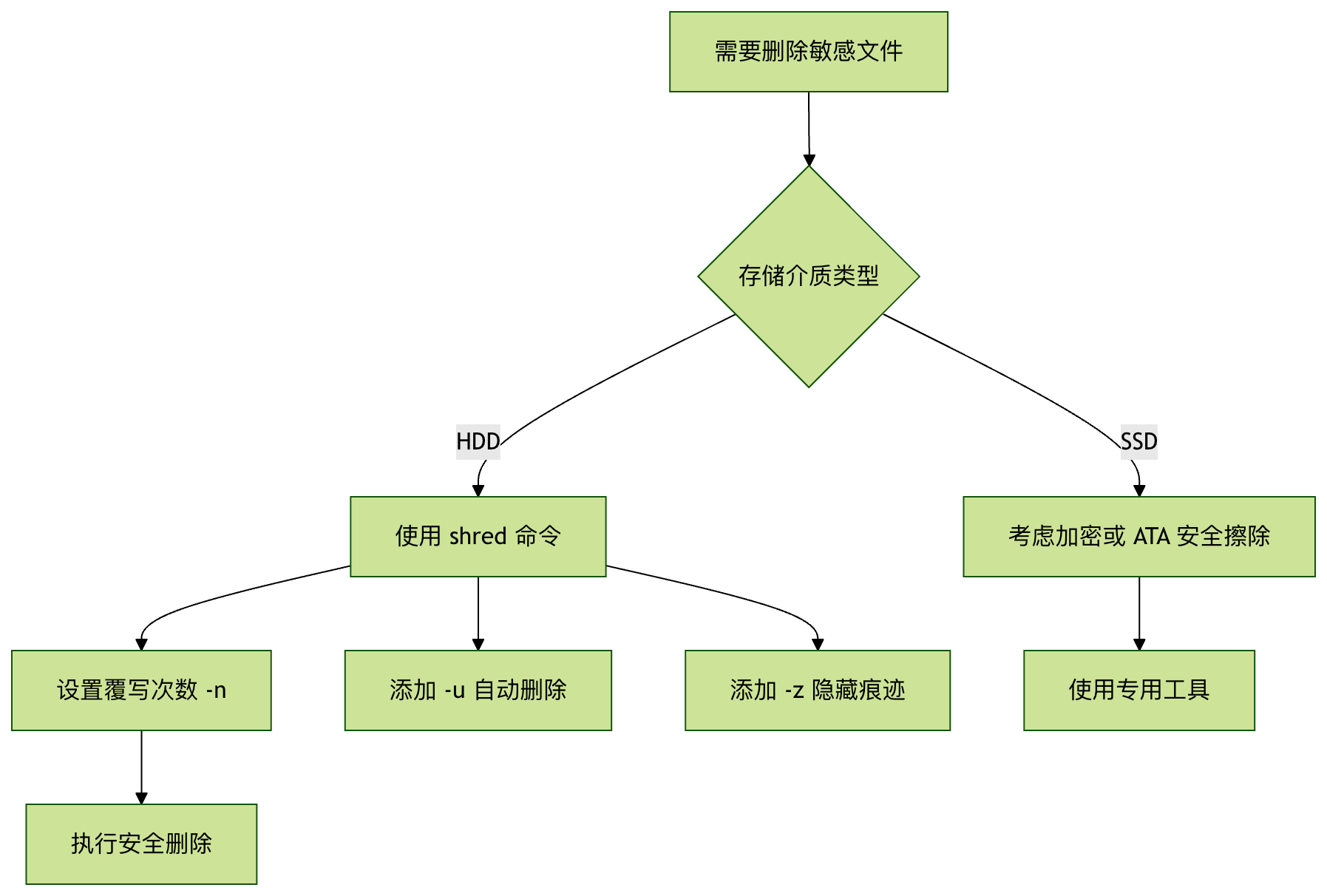
- Overwrite file contents multiple times (3 times by default)
- Optionally truncate and delete the file after overwriting
- Prevent data recovery using professional equipment such as magnetic force microscopes
shred Command Syntax
Basic syntax format:
shred [选项]... 文件...
Common Options Explained
| Option | Description |
|---|---|
-n N |
Number of overwrites (default is 3) |
-z |
Overwrite with zeros at the end to hide the shred operation |
-u |
Truncate and delete the file after overwriting |
-v |
Display detailed operation process |
-f |
Force change permissions to allow writing if necessary |
-x |
Do not process blocks beyond the file size |
Usage Examples
Basic Usage: Securely Overwrite Files
shred -v document.txt
This command will:
- Overwrite document.txt 3 times (default)
- Display detailed operation process (-v option)
- The file still exists, but its contents have been destroyed
Delete Files After Overwriting
shred -u -v secret-file.txt
This command will:
- Overwrite the contents of secret-file.txt
- Automatically delete the file after completion (-u option)
- Display operation details (-v option)
Customize the Number of Overwrites
shred -n 10 -v -z data.db
This command will:
- Overwrite data.db 10 times (-n 10)
- Finally overwrite with zeros to hide traces of shred (-z)
- Display detailed process (-v)
Precautions
-
Solid-State Drive (SSD) Limitations:
- Due to SSD wear leveling technology, shred may not completely erase data on SSDs
- For SSDs, it is recommended to use encryption or ATA Secure Erase commands
-
File System Limitations:
- Some file systems (such as journaling file systems) may retain old copies of data
- For critical data, it is recommended to use shred on unmounted partitions
-
Performance Considerations:
- Overwriting large files multiple times consumes more time and I/O resources
- For unimportant files, ordinary deletion may be more appropriate
-
Possibility of Recovery:
- Even with shred, professional laboratories may still recover some data
- The highest security level requires physical destruction of the storage medium
Advanced Usage
Overwrite an Entire Device
shred -v -n 1 /dev/sdX
⚠️ Warning: This will overwrite all data on the entire device. Please make sure the device path is correct!
Random Source Selection
shred --random-source=/dev/urandom -v file.txt
Use the specified random source for overwriting (default is /dev/urandom)
Alternatives
If shred is not available, consider the following alternative methods:
-
Use the dd command:
dd if=/dev/zero of=file.txt bs=1M count=10
-
Use the wipe command:
wipe -r -q secret-file.txt
-
Secure deletion toolkit:
secure-delete 工具包中的 srm 命令
Summary
shredThe command is an important tool for protecting sensitive data in Linux, ensuring that files cannot be recovered through multiple overwrites. When using it, you need to pay attention to storage medium types and file system characteristics. For the highest security requirements, consider combining encryption and physical destruction methods.
Remember: There is no 100% secure method for deleting data. Critical data should adopt a multi-layered protection strategy.
Other Extensions