QoderWork Tutorial
Although OpenClaw is powerful, it actually has a learning curve. You need to know the command line, install node.js, and various configurations. Without technical skills, it's really hard to set up.
Alibaba has released a desktop-level AI Agent -- QoderWork. This one is much simpler. Just download and use it directly. No need to know the command line. You can install and configure various skills within the software.
We only need to describe the requirements, and QoderWork will automatically break down the steps, call software, execute, and deliver the results.
- Traditional AI Tools:You ask, it answers, but you still have to do the work yourself.
- QoderWork:You state the requirements, it delivers results.
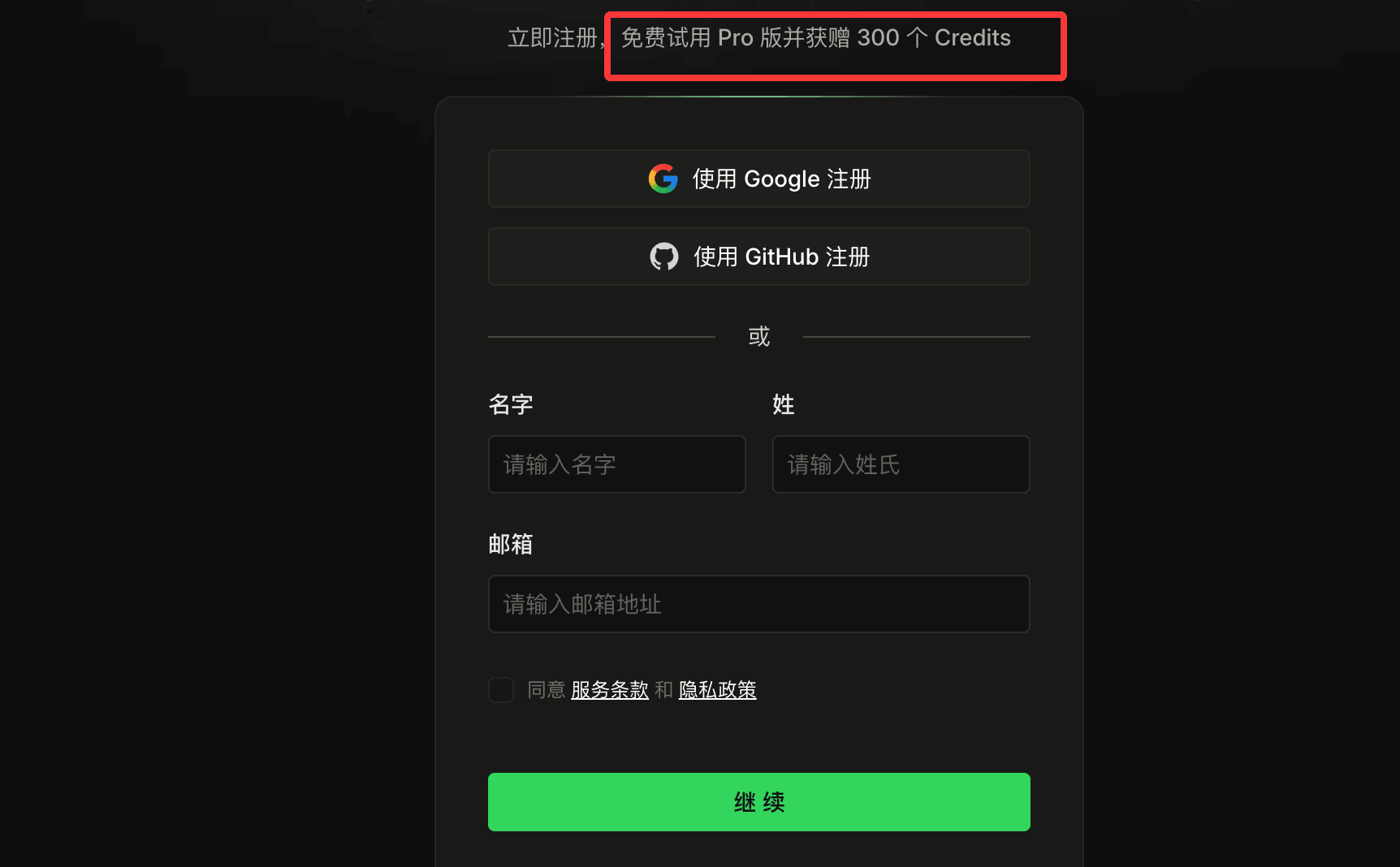
After registration, click the upper right cornerDownloadButton:

SelectQoderWorkoption, and download the installer according to your computer system:

After downloading, double-click to install. The installation completion interface is as follows:

QoderWork can:
- Understand natural language tasks
- Automatically plan execution steps
- Call local files and applications
- Automatically complete multi-step tasks
Typical Application Scenarios:
| Scenario | Description |
|---|---|
| File Organization | Automatically identify file types and intelligently organize project files |
| Photo Management | Automatically classify and organize local photos by time, location, and theme |
| Data Analysis | Analyze data structures, generate statistical reports and visual charts |
| Document Creation | Write reports, create presentations, and process spreadsheet data |
| Research Integration | Aggregate multi-source information and distill key insights |
For example, you say:
分析这个 Excel 销售表,并生成一个 PPT 汇报。
QoderWork can automatically:
- Read Excel
- Analyze sales data
- Generate charts
- Write analysis reports
- Generate PPT
The entire process is completed in one go.
First, let's create a QoderWork working directory:
mkdir qoderwork-example-testEnter that directory:
cd qoderwork-example-test
Let's create test data. Copy the following content directly, paste it into Notepad/text editor, and save it assales_test.csvFile:
订单ID,商品名称,商品品类,销售单价,销售数量,销售日期,客户姓名,客户地区,销售人员,佣金比例
OD2026001,iPhone 14,电子产品,5999.00,2,2026-01-05,张三,北京,李明,0.05
OD2026002,MacBook Pro,电子产品,12999.00,1,2026-01-06,李四,上海,王红,0.08
OD2026003,耐克运动鞋,服饰鞋帽,799.00,1,2026-01-07,王五,广州,张丽,0.03
OD2026004,家用咖啡机,家居家电,1299.00,1,2026-01-08,赵六,深圳,李明,0.05
OD2026005,无线耳机,电子产品,899.00,3,2026-01-09,钱七,杭州,王红,0.08
OD2026006,羽绒服,服饰鞋帽,1599.00,1,2026-01-10,孙八,成都,张丽,0.03
OD2026007,全自动洗衣机,家居家电,3999.00,1,2026-01-11,周九,武汉,李明,0.05
OD2026008,iPad Air,电子产品,3799.00,2,2026-01-12,吴十,西安,王红,0.08
OD2026009,跑步机,运动器材,2999.00,1,2026-01-13,郑一,南京,张丽,0.03
OD2026010,智能手表,电子产品,1999.00,1,2026-01-14,王二,天津,李明,0.05
OD2026011,羊毛衫,服饰鞋帽,599.00,2,2026-01-15,李三,重庆,王红,0.08
OD2026012,空气净化器,家居家电,1899.00,1,2026-01-16,张四,青岛,张丽,0.03
OD2026013,游戏手柄,电子产品,399.00,4,2026-01-17,王五,大连,李明,0.05
OD2026014,登山包,运动器材,499.00,1,2026-01-18,赵六,厦门,王红,0.08
OD2026015,电饭煲,家居家电,899.00,2,2026-01-19,钱七,福州,张丽,0.03
OD2026016,蓝牙音箱,电子产品,599.00,3,2026-01-20,孙八,长沙,李明,0.05
OD2026017,牛仔裤,服饰鞋帽,299.00,2,2026-01-21,周九,沈阳,王红,0.08
OD2026018,微波炉,家居家电,799.00,1,2026-01-22,吴十,哈尔滨,张丽,0.03
OD2026019,健身器材套装,运动器材,1599.00,1,2026-01-23,郑一,石家庄,李明,0.05
OD2026020,平板电脑,电子产品,2799.00,1,2026-01-24,王二,太原,王红,0.08
OD2026021,运动T恤,服饰鞋帽,199.00,5,2026-01-25,李三,郑州,张丽,0.03
OD2026022,吸尘器,家居家电,1499.00,1,2026-01-26,张四,济南,李明,0.05
OD2026023,电脑显示器,电子产品,1299.00,2,2026-01-27,王五,合肥,王红,0.08
OD2026024,瑜伽垫,运动器材,199.00,3,2026-01-28,赵六,南昌,张丽,0.03
OD2026025,茶叶礼盒,食品饮品,399.00,3,2026-01-29,钱七,昆明,李明,0.05
OD2026026,皮鞋,服饰鞋帽,899.00,1,2026-01-30,孙八,兰州,王红,0.08
OD2026027,电烤箱,家居家电,699.00,1,2026-01-31,周九,银川,张丽,0.03
OD2026028,机械键盘,电子产品,499.00,2,2026-02-01,吴十,西宁,李明,0.05
OD2026029,篮球,运动器材,199.00,2,2026-02-02,郑一,乌鲁木齐,王红,0.08
OD2026030,坚果礼盒,食品饮品,299.00,6,2026-02-03,王二,拉萨,张丽,0.03

Then open QoderWork, and set the working directory selector at the bottom left to qoderwork-example-test:
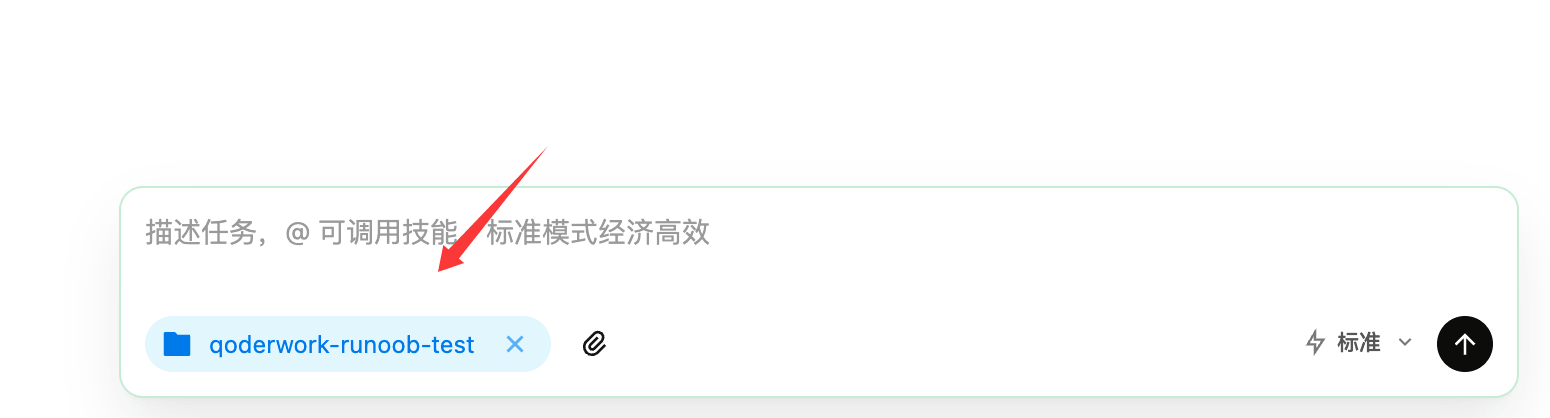
Enter the content:
分析该目录下的 Excel 销售表 ,并生成一个 PPT 汇报 。
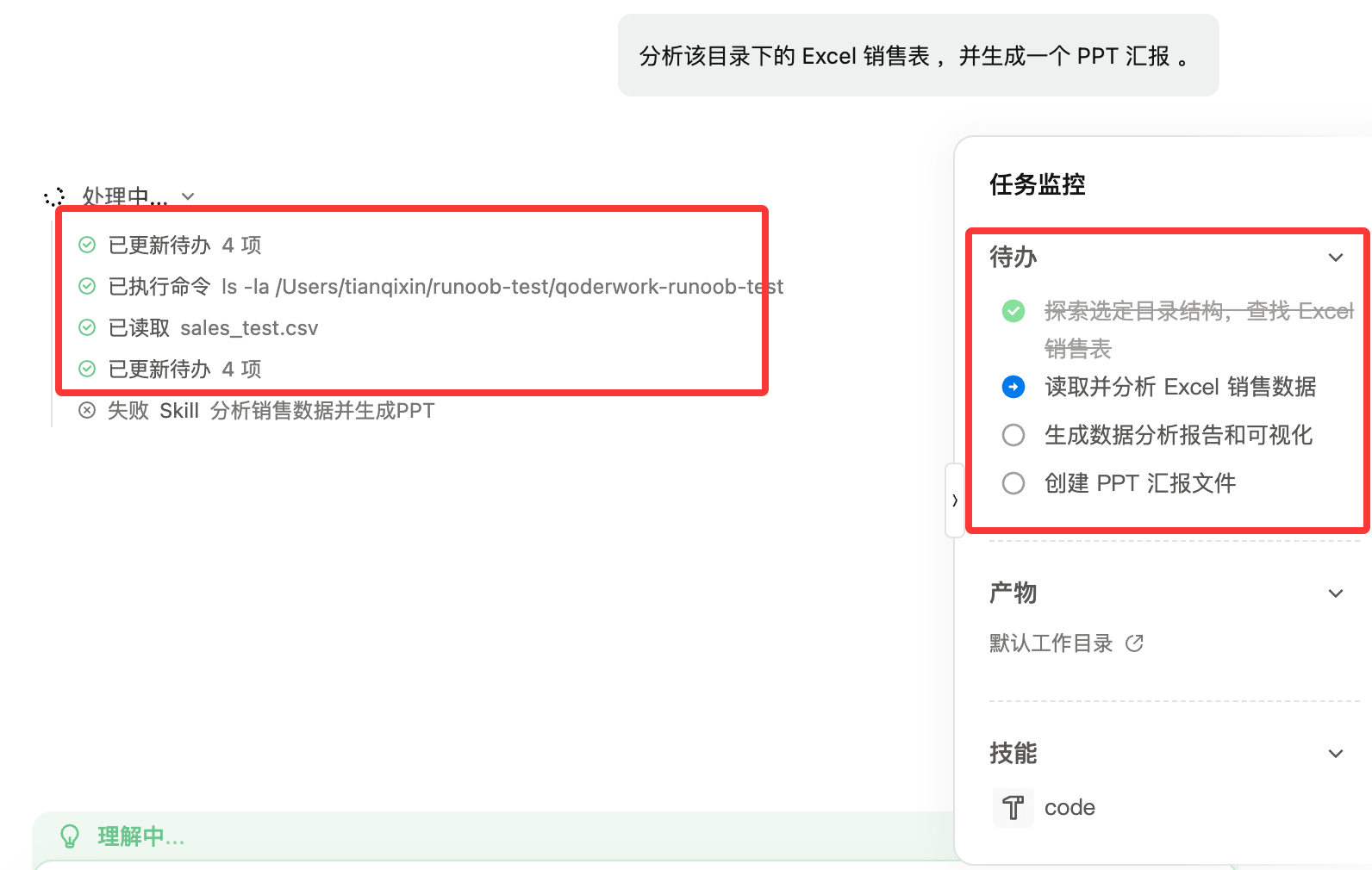
As can be seen from the figure above, QoderWork has analyzed the steps and started executing the task.
After execution, a PPT file will be generated in the qoderwork-example-test directory, with a prompt as follows:
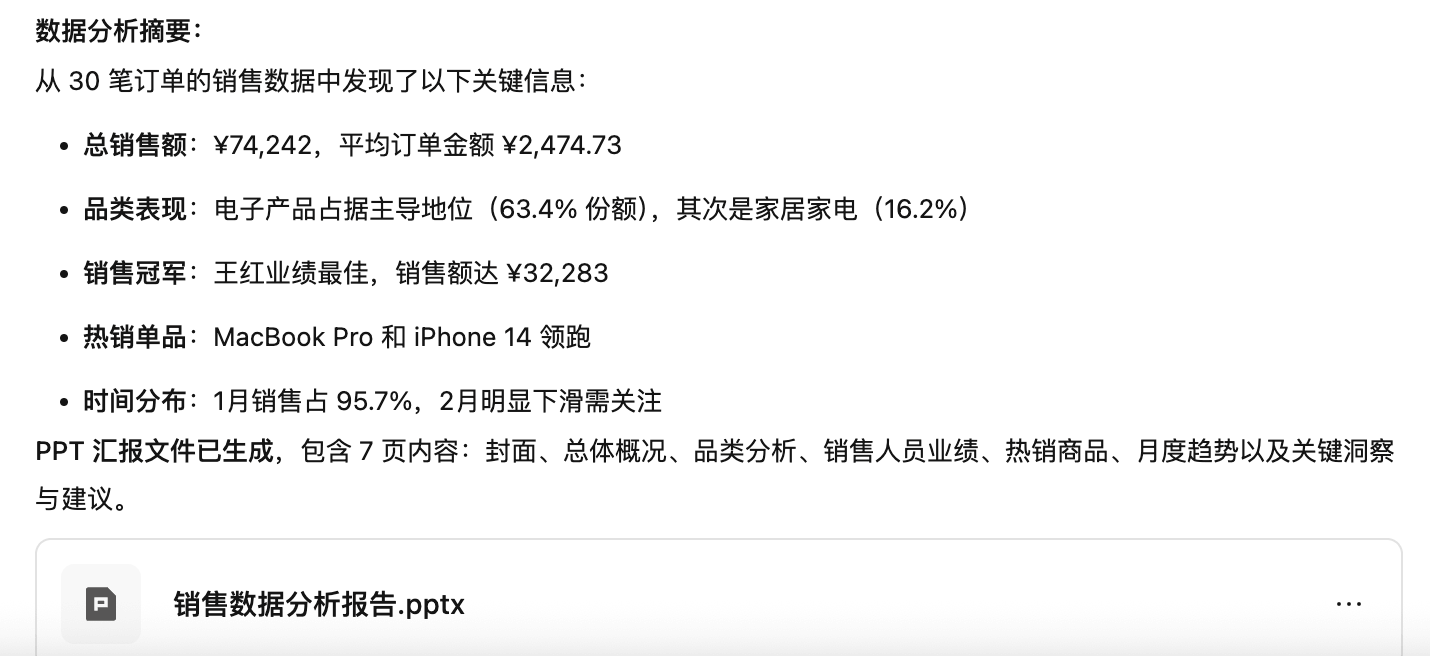
We can directly open the PPT to take a look; the result is quite good:
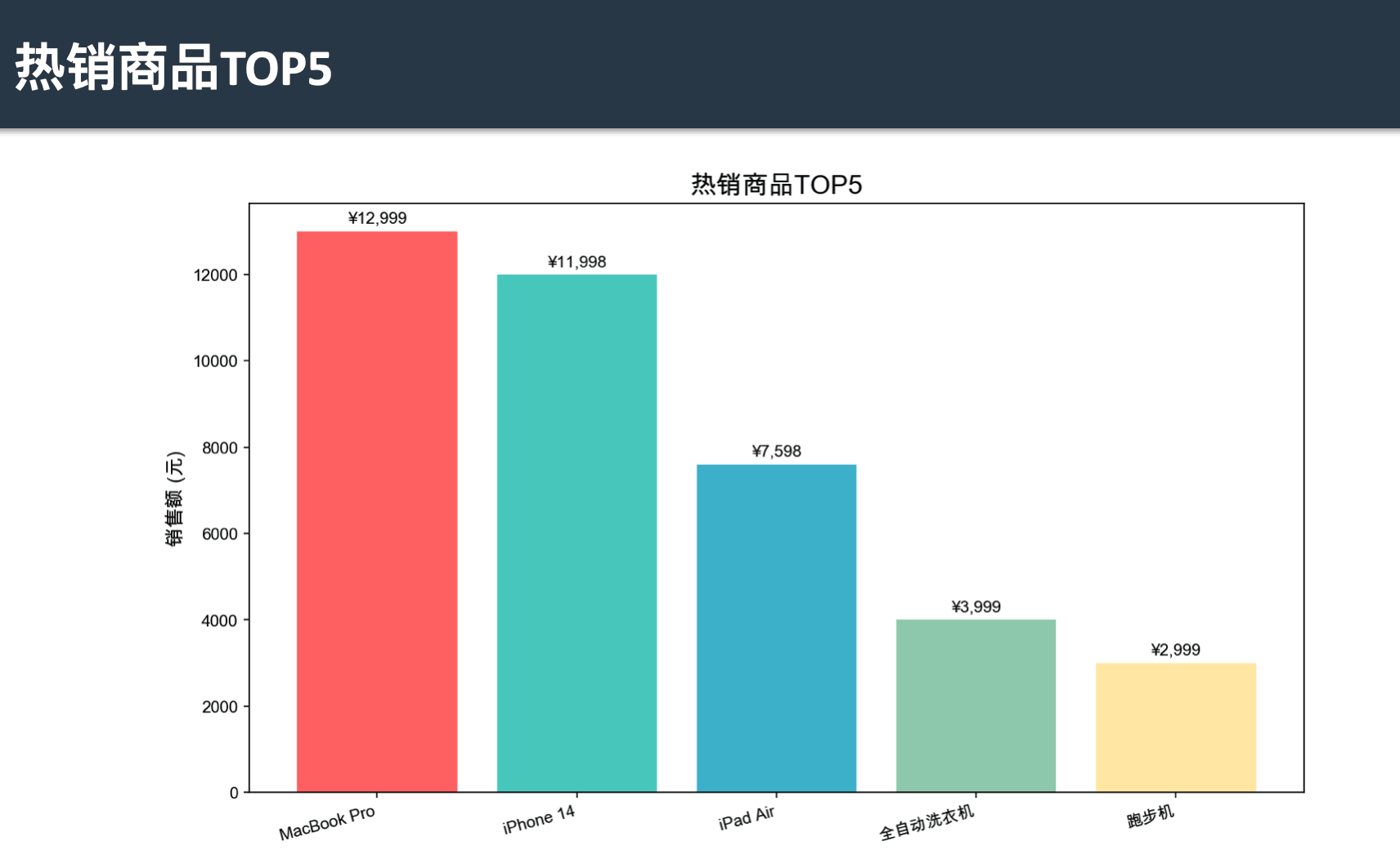
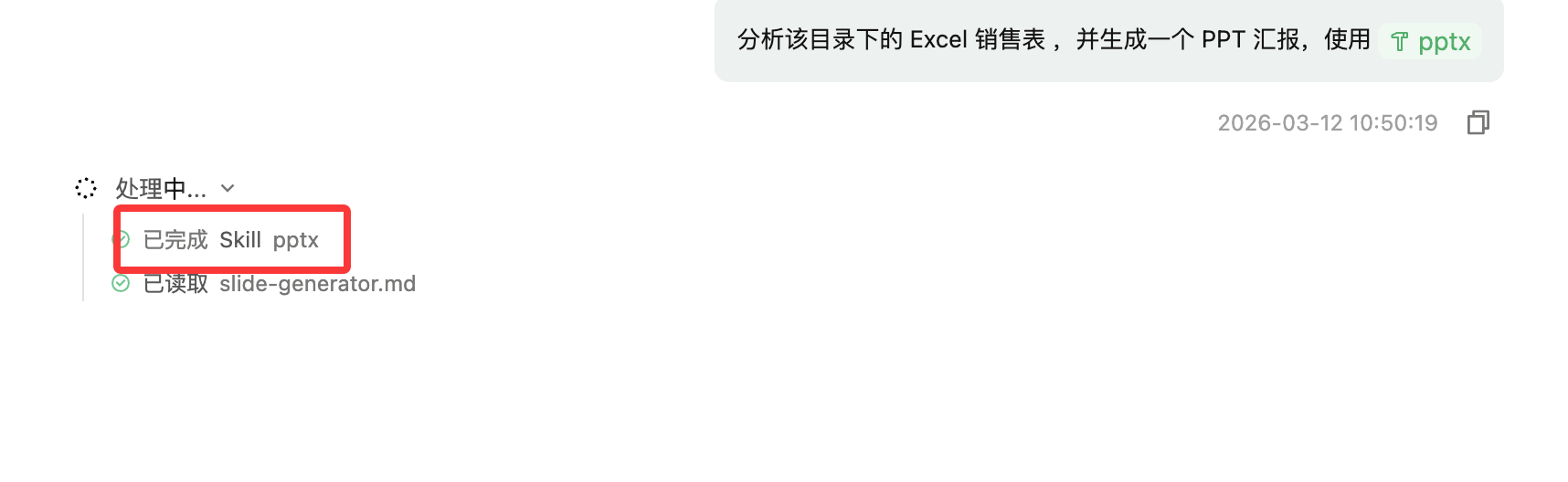
In addition, we can use@to invoke the skills specifically for generating PPTs to generate:

The generation process will then use that Skills:
Differences Between QoderWork and Other AI Products
Differences from ChatGPT / Claude
| Type | ChatGPT / Claude | QoderWork |
|---|---|---|
| Essence | AI chat assistant | AI desktop execution agent |
| Capability | Give suggestions | Execute tasks directly |
| File handling | Manual upload | Direct local access |
| Automation | weak | strong |
| Use cases | Writing, Q&A | Actual office work |
Simple understanding:
- ChatGPT is the brain.
- QoderWork is the hands and feet.
Relationship with OpenClaw / Claude Code
If placed inthe AI Agent tool lineagewithin:
| Product | Type |
|---|---|
| Claude Code | Coding agent |
| OpenClaw | Automation agent |
| QoderWork | Desktop office agent |
QoderWork's positioning is actually:Desktop AI office assistant + automation agent
Other extensions