Swagger Introduction
Swagger is an open-source toolset for API development, documentation generation, and interactive testing.
Swagger was originally created by Tony Tam, co-founder of Wordnik, in 2011. It describes API structures in concise JSON or YAML formats, making API design, implementation, and testing more efficient and intuitive. Swagger later evolved into the OpenAPI Specification and became a widely accepted industry standard.
The main components of Swagger include:
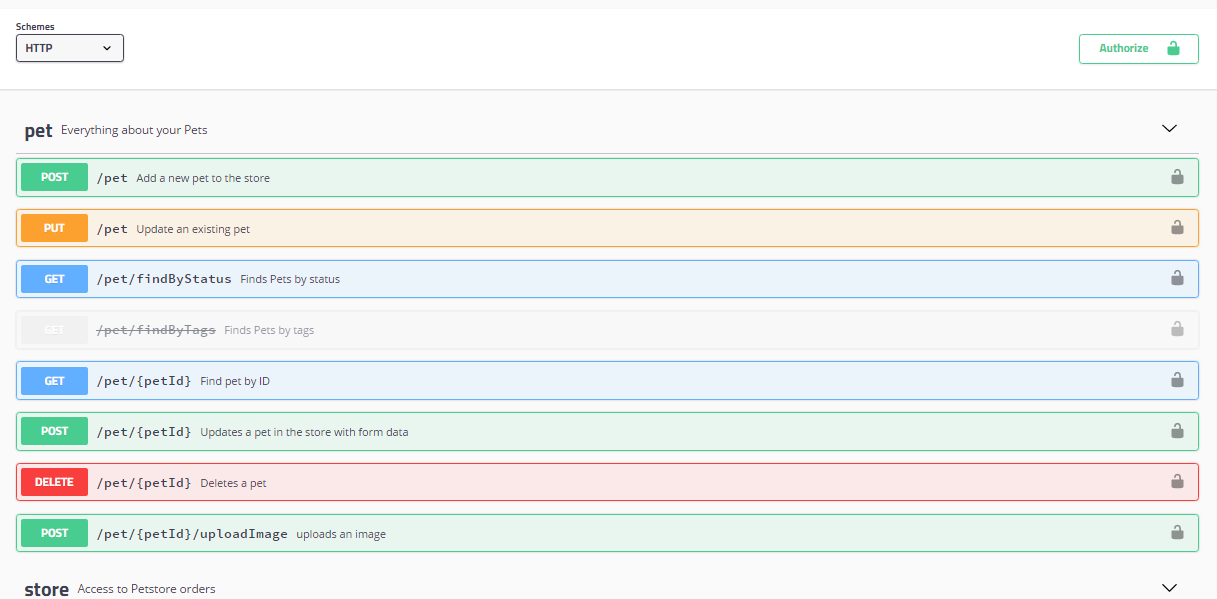
- Swagger UI:Swagger UI is a visual tool that renders the OpenAPI specification as interactive API documentation. It allows users to view and test APIs directly in the browser.
- Swagger Editor:Swagger Editor is a browser-based editor for writing OpenAPI specifications. It provides real-time preview and validation functionality.
- Swagger Codegen:Swagger Codegen can generate server stubs and client SDKs based on the OpenAPI specification, supporting more than 40 languages.
- Swagger Hub:Swagger Hub is an integrated API design and documentation platform that provides collaboration features and cloud storage.
Development History of Swagger
- 2011:While developing the Wordnik product, Tony Tam designed the prototype of Swagger.
- September 2011:The Swagger project was officially open-sourced, supporting Node.js and Ruby on Rails.
- 2013:Although API Blueprint and RAML emerged, Swagger grew faster.
- 2015:InitiatedOpenAPI Initiative:Received support from Google, IBM, Microsoft, and others.
- 2016:The Swagger specification was renamed toOpenAPI Specification。
- 2017:Swagger tools exceeded 100,000 daily downloads, becoming an important tool in API development.
Core Concepts of Swagger
OpenAPI Specification
The core of Swagger is the OpenAPI Specification (formerly known as the Swagger Specification), a language-agnostic standard for describing RESTful APIs. It uses YAML or JSON format to define an API's:
- Endpoints
- Operations
- Parameters
- Request/response formats
- Authentication methods
API Documentation
Swagger automatically generates interactive API documentation from code, which allows developers to:
- View all available API endpoints
- Test API calls
- View request and response examples
- Understand required parameters and header information
Why Choose Swagger?
- Standardization:Swagger is the predecessor of OpenAPI and is currently the most mainstream API description standard.
- Automation:Supports automatic generation of API documentation, SDKs, and server-side code, reducing repetitive work.
- Strong interactivity:Swagger UI provides a WYSIWYG interactive interface, reducing debugging difficulty.
- Broad community and support:Major companies such as Google, IBM, and Microsoft all support Swagger, with an active community and rich plugins.
Advantages of Swagger
1. Improve Development Efficiency
Swagger significantly reduces the time spent manually writing documentation by automatically generating API documentation and client code, allowing developers to focus more on implementing business logic.
2. Improve Team Collaboration
Clear API documentation enables front-end and back-end developers to collaborate better and reduces communication costs.
3. Simplify API Testing
The built-in interactive interface allows developers and testers to test APIs directly in the browser, without needing additional testing tools.
4. Support Multiple Languages
Swagger supports almost all mainstream programming languages, including Java, Python, Node.js, .NET, and more.
How to Use Swagger
Basic Usage Steps
- Define the API specification:Use Swagger Editor to write the OpenAPI specification file
- Generate documentation:Use Swagger UI to display API documentation
- Generate code:Use Swagger Codegen to generate server stubs or client SDKs
- Test the API:Perform API testing through Swagger UI
Example Code
The following is a simple OpenAPI specification example (YAML format):
Example
info:
title: Sample API
description: API description
version: 1.0.0
servers:
- url: https://api.example.com/v1
paths:
/users:
get:
summary: Returns a list of users
responses:
'200':
description: A JSON array of user names
content:
application/json:
schema:
type: array
items:
type: string