Obsidian Sync, Backup, and Advanced Tips
The most important thing in a note-taking system is data security—the knowledge you've spent so much time accumulating must not be lost due to hard drive failure or accidental operations.
This chapter covers sync options, backup strategies, mobile usage, and common issue troubleshooting.
Official Sync: Obsidian Sync
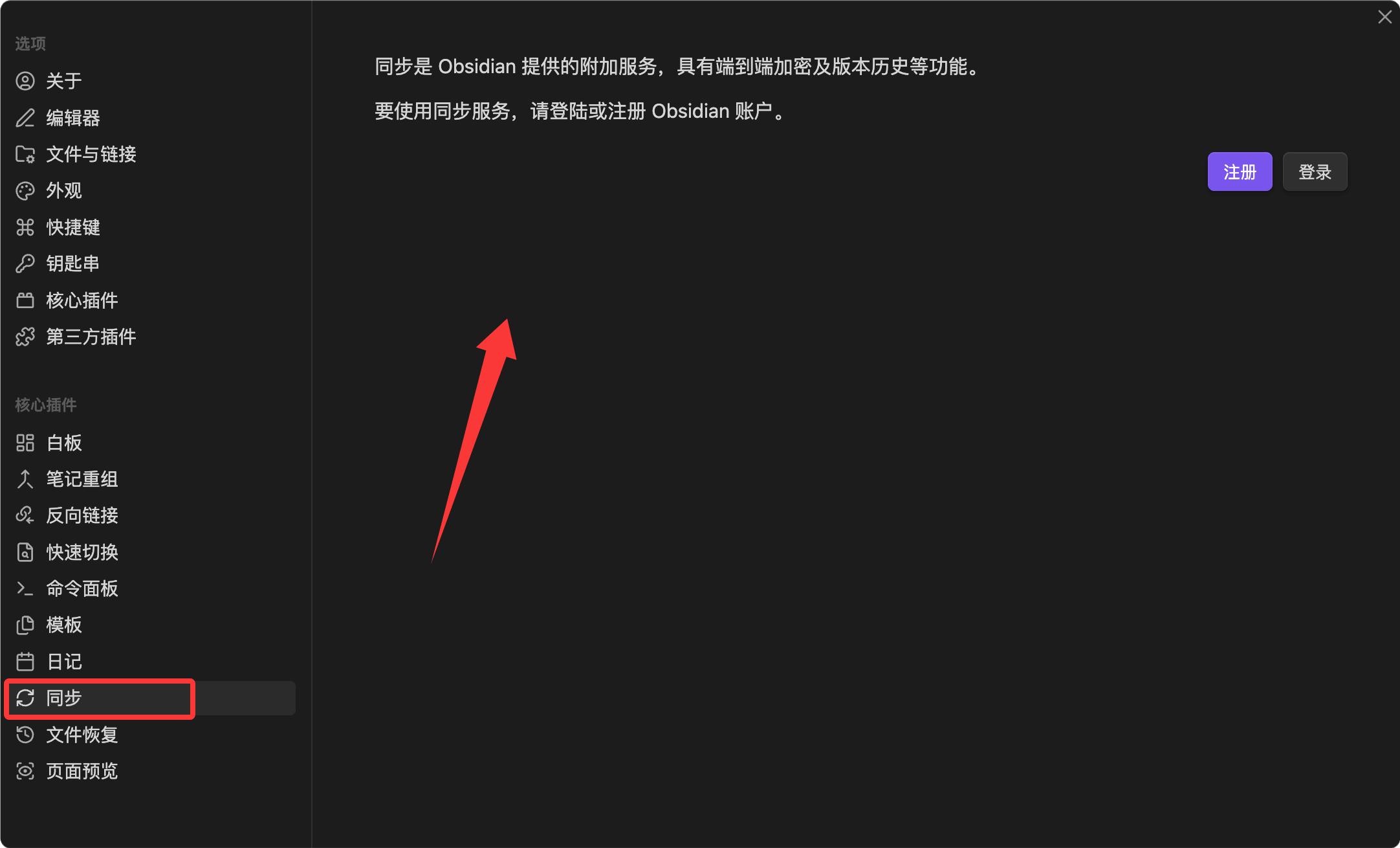
Obsidian Sync is the official end-to-end encrypted cloud sync service, offering the best sync experience.
Core Features
- End-to-end encryption: Data is encrypted locally before upload; the service provider cannot read your note content.
- Incremental sync: Only syncs changed parts, much faster than full copies.
- Version history: Stores modification history for each file, allowing rollback to any version.
- Multi-device sync: Seamless sync between desktop and mobile, with automatic conflict merging.
Pricing
Obsidian Sync is a paid service, billed annually.
If you have more than 5 Vaults or a large note library, Sync is the most hassle-free choice.
Configuration Steps
- Log in to your Obsidian account in Settings → Sync.
- Select a remote Vault (create one on first use).
- Set an encryption password (keep it safe; if lost, it cannot be recovered).
- Choose folders and file types to sync.
- Log in on another device and connect to the same remote Vault.
The encryption password is the only credential for data recovery. The official team cannot reset it for you. It is recommended to store the password in a password manager or write it down and keep it in a safe place.
Free Sync Options
If you don't want to pay for sync, there are several free options to choose from.
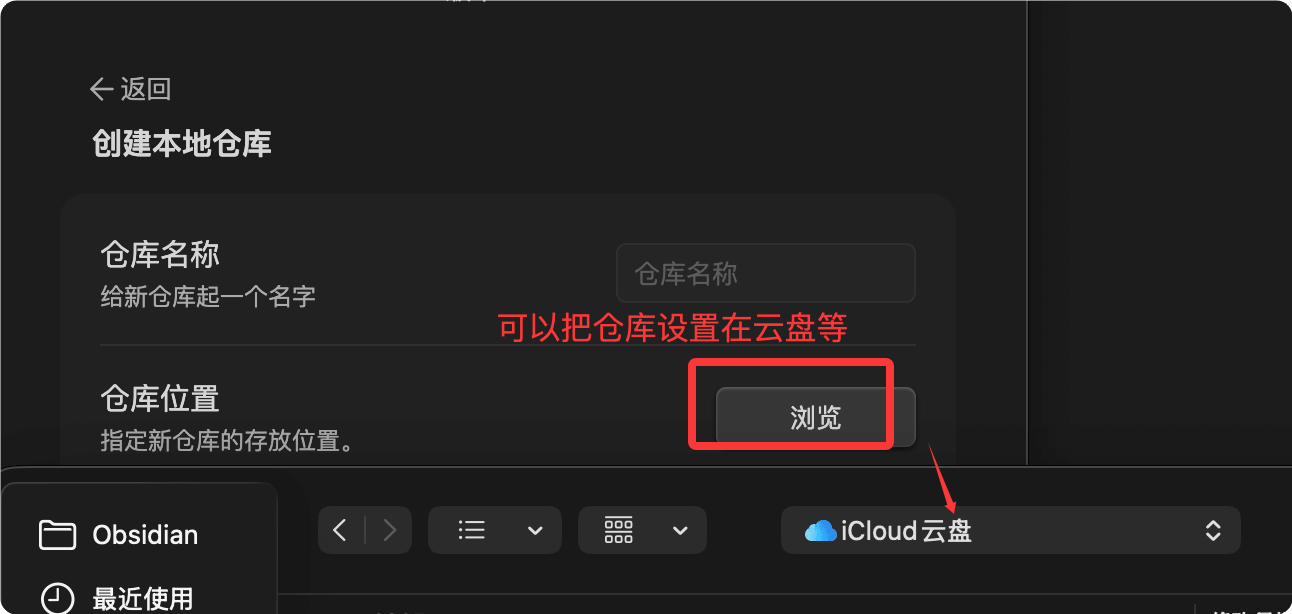
iCloud (Best choice for macOS + iOS users)
Place the Vault folder in iCloud Drive, and it will sync automatically between macOS and iOS devices.
The advantages are zero configuration and a seamless Apple ecosystem experience.
The downside is that the iCloud client on Windows has a mediocre experience and occasionally causes sync conflicts.
OneDrive / Dropbox
Place the Vault folder in a OneDrive or Dropbox sync directory.
Supports all platforms (Windows, macOS, Linux, mobile), with better cross-platform compatibility than iCloud.
Note: Do not edit the same note on multiple devices simultaneously, as this may create conflict copies.
Git + GitHub Version Management
Initialize the Vault as a Git repository and push it to a GitHub private repository.
The advantage of this method is that it comes with version history; each commit acts as a snapshot.
Example: Initialize a Vault as a Git Repository
cd ~/Documents/My Knowledge Base
# Initialize Git repository
git init
# Create a .gitignore file to ignore Obsidian's configuration and cache
echo ".obsidian/workspace.json" >> .gitignore
echo ".obsidian/workspace-mobile.json" >> .gitignore
echo ".trash/" >> .gitignore
# First commit
git add .
git commit -m "Initialize knowledge base"
# Link to GitHub private repository and push
git remote add origin git@github.com:username/my-vault.git
git push -u origin main
On mobile, you can pull and push using Git clients like Working Copy (iOS) or MGit (Android).
Git sync requires manual commit + push + pull and cannot sync automatically like iCloud. It suits users familiar with Git, or as a supplement to other sync solutions (adding an extra layer of version protection).
Comparison of Options
| Option | Cost | Automatic Sync | Version History | Difficulty |
|---|---|---|---|---|
| Obsidian Sync | Paid | Yes | Full | Low |
| iCloud | Free (5GB) | Yes | Limited | Very Low |
| OneDrive/Dropbox | Free (base capacity) | Yes | Limited (30 days) | Very Low |
| Git + GitHub | Free | no | Full | Medium |
Mobile Usage
Obsidian offers iOS and Android clients with features largely identical to the desktop version.
Mobile-Specific Features
- Quick Notes: One-tap note creation via iOS Shortcuts and Android quick tiles.
- Voice Memos: Some community plugins support voice-to-text.
- Pull-Down Gesture: Pull down at the top of the file list to refresh sync status.
Mobile Tips
Mobile is better suited forcapturingrather thanorganizing。
It is recommended to do only two things on your phone: quickly capture inspirations and tasks (by opening a daily note via a shortcut), and look up existing notes anytime.
Leave complex formatting, template application, Dataview query writing, and other operations to the desktop version.
Mobile Toolbar Configuration
In mobile settings, you can customize the editing toolbar and place common Markdown actions (bold, links, images, checkboxes) in the most accessible positions.
Export and Publishing
Export to PDF
Open a note, click "More options → Export to PDF" in the upper right corner.
The exported PDF retains the current Obsidian theme styling.
Pandoc Export (More Flexible Format Conversion)
After installing the Pandoc community plugin, you can export notes to Word, HTML, LaTeX, and other formats.
You need to install the Pandoc command-line tool on your system first.
# macOS 安装 Pandoc
$ brew install pandoc

# Windows 安装 Pandoc(在 PowerShell 中)
$ winget install --id JohnMacFarlane.Pandoc
Obsidian Publish: Build Your Personal Digital Garden
Obsidian Publish is an official paid service that lets you publish selected notes as a website.
The published website retains core Obsidian features such as backlinks, graph view, and search.
Suitable for building a personal blog, public knowledge base, or project documentation site.
Data Backup Strategy
Syncing is not the same as backing up—sync will also delete files you accidentally delete.
A good backup strategy should consider the3-2-1 rule: 3 copies, 2 different media, 1 offsite.
Recommended Backup Plan
| Layer | Method | Frequency |
|---|---|---|
| Sync Layer | iCloud / Obsidian Sync / OneDrive daily sync | Real-time |
| Version Layer | Git periodic commit + push to GitHub private repository | Daily or weekly |
| Cold Backup Layer | Periodically package the entire Vault into a .zip and store it on an external drive or cloud storage | Monthly |
Vault Packaging Commands
# 将 Vault 打包为带日期的 zip 文件
$ zip -r "vault-backup-$(date +%Y%m%d).zip" ~/Documents/我的知识库
Long-Term Reliability of Plain Text
All Obsidian notes are plain-text Markdown files.
30 years from now, you can still open them with any text editor.
This is Obsidian's most important long-term advantage over all proprietary-format note-taking software—The lifespan of your notes does not depend on the survival of any company.。
Common Issue Troubleshooting
Plugin Conflict Troubleshooting
If you encounter issues such as slow startup, abnormal interface, or laggy operation, it's likely a plugin conflict.
Troubleshooting methods:
- Disable all community plugins in settings
- Re-enable them one by one, testing after each enable to see if the issue recurs
- After finding the problematic plugin, check for updates or known bugs
Use the commandCmd+Shift+I(Windows: Ctrl+Shift+I) can open developer tools and view specific error messages in the Console panel.
Graph View Too Large
If the graph is severely laggy after opening:
- In settings, reduce the graph rendering depth (change to 2–3 levels instead of all)
- Use filters to hide folders that don't need to be displayed (e.g., diary, archive)
- Disable node animations and drag physics effects
Sync Conflict Files
When you seeFilename (conflict 2026-05-21).mdfiles like this, it means two devices edited the same note simultaneously.
Open both files, manually merge the differences, then use Obsidian Sync's "View sync log" to confirm the merge result.
It's recommended to develop a habit: confirm the current note is saved and synced before switching devices.
Vault Migration
When changing computers, migrating a Vault only requires two steps:
- Copy the entire Vault folder to the new computer
- Install Obsidian on the new computer and open that folder
All settings, plugins, and themes are saved in the.obsidianfolder, and will be migrated along with the Vault.
.obsidian Folder Corruption
If messy settings cause Obsidian to start abnormally, you can try resetting:
- Rename.obsidianis.obsidian.bak, Obsidian will generate new default configuration
- Your note files are not affected; only plugins and themes need to be reconfigured