Obsidian First Vault
Vault is the most important concept in Obsidian.
Vault = Folder:libraryIt is essentially a regular folder on your computer, used to store all your note files.
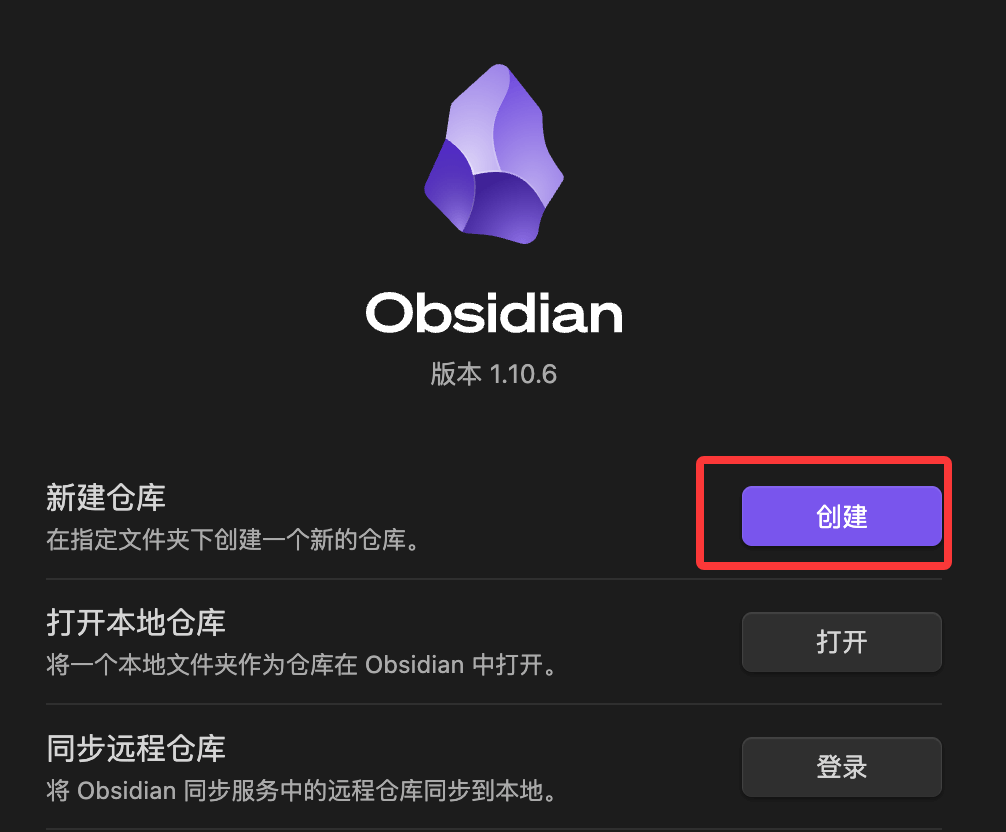
When you open Obsidian for the first time, click the "Create" button in the "Create new vault" section:
。
If it is already open, click "Obsidian Vault" at the very bottom of the left sidebar to manage your existing vaults; you can also set up a vault again:
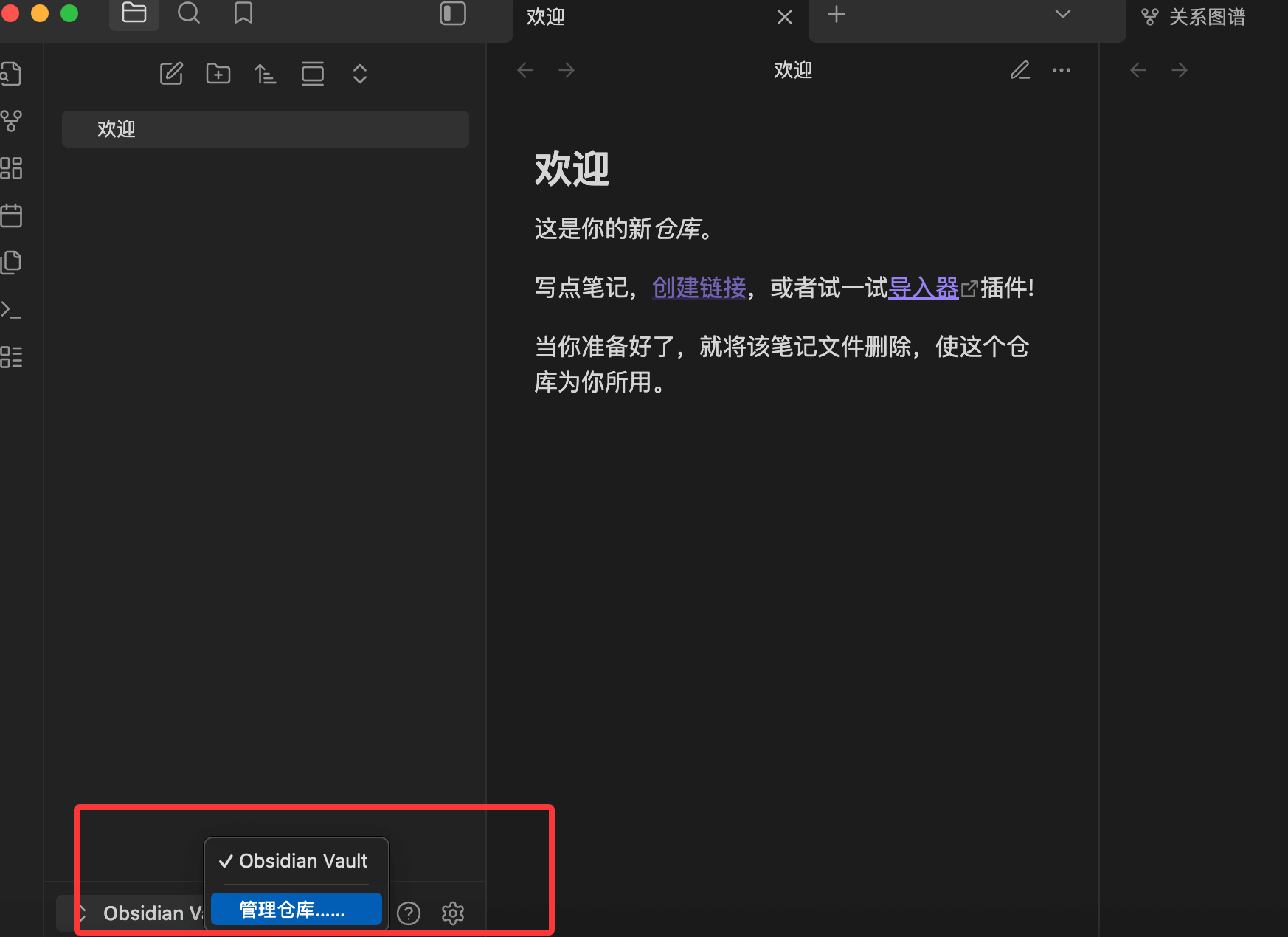
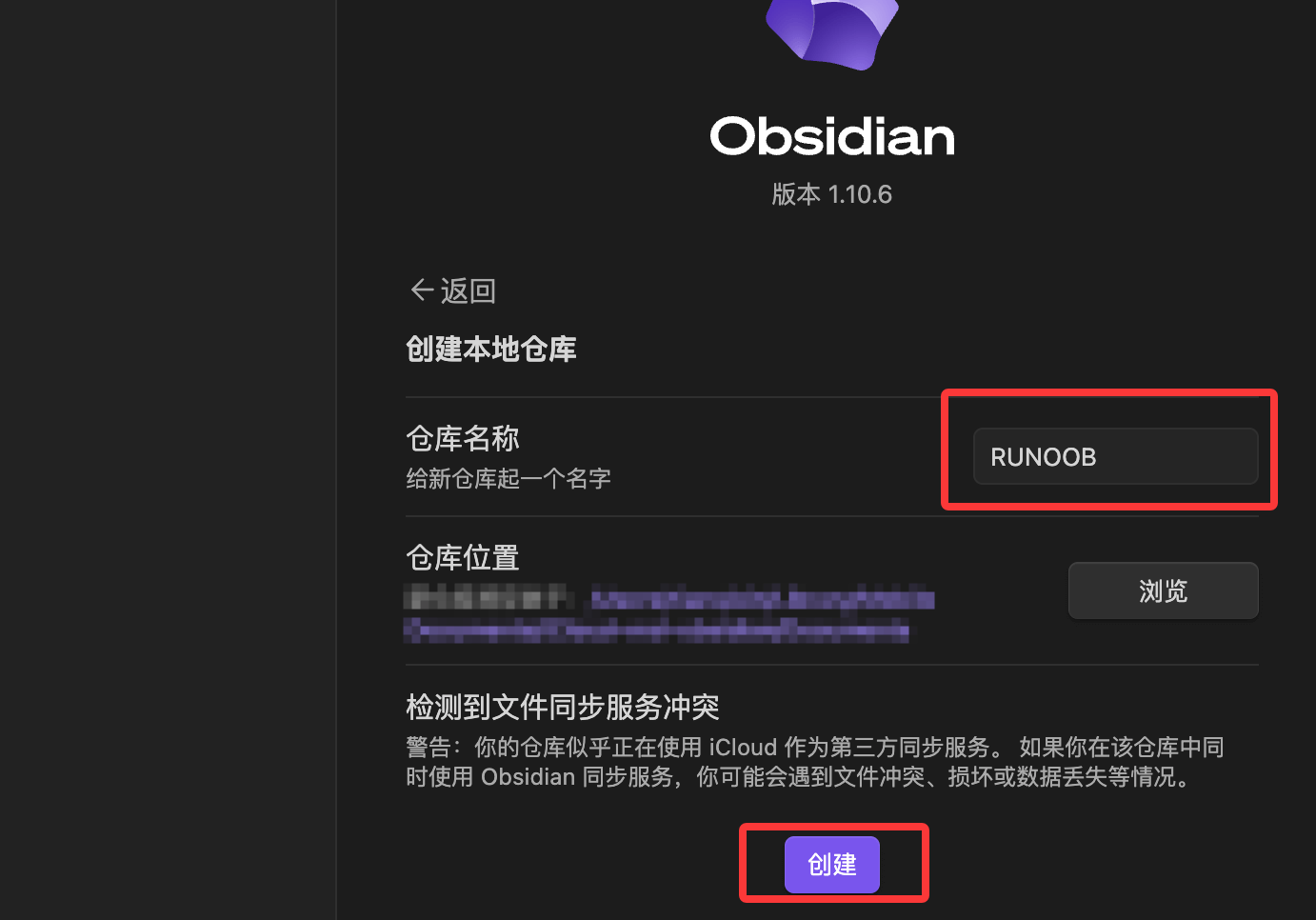
After creation, you will see the name of your current vault, such as my EXAMPLE. We can rename the default "Welcome" file to start writing our first note:
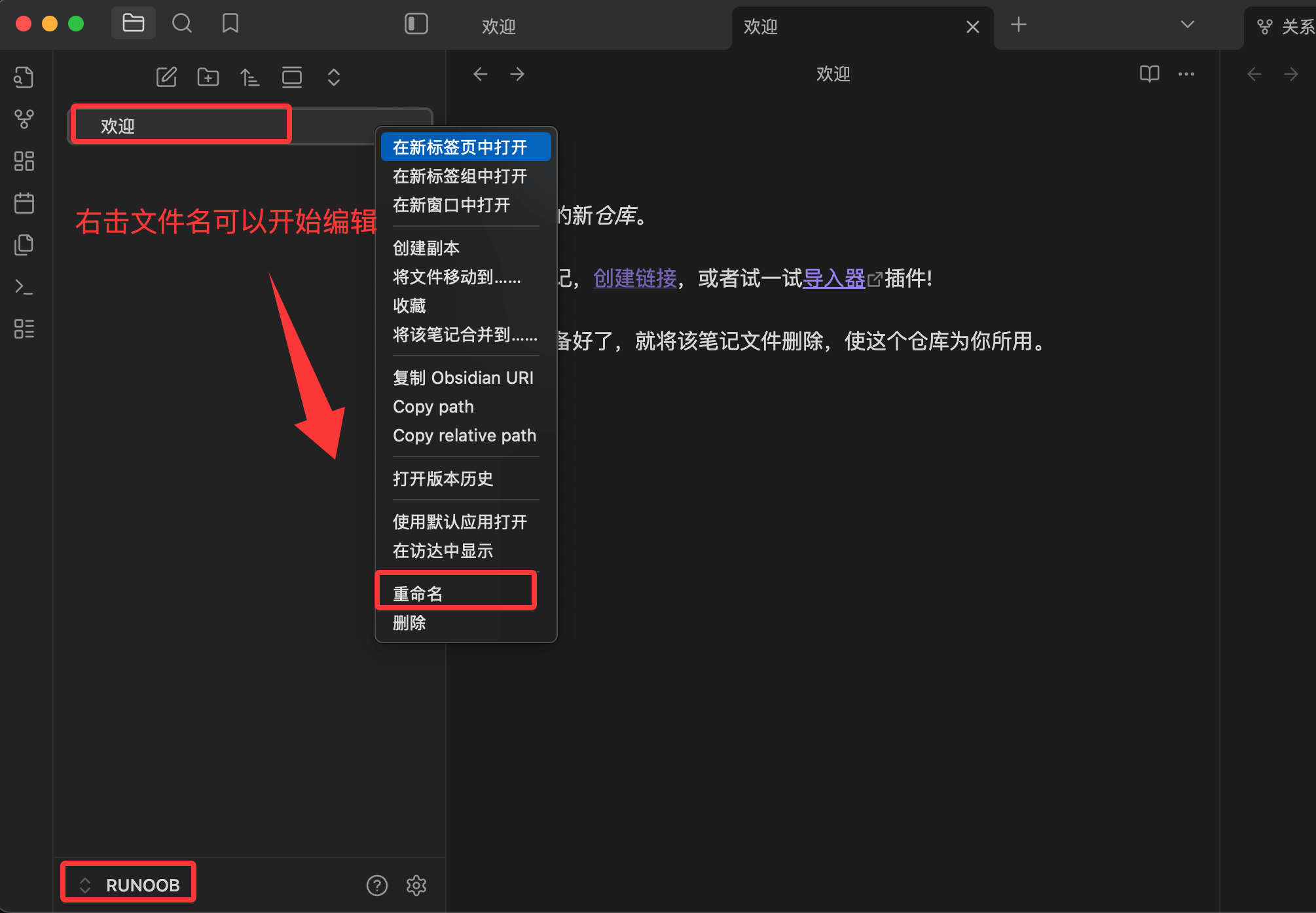
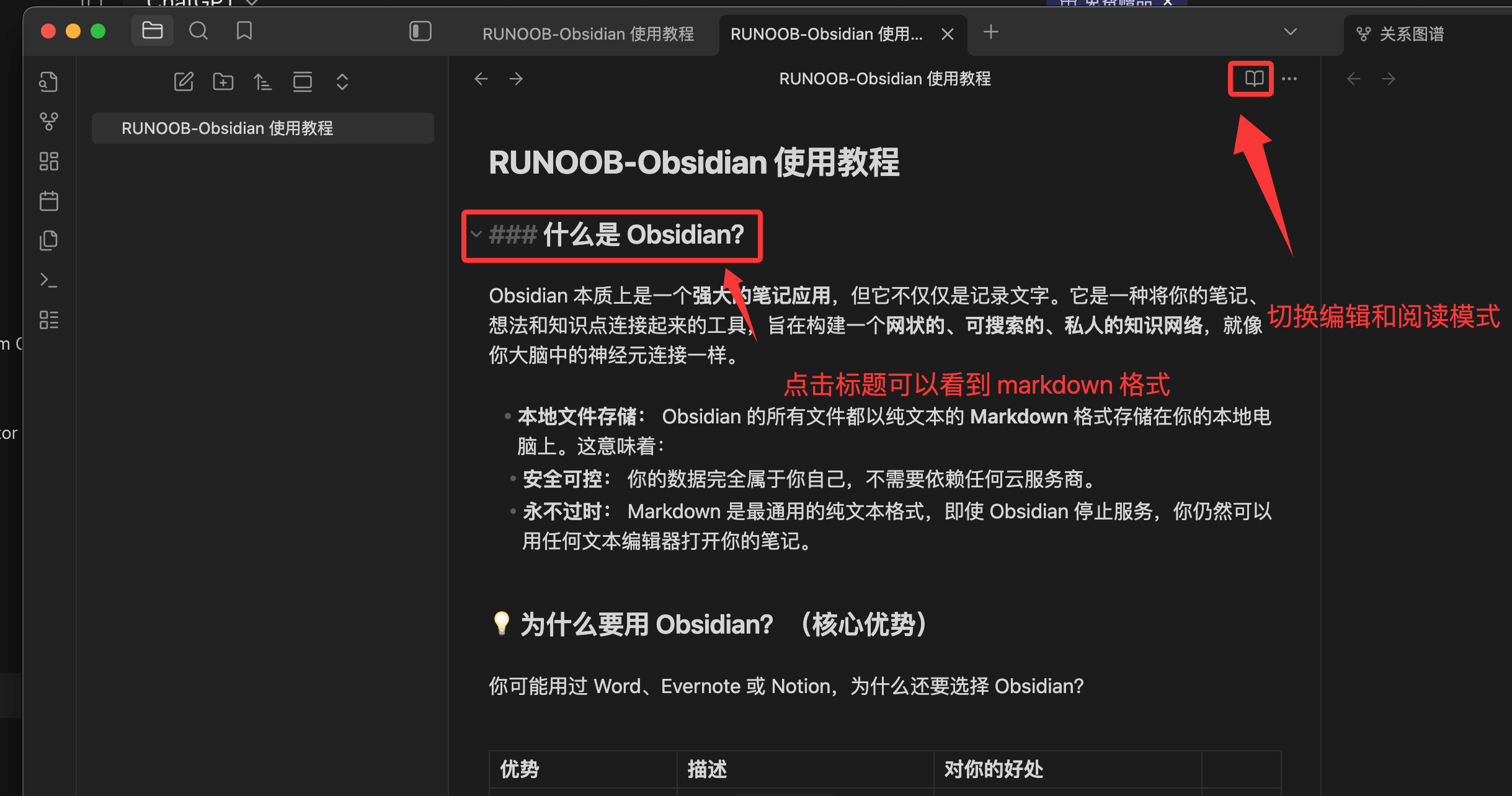
Change the file name toEXAMPLE-Obsidian Usage Tutorial, then write the following Markdown content:
### 什么是 Obsidian?

Obsidian 本质上是一个**强大的笔记应用**,但它不仅仅是记录文字。它是一种将你的笔记、想法和知识点连接起来的工具,旨在构建一个**网状的、可搜索的、私人的知识网络**,就像你大脑中的神经元连接一样。

* **本地文件存储:** Obsidian 的所有文件都以纯文本的 **Markdown** 格式存储在你的本地电脑上。这意味着:
 * **安全可控:** 你的数据完全属于你自己,不需要依赖任何云服务商。
 * **永不过时:** Markdown 是最通用的纯文本格式,即使 Obsidian 停止服务,你仍然可以用任何文本编辑器打开你的笔记。

### 为什么要用 Obsidian?(核心优势)

你可能用过 Word、Evernote 或 Notion,为什么还要选择 Obsidian?

| 优势 | 描述 | 对你的好处 |
| :--- | :--- | :--- |
| **双向链接 (Bi-directional Linking)** | 使用 `[[笔记名]]` 语法,你可以将笔记像网页一样连接起来。 | 你能轻松发现知识点之间的**关联**,将零散的想法变成一个完整的知识体系。 |
| **关系图谱 (Graph View)** | 将所有笔记和连接以可视化网络图的形式展示出来。 | 直观地看到你的知识网是如何成长的,找到未连接的“孤岛”笔记。 |
| **纯文本与开放生态** | 基于 Markdown 和本地文件。 | 跨平台兼容性强,未来可导出性高,方便配合其他工具使用。 |
| **高度可定制** | 拥有数千个社区插件和主题。 | 无论是学生、程序员还是作家,你都可以根据需求定制功能和外观。 |
The result is displayed as follows:
Note:All your Markdown files (.mdwith the .md suffix) will be stored in this folder. Obsidian is just a tool for reading and editing these files.
Vault Directory Structure
After you create a Vault, a hidden directory will appear in the folder.obsidian:
MyVault/
├── .obsidian/           ← Obsidian 的配置文件
│   ├── plugins/         ← 安装的插件存放在这里
│   ├── themes/          ← 主题文件
│   ├── snippets/        ← 自定义 CSS 片段
│   └── app.json         ← 主配置文件
├── 你的第一篇笔记.md
└── ...
Tip for developers:.obsidianIt is recommended to put the folder under Git management. This way, your plugin configurations, shortcut settings, and theme preferences will all be version-controlled and can be fully restored when you switch computers. The only exception is.obsidian/workspace.json, which records the state of currently open tabs; it can be added to.gitignore。
Use Cases for Multiple Vaults
Obsidian supports creating multiple mutually independent Vaults:
| Vault | Purpose |
|---|---|
| Personal Knowledge Base | Technical learning, reading notes, thought records |
| Work Project Vault | For current company projects; keep it separate from your personal vault when confidential content is involved |
| Writing Vault | Dedicated to long-form writing, with plugin configurations different from the knowledge base |
For beginners,start with one Vault, and don't over-engineer.
Hands-On: Create Your First Note
- pressCmd/Ctrl + NNew Note
- Enter a file name, for example:My First Thought about Obsidian
- Press Enter to confirm, and enter the editing area
- Try entering the following content:
Example
Today I started learning Obsidian. It is one based on[[Markdown]]a note-taking tool.
## What I Plan to Use It For
- [ ]Organize technical study notes
- [ ]Record daily work logs
- [ ]Accumulate interview knowledge points
## First Impression
Compared with the tools I used before, the biggest difference is the concept of bidirectional links.
Note[[Markdown]]For this link, hovering over it will show a preview popup, and clicking it will jump to the note named "Markdown".
If this note does not exist yet, it will be automatically created after clicking.
You have completed your first Obsidian note with bidirectional links.
Applicable Scenarios and Boundaries of Use
Obsidian is powerful, but it is not omnipotent. Understanding its boundaries of use helps you make reasonable tool choices.
What Obsidian Is Good At
- Technical knowledge accumulation: record your understanding of a framework, pitfalls encountered, and solutions, connecting related knowledge through links
- Study notes: when reading books/articles, make excerpts and annotations, distilling them into your own knowledge
- Daily work logs: use Daily Notes to record what you did each day and what problems you encountered
- Writing drafts: accumulate material and polish articles in Obsidian
- Personal project planning: track personal learning plans and side projects
What Obsidian Is Not So Good At
- Team real-time collaboration: when multiple people edit the same file at the same time, conflicts are prone to occur; Notion is more suitable
- Structured data management: for complex databases and spreadsheets, use Notion/Airtable
- Primary tool for task management: although there is plugin support, for professional task management, Todoist/Linear is recommended
- Large multimedia content: videos, a large number of images, etc., are inconvenient to store and manage