Perl switch statement
 Perl conditional statements
Aswitchstatement allows testing a variable for equality with multiple values. Each value is called a case, and the variable being tested is checked against eachswitch caseis checked.
switch case execution is based on theSwitchmodule,SwitchBy default, the module is not installed.
Install the Switch.pm module
Install using CPAN
Open a command window, enter the cpan command, then enter the install Switch command:
# cpan
cpan[1]> install Switch           // 安装
cpan[2]> exit                     // 退出
Ubuntu install using apt-get
sudo apt-get install libswitch-perl
Syntax
The syntax format is as follows:
Syntax
The following are the rules for the switch statement:
- switchAny type of scalar argument can be used in the parentheses of the statement.
There can be any number of case statements in a switch. Each case is followed by a value to compare and a colon.
The scalar after the case statement is compared with the scalar of the switch statement to determine whether they are equal.
When the tested variable equals the constant in the case, the statements following the case will be executed until it encountersbreakthe statement.
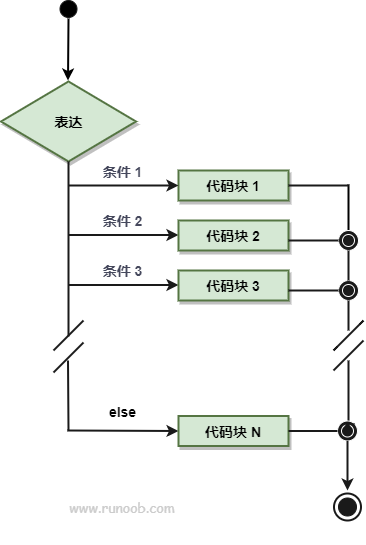
switchThe statement can have an optionalelse, which is at the end, and is executed when all cases do not match.
After a case matches, the case statement block is executed, and then it jumps out of the switch statement.
After a case matches, if we need to continue executing the following case statements, we need to add anextstatement.
Flowchart
Example
Executing the above program produces the following output:
数字 10
Next, let's look at usingnextthe example of:
Example
Executing the above program produces the following output:
数字 10 数字在列表中Other extensions