Perl Environment Installation
Before we start learning the Perl language, we need to install the Perl runtime environment.
Perl can run on the following platforms:
- Unix (Solaris, Linux, FreeBSD, AIX, HP/UX, SunOS, IRIX etc.)
- Win 9x/NT/2000/
- WinCE
- Macintosh (PPC, 68K)
- Solaris (x86, SPARC)
- OpenVMS
- Alpha (7.2 and later)
- Symbian
- Debian GNU/kFreeBSD
- MirOS BSD
- etc...
Many system platforms already have perl installed by default. We can use the following command to check whether it is installed:
$ perl -v

This is perl 5, version 18, subversion 2 (v5.18.2) built for darwin-thread-multi-2level
(with 2 registered patches, see perl -V for more detail)

Copyright 1987-2013, Larry Wall
……
If the above information is output, it means it is installed. If it is not installed, you can refer to the installation guide below.
Install Perl
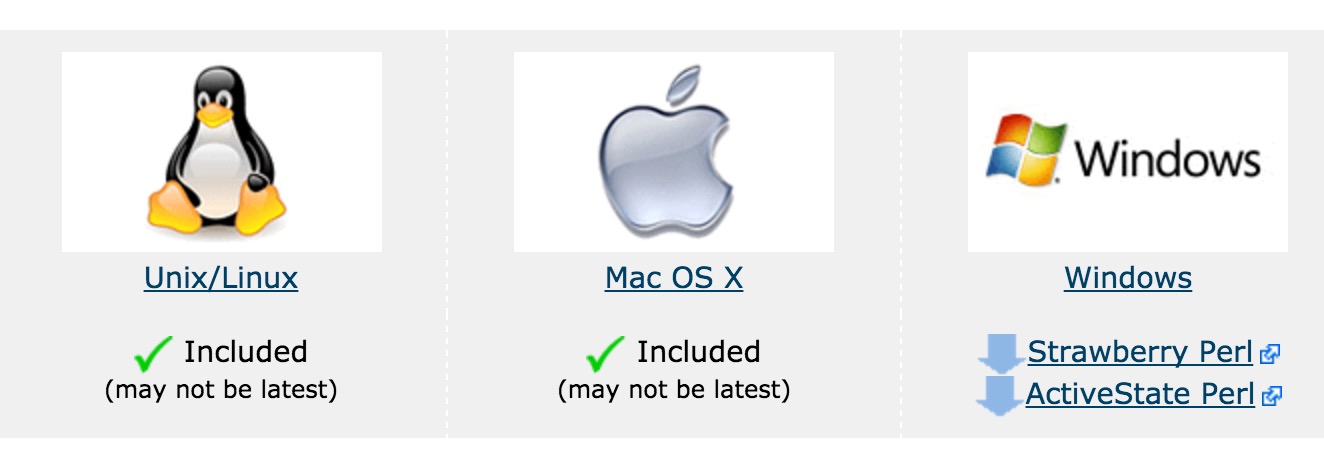
We can download the installation package for the corresponding platform from Perl's official website:https://www.perl.org/get.html
Install Perl on Unix and Linux
The Perl installation steps on Unix/Linux systems are as follows:
Open through a browserhttp://www.perl.org/get.html。
Download the source package for Unix/Linux.
Downloadperl-5.x.y.tar.gzAfter downloading the file, perform the following operations.
$ tar -xzf perl-5.x.y.tar.gz
$ cd perl-5.x.y
$ ./Configure -de
$ make
$ make test
$ make install
Next, if weperl -vUse the command to check whether the installation was successful.
After successful installation, Perl's installation path is/usr/local/bin, the libraries are installed in/usr/local/lib/perlXX, XX is the version number.
Install Perl on Windows
On the Windows platform, Perl has ActiveStatePerl and Strawberry Perl compilers.
The biggest difference between ActiveState Perl and Strawberry Perl is that Strawberry Perl includes more CPAN modules, so the installation file downloaded for Strawberry Perl is over 80 MB, while ActiveState Perl is only about 20 MB.
Here we use Strawberry Perl.
The Perl installation steps on Windows systems are as follows:
Strawberry installation package link:http://strawberryperl.com。
Download the version corresponding to your system: 32-bit or 64-bit.
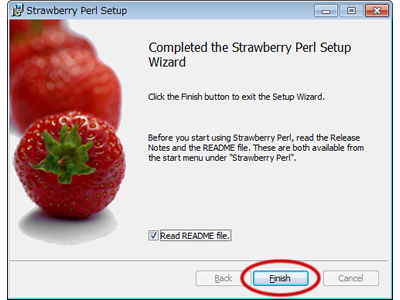
After downloading, double-click to open it, and follow the installation wizard step by step to install.
Install Perl on Mac OS
Mac OS systems generally have Perl installed by default. If it is not installed, perform the following steps:
Open through a browserhttp://www.perl.org/get.html。
Download the source package for Mac OS.
Downloadperl-5.x.y.tar.gzAfter downloading the file, perform the following operations.
$ tar -xzf perl-5.x.y.tar.gz
$ cd perl-5.x.y
$ ./Configure -de
$ make
$ make test
$ make install
After successful execution, Perl's installation path is/usr/local/bin, the libraries are installed in/usr/local/lib/perlXX, XX is the version number.
Run Perl
Perl has different execution methods.
1. Interactive
We can directly execute perl code on the command line. The syntax format is as follows:
$perl  -e <perl code>           # Unix/Linux

或

C:>perl -e <perl code>          # Windows/DOS
The command line options are as follows:
| Option | Description |
|---|---|
| -d[:debugger] | Run the program in debug mode |
| -Idirectory | Specify @INC/#include directory |
| -T | Enable taint checking |
| -t | Enable taint warnings |
| -U | Allow unsafe operations |
| -w | Enable many useful warnings |
| -W | Enable all warnings |
| -X | Disable usage warnings |
| -e program | Execute perl code |
| file | Execute perl script file |
2. Script execution
We can put perl code in a script file and execute the file code with the following command:
$perl  script.pl          # Unix/Linux

或

C:>perl script.pl         # Windows/DOS
Integrated Development Environment (IDE: Integrated Development Environment)
We can also execute perl scripts in some graphical user interface (GUI) environments. Below are two commonly used Perl integrated development environments recommended:
Padre: Padre is an integrated development environment for Perl developers, providing syntax highlighting and code refactoring features.
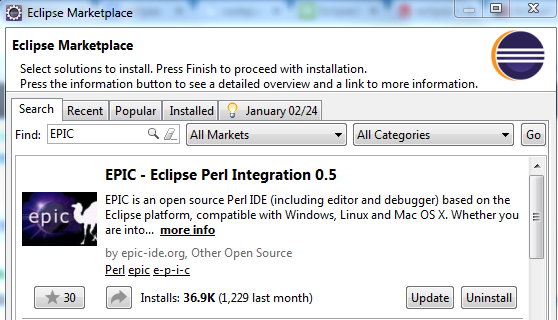
EPIC: EPIC is a plugin for the Perl Eclipse IDE. If you are familiar with Eclipse, you can use it.
Installation steps: Help --> Eclipse Marketplace --> Enter EPIC --> Select install and update.