Bootstrap5 Installation and Usage
We can install Bootstrap5 in the following two ways:
Use the Bootstrap5 CDN.
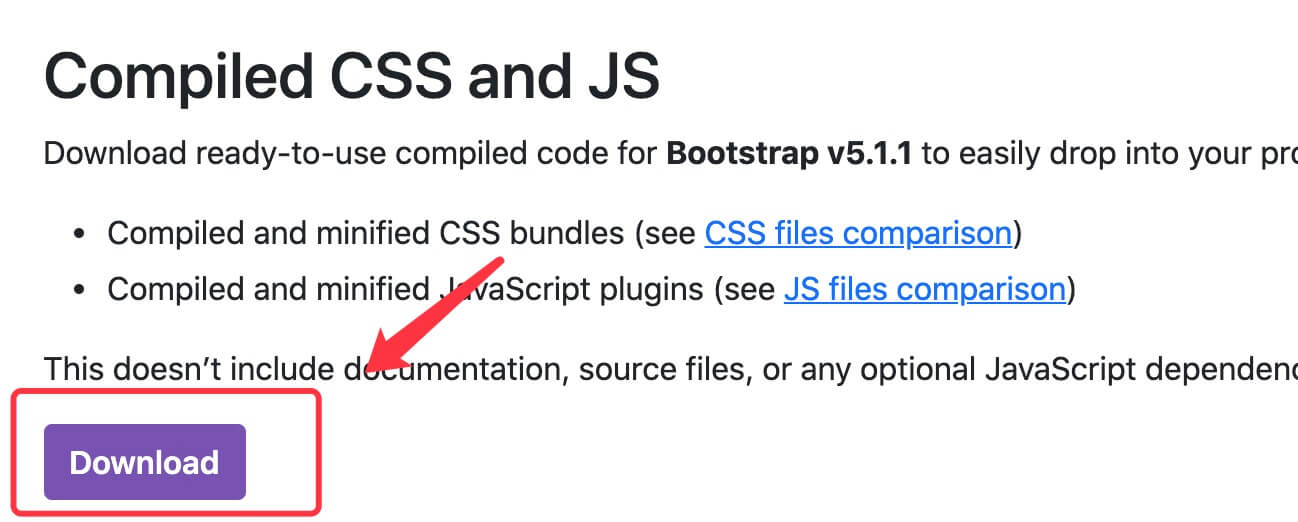
From the official websitegetbootstrap.comDownload Bootstrap 5.
Bootstrap 5 CDN
CDNJS:
Bootstrap5 CDN
Note:popper.min.js is used to set up popovers, tooltips, and dropdown menus.
bootstrap.bundle.js (uncompressed) or bootstrap.bundle.min.js (compressed) includes bundled plugins such as popper.min.js and other dependency scripts, so we can also directly use the following code:
Example
<link rel="stylesheet" href="https://cdnjs.cloudflare.com/ajax/libs/twitter-bootstrap/5.1.3/css/bootstrap.min.css">
<!-- Latest Bootstrap5 core JavaScript file -->
<script src="https://cdnjs.cloudflare.com/ajax/libs/twitter-bootstrap/5.1.3/js/bootstrap.bundle.min.js"></script>
Bootstrap5 CDN(jsDelivr)
Bootstrap5 CDN(Staticfile)
<link rel="stylesheet" href="https://cdn.staticfile.net/twitter-bootstrap/5.1.1/css/bootstrap.min.css">
<!-- Latest Bootstrap5 core JavaScript file -->
<script src="https://cdn.staticfile.net/twitter-bootstrap/5.1.1/js/bootstrap.bundle.min.js"></script>
In addition, you can also use the following CDN services:
- Recommended in China 1:https://cdn.bytedance.com/
- Recommended in China 2:https://www.staticfile.net/
- Recommended internationally:https://cdnjs.com/
Download Bootstrap 5
You can go to the official websitehttps://getbootstrap.com/to download the Bootstrap5 resource bundle.
Note:In addition, you can also install it via package management tools such as npm, yarn, gem, composer, etc.:
npm install bootstrapyarn add bootstrapgem install bootstrap -v 5.1.1composer require twbs/bootstrap:5.1.1
Create your first Bootstrap 5 page
1. Add the HTML5 doctype
Bootstrap requires the use of an HTML5 doctype, so you need to add the HTML5 doctype declaration.
The HTML5 doctype is declared at the top of the document, along with the corresponding character encoding:
Mobile-first
To make websites developed with Bootstrap mobile-friendly, ensure proper rendering and touch zooming, you need to add the viewport meta tag in the head of the webpage, as shown below:
<meta name="viewport" content="width=device-width, initial-scale=1">
width=device-widthIndicates that the width is the width of the device screen.
initial-scale=1Indicates the initial zoom scale.
Container classes
Bootstrap 5 requires a container element to wrap the website's content.
We can use the following two container classes:
- The .container class is used for a fixed-width container that supports responsive layouts.
- The .container-fluid class is used for a 100% width container that spans the entire viewport.

Two Bootstrap 5 pages
Bootstrap5 .container example
Try it Yourself »
The following example shows a container that spans the entire viewport.
Bootstrap5 .container-fluid example
Try it yourself »