Swift Loops
Sometimes, we may need to execute the same block of code multiple times. In general, statements are executed sequentially: the first statement in a function executes first, then the second, and so on.
Programming languages provide various control structures for more complex execution paths.
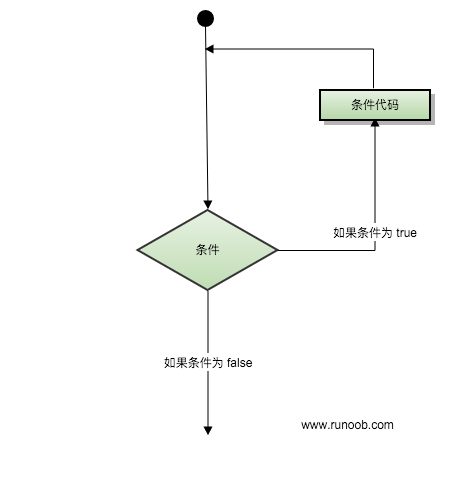
Loop statements allow us to execute a statement or a group of statements multiple times. Below is a flowchart of loop statements in most programming languages:
Loop Types
The Swift language provides the following loop types. Click the links to view a detailed description of each type:
| Loop Type | Description |
|---|---|
| Iterates over all elements in a collection, such as ranges of numbers, elements in an array, or characters in a string. | |
|
This loop method has been deprecated in Swift 3. Used to repeatedly execute a series of statements until a specific condition is met, generally by increasing the value of a counter after each loop completes. |
|
| Runs a series of statements; if the condition is true, it repeats until the condition becomes false. | |
| Similar to the while statement, except that the loop's code block is executed once before the loop condition is evaluated. |
Loop Control Statements
Loop control statements change the execution order of your code; through them, you can implement code jumps. Swift provides the following loop control statements:
| Control Statement | Description |
|---|---|
| Tells a loop body to immediately stop the current loop iteration and restart the next loop iteration. | |
| Interrupts the current loop. | |
| If you want to continue executing the following case after one case has finished executing, you need to use the fallthrough (penetration) keyword. |